anynote: Brain Dump Notes
Clear your head: journal, todo
Entwickelt für iPhone, Mac
Kostenlos · In-App-Käufe
- Altersfreigabe4+
- KategorieProduktivität
- EntwicklerHAK-I, K.K.
- SprachenEnglisch+ 4 weitere
- Größe1,5 MB
Verlinkt auf die offizielle App Store-Seite
Download.org hostet keine Datei von anynote: Brain Dump Notes. Die Schaltfläche öffnet die App-Seite bei App Store, wo HAK-I, K.K. die App veröffentlicht. Eintrag zuletzt geprüft am 12.11.2026.
Screenshots
Info
Der Entwickler hat diesen Text nicht in Ihrer Sprache bereitgestellt.
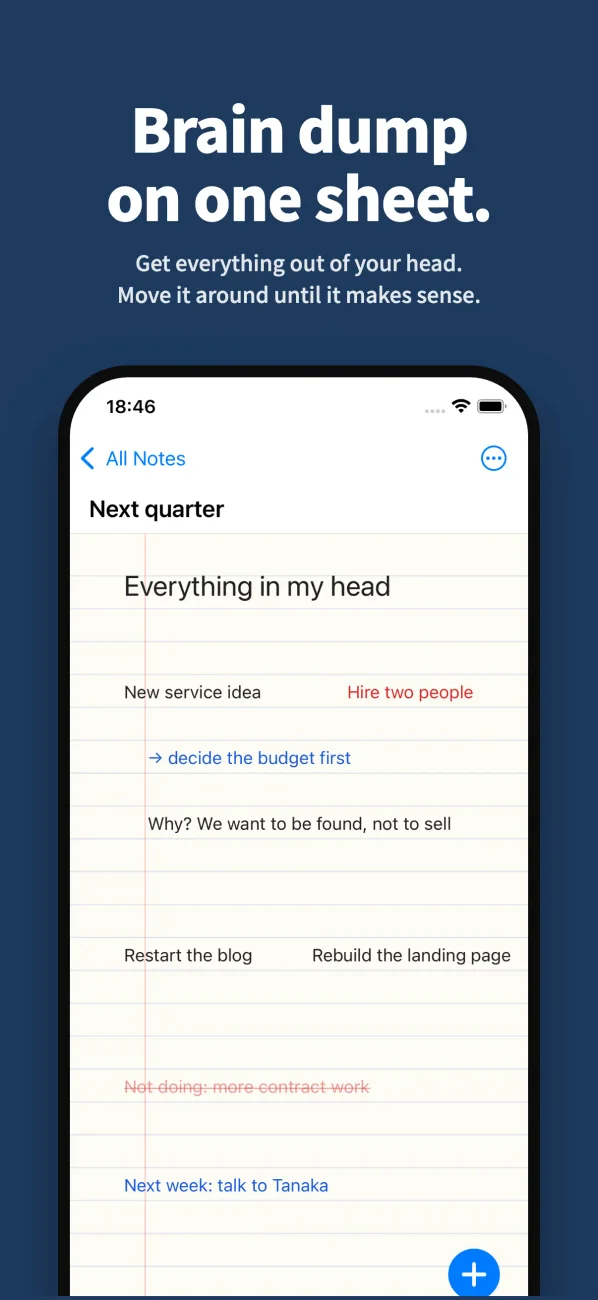
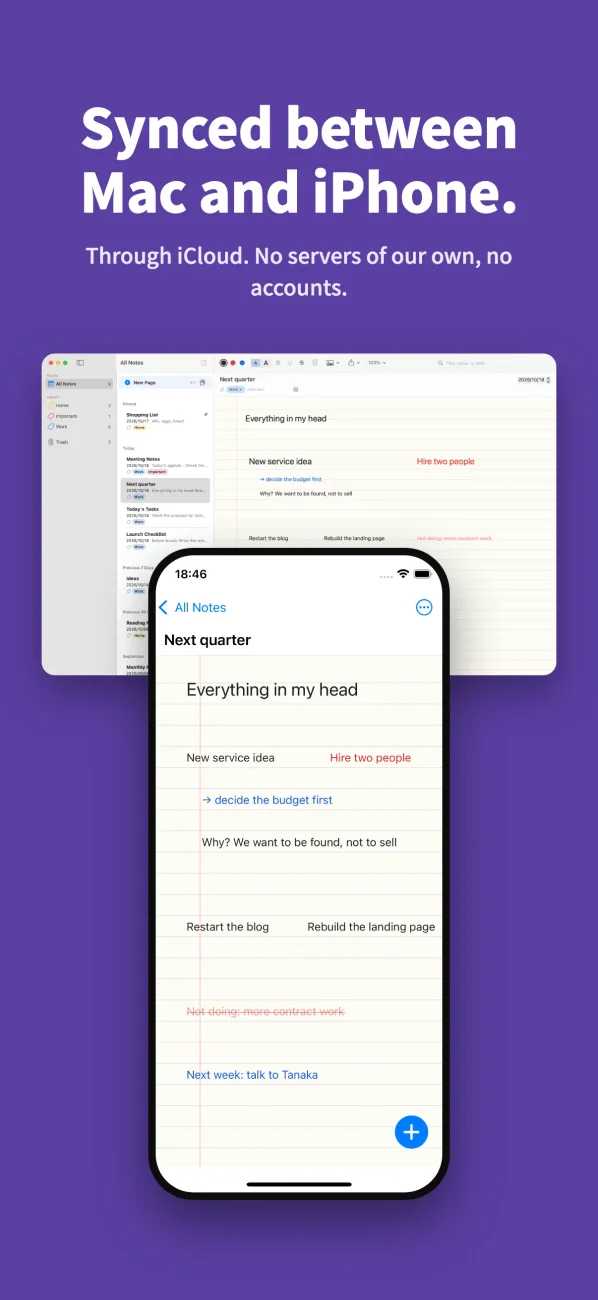
Write wherever you like. Move things around and clear your head.
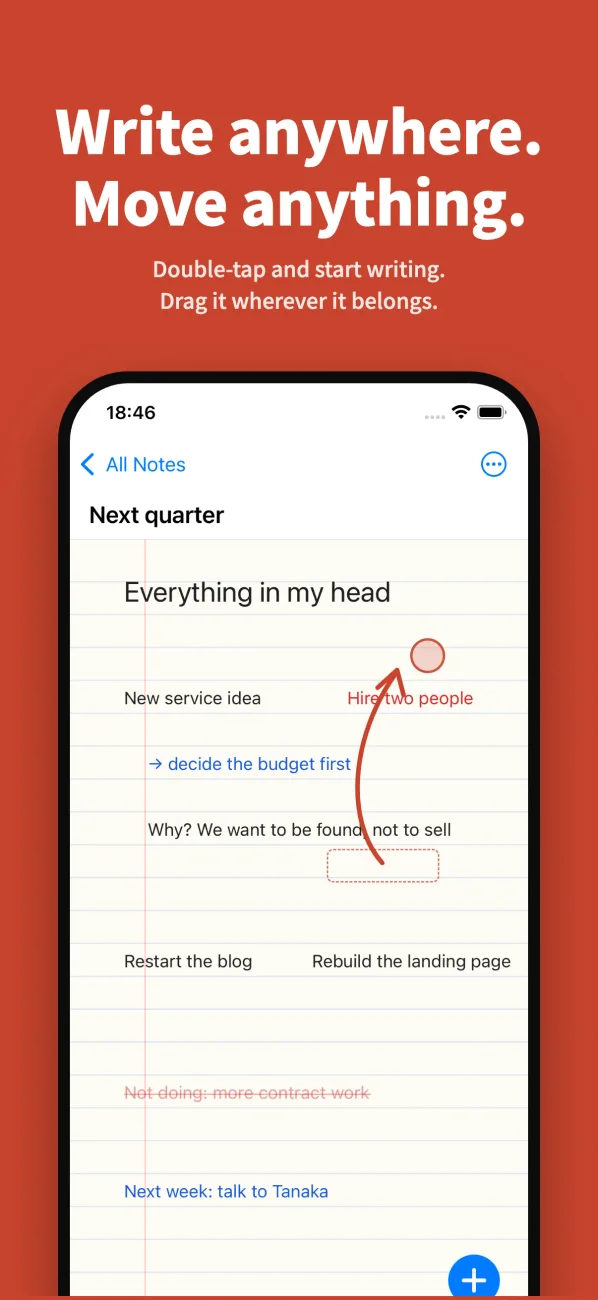
anynote is a notes app that works like a sheet of paper. Double-click (double-tap on iPhone) anywhere and start writing right there. Just three text colors and two text sizes. Your notes sync between Mac and iPhone.
■ WHEN IT HELPS
• When your thoughts won't settle. Write everything in your head onto the page, then sort it out.
• Brainstorming alone. Write ideas wherever you like, then rearrange them later.
• Journaling and end-of-day reflection. Leave a feeling or an insight right where it came up.
• Managing tasks. Urgent items top-left, later items to the right, finished items struck through.
Most notes apps only let you write from top to bottom. anynote is a blank sheet: where you write something means something. Your head already works this way, so your notes should too.
■ WRITING, KEPT SIMPLE
• Double-click (or double-tap) a spot and start typing. There is no "insert text box" step.
• Grab any text and drag it anywhere. Select several at once to move, delete, or recolor them together.
■ ONLY THE FORMATTING YOU NEED
• Text colors: black, red, blue
• Text sizes: normal and large
• Also: bold, underline, strikethrough
We kept it this small on purpose. There is nothing to decide before you write.
■ BACKGROUND IMAGES
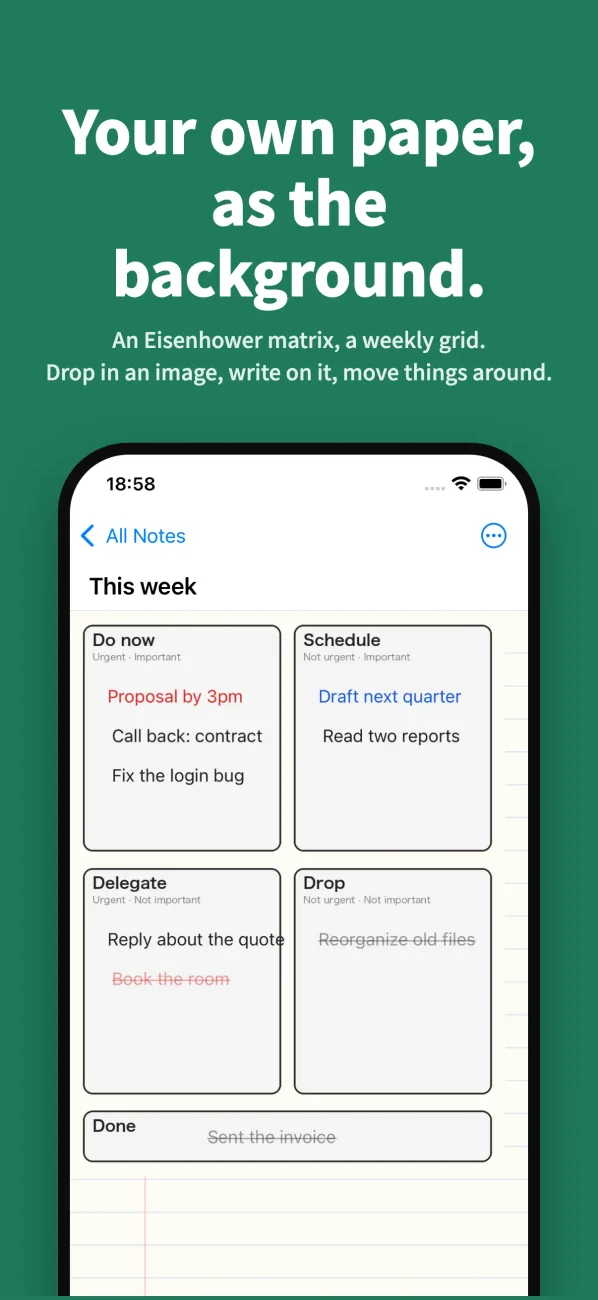
• Set an image you made as the page background, such as a matrix or a weekly planner, and take notes in the layout that suits you.
• Save it as a template and create the next page in one step.
■ EXPORT
• Export a page as PNG or PDF. Save it as an image and paste it straight into Slack or email.
■ SYNC BETWEEN MAC AND IPHONE
• Syncs through iCloud. No servers of our own, no accounts, no analytics. Your data lives only in your iCloud and on your devices.
■ PAGE LIST
• Pages grouped by Today, Yesterday, Previous 7 Days, month, and year. Pin, label, and full-text search.
• Deleted pages stay in the Trash for 30 days. Automatic backups you can restore from.
■ PRICING
• Free to download. Every feature is available for 3 days.
• To keep writing after that, unlock once with a one-time purchase. No subscription. One purchase covers both Mac and iPhone.
• Even without unlocking, everything you wrote stays readable and exportable.
Available in English, Japanese, Korean, Simplified Chinese, and Traditional Chinese.
App-Datenschutz
Was HAK-I, K.K. im App Store zum Umgang dieser App mit Daten angibt.
-
Keine Daten erfasst
Der Entwickler erfasst keine Daten von dieser App.
Die Datenschutzpraktiken können variieren, zum Beispiel je nach den von Ihnen verwendeten Funktionen oder Ihrem Alter.
Informationen
- Anbieter
- HAK-I, K.K.
- Kategorie
- Produktivität
- Version
- 1.0
- Aktualisiert
- 30.10.2026
- Veröffentlicht
- 29.10.2026
- Größe
- 1,5 MB
- Erfordert
- iOS 17.0 oder neuer
- Altersfreigabe
- 4+
- Preis
- Kostenlos
- In-App-Käufe
- Ja
- Sprachen
- Englisch, Japanisch, Koreanisch, Vereinf. Chinesisch, Tradit. Chinesisch
- Copyright
- © 2026 HAK-I, K.K.
Das könnte Ihnen auch gefallen
-
 MandalaManager: 3x3 9x9 RasterOffizielle Mandalachart-App
-
 LockScreenNotesGroße Memos, immer sichtbar
-
 Bitwarden AuthenticatorProduktivität
-
 Notewise - KI-Notizen, PDFSchreiben. Aufnehmen. Behalten
-
 Detox Lock: App Sperredigital detox,app sperre,adhd
-
 Forms for Google DriveCreate Forms & View Responses
-
 Plaud: KI-ArbeitsbegleiterVom Gespräch zum Ergebnis.