anynote: Brain Dump Notes
Clear your head: journal, todo
Diseñada para iPhone, Mac
Gratis · Compras en la aplicación
- Clasificación por edad4+
- CategoríaProductividad
- DesarrolladorHAK-I, K.K.
- IdiomasInglés+ 4 más
- Tamaño1,5 MB
Enlaza a la página oficial de App Store
Download.org no aloja ningún archivo de anynote: Brain Dump Notes. El botón abre la página de la aplicación en App Store, donde la publica HAK-I, K.K. Ficha comprobada por última vez el 12/11/2026.
Capturas de pantalla
Acerca de
El desarrollador no ha proporcionado este texto en tu idioma.
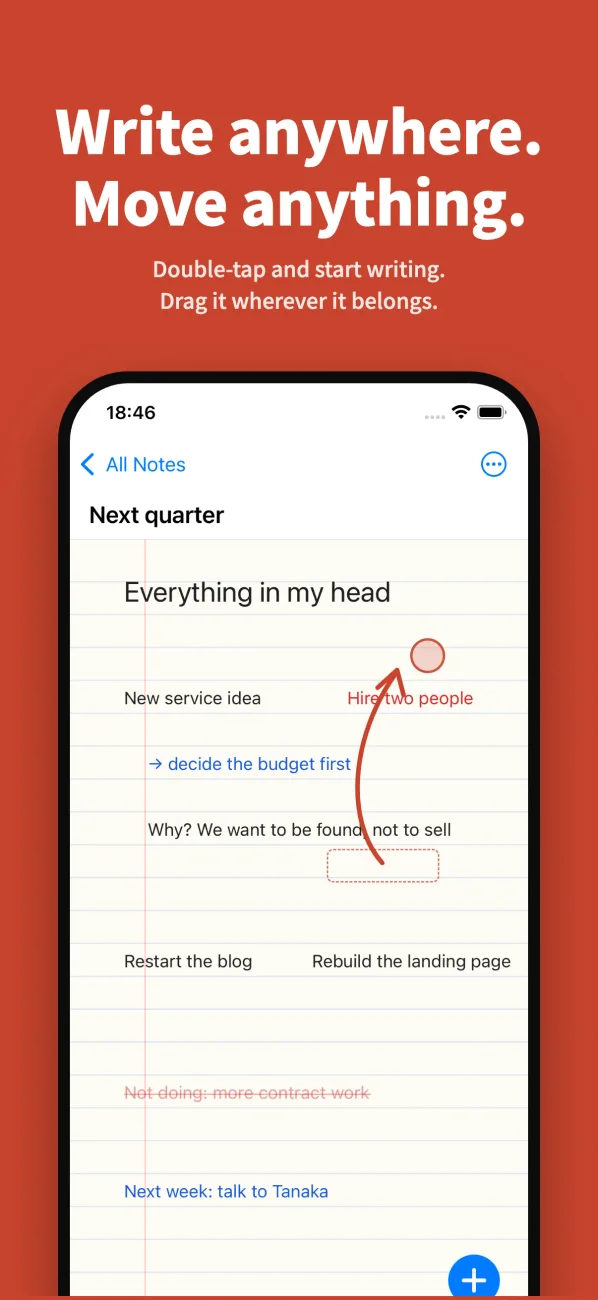
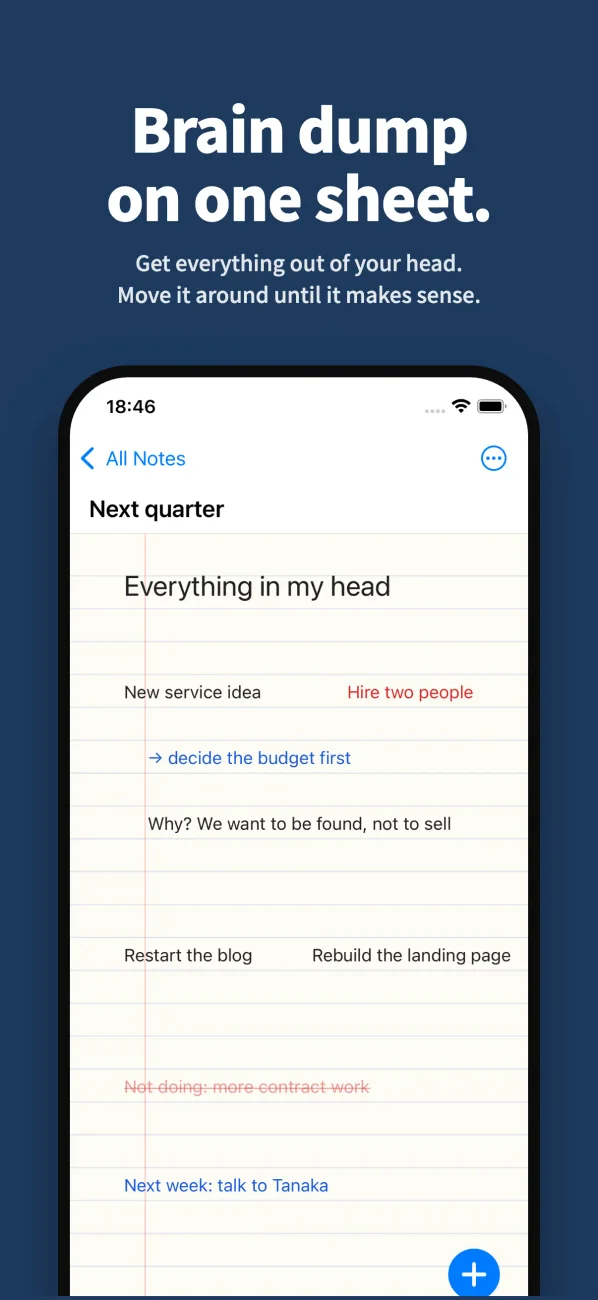
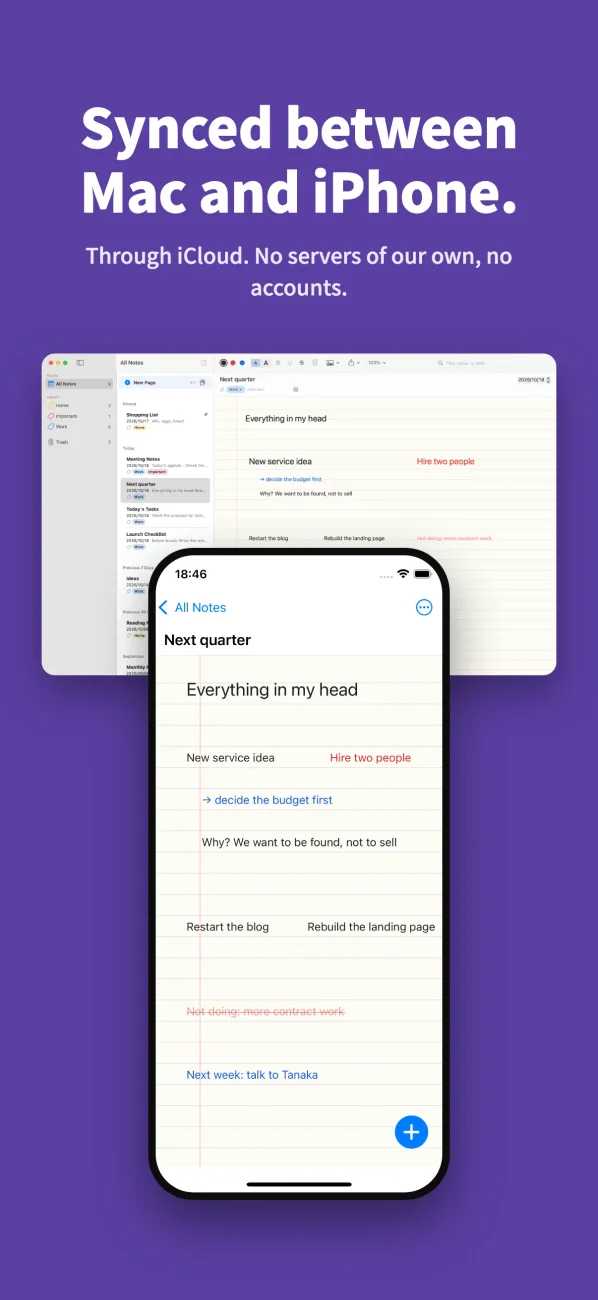
Write wherever you like. Move things around and clear your head.
anynote is a notes app that works like a sheet of paper. Double-click (double-tap on iPhone) anywhere and start writing right there. Just three text colors and two text sizes. Your notes sync between Mac and iPhone.
■ WHEN IT HELPS
• When your thoughts won't settle. Write everything in your head onto the page, then sort it out.
• Brainstorming alone. Write ideas wherever you like, then rearrange them later.
• Journaling and end-of-day reflection. Leave a feeling or an insight right where it came up.
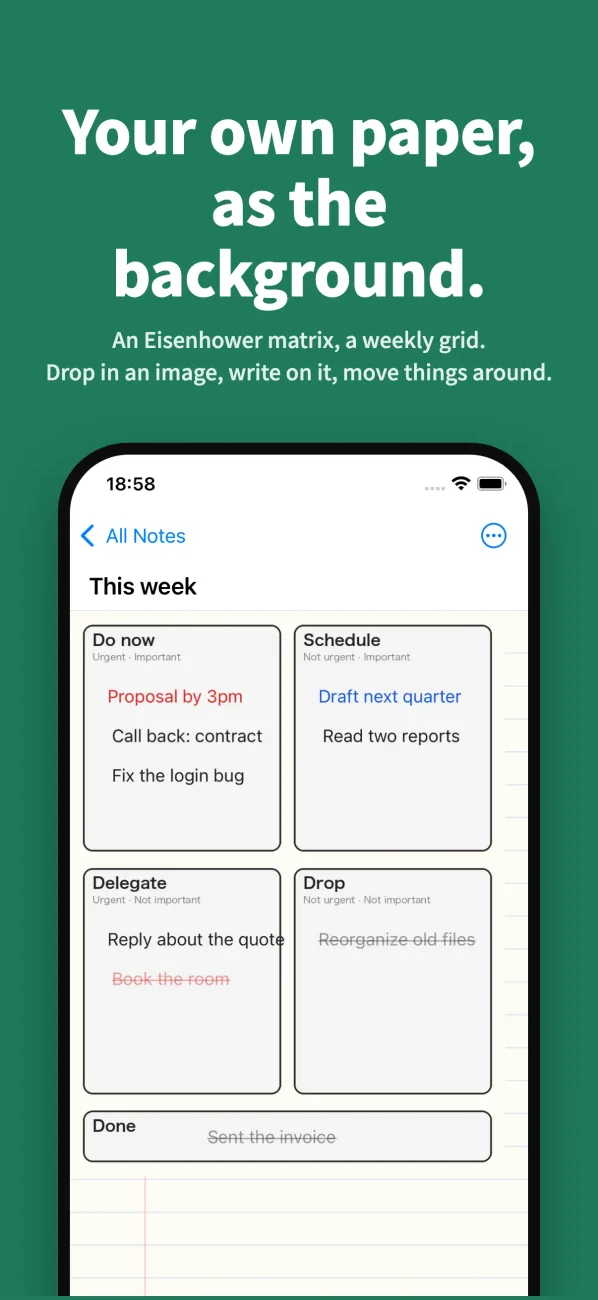
• Managing tasks. Urgent items top-left, later items to the right, finished items struck through.
Most notes apps only let you write from top to bottom. anynote is a blank sheet: where you write something means something. Your head already works this way, so your notes should too.
■ WRITING, KEPT SIMPLE
• Double-click (or double-tap) a spot and start typing. There is no "insert text box" step.
• Grab any text and drag it anywhere. Select several at once to move, delete, or recolor them together.
■ ONLY THE FORMATTING YOU NEED
• Text colors: black, red, blue
• Text sizes: normal and large
• Also: bold, underline, strikethrough
We kept it this small on purpose. There is nothing to decide before you write.
■ BACKGROUND IMAGES
• Set an image you made as the page background, such as a matrix or a weekly planner, and take notes in the layout that suits you.
• Save it as a template and create the next page in one step.
■ EXPORT
• Export a page as PNG or PDF. Save it as an image and paste it straight into Slack or email.
■ SYNC BETWEEN MAC AND IPHONE
• Syncs through iCloud. No servers of our own, no accounts, no analytics. Your data lives only in your iCloud and on your devices.
■ PAGE LIST
• Pages grouped by Today, Yesterday, Previous 7 Days, month, and year. Pin, label, and full-text search.
• Deleted pages stay in the Trash for 30 days. Automatic backups you can restore from.
■ PRICING
• Free to download. Every feature is available for 3 days.
• To keep writing after that, unlock once with a one-time purchase. No subscription. One purchase covers both Mac and iPhone.
• Even without unlocking, everything you wrote stays readable and exportable.
Available in English, Japanese, Korean, Simplified Chinese, and Traditional Chinese.
Privacidad de la aplicación
Lo que HAK-I, K.K. declara en App Store sobre cómo esta aplicación gestiona los datos.
-
No se recopilan datos
El desarrollador no recopila ningún dato de esta aplicación.
Las prácticas de privacidad pueden variar, por ejemplo, según las funciones que uses o tu edad.
Información
- Vendedor
- HAK-I, K.K.
- Categoría
- Productividad
- Versión
- 1.0
- Actualizado
- 30/10/2026
- Publicado
- 29/10/2026
- Tamaño
- 1,5 MB
- Requiere
- iOS 17.0 o posterior
- Clasificación por edad
- 4+
- Precio
- Gratis
- Compras en la aplicación
- Sí
- Idiomas
- Inglés, Japonés, Coreano, Chino simplificado, Chino tradicional
- Copyright
- © 2026 HAK-I, K.K.
Quizá también te guste
-
 MandalaManager: celdas 3x3 9x9App oficial de Mandalachart
-
 LockScreenNotesMemo grande, siempre visible
-
 Bitwarden AuthenticatorProductividad
-
 Notewise - Notas IA, PDF, DocsEscribe, graba, crea, recuerda
-
 DetoxLock: Extreme App BlockerProductividad
-
 Forms for Google FormulariosCreate Forms & View Responses
-
 Plaud: Asistente IA de trabajoDe conversación a resultado.