anynote: Brain Dump Notes
Clear your head: journal, todo
Được thiết kế cho iPhone, Mac
Miễn phí · Mua hàng trong ứng dụng
- Độ tuổi4+
- Danh mụcHiệu Suất
- Nhà phát triểnHAK-I, K.K.
- Ngôn ngữTiếng Anh+ 4 ngôn ngữ khác
- Kích thước1,5 MB
Liên kết đến trang App Store chính thức
Download.org không lưu trữ tệp nào của anynote: Brain Dump Notes. Nút này mở trang ứng dụng trên App Store, nơi HAK-I, K.K. phát hành ứng dụng. Trang được kiểm tra lần cuối: 12/11/2026.
Ảnh chụp màn hình
Giới thiệu
Nhà phát triển chưa cung cấp nội dung này bằng ngôn ngữ của bạn.
Write wherever you like. Move things around and clear your head.
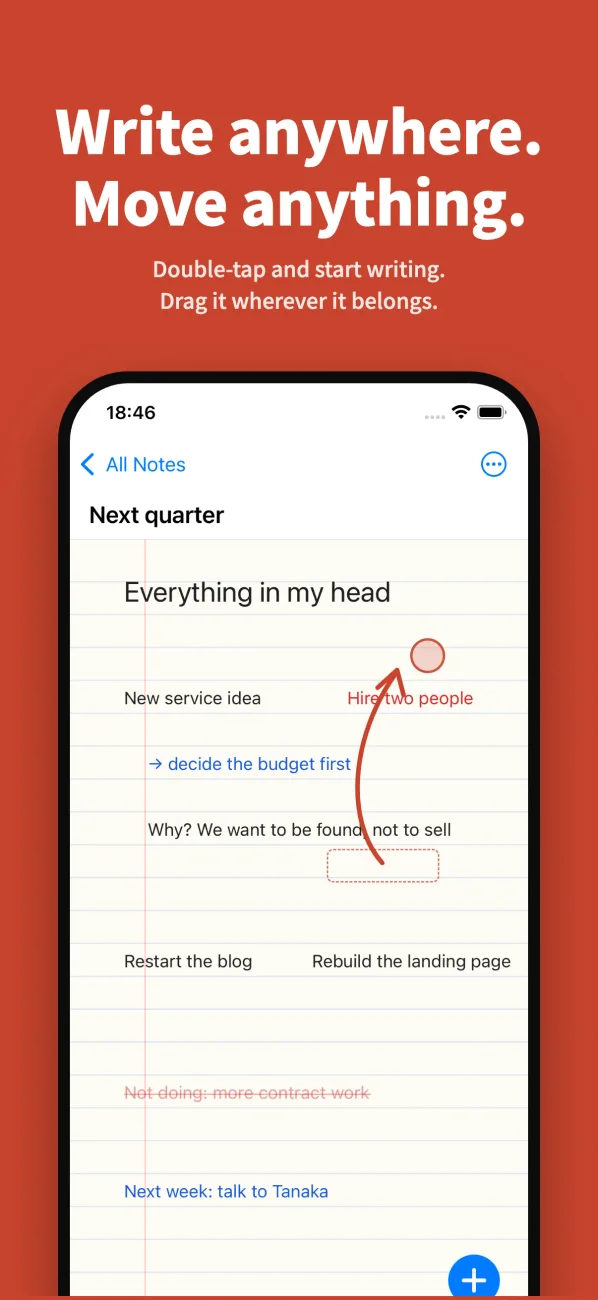
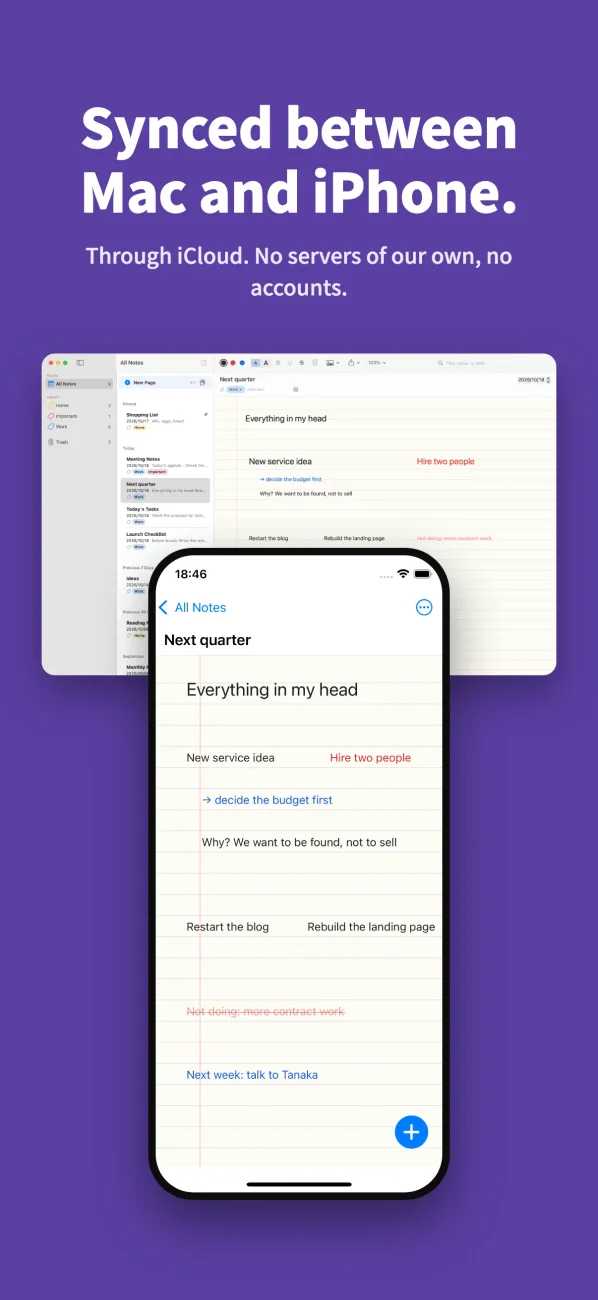
anynote is a notes app that works like a sheet of paper. Double-click (double-tap on iPhone) anywhere and start writing right there. Just three text colors and two text sizes. Your notes sync between Mac and iPhone.
■ WHEN IT HELPS
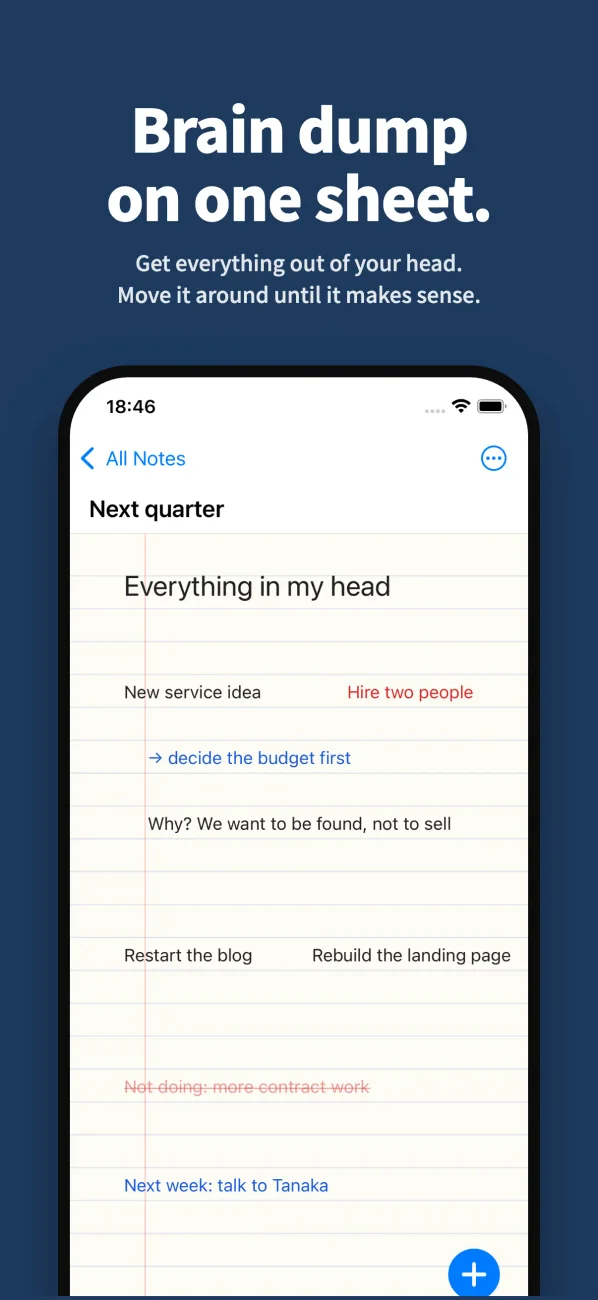
• When your thoughts won't settle. Write everything in your head onto the page, then sort it out.
• Brainstorming alone. Write ideas wherever you like, then rearrange them later.
• Journaling and end-of-day reflection. Leave a feeling or an insight right where it came up.
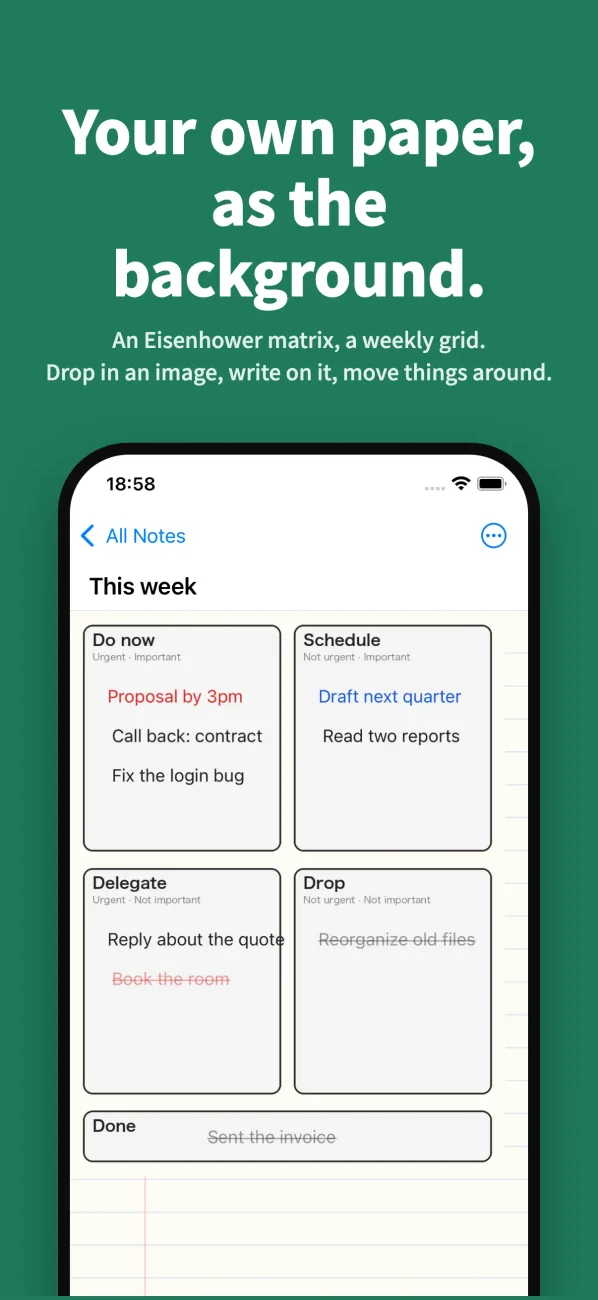
• Managing tasks. Urgent items top-left, later items to the right, finished items struck through.
Most notes apps only let you write from top to bottom. anynote is a blank sheet: where you write something means something. Your head already works this way, so your notes should too.
■ WRITING, KEPT SIMPLE
• Double-click (or double-tap) a spot and start typing. There is no "insert text box" step.
• Grab any text and drag it anywhere. Select several at once to move, delete, or recolor them together.
■ ONLY THE FORMATTING YOU NEED
• Text colors: black, red, blue
• Text sizes: normal and large
• Also: bold, underline, strikethrough
We kept it this small on purpose. There is nothing to decide before you write.
■ BACKGROUND IMAGES
• Set an image you made as the page background, such as a matrix or a weekly planner, and take notes in the layout that suits you.
• Save it as a template and create the next page in one step.
■ EXPORT
• Export a page as PNG or PDF. Save it as an image and paste it straight into Slack or email.
■ SYNC BETWEEN MAC AND IPHONE
• Syncs through iCloud. No servers of our own, no accounts, no analytics. Your data lives only in your iCloud and on your devices.
■ PAGE LIST
• Pages grouped by Today, Yesterday, Previous 7 Days, month, and year. Pin, label, and full-text search.
• Deleted pages stay in the Trash for 30 days. Automatic backups you can restore from.
■ PRICING
• Free to download. Every feature is available for 3 days.
• To keep writing after that, unlock once with a one-time purchase. No subscription. One purchase covers both Mac and iPhone.
• Even without unlocking, everything you wrote stays readable and exportable.
Available in English, Japanese, Korean, Simplified Chinese, and Traditional Chinese.
Quyền riêng tư của ứng dụng
Những gì HAK-I, K.K. khai báo trên App Store về cách ứng dụng này xử lý dữ liệu.
-
Dữ liệu không được thu thập
Nhà phát triển không thu thập bất kỳ dữ liệu nào từ ứng dụng này.
Phương thức đảm bảo quyền riêng tư có thể khác nhau, chẳng hạn như tuỳ theo các tính năng bạn sử dụng hoặc độ tuổi của bạn.
Thông tin
- Người bán
- HAK-I, K.K.
- Danh mục
- Hiệu Suất
- Phiên bản
- 1.0
- Cập nhật
- 30/10/2026
- Phát hành
- 29/10/2026
- Kích thước
- 1,5 MB
- Yêu cầu
- iOS 17.0 trở lên
- Độ tuổi
- 4+
- Giá
- Miễn phí
- Mua hàng trong ứng dụng
- Có
- Ngôn ngữ
- Tiếng Anh, Tiếng Nhật, Tiếng Hàn, Tiếng Trung Giản thể, Tiếng Trung Phồn thể
- Bản quyền
- © 2026 HAK-I, K.K.
Có thể bạn cũng thích
-
 MandalaManager: Lưới 3x3 9x9Ứng dụng Mandalachart
-
 LockScreenNotesGhi chú lớn, luôn trước mắt
-
 Bitwarden AuthenticatorHiệu Suất
-
 Notewise - Ghi chú AI, PDFViết. Ghi âm. Vẽ. Ghi nhớ.
-
 DetoxLock: Extreme App BlockerHiệu Suất
-
 Forms for Google Forms #Create Forms & View Responses
-
 Plaud: AI Work CompanionHiệu Suất