ArtistView2
Preview Art in Real Space
Entwickelt für iPhone, iPad
Kostenlos · In-App-Käufe
- Altersfreigabe+4
- KategorieGrafik und Design
- EntwicklerPAUL VITALE
- SprachenPortugiesisch+ 10 weitere
- Größe26,7 MB
Verlinkt auf die offizielle App Store-Seite
Download.org hostet keine Datei von ArtistView2. Die Schaltfläche öffnet die App-Seite bei App Store, wo PAUL VITALE die App veröffentlicht. Eintrag zuletzt geprüft am 12.11.2026.
Screenshots

Info
Der Entwickler hat diesen Text nicht in Ihrer Sprache bereitgestellt.
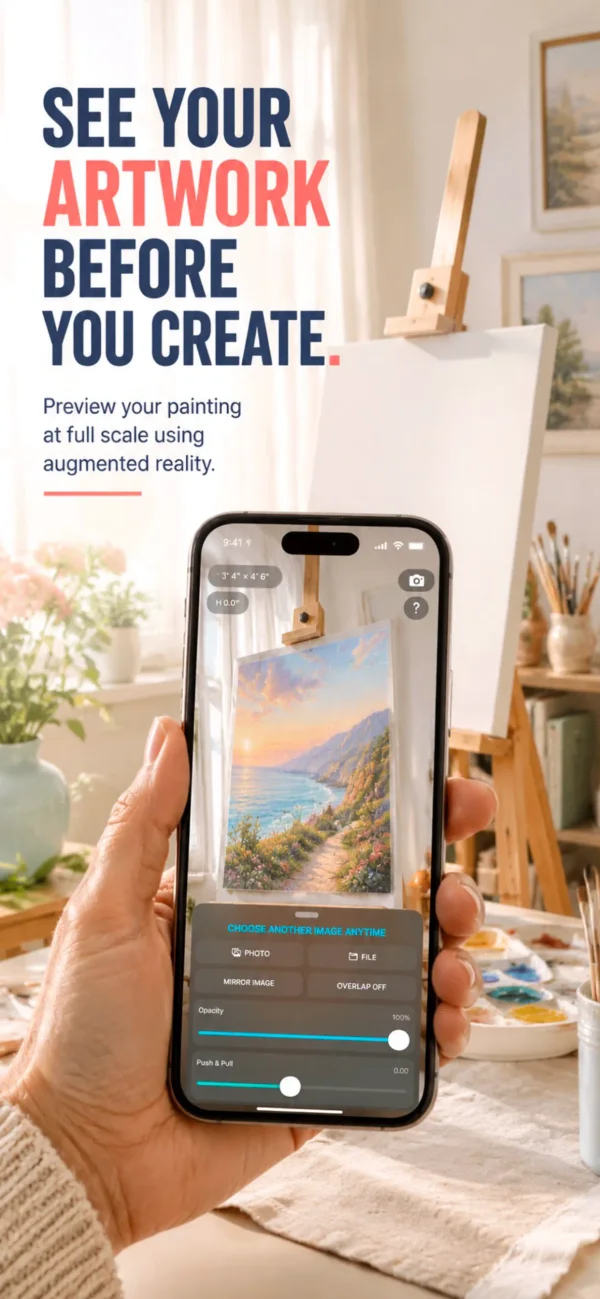
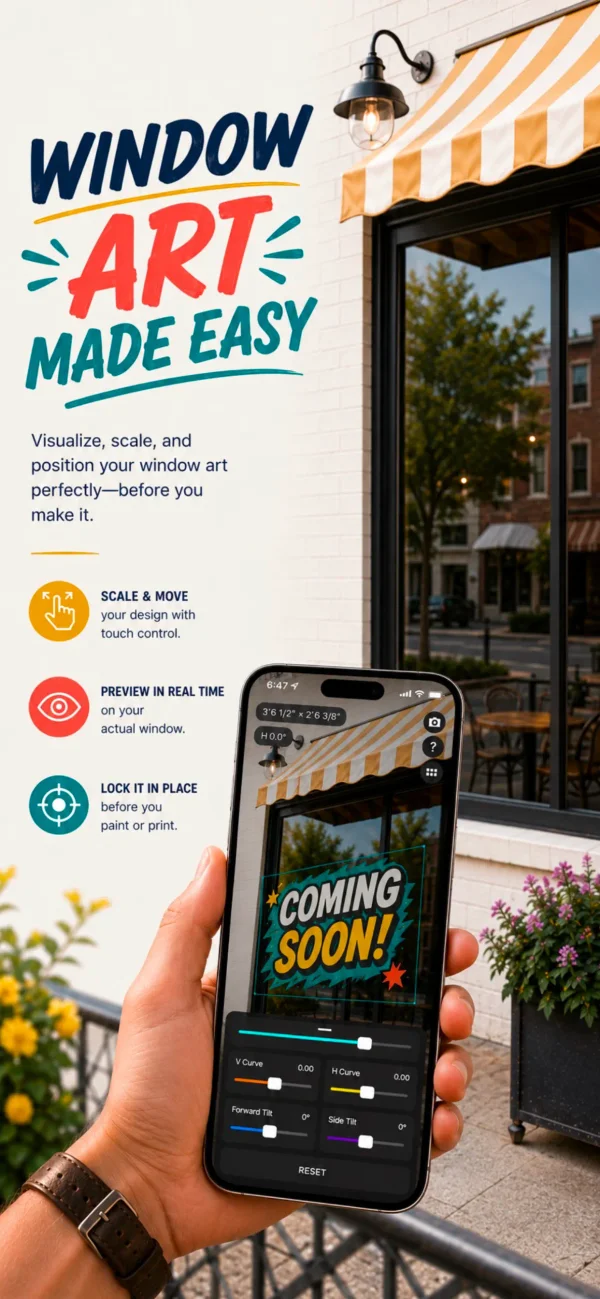
ArtistView2 lets artists preview artwork in real space before creating it. Place sketches, paintings, tattoo flash, illustrations, signs, window artwork, and more onto real world surfaces using augmented reality on iPhone and iPad.
Designed for artists, illustrators, tattoo artists, sign painters, muralists, and creators of all kinds, ArtistView2 helps visualize artwork directly on walls, floors, windows, mirrors, canvas, paper, easels, columns, and curved surfaces with accurate placement and scaling tools.
Import artwork from your photo library or files and instantly preview designs in your environment. Whether you are planning a painting, testing tattoo flash, laying out a window design, or experimenting with artwork placement, ArtistView2 helps you see ideas before committing to the final piece.
FEATURES
Real Time AR Placement
Place artwork directly into your environment using augmented reality. Move around the artwork naturally and preview designs from different angles and distances.
Works on Multiple Surfaces
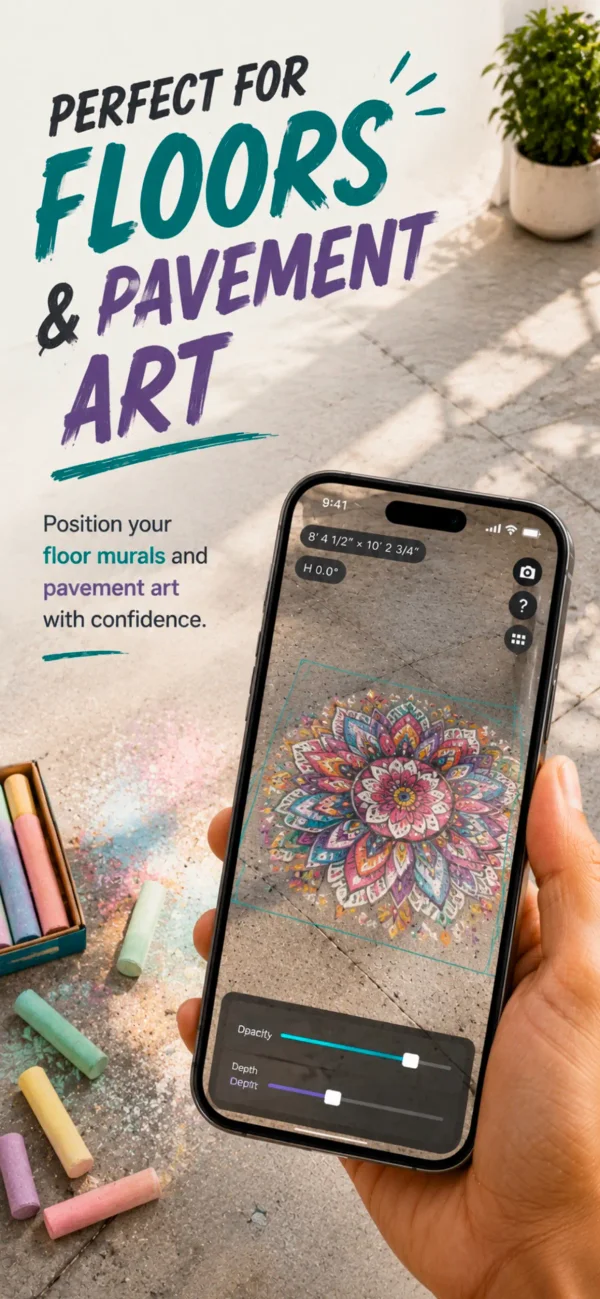
Preview artwork on walls, floors, windows, mirrors, easels, canvas, paper, columns, curved surfaces, and more.
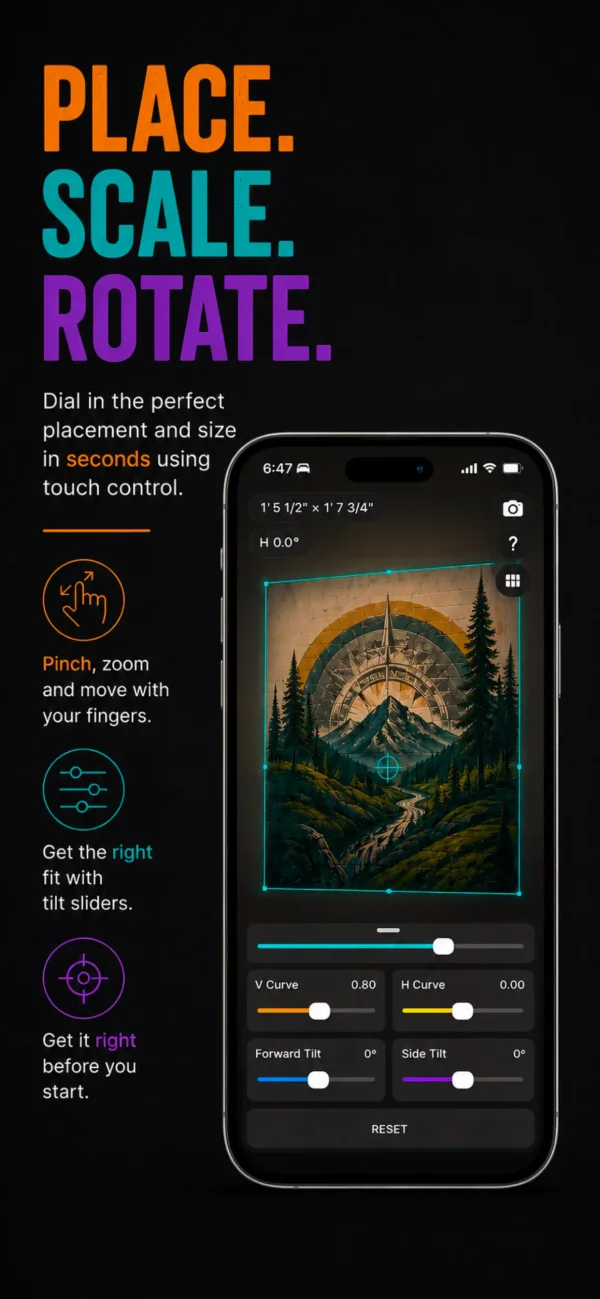
Curved Surface Support
Wrap artwork around curved surfaces like columns and rounded walls for more accurate previews.
Import Your Own Artwork
Use artwork from your photo library or import files directly into the app.
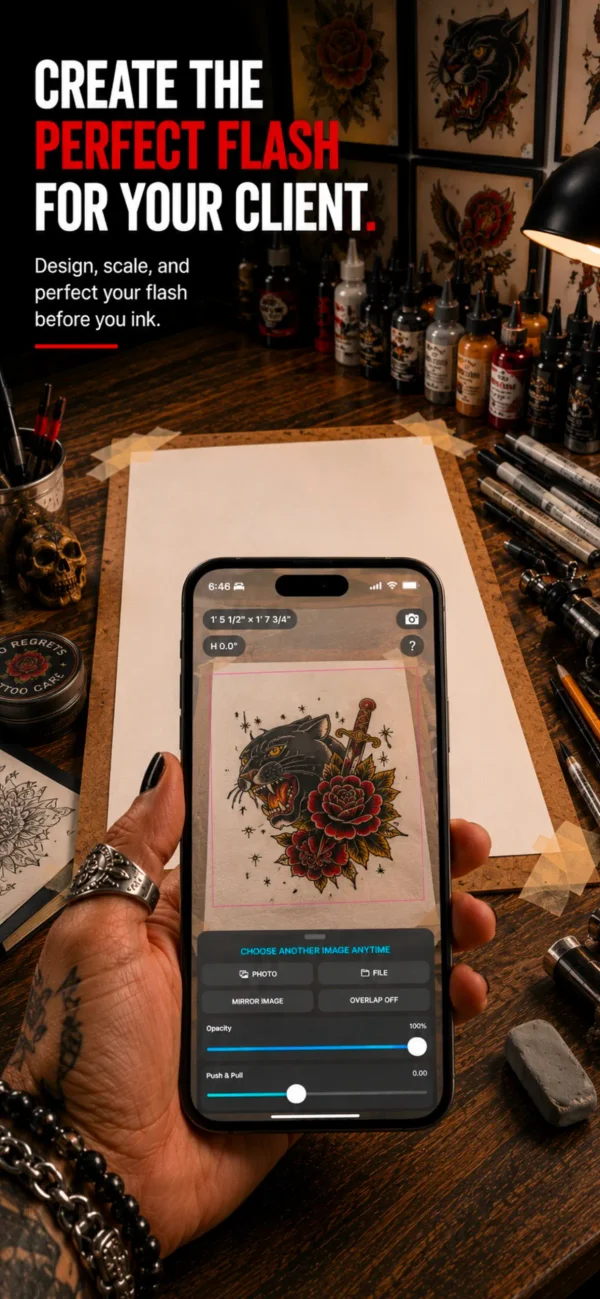
Mirror Image Mode
Quickly flip artwork horizontally for transfers, tracing, and layout adjustments.
Opacity Controls
Adjust artwork transparency to line up designs and compare placement against real surfaces.
Scaling and Positioning
Resize and reposition artwork in real space with intuitive controls designed for artists.
Overlap Mode
Toggle overlap settings to better visualize how artwork interacts with the surrounding environment.
Designed for Creative Workflows
ArtistView2 is useful for tattoo flash planning, sign painting, canvas layout, illustration previews, mural concepts, storefront artwork, and creative experimentation.
Built for Artists
ArtistView2 was created by a working artist with real world experience in painting, murals, layout, and design visualization.
SUPPORTED DEVICES
ArtistView2 works on compatible iPhone and iPad devices that support ARKit.
SUBSCRIPTION
ArtistView2 includes a free trial followed by an auto renewing subscription. Subscription pricing may vary by region. Payment is charged to your Apple ID account after confirmation of purchase. Subscriptions automatically renew unless canceled at least 24 hours before the end of the current period. You can manage and cancel subscriptions in your App Store account settings.
Privacy Policy
https://www.apple.com/legal/privacy/
Terms of Use
https://www.apple.com/legal/internet-services/itunes/dev/stdeula/
App-Datenschutz
Was PAUL VITALE im App Store zum Umgang dieser App mit Daten angibt.
-
Keine Daten erfasst
Der Entwickler erfasst keine Daten von dieser App.
Die Datenschutzpraktiken können variieren, zum Beispiel je nach den von Ihnen verwendeten Funktionen oder Ihrem Alter.
Informationen
- Anbieter
- PAUL VITALE
- Kategorie
- Grafik und Design
- Version
- 1.0
- Aktualisiert
- 29.06.2026
- Veröffentlicht
- 29.06.2026
- Größe
- 26,7 MB
- Erfordert
- iOS 18.6 oder neuer
- Altersfreigabe
- +4
- Preis
- Kostenlos
- In-App-Käufe
- Ja
- Sprachen
- Portugiesisch, Deutsch, Vereinf. Chinesisch, Koreanisch, Spanisch, Französisch, Hindi, Englisch, Italienisch, Japanisch, Russisch
- Copyright
- © Paul Vitale
Das könnte Ihnen auch gefallen
-
 MawuARtview: Art in Your SpaceGrafik und Design
-
 FindaCanGrafik und Design
-
 Mural Trace - Ctrl V Art GridWandbilder einfach malen!
-
 Palettia - Photo Color PickFarben aus Bildern erkennen
-
 Color Picker: Farben erkennenFarbpalette: Wandfarbe, Code
-
 AR Trafaret: Drawing & SketchGrafik und Design
-
 AR Drawing Projector: Draw ArtGrafik und Design
-
 GLB: 3D Model GeneratorGrafik und Design
-
 Trace Drawing & Projector - ARGrafik und Design
-
 ArtSync: AR Drawing ProjectorGrafik und Design