
Befar Work Cam
Site inspections made simple
Entwickelt für iPhone, iPad, iPod touch
Kostenlos · In-App-Käufe
- Altersfreigabe4+
- KategorieProduktivität
- EntwicklerMorten Punnerud
- SprachenEnglisch
- Größe15,1 MB
Verlinkt auf die offizielle App Store-Seite
Download.org hostet keine Datei von Befar Work Cam. Die Schaltfläche öffnet die App-Seite bei App Store, wo Morten Punnerud die App veröffentlicht. Eintrag zuletzt geprüft am 24.11.2026.
Screenshots

Info
Der Entwickler hat diesen Text nicht in Ihrer Sprache bereitgestellt.
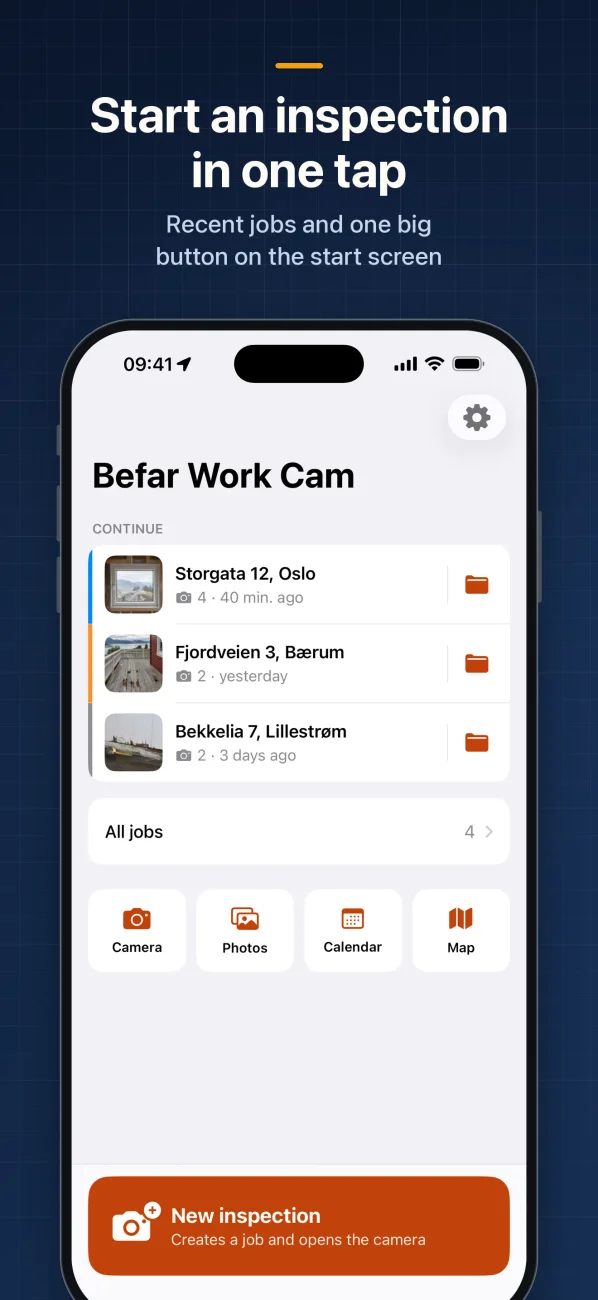
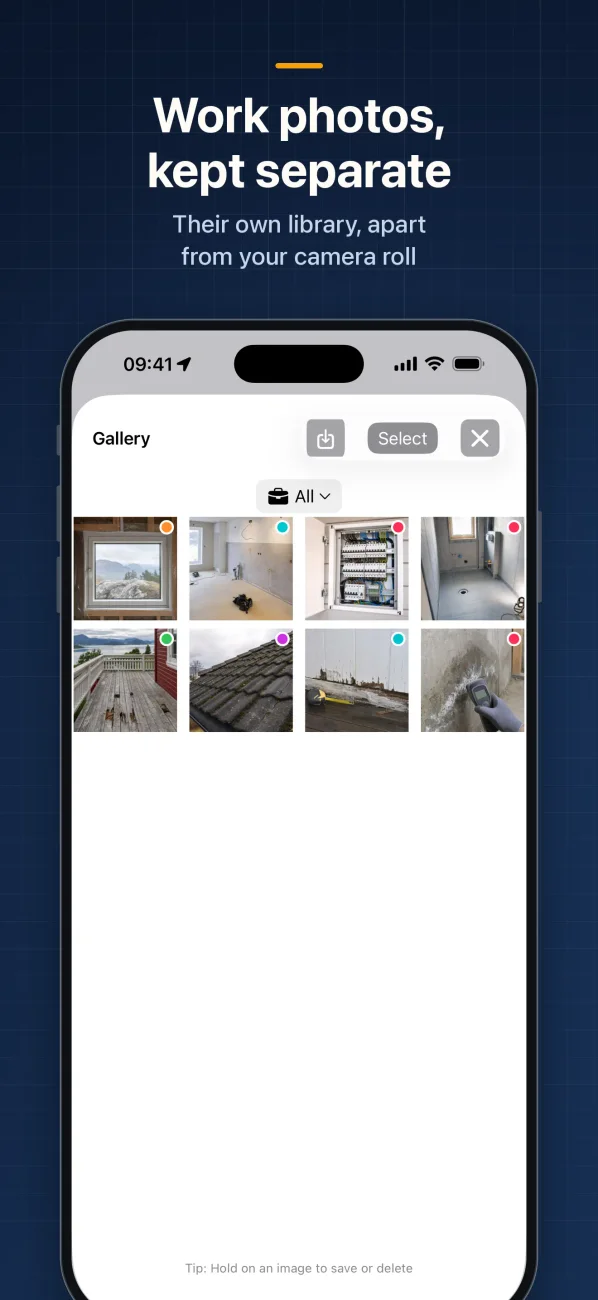
Befar Work Cam makes site inspections easy – from the first photo to a signed offer. Open the app, tap New inspection, and the camera starts with a new job. Every photo lands in the right job and room, and stays out of your personal camera roll.
HOME
Your latest jobs are right on the home screen. Tap one to keep taking photos, or open the job page for notes, drawings and details. Camera, photos, calendar and map are one tap away.
JOB PAGE
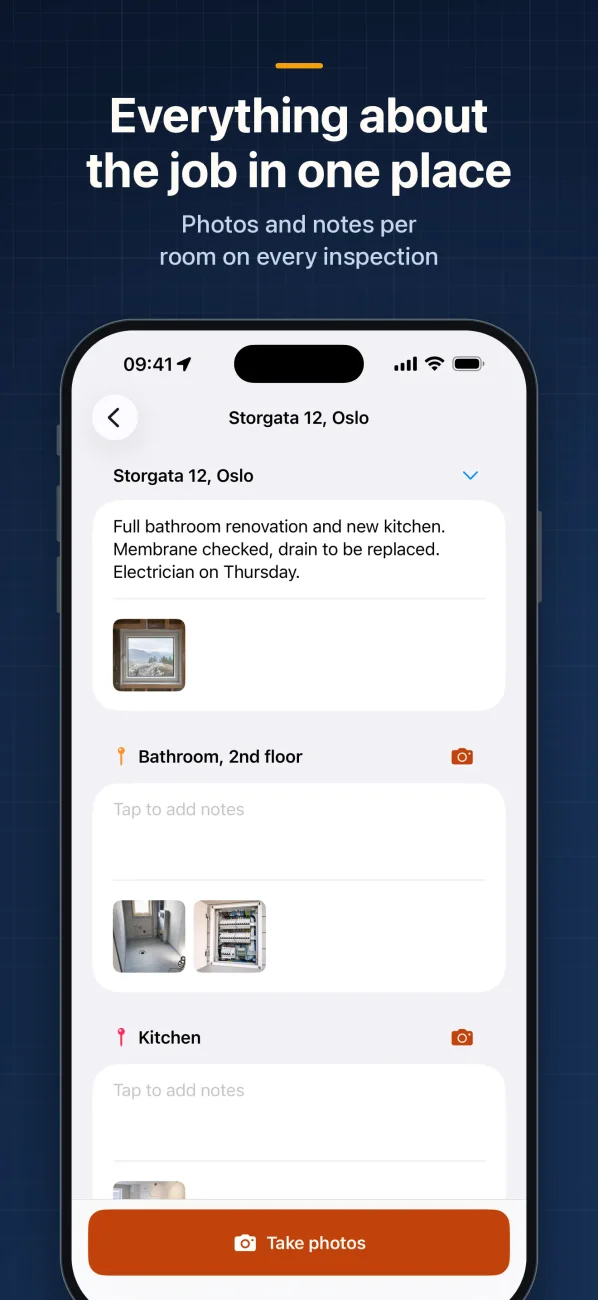
Photos, notes, drawings and measurements collected per job and room. Draw arrows and measurements right on the photo, add a note to each photo, and drag to reorder.
OFFERS AND CUSTOMER LINKS
Share the inspection as PDF, ZIP or a customer link. The customer link opens without signing in and can show photos with drawings and measurements, products with prices and your own terms. Your customer can accept with a finger signature or an email code, and both of you get a signed PDF. See when the link was opened, require an email to open it, and stop it any time.
PRODUCT CATALOG
Build your own catalog with suppliers, composite products, options and formulas. Add products to a job and get an order per supplier. Copy a ready-made prompt to your own AI assistant and paste the answer back to build the catalog faster.
TEAMWORK
Create shared groups and invite colleagues by email. Everyone in the group sees the same jobs, sites, photos and notes, synced via befar.app.
CALENDAR AND MAP
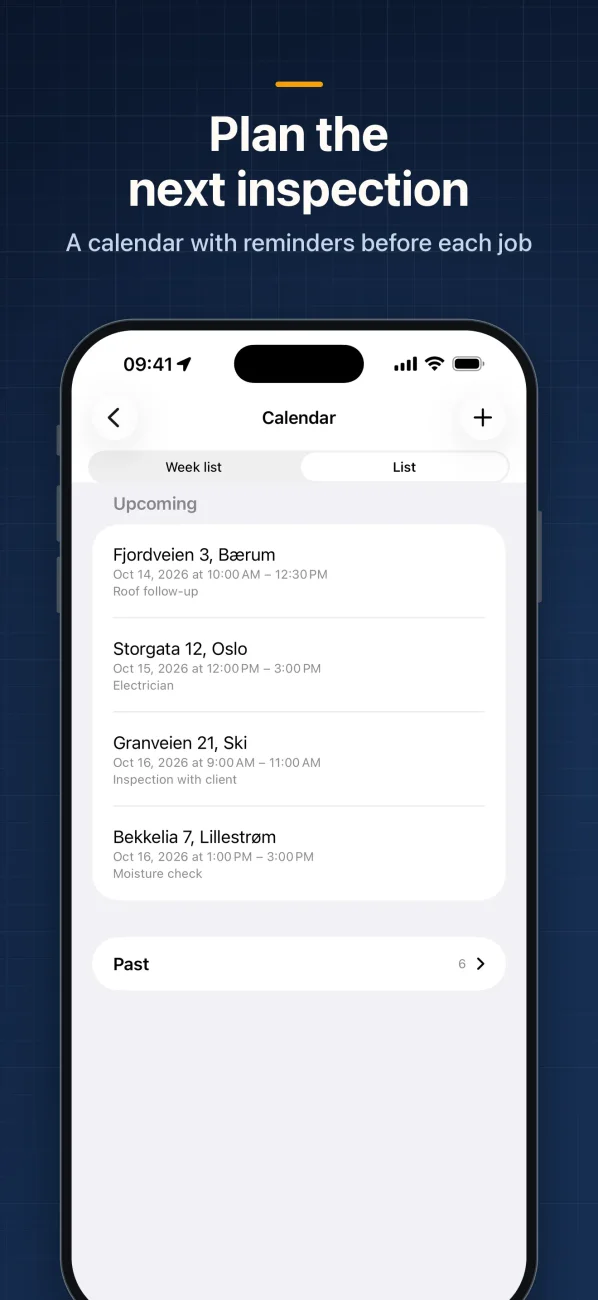
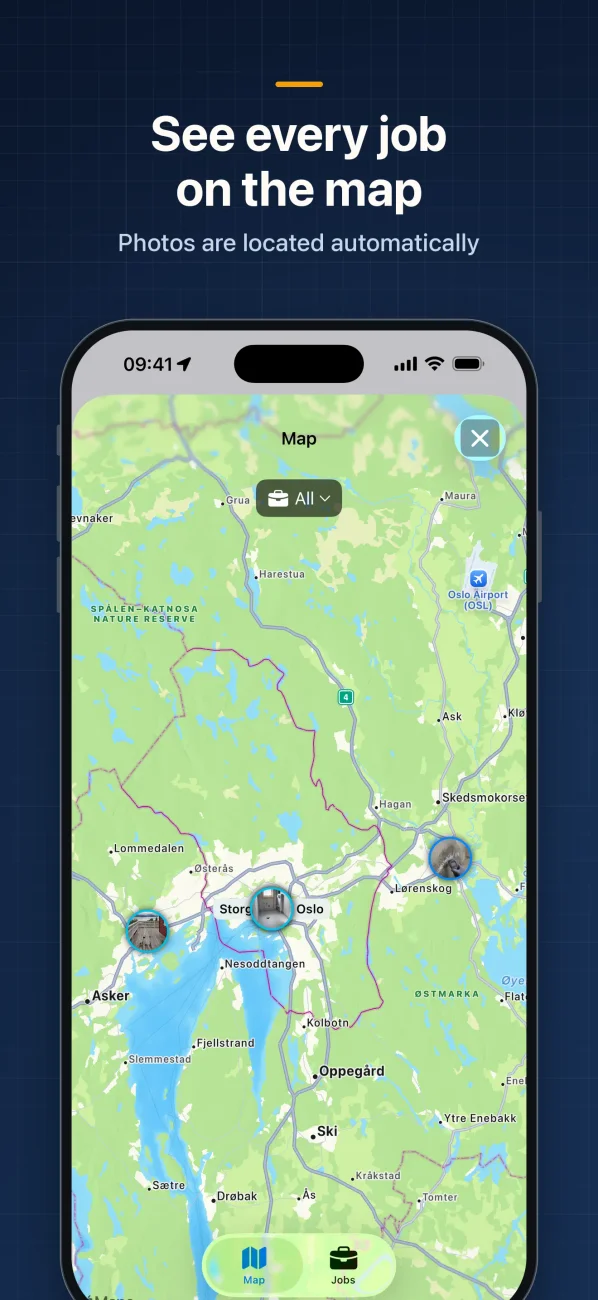
Plan inspections with reminders and drive time, and see jobs and photos on the map.
CSV EXPORT
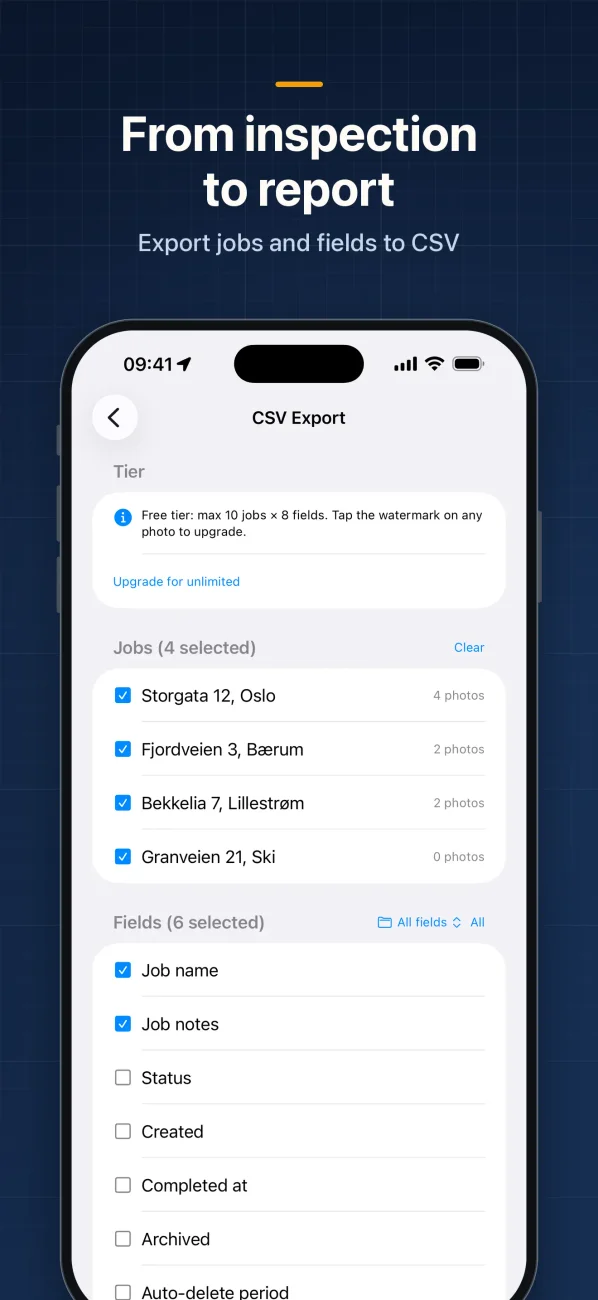
Pick the jobs and columns you need and export to a spreadsheet.
OPTIONAL AUTO-DELETE
Photos are kept until you delete them. For a tidier phone, set a deletion time from 1 day and up.
CLOUD STORAGE
Free befar.app account with 100 MB, or upgrade to 1, 10 or 100 GB per month. Storage belongs to your account and works on all your devices and on the web.
PRIVACY
No ads and no tracking. Usage statistics are only sent if you agree. You can delete your account in the app.
MORE
- Sign in with an email code or a password
- Custom fields per job (text, number, date, list)
- In English, Norwegian, Swedish, Danish, German, French and Spanish
Subscriptions renew automatically unless cancelled at least 24 hours before the end of the period. Manage them in Settings > your name > Subscriptions.
Terms of Use (EULA): https://www.apple.com/legal/internet-services/itunes/dev/stdeula/
Privacy: https://befar.app/privacy/
Neue Funktionen
Version 2.3 · 22.11.2026
Befar 2.3:
• “New inspection” opens the camera right away, and the photos land in the new job. To write notes first, tap “Notes, no photo” in the camera or press and hold “New inspection”. You can also choose this in Settings.
• Swipe left on a job on the start screen to archive or delete it, with Undo.
• Deleted jobs stay in “Recently deleted” for 30 days, so you can get them back.
• Photo days in the calendar show when the photos were taken.
• Share a single photo, new icons, and open the job on befar.app straight from the app.
App-Datenschutz
Was Morten Punnerud im App Store zum Umgang dieser App mit Daten angibt.
-
Mit Ihnen verknüpfte Daten
Können erfasst und mit Ihrer Identität verknüpft werden.
- Käufe
- Standort
- Kontaktinformationen
- Benutzerinhalte
- Kennungen
-
Nicht mit Ihnen verknüpfte Daten
Können erfasst werden, sind aber nicht mit Ihrer Identität verknüpft.
- Nutzungsdaten
- Diagnose
Die Datenschutzpraktiken können variieren, zum Beispiel je nach den von Ihnen verwendeten Funktionen oder Ihrem Alter.
Informationen
- Anbieter
- Morten Punnerud
- Kategorie
- Produktivität
- Version
- 2.3
- Aktualisiert
- 22.11.2026
- Veröffentlicht
- 04.10.2024
- Größe
- 15,1 MB
- Erfordert
- iOS 15.6 oder neuer
- Altersfreigabe
- 4+
- Preis
- Kostenlos
- In-App-Käufe
- Ja
- Sprachen
- Englisch
- Copyright
- © 2026 Morten Punnerud-Engelstad
Das könnte Ihnen auch gefallen
-
 Draft PaperProduktivität
-
 Milwaukee® ONE-KEY™Produktivität
-
 MaintainX - CMMS & EAMProduktivität
-
 TOR Browser: PhantomDarkNet VPN + Onion Netzwerk
-
 Proton Drive: Cloud StorageProduktivität
-
 Hero Assistant: Run Your DayProduktivität
-
 Google Tasks: Besser planenIhre To-dos ideal organisiert
-
 Keyplan 3D Lite: GrundrissRaumplaner für Haus & Wohnung
-
 BePresent: Screen Time ControlProduktivität
-
 Beside (M1): AI ReceptionistProduktivität