
Befar Work Cam
Site inspections made simple
Conçue pour iPhone, iPad, iPod touch
Gratuit · Achats intégrés
- Classification d’âge4+
- CatégorieProductivité
- DéveloppeurMorten Punnerud
- LanguesAnglais
- Taille15,1 Mo
Renvoie vers la page App Store officielle
Download.org n’héberge aucun fichier de Befar Work Cam. Le bouton ouvre la page de l’application sur App Store, où Morten Punnerud la publie. Fiche vérifiée pour la dernière fois le 24/11/2026.
Captures d’écran

À propos
Le développeur n’a pas fourni ce texte dans votre langue.
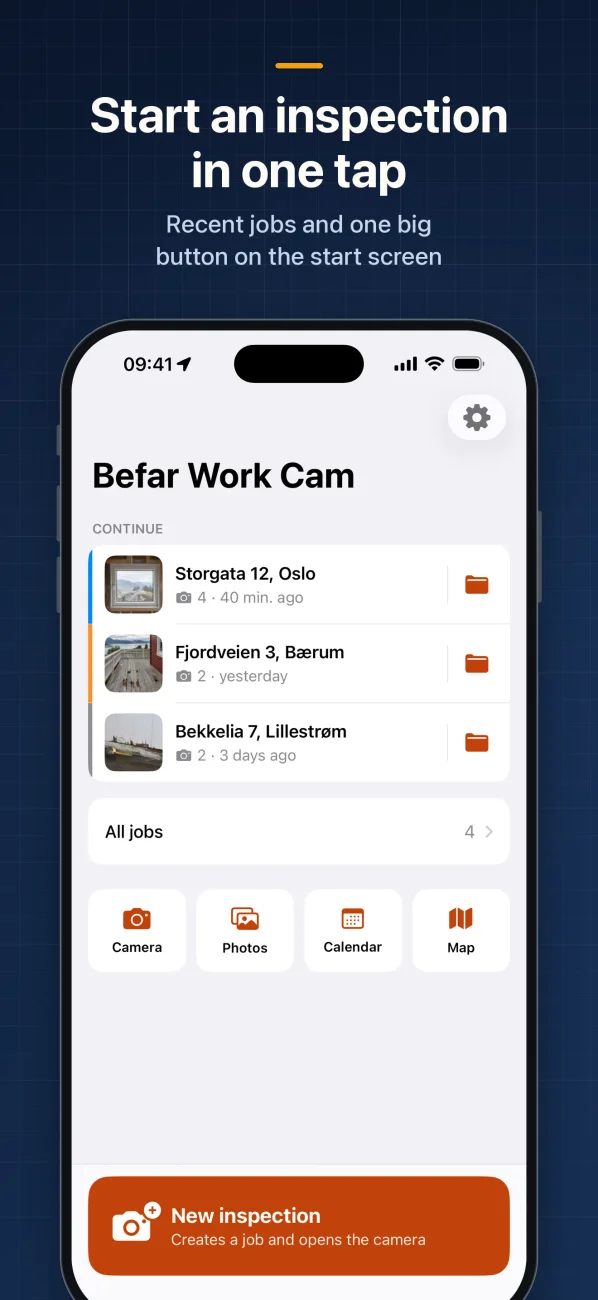
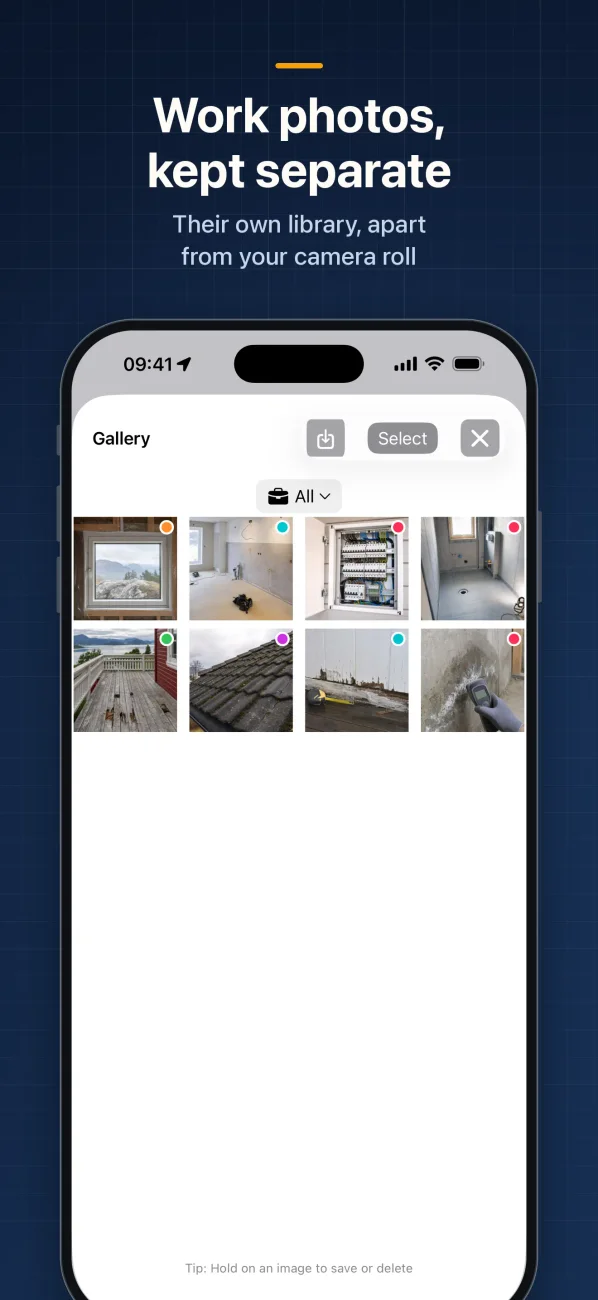
Befar Work Cam makes site inspections easy – from the first photo to a signed offer. Open the app, tap New inspection, and the camera starts with a new job. Every photo lands in the right job and room, and stays out of your personal camera roll.
HOME
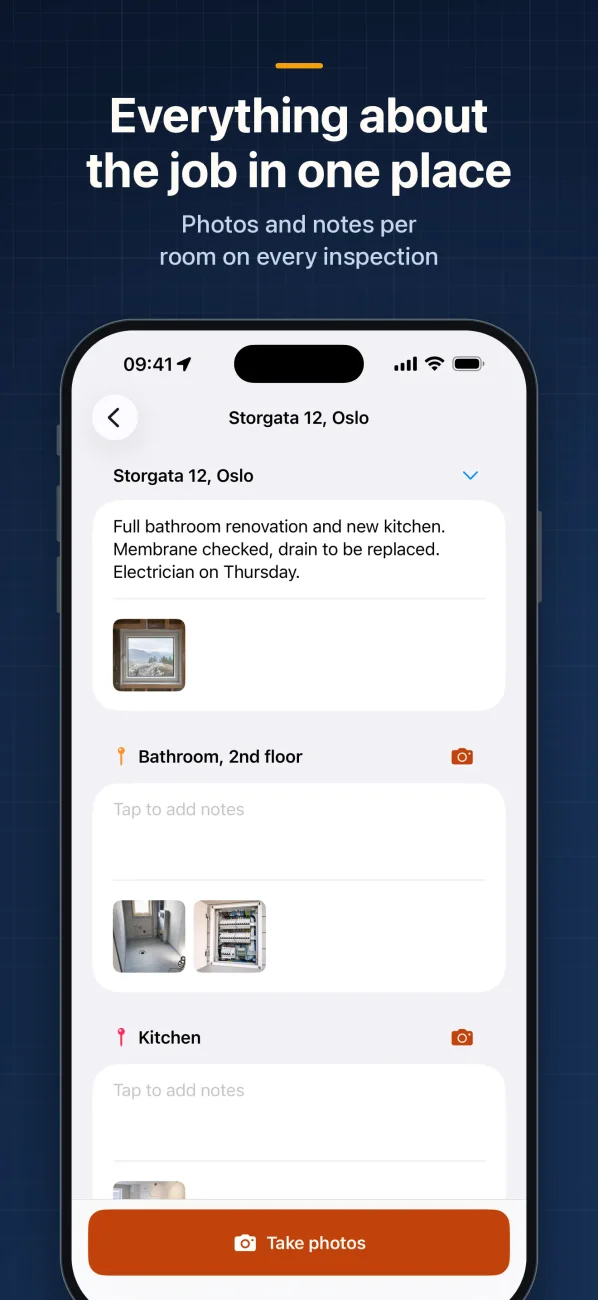
Your latest jobs are right on the home screen. Tap one to keep taking photos, or open the job page for notes, drawings and details. Camera, photos, calendar and map are one tap away.
JOB PAGE
Photos, notes, drawings and measurements collected per job and room. Draw arrows and measurements right on the photo, add a note to each photo, and drag to reorder.
OFFERS AND CUSTOMER LINKS
Share the inspection as PDF, ZIP or a customer link. The customer link opens without signing in and can show photos with drawings and measurements, products with prices and your own terms. Your customer can accept with a finger signature or an email code, and both of you get a signed PDF. See when the link was opened, require an email to open it, and stop it any time.
PRODUCT CATALOG
Build your own catalog with suppliers, composite products, options and formulas. Add products to a job and get an order per supplier. Copy a ready-made prompt to your own AI assistant and paste the answer back to build the catalog faster.
TEAMWORK
Create shared groups and invite colleagues by email. Everyone in the group sees the same jobs, sites, photos and notes, synced via befar.app.
CALENDAR AND MAP
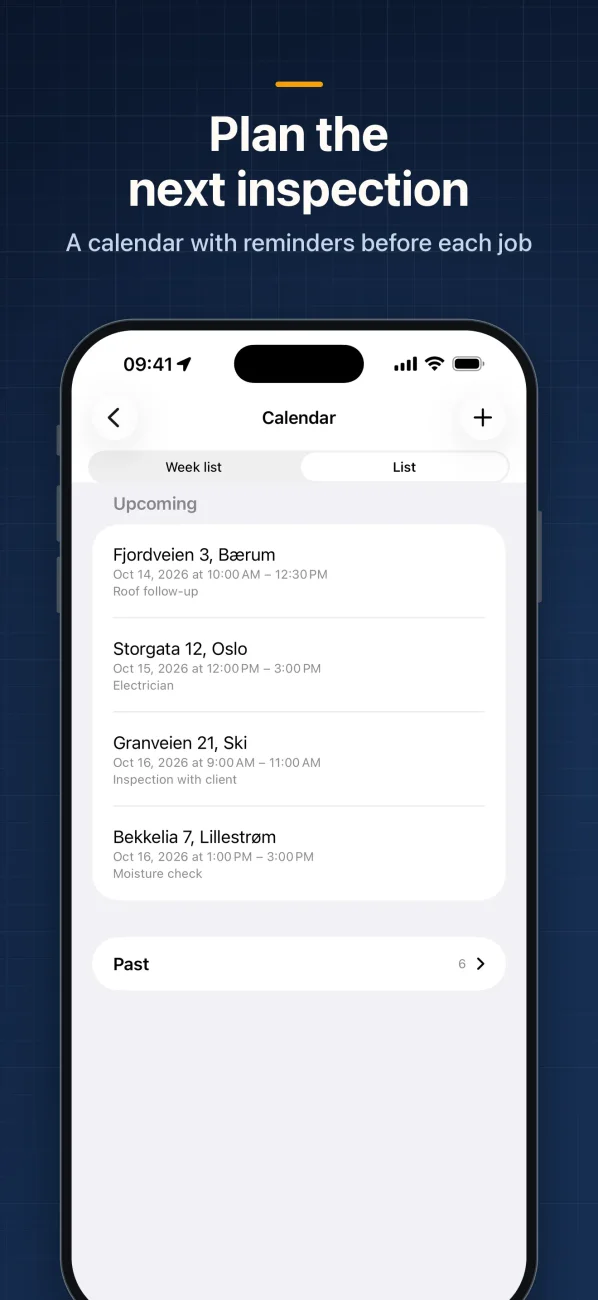
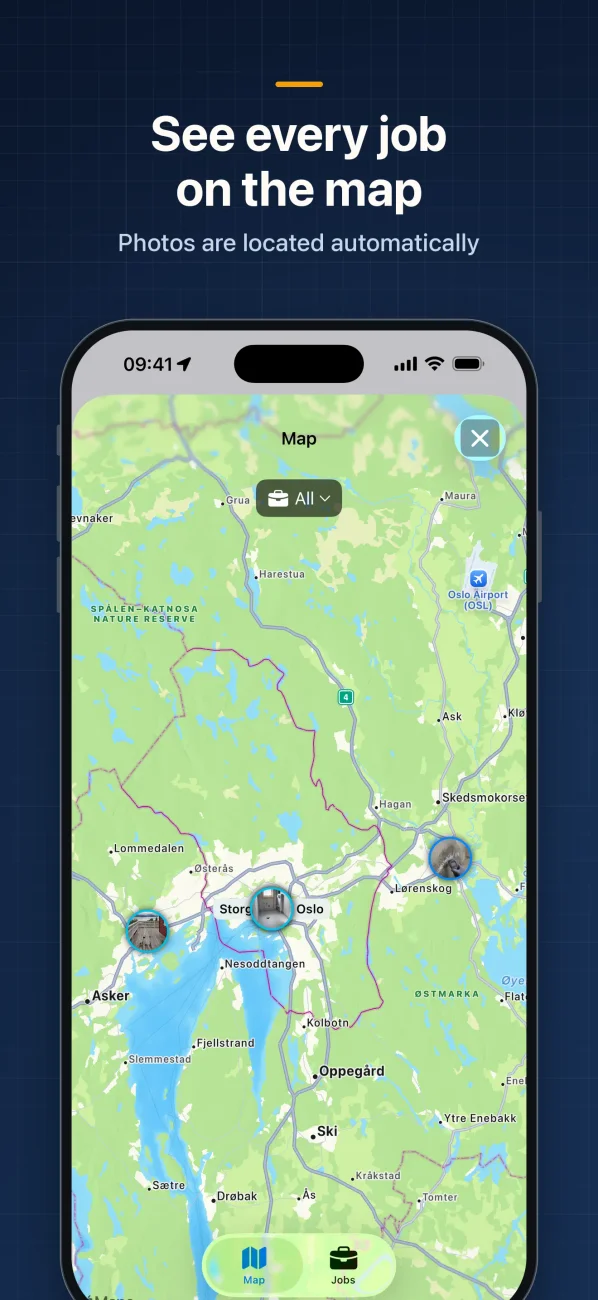
Plan inspections with reminders and drive time, and see jobs and photos on the map.
CSV EXPORT
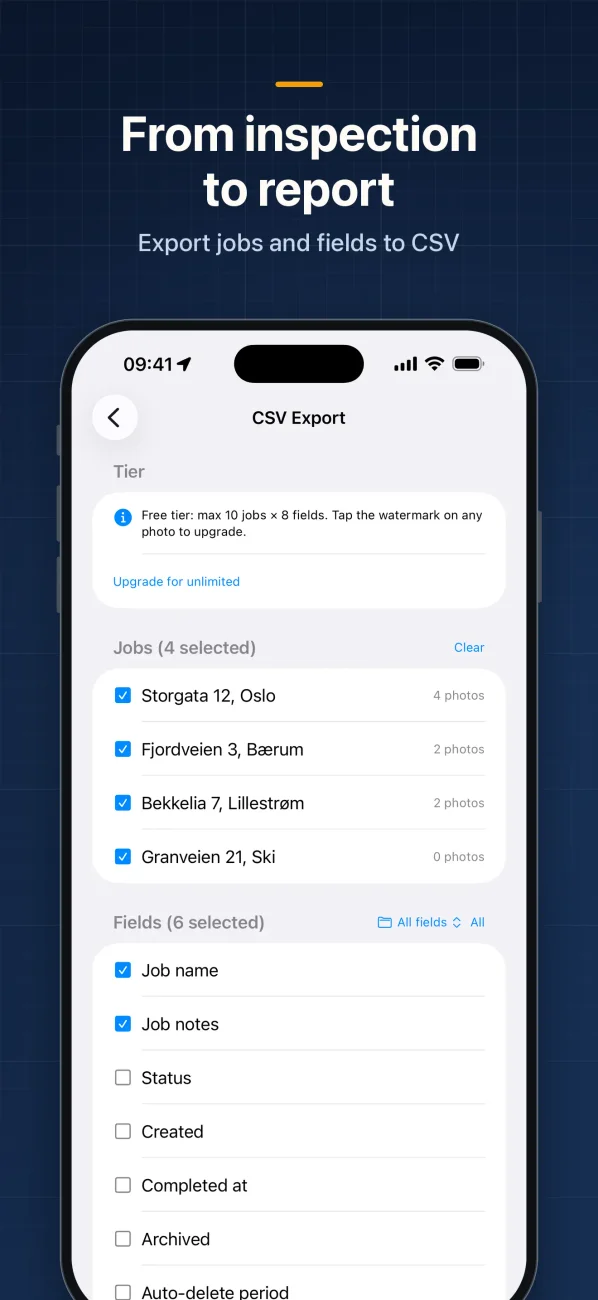
Pick the jobs and columns you need and export to a spreadsheet.
OPTIONAL AUTO-DELETE
Photos are kept until you delete them. For a tidier phone, set a deletion time from 1 day and up.
CLOUD STORAGE
Free befar.app account with 100 MB, or upgrade to 1, 10 or 100 GB per month. Storage belongs to your account and works on all your devices and on the web.
PRIVACY
No ads and no tracking. Usage statistics are only sent if you agree. You can delete your account in the app.
MORE
- Sign in with an email code or a password
- Custom fields per job (text, number, date, list)
- In English, Norwegian, Swedish, Danish, German, French and Spanish
Subscriptions renew automatically unless cancelled at least 24 hours before the end of the period. Manage them in Settings > your name > Subscriptions.
Terms of Use (EULA): https://www.apple.com/legal/internet-services/itunes/dev/stdeula/
Privacy: https://befar.app/privacy/
Nouveautés
Version 2.3 · 22/11/2026
Befar 2.3:
• “New inspection” opens the camera right away, and the photos land in the new job. To write notes first, tap “Notes, no photo” in the camera or press and hold “New inspection”. You can also choose this in Settings.
• Swipe left on a job on the start screen to archive or delete it, with Undo.
• Deleted jobs stay in “Recently deleted” for 30 days, so you can get them back.
• Photo days in the calendar show when the photos were taken.
• Share a single photo, new icons, and open the job on befar.app straight from the app.
Confidentialité de l’application
Ce que Morten Punnerud déclare sur l’App Store au sujet du traitement des données par cette application.
-
Données établissant un lien avec vous
Peuvent être collectées et liées à votre identité.
- Achats
- Emplacement
- Coordonnées
- Contenu utilisateur
- Identifiants
-
Données n’établissant aucun lien avec vous
Peuvent être collectées, mais ne sont pas liées à votre identité.
- Données d’utilisation
- Diagnostic
Les pratiques en matière de confidentialité peuvent varier, notamment en fonction des fonctionnalités que vous utilisez ou de votre âge.
Informations
- Vendeur
- Morten Punnerud
- Catégorie
- Productivité
- Version
- 2.3
- Mis à jour
- 22/11/2026
- Publié
- 04/10/2024
- Taille
- 15,1 Mo
- Nécessite
- iOS 15.6 ou version ultérieure
- Classification d’âge
- 4+
- Prix
- Gratuit
- Achats intégrés
- Oui
- Langues
- Anglais
- Copyright
- © 2026 Morten Punnerud-Engelstad
Vous aimerez peut-être aussi
-
 Draft PaperProductivité
-
 Milwaukee® ONE-KEY™Productivité
-
 MaintainX - CMMS & EAMProductivité
-
 TOR Browser: PhantomDark Web VPN Navigateur Onion
-
 Proton Drive: Cloud StorageProductivité
-
 Hero Assistant: Run Your DayProductivité
-
 Google Tasks: Get Things DonePlanifiez votre journée
-
 Keyplan 3D Lite: Plan MaisonDéco intérieur & architecture
-
 BePresent: Screen Time ControlProductivité
-
 Beside (M1): AI ReceptionistProductivité