
Befar Work Cam
Site inspections made simple
Dirancang untuk iPhone, iPad, iPod touch
Gratis · Pembelian dalam aplikasi
- Batasan usia4+
- KategoriProduktivitas
- PengembangMorten Punnerud
- BahasaInggris
- Ukuran15,1 MB
Tertaut ke halaman resmi App Store
Download.org tidak menyimpan file Befar Work Cam apa pun. Tombol ini membuka halaman aplikasi di App Store, tempat Morten Punnerud menerbitkannya. Halaman terakhir diperiksa pada 24/11/2026.
Tangkapan layar

Tentang
Pengembang belum menyediakan teks ini dalam bahasa Anda.
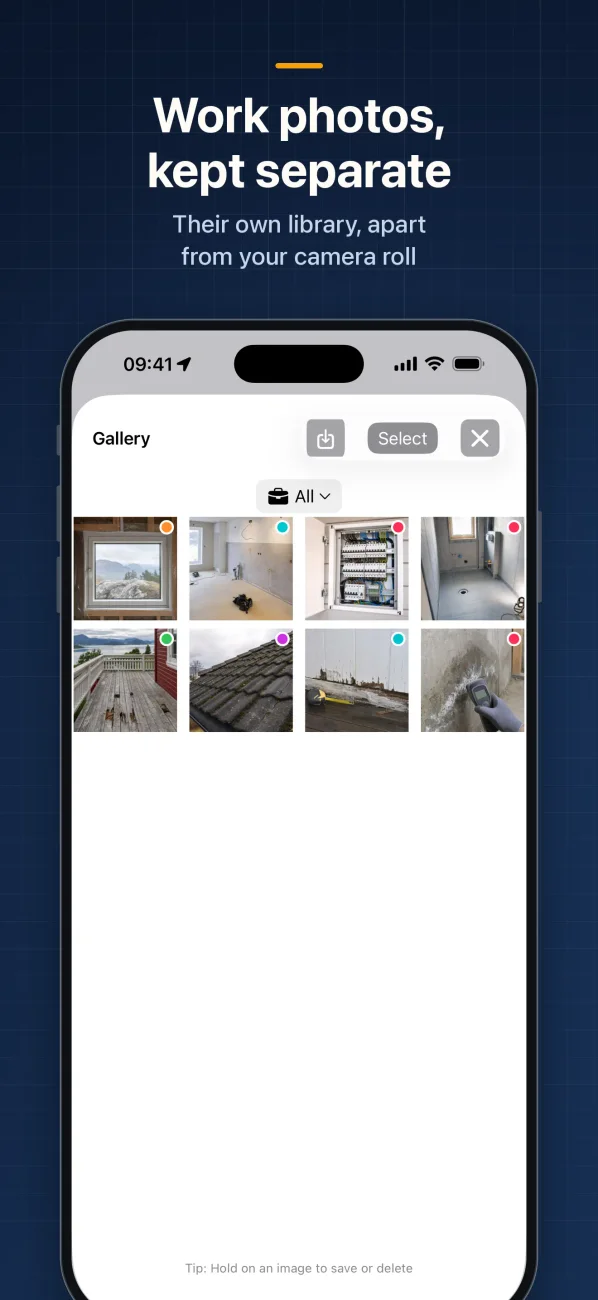
Befar Work Cam makes site inspections easy – from the first photo to a signed offer. Open the app, tap New inspection, and the camera starts with a new job. Every photo lands in the right job and room, and stays out of your personal camera roll.
HOME
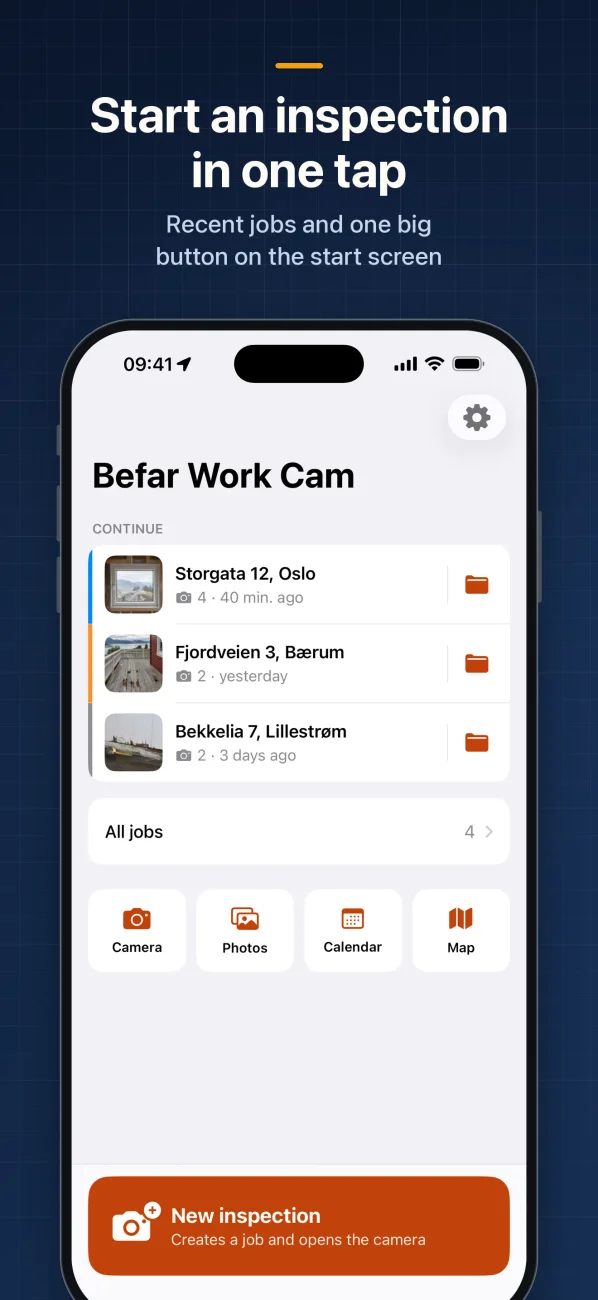
Your latest jobs are right on the home screen. Tap one to keep taking photos, or open the job page for notes, drawings and details. Camera, photos, calendar and map are one tap away.
JOB PAGE
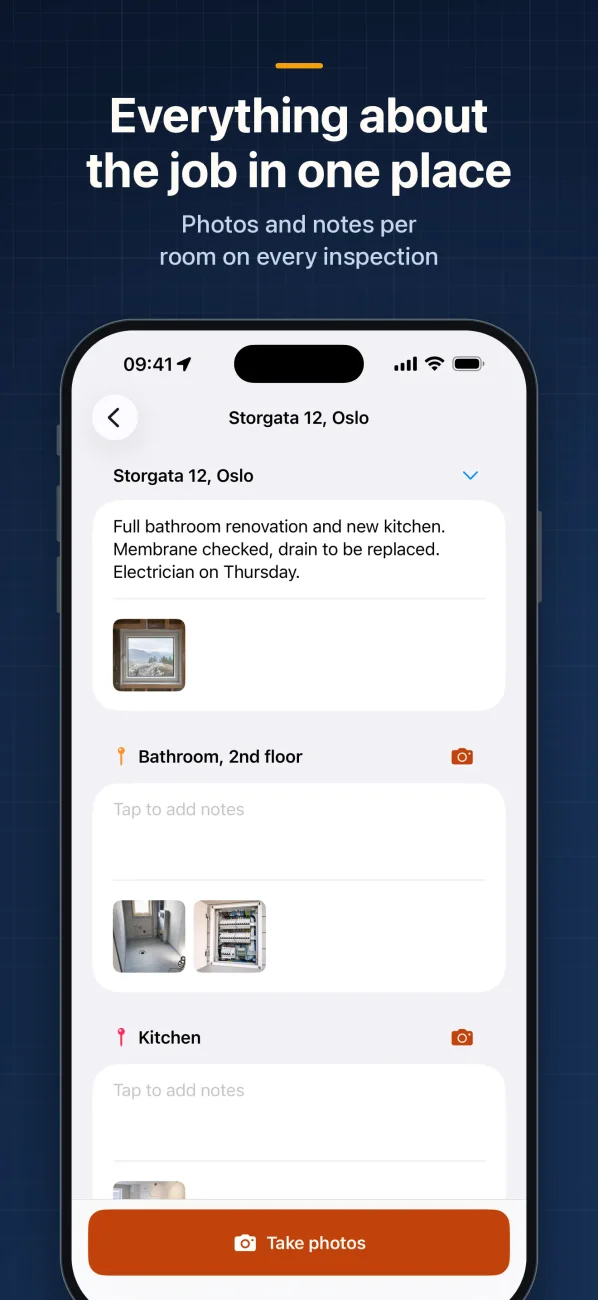
Photos, notes, drawings and measurements collected per job and room. Draw arrows and measurements right on the photo, add a note to each photo, and drag to reorder.
OFFERS AND CUSTOMER LINKS
Share the inspection as PDF, ZIP or a customer link. The customer link opens without signing in and can show photos with drawings and measurements, products with prices and your own terms. Your customer can accept with a finger signature or an email code, and both of you get a signed PDF. See when the link was opened, require an email to open it, and stop it any time.
PRODUCT CATALOG
Build your own catalog with suppliers, composite products, options and formulas. Add products to a job and get an order per supplier. Copy a ready-made prompt to your own AI assistant and paste the answer back to build the catalog faster.
TEAMWORK
Create shared groups and invite colleagues by email. Everyone in the group sees the same jobs, sites, photos and notes, synced via befar.app.
CALENDAR AND MAP
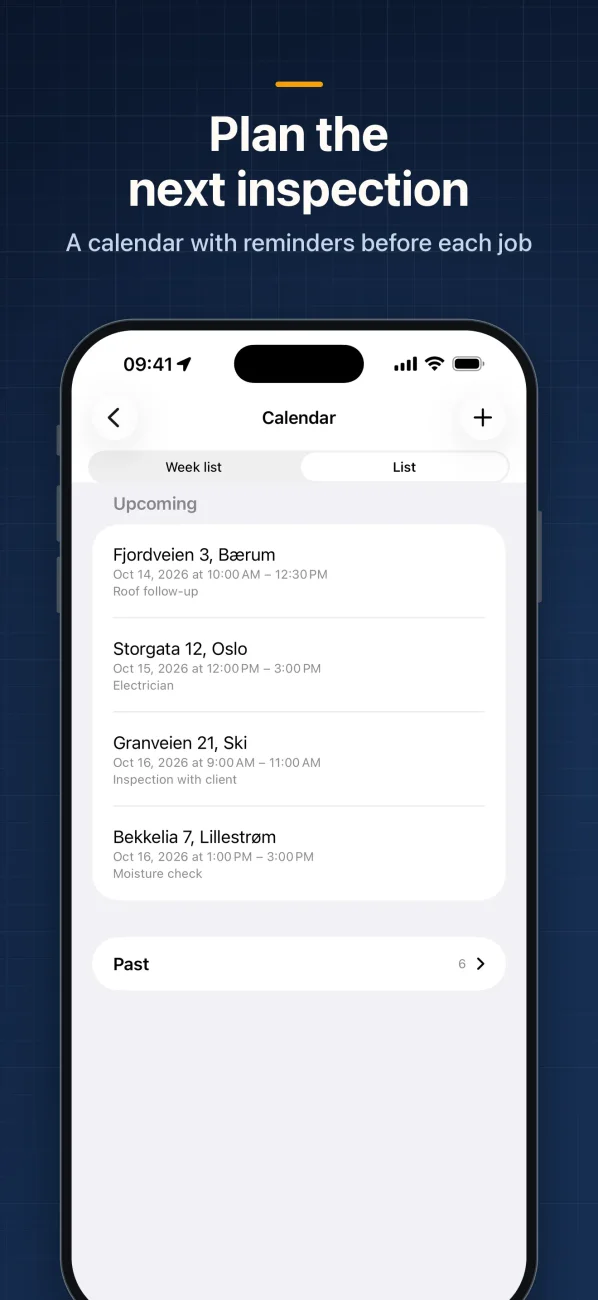
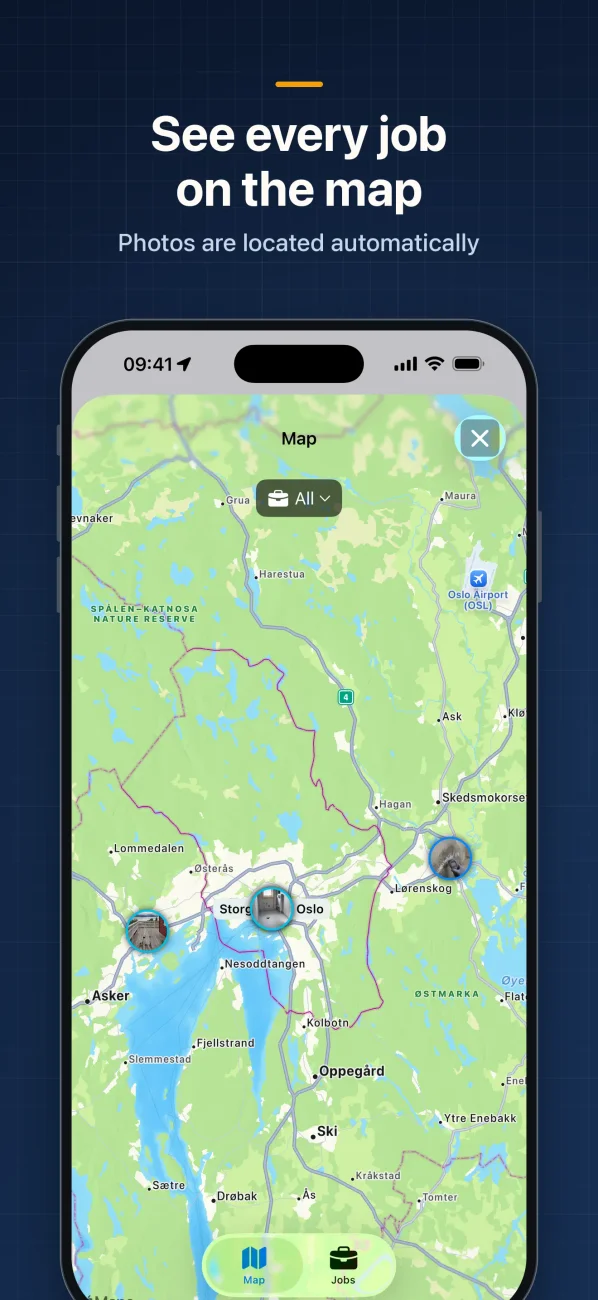
Plan inspections with reminders and drive time, and see jobs and photos on the map.
CSV EXPORT
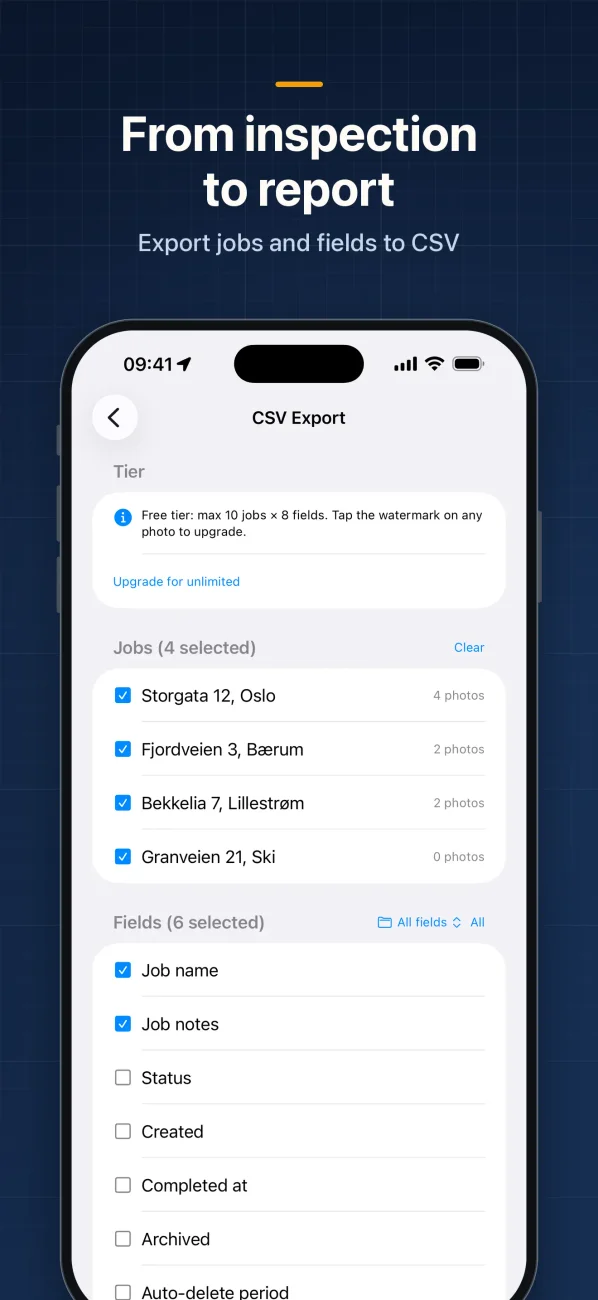
Pick the jobs and columns you need and export to a spreadsheet.
OPTIONAL AUTO-DELETE
Photos are kept until you delete them. For a tidier phone, set a deletion time from 1 day and up.
CLOUD STORAGE
Free befar.app account with 100 MB, or upgrade to 1, 10 or 100 GB per month. Storage belongs to your account and works on all your devices and on the web.
PRIVACY
No ads and no tracking. Usage statistics are only sent if you agree. You can delete your account in the app.
MORE
- Sign in with an email code or a password
- Custom fields per job (text, number, date, list)
- In English, Norwegian, Swedish, Danish, German, French and Spanish
Subscriptions renew automatically unless cancelled at least 24 hours before the end of the period. Manage them in Settings > your name > Subscriptions.
Terms of Use (EULA): https://www.apple.com/legal/internet-services/itunes/dev/stdeula/
Privacy: https://befar.app/privacy/
Yang baru
Versi 2.3 · 22/11/2026
Befar 2.3:
• “New inspection” opens the camera right away, and the photos land in the new job. To write notes first, tap “Notes, no photo” in the camera or press and hold “New inspection”. You can also choose this in Settings.
• Swipe left on a job on the start screen to archive or delete it, with Undo.
• Deleted jobs stay in “Recently deleted” for 30 days, so you can get them back.
• Photo days in the calendar show when the photos were taken.
• Share a single photo, new icons, and open the job on befar.app straight from the app.
Privasi aplikasi
Yang dinyatakan Morten Punnerud di App Store tentang cara aplikasi ini menangani data.
-
Data yang ditautkan dengan Anda
Dapat dikumpulkan dan ditautkan dengan identitas Anda.
- Pembelian
- Lokasi
- Info kontak
- Konten pengguna
- Pengenal
-
Data yang tidak ditautkan dengan Anda
Dapat dikumpulkan, tetapi tidak ditautkan dengan identitas Anda.
- Data penggunaan
- Diagnostik
Praktik privasi dapat bervariasi, misalnya berdasarkan fitur yang Anda gunakan atau usia Anda.
Informasi
- Penjual
- Morten Punnerud
- Kategori
- Produktivitas
- Versi
- 2.3
- Diperbarui
- 22/11/2026
- Dirilis
- 4/10/2024
- Ukuran
- 15,1 MB
- Memerlukan
- iOS 15.6 atau yang lebih baru
- Batasan usia
- 4+
- Harga
- Gratis
- Pembelian dalam aplikasi
- Ya
- Bahasa
- Inggris
- Hak cipta
- © 2026 Morten Punnerud-Engelstad
Mungkin Anda juga suka
-
 Draft PaperProduktivitas
-
 Milwaukee® ONE-KEY™Produktivitas
-
 MaintainX - CMMS & EAMProduktivitas
-
 TOR Browser: PhantomProduktivitas
-
 Proton Drive: Cloud StorageProduktivitas
-
 Hero Assistant: Run Your DayProduktivitas
-
 Google Tasks: Kelola TugasRencanakan & Jadwalkan Tugas
-
 Keyplan 3D Lite: Room PlannerProduktivitas
-
 BePresent: Screen Time ControlProduktivitas
-
 Beside (M1): AI ReceptionistProduktivitas