
Best Note Ever
Markdown, checklists, photos
Entwickelt für iPhone, iPad
Kostenlos
- Altersfreigabe4+
- KategorieLifestyle
- Entwicklerryuya matsuo
- SprachenJapanisch+ 1 weitere
- Größe5,3 MB
Verlinkt auf die offizielle App Store-Seite
Download.org hostet keine Datei von Best Note Ever. Die Schaltfläche öffnet die App-Seite bei App Store, wo ryuya matsuo die App veröffentlicht. Eintrag zuletzt geprüft am 15.11.2026.
Screenshots

Info
Der Entwickler hat diesen Text nicht in Ihrer Sprache bereitgestellt.
A notes app that stays simple.
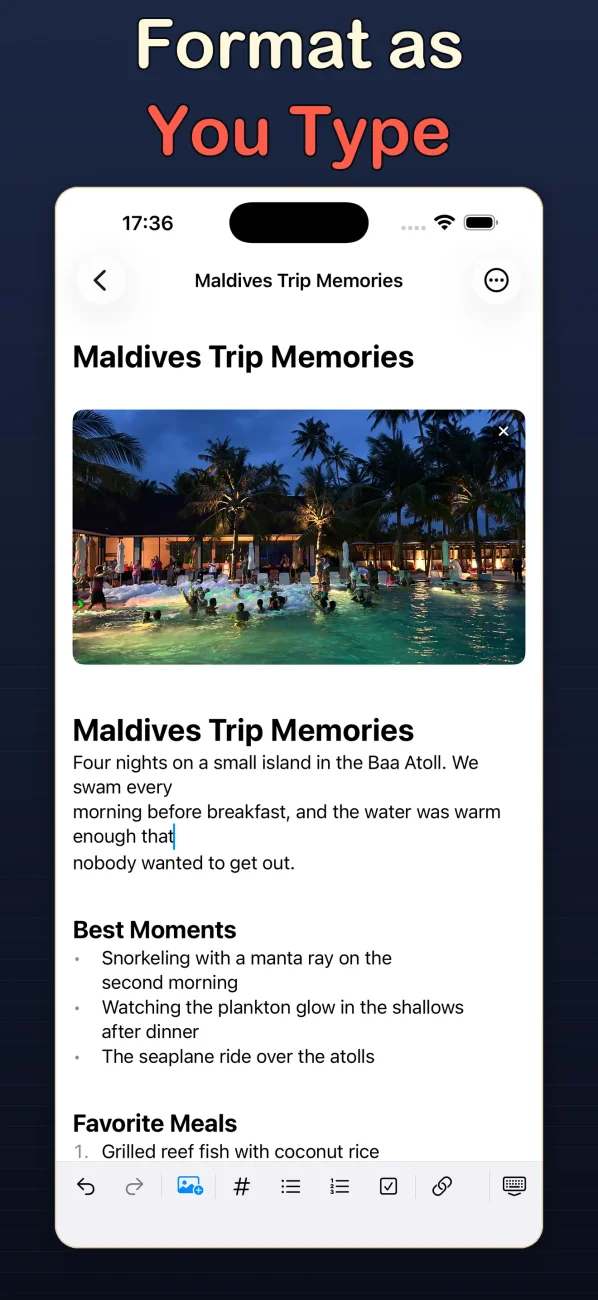
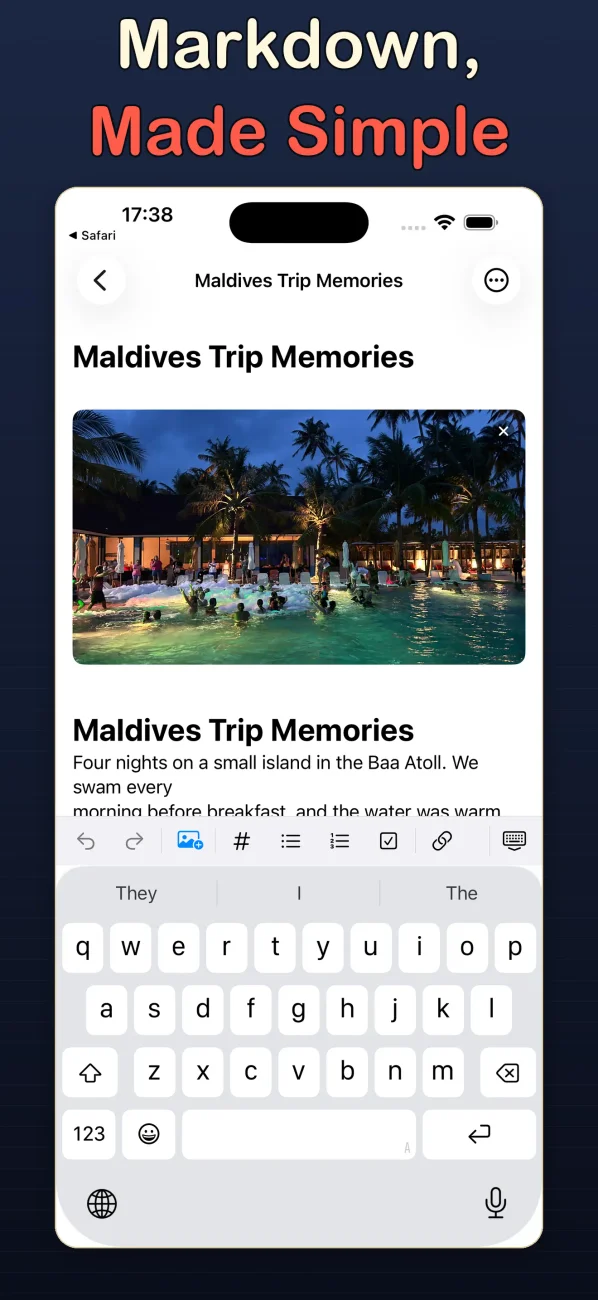
Write a title on the first line, then keep going. Headings, bullets, numbered lists and checkboxes appear as you type, so there is no preview mode to switch to and no formatting bar to fight with.
FORMATTING THAT GETS OUT OF THE WAY
Type the shorthand and the markers disappear, leaving only the result.
• # for a title, ## and ### for sections
• - for a bullet
• 1. for a numbered list
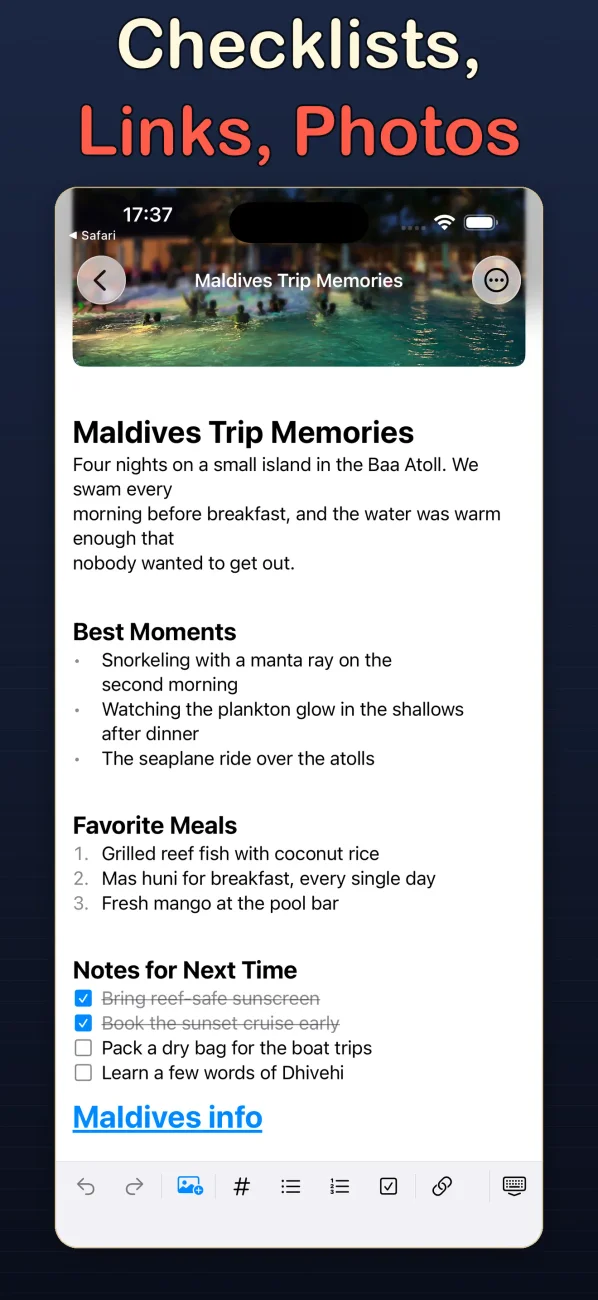
• - [ ] for a checkbox you can tick with one tap
• [text](https://...) for a link, showing the label instead of the URL
Checked items get a strikethrough so you can see progress at a glance. Tap a checkbox anywhere, even while the keyboard is open.
PHOTOS IN LINE
Add a photo from your library and it sits in the note where you put it. Tap to open it full screen, pinch to zoom. Photos are resized on the way in, so a note full of pictures does not balloon.
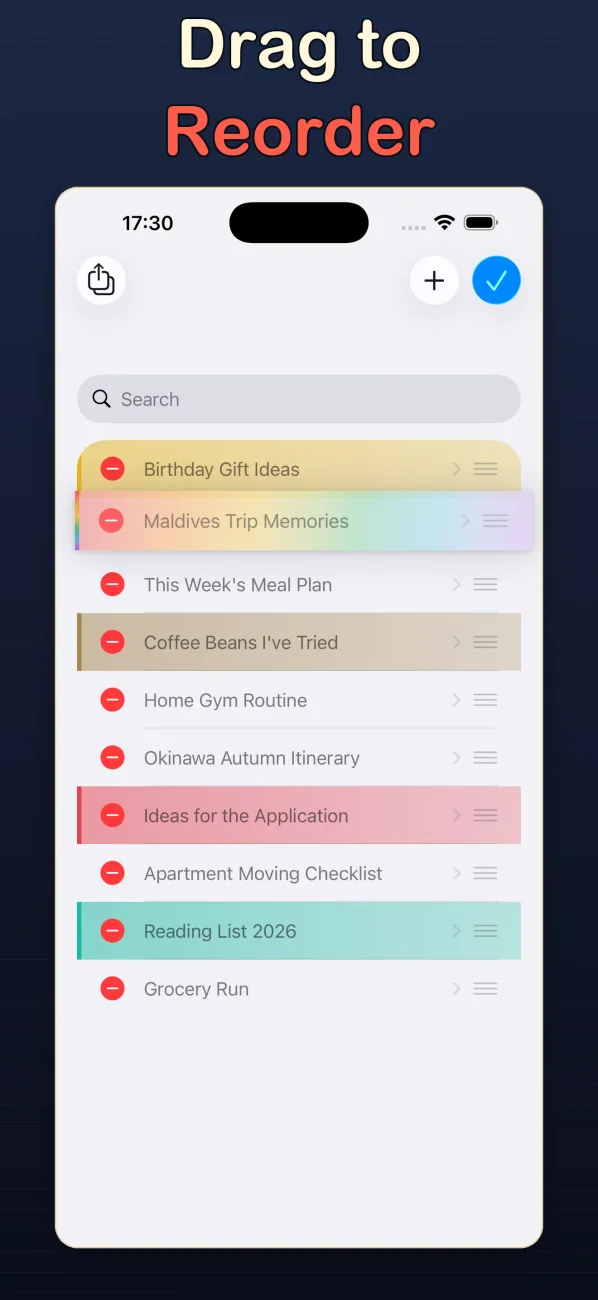
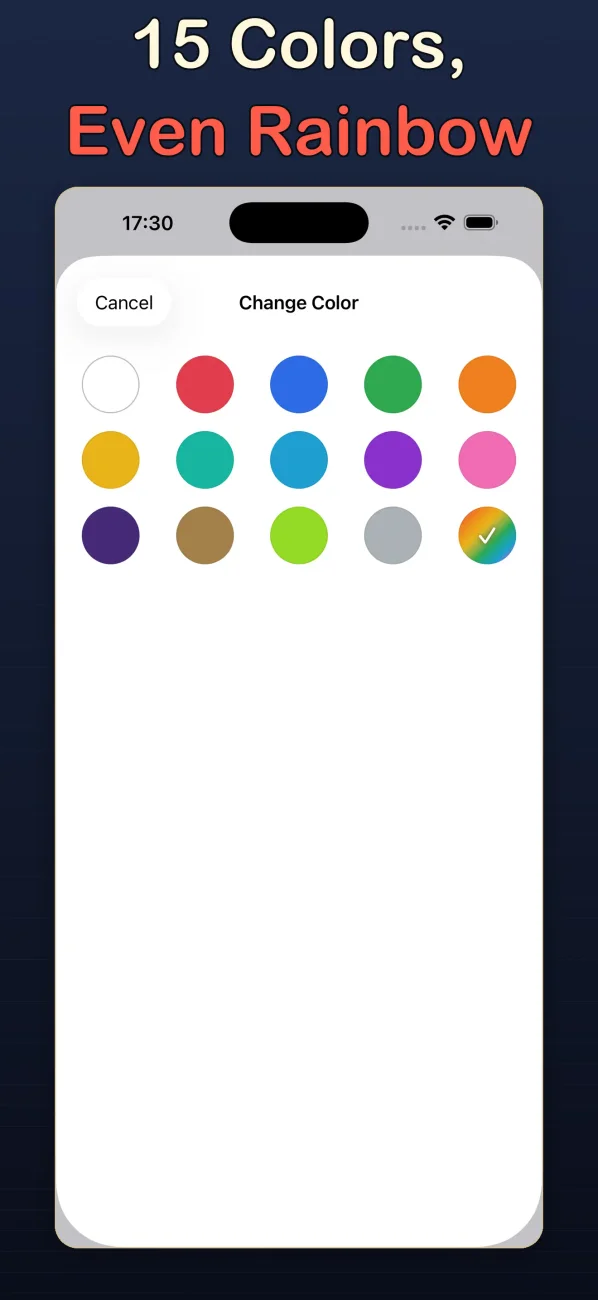
FIFTEEN COLORS, INCLUDING RAINBOW
Give a note a color and the whole row is tinted with a soft gradient and an accent stripe, so you can find it without reading. Swipe for the next color, or press and hold to pick from all fifteen. One of them is a rainbow.
BUILT FOR EDITING
• Undo and redo, by button or Command-Z
• Return continues a list; Return on an empty item ends it
• Backspace at the start of a line removes the marker before joining lines
• Arrow keys move between lines with a hardware keyboard
• Drag to reorder, swipe to delete
TAKE YOUR WRITING WITH YOU
Export one note or all of them as .md files, with any photos collected into an images folder. Plain Markdown opens in almost anything, so nothing is locked in here.
ON IPAD
The list sits beside the note you are reading. Collapse the sidebar when you want the full width for one note.
YOUR NOTES STAY YOURS
No account, no sign-in, no sync service. The contents of your notes are saved on your device and are never sent anywhere.
BUILT TO BE USABLE
VoiceOver reads headings as headings. Text scales with your Dynamic Type setting, and the markers scale with it. Light and dark are both handled.
ALREADY USING THE APP?
Every note you wrote before this update opens exactly as it did, with the same plain text behavior. Nothing is reformatted and nothing is moved. If you want a note to use the new formatting, turn it on for that note from the menu, and turn it back off whenever you
like.
The app is free and shows a banner ad on the list screen.
Neue Funktionen
Version 2.1 · 13.09.2026
Minor changes and improvements.
App-Datenschutz
Was ryuya matsuo im App Store zum Umgang dieser App mit Daten angibt.
-
Daten, die zum Tracking Ihrer Person verwendet werden
Können verwendet werden, um Sie über Apps und Websites anderer Unternehmen hinweg zu verfolgen.
- Kennungen
- Nutzungsdaten
-
Nicht mit Ihnen verknüpfte Daten
Können erfasst werden, sind aber nicht mit Ihrer Identität verknüpft.
- Kennungen
- Nutzungsdaten
Die Datenschutzpraktiken können variieren, zum Beispiel je nach den von Ihnen verwendeten Funktionen oder Ihrem Alter.
Informationen
- Anbieter
- ryuya matsuo
- Kategorie
- Lifestyle
- Version
- 2.1
- Aktualisiert
- 13.09.2026
- Veröffentlicht
- 29.09.2025
- Größe
- 5,3 MB
- Erfordert
- iOS 18.4 oder neuer
- Altersfreigabe
- 4+
- Preis
- Kostenlos
- Sprachen
- Japanisch, Englisch
- Copyright
- © 2025 ryuya matsuo
Das könnte Ihnen auch gefallen
-
 MODE Notes: PlainTXT,BulletJNLLifestyle
-
 UniSheetLifestyle
-
 Fabit 〜ブックマーク管理&習慣化支援・可視化アプリ〜Lifestyle
-
 ひみつメモ帳 - PINでロック保護Lifestyle
-
 日めくりカレンダーアプリLifestyle
-
 買い物チェックリスト|忘れ物ゼロで効率的な買い物Lifestyle
-
 Family Map TreeLifestyle
-
 Stundenplan des Lebeneine gegebene Zeit zu dir
-
 ときどき日記 - さっと書ける、タイムライン日記Lifestyle
-
 吉日カレンダーLifestyle