Calisthenics Timer
Stopwatch overlay for holds
Entwickelt für iPhone, iPod touch
- Altersfreigabe4+
- KategorieFoto und Video
- EntwicklerJoshua Van der Merwe
- SprachenEnglisch
- Größe32,4 MB
Calisthenics Timer ist bei App Store derzeit möglicherweise nicht verfügbar
Bei unserer letzten Prüfung war der Store-Eintrag nicht erreichbar. Der Link führt weiterhin zur offiziellen App Store-Seite.
Screenshots

Info
Der Entwickler hat diesen Text nicht in Ihrer Sprache bereitgestellt.
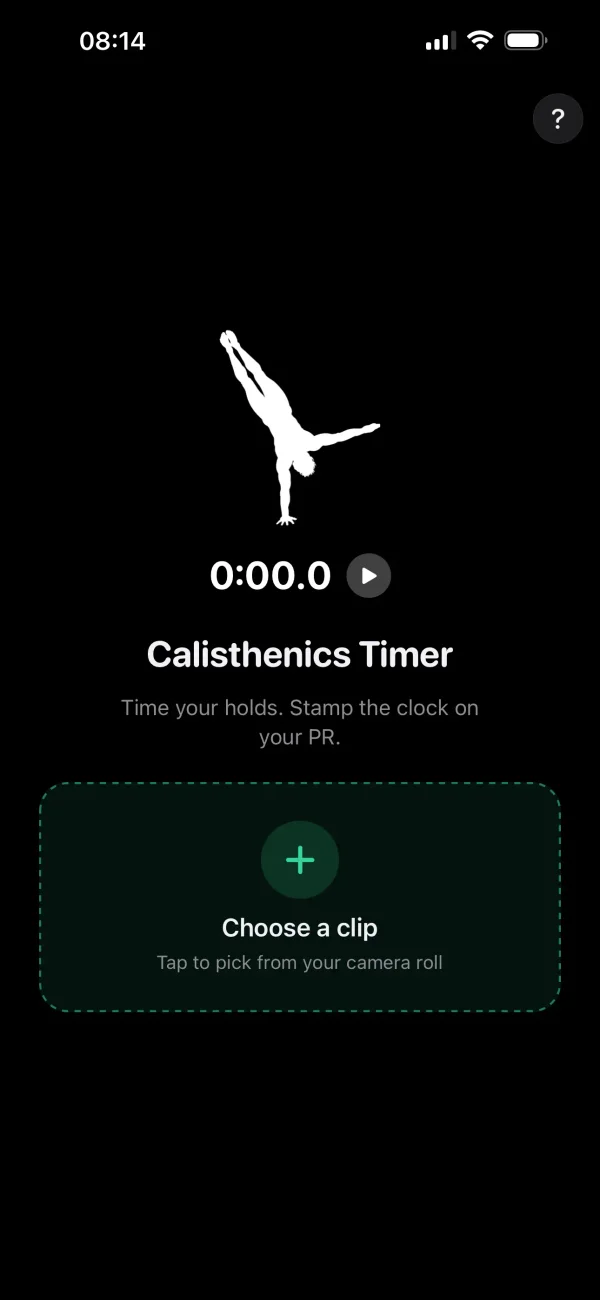
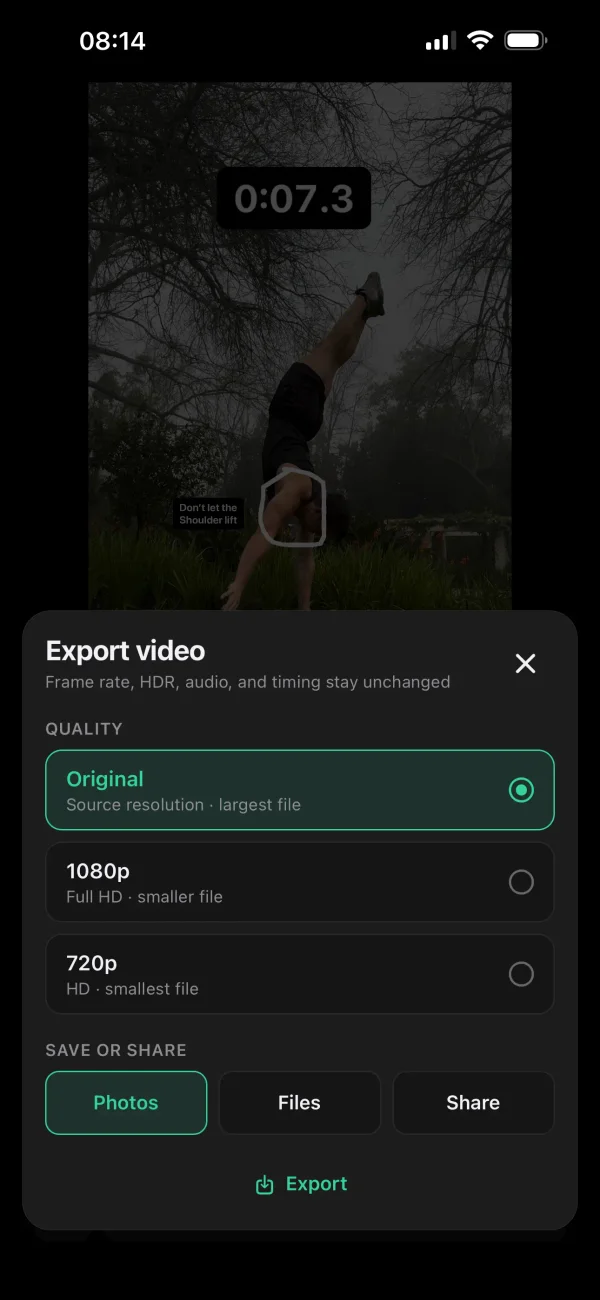
Add a timer to your hold and see how long it actually was.
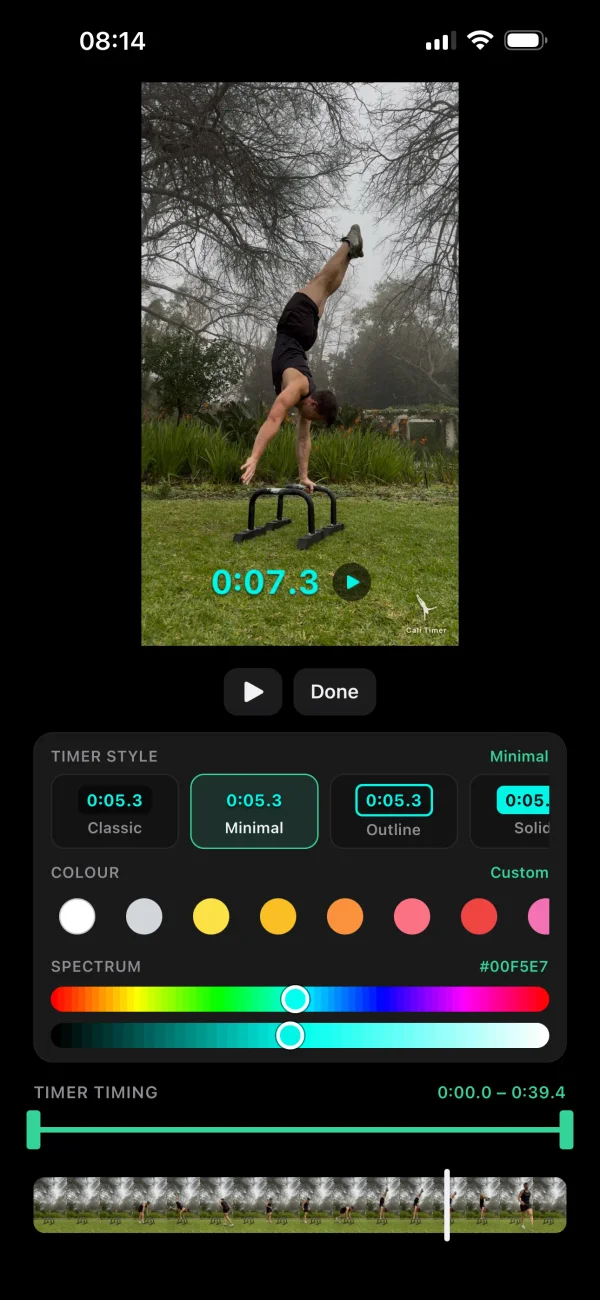
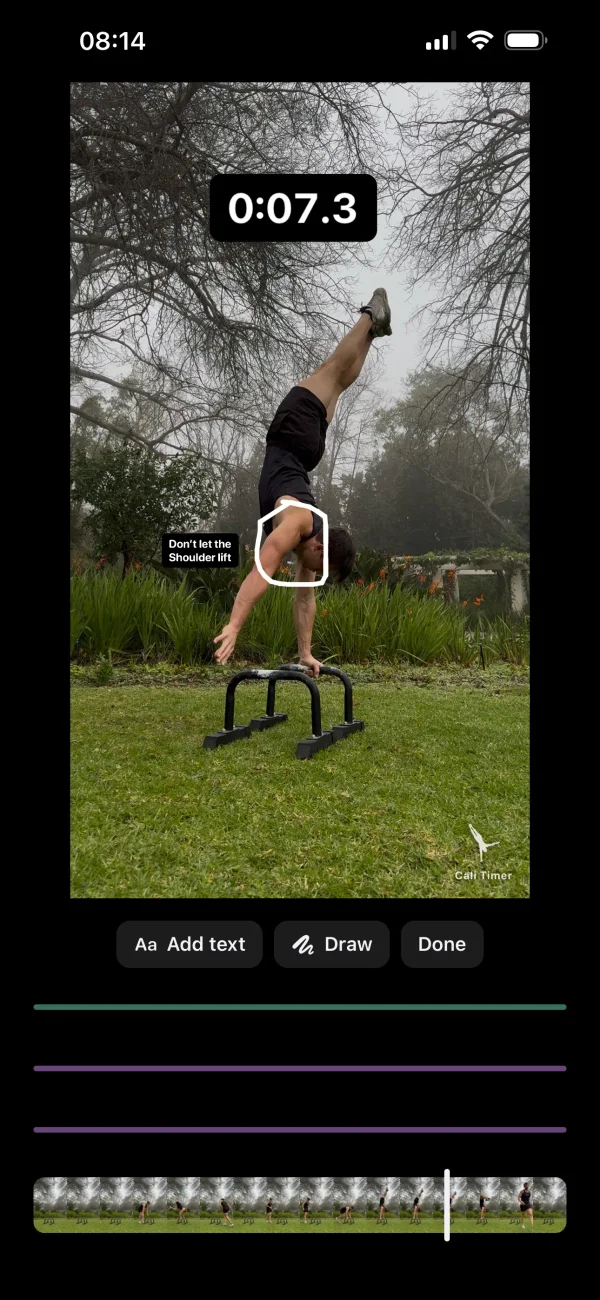
Pick a clip, drop a stopwatch on it, and set exactly when it starts and stops. Add text and drawings if desired.
You see the result while you edit it, then export the video with all of it baked in.
For handstands, planches, levers, and anything else you want to time.
WHAT YOU CAN DO
• Place a stopwatch and set its start and end to the frame
• Four timer styles, and any colour you want
• Drag, pinch and rotate anything on the video
• Add as many text notes as you need, each with its own timing
• Style captions properly: weight, opacity, shadow, outline, label
• Draw over the video, and time each stroke separately
• Watch the whole thing full screen before you commit
• Export at original, 1080p or 720p
• Save to Photos or Files, or share it straight out
YOUR VIDEO NEVER LEAVES YOUR PHONE
Everything is processed on the device. There's no account, and nothing is uploaded.
Calisthenics Timer is free, with ads. Free exports carry a small Cali Timer watermark — tap it before exporting to watch a rewarded ad and clear it from that video. If there's no ad to show, it comes off anyway.
Neue Funktionen
Version 1.0.3 · 26.08.2026
Text overlays got real controls. Thickness, opacity, shadow, border and
label are each their own setting now instead of four fixed presets, so a
caption can look the way you want it.
• Shadow — how strong it is and which way it falls
• Border — an outline around the letters themselves
• Label — a plate behind the text, with its own colour and translucency
• Full colour spectrum for text, timer and drawing colours
• Hold any timing lane to zoom into the timeline
Fixes: overlays now show on the very first frame of a trimmed clip, a
faded caption exports faded instead of solid, and the text panel no
longer hides behind the keyboard on smaller iPhones.
App-Datenschutz
Was Joshua Van der Merwe im App Store zum Umgang dieser App mit Daten angibt.
-
Daten, die zum Tracking Ihrer Person verwendet werden
Können verwendet werden, um Sie über Apps und Websites anderer Unternehmen hinweg zu verfolgen.
- Kennungen
-
Mit Ihnen verknüpfte Daten
Können erfasst und mit Ihrer Identität verknüpft werden.
- Standort
- Kennungen
- Nutzungsdaten
-
Nicht mit Ihnen verknüpfte Daten
Können erfasst werden, sind aber nicht mit Ihrer Identität verknüpft.
- Käufe
- Diagnose
Die Datenschutzpraktiken können variieren, zum Beispiel je nach den von Ihnen verwendeten Funktionen oder Ihrem Alter.
Informationen
- Anbieter
- Joshua Van der Merwe
- Kategorie
- Foto und Video
- Version
- 1.0.3
- Aktualisiert
- 26.08.2026
- Veröffentlicht
- 07.08.2026
- Größe
- 32,4 MB
- Erfordert
- iOS 15.1 oder neuer
- Altersfreigabe
- 4+
- Sprachen
- Englisch
- Copyright
- © 2026 Joshua Van der Merwe
Das könnte Ihnen auch gefallen
-
 HyperChronoFoto und Video
-
 Video Stopwatch CameraFoto und Video
-
 Einfaches Sepia-FotoNostalgie in jeder Aufnahme
-
 Buongiorno AIFoto und Video
-
 How Attractive am I TestFoto und Video
-
 Pictify AI: Avatar GeneratorFoto und Video
-
 Aitori - AI写真&動画作成Foto und Video
-
 Fuji Recipes - Film simulationFoto und Video
-
 StarryLens - Night Sky CameraFoto und Video
-
 VeomixFoto und Video