Calisthenics Timer
Stopwatch overlay for holds
Diseñada para iPhone, iPod touch
- Clasificación por edad4+
- CategoríaFoto y vídeo
- DesarrolladorJoshua Van der Merwe
- IdiomasInglés
- Tamaño32,4 MB
Es posible que Calisthenics Timer no esté disponible en App Store en este momento
No se pudo acceder a la ficha de la tienda en nuestra última comprobación. El enlace sigue llevando a la página oficial de App Store.
Capturas de pantalla


Acerca de
El desarrollador no ha proporcionado este texto en tu idioma.
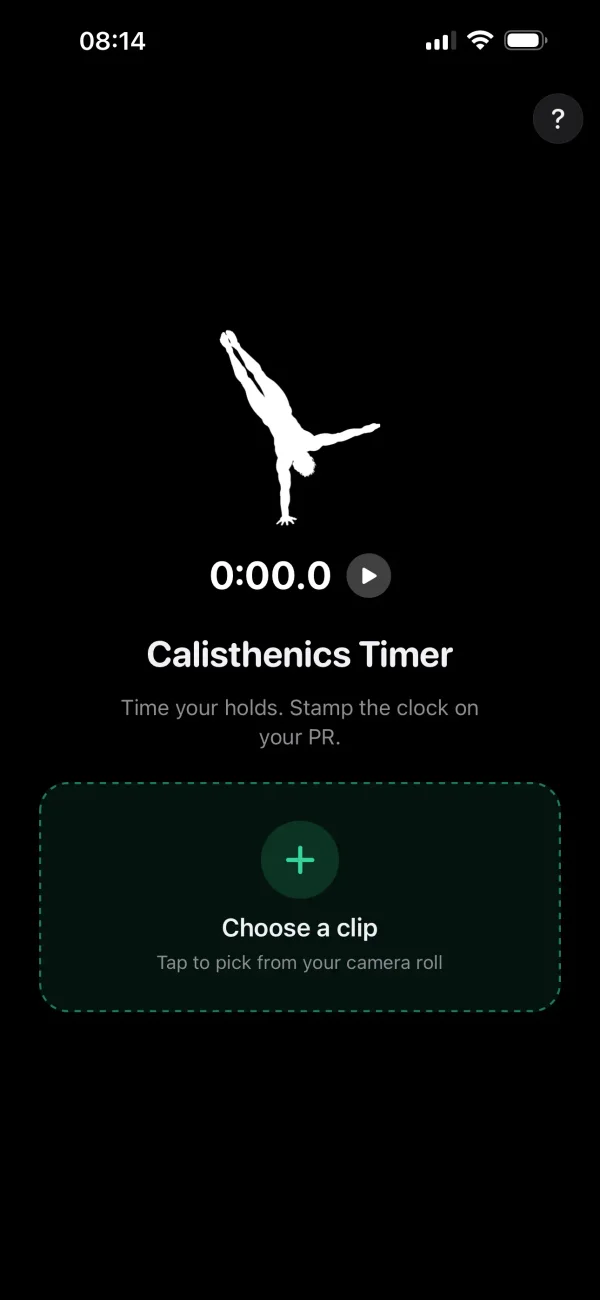
Add a timer to your hold and see how long it actually was.
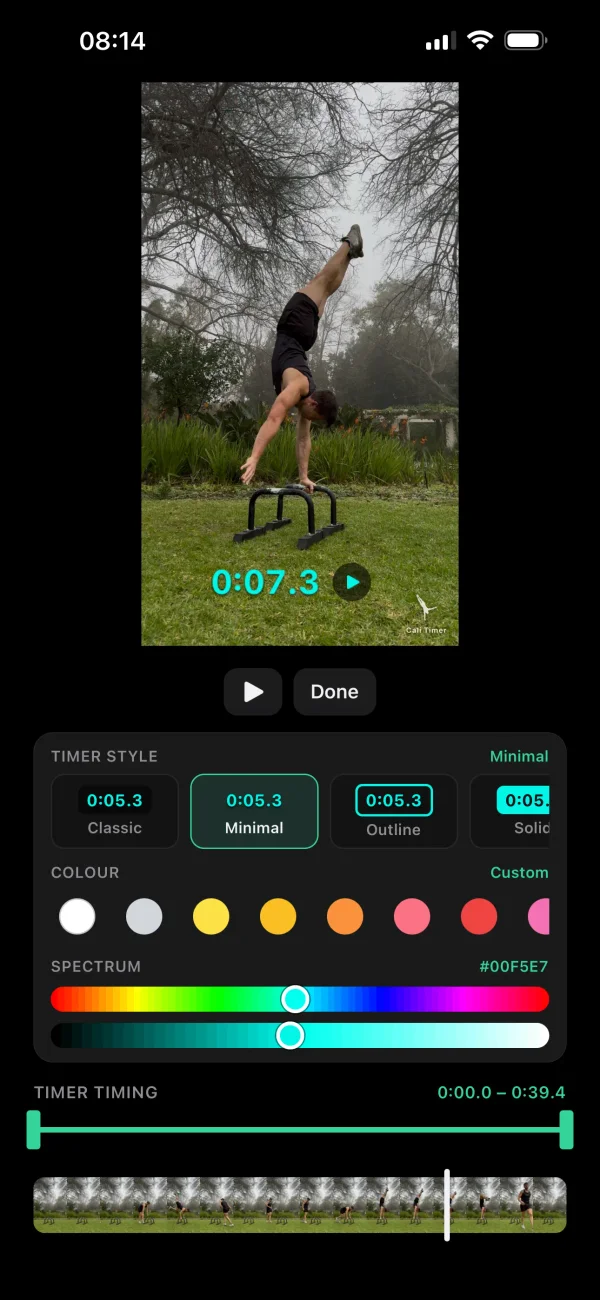
Pick a clip, drop a stopwatch on it, and set exactly when it starts and stops. Add text and drawings if desired.
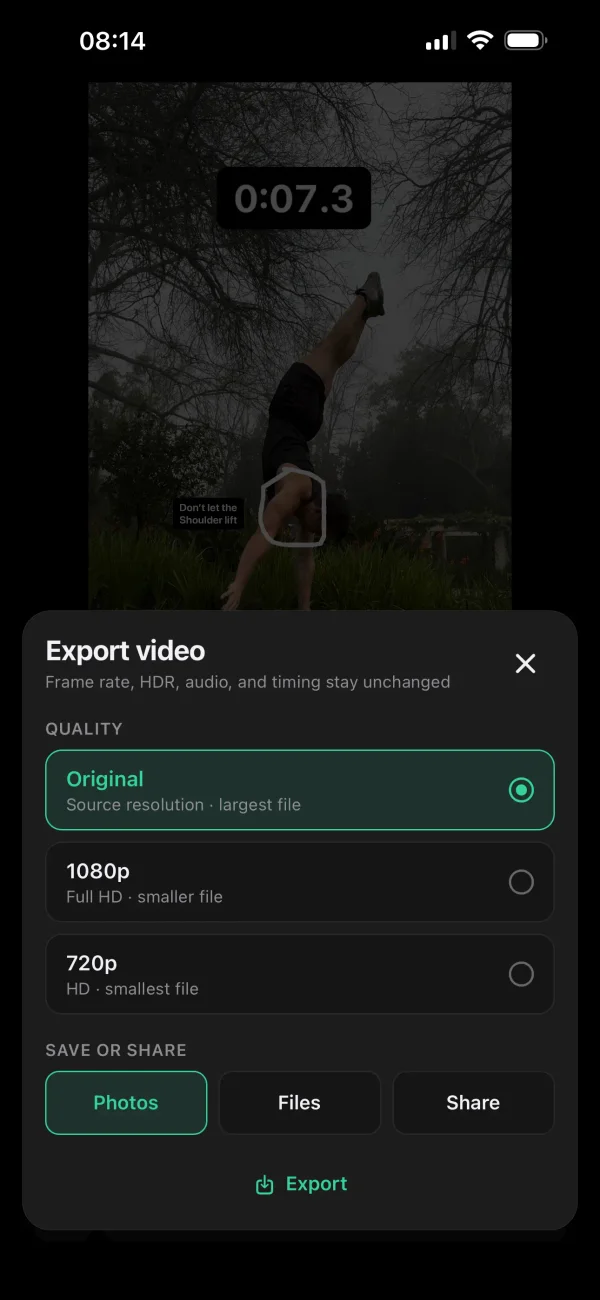
You see the result while you edit it, then export the video with all of it baked in.
For handstands, planches, levers, and anything else you want to time.
WHAT YOU CAN DO
• Place a stopwatch and set its start and end to the frame
• Four timer styles, and any colour you want
• Drag, pinch and rotate anything on the video
• Add as many text notes as you need, each with its own timing
• Style captions properly: weight, opacity, shadow, outline, label
• Draw over the video, and time each stroke separately
• Watch the whole thing full screen before you commit
• Export at original, 1080p or 720p
• Save to Photos or Files, or share it straight out
YOUR VIDEO NEVER LEAVES YOUR PHONE
Everything is processed on the device. There's no account, and nothing is uploaded.
Calisthenics Timer is free, with ads. Free exports carry a small Cali Timer watermark — tap it before exporting to watch a rewarded ad and clear it from that video. If there's no ad to show, it comes off anyway.
Novedades
Versión 1.0.3 · 26/8/2026
Text overlays got real controls. Thickness, opacity, shadow, border and
label are each their own setting now instead of four fixed presets, so a
caption can look the way you want it.
• Shadow — how strong it is and which way it falls
• Border — an outline around the letters themselves
• Label — a plate behind the text, with its own colour and translucency
• Full colour spectrum for text, timer and drawing colours
• Hold any timing lane to zoom into the timeline
Fixes: overlays now show on the very first frame of a trimmed clip, a
faded caption exports faded instead of solid, and the text panel no
longer hides behind the keyboard on smaller iPhones.
Privacidad de la aplicación
Lo que Joshua Van der Merwe declara en App Store sobre cómo esta aplicación gestiona los datos.
-
Datos usados para rastrearte
Pueden usarse para rastrearte en aplicaciones y sitios web propiedad de otras empresas.
- Identificadores
-
Datos vinculados a ti
Pueden recopilarse y vincularse a tu identidad.
- Ubicación
- Identificadores
- Datos de uso
-
Datos no vinculados a ti
Pueden recopilarse, pero no se vinculan a tu identidad.
- Compras
- Diagnóstico
Las prácticas de privacidad pueden variar, por ejemplo, según las funciones que uses o tu edad.
Información
- Vendedor
- Joshua Van der Merwe
- Categoría
- Foto y vídeo
- Versión
- 1.0.3
- Actualizado
- 26/8/2026
- Publicado
- 7/8/2026
- Tamaño
- 32,4 MB
- Requiere
- iOS 15.1 o posterior
- Clasificación por edad
- 4+
- Idiomas
- Inglés
- Copyright
- © 2026 Joshua Van der Merwe
Quizá también te guste
-
 HyperChronoFoto y vídeo
-
 Video Stopwatch CameraFoto y vídeo
-
 Foto sepia sencillaNostalgia en cada toma
-
 Buongiorno AIFoto y vídeo
-
 How Attractive am I TestFoto y vídeo
-
 Pictify AI: Avatar GeneratorFoto y vídeo
-
 Aitori - AI写真&動画作成Foto y vídeo
-
 Fuji Recipes - Film simulationFoto y vídeo
-
 StarryLens - Night Sky CameraFoto y vídeo
-
 VeomixFoto y vídeo