
- Altersfreigabe4+
- KategorieProduktivität
- EntwicklerElena Rodina
- SprachenEnglisch
- Größe180,0 MB
Verlinkt auf die offizielle App Store-Seite
Download.org hostet keine Datei von Capture: AI Assistant. Die Schaltfläche öffnet die App-Seite bei App Store, wo Elena Rodina die App veröffentlicht. Eintrag zuletzt geprüft am 12.11.2026.
Screenshots

Info
Der Entwickler hat diesen Text nicht in Ihrer Sprache bereitgestellt.
Space cards have a simpler look, and all actions now live in the ⋯ menu.
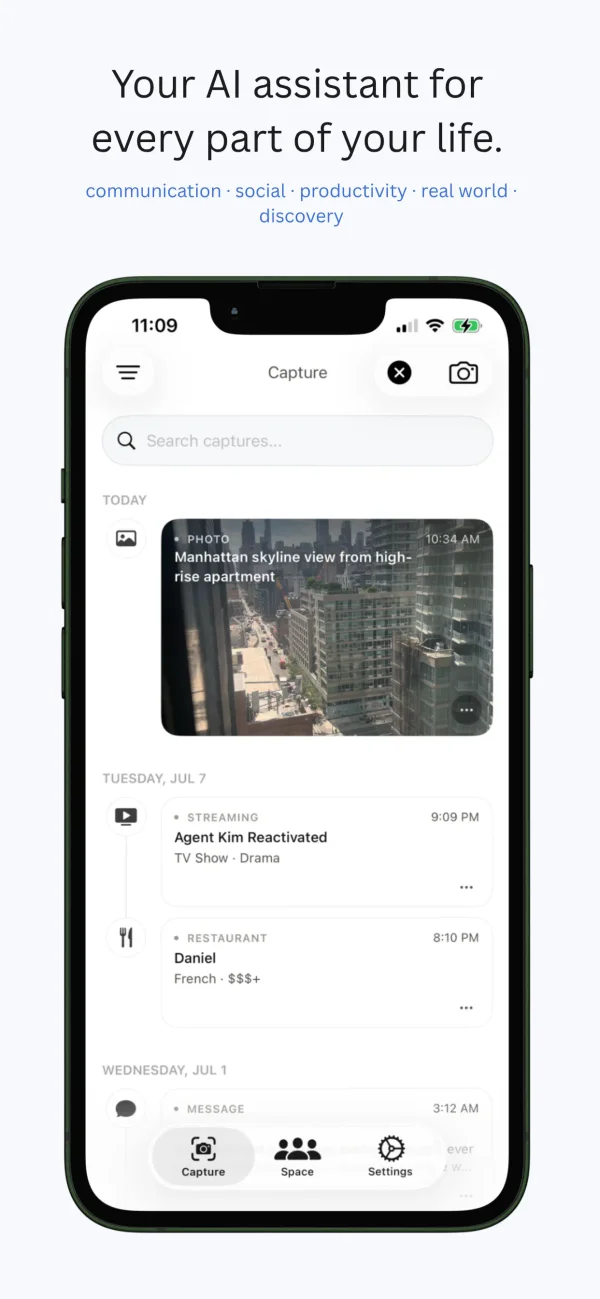
Capture is an AI-powered screenshot assistant that turns anything you capture into the right action automatically.
Take a screenshot, use your camera, or share from any app. Capture understands what you've captured and instantly routes it into the right workflow.
Try Capture free with 3 captures and experience it in seconds.
WHAT CAPTURE DOES
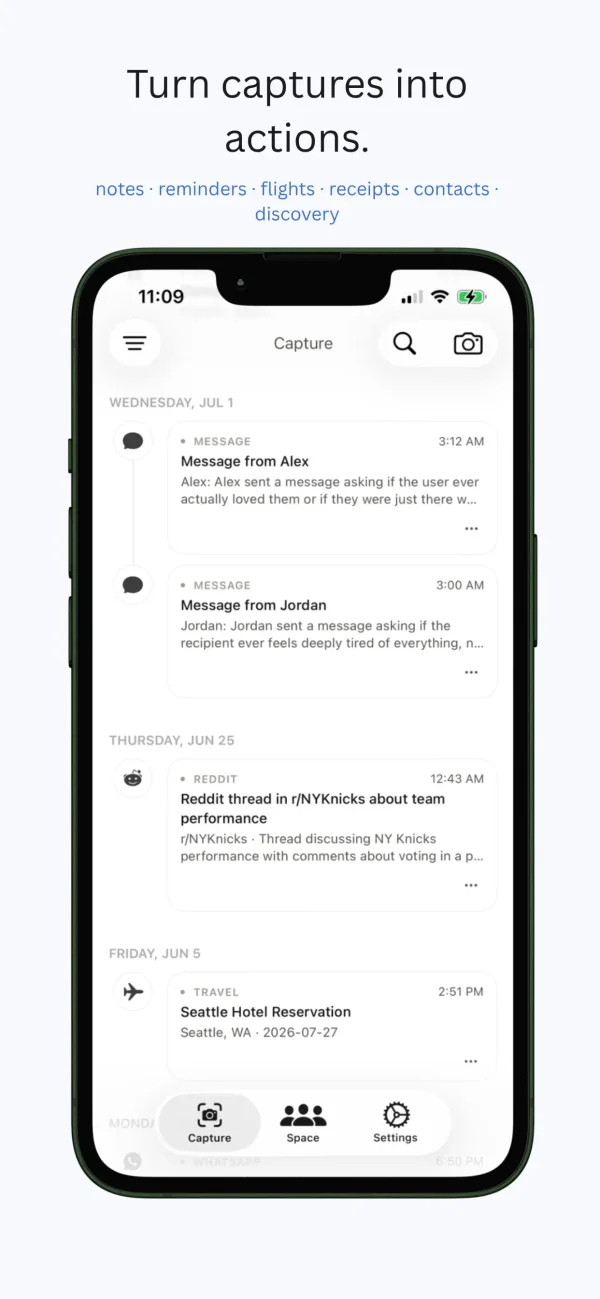
— Receipts → organize merchant, total, and purchase date
— Business cards → save directly to Contacts
— Flight confirmations → add to Google Calendar
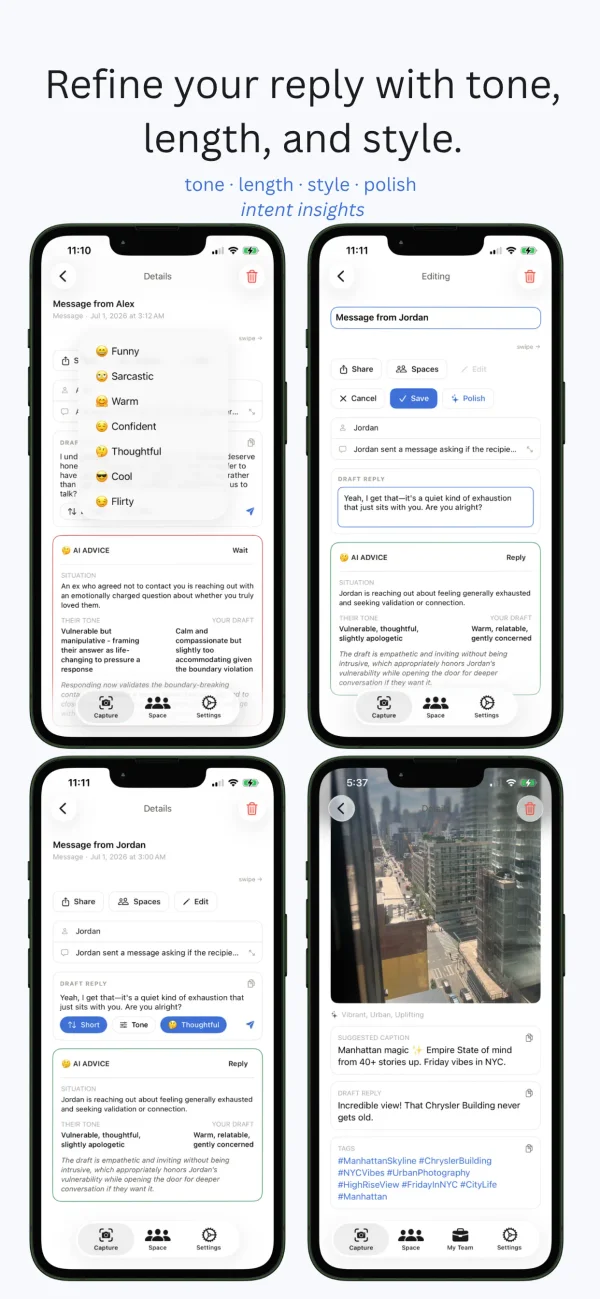
— Messages → generate AI-powered replies ready for iMessage
— Emails → create Gmail drafts automatically
— Social media → generate replies for X (Twitter), Instagram, WhatsApp, Telegram, TikTok, Reddit, and LinkedIn
— Products → search instantly on Amazon
— Restaurants → reserve a table on OpenTable
— Movies & Shows → instantly find where to watch
— Photos → generate AI captions, hashtags, tags, and draft replies (Pro)
AI THAT LEARNS YOU
— Polish any reply with one tap
— Learn your writing style from previous replies
— Choose the length, tone, and personality of every response
SHARED SPACES
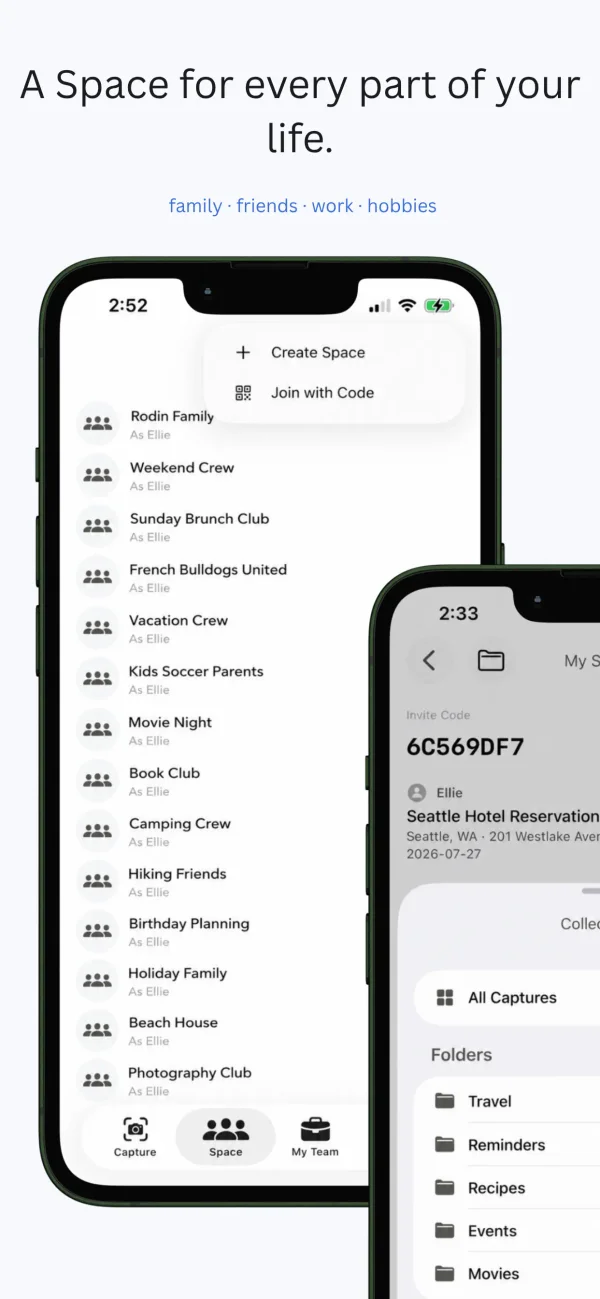
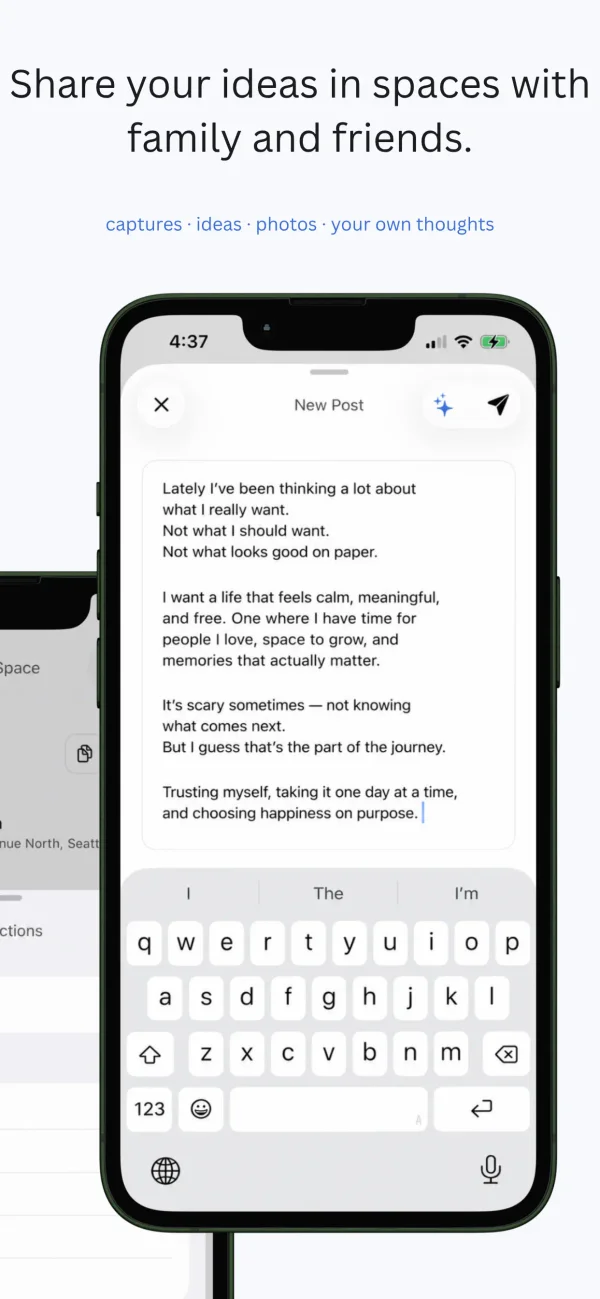
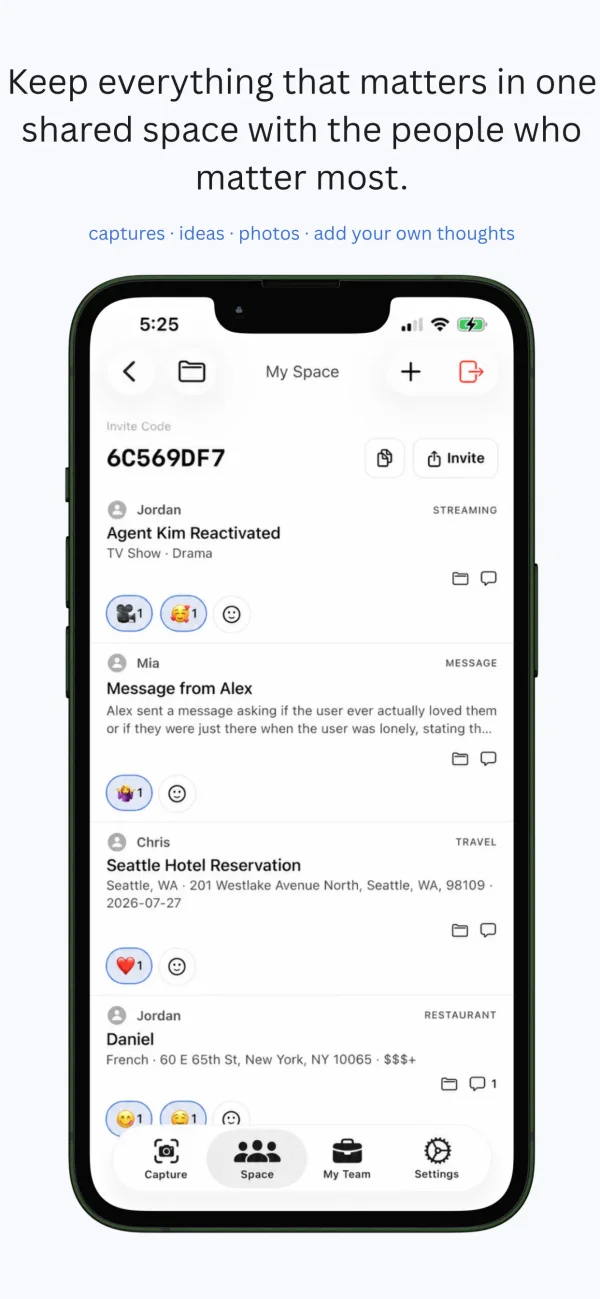
Create Spaces with family, friends, or teammates. Share an invite code and keep everything in sync in real time.
— Share captures instantly
— Comment, react, and send voice messages
— Post directly to your Space
— Organize captures with Collections
— Assign captures to teammates
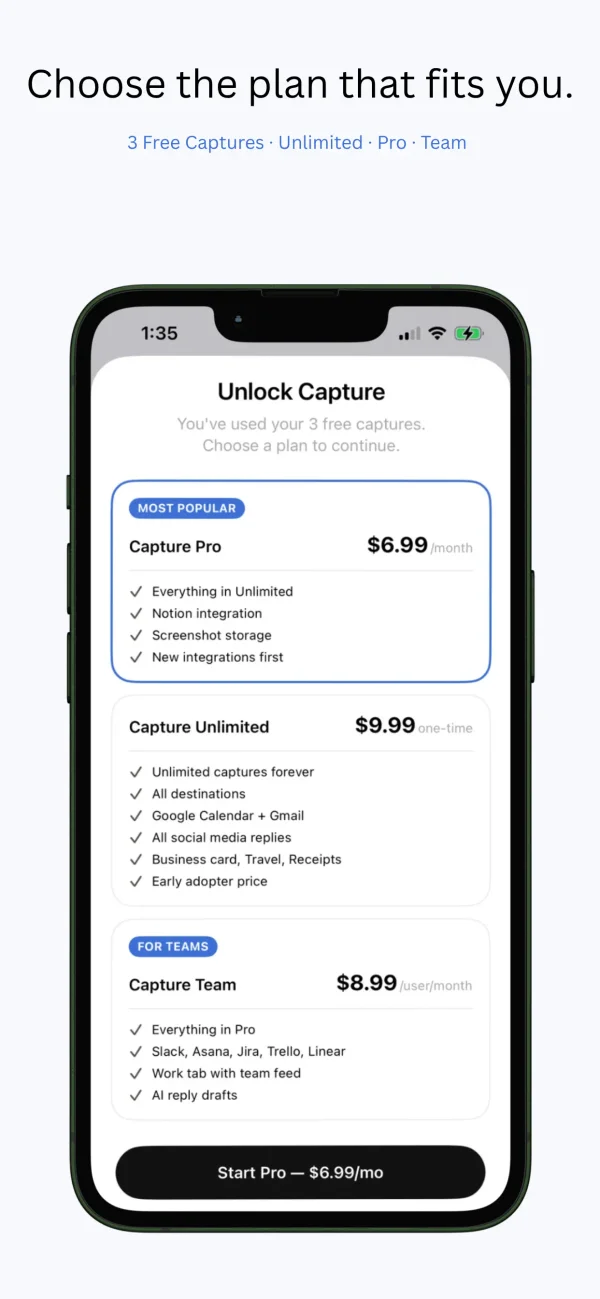
CAPTURE UNLIMITED ($9.99 one-time)
— Unlimited captures forever
— Access to every destination
— Early adopter pricing (price increases in future versions)
CAPTURE PRO ($6.99/month)
— Everything in Unlimited
— Notion integration for your workspace
— Secure screenshot storage with original images
— Photo destination with AI captions and tags
— Early access to upcoming integrations
CAPTURE TEAM ($8.99/user/month)
— Everything in Pro
— Shared team workspace
— Slack, Asana, Jira, Trello, and Linear integrations
— Work tab with AI-generated reply drafts
— Invite teammates by email
— Team notifications for assignments and comments
Terms of Use: https://www.apple.com/legal/internet-services/itunes/dev/stdeula/
Neue Funktionen
Version 1.7.6 · 15.10.2026
Spaces — share with your people
- A fresh look: soft pearl covers, glass icons and a calmer feed
- Pick an icon or add your own cover photo; see new posts waiting in each space
- Your most active space sits at the top; search spaces right from the toolbar
- Pin posts, search inside a space, and filter by person or type
- Edit or delete your own posts
- Shared checklists: make a list for anything and tick items together, live — see who did what and when
Cards that show what matters
- Redesigned cards for receipts, shopping, shows, restaurants, trips, reminders, messages and checklists
- New cards for X, Instagram, TikTok, Reddit and LinkedIn — who posted, what they said, and a draft reply
- Work cards for Linear, Jira, Trello, Asana, Slack and Notion — status, owner, due date and a suggested next step
- Actions like Directions, Call, Open store, Watch and Add to Calendar live in the ⋯ menu
- Anyone in a space can add a shared trip or event to their own calendar
Conversations
- Tap any card to open it full screen, with the whole conversation in one place
- Comments are chat bubbles, with voice messages playing right inside
- Reply to any message with a quote of what you're answering
- Your text stays if your connection drops, so nothing gets lost
Smarter captures
- Capture photos, products, restaurants and shows — get captions, tags, store search, reservations and where to watch
- Draft replies that learn your writing style, with Length, Tone and Character options
- Polish any draft or note with one tap
- Camera with focus and zoom; create a card for a draft or note right from History
- Batch photos keep the order you chose
Calendar, reminders & integrations
- Trips and date-only events arrive as proper all-day events
- Reminders tell you when notifications are off and open the right capture
- Linear shows all your assigned issues; smoother sign-in for Linear, Jira, Trello and Slack
- Save to Notes on iPhone; contacts keep all their details
- Home and Lock Screen widgets fixed
Plus faster loading, team notifications, and many fixes and polish throughout.
App-Datenschutz
Was Elena Rodina im App Store zum Umgang dieser App mit Daten angibt.
-
Keine Daten erfasst
Der Entwickler erfasst keine Daten von dieser App.
Die Datenschutzpraktiken können variieren, zum Beispiel je nach den von Ihnen verwendeten Funktionen oder Ihrem Alter.
Informationen
- Anbieter
- Elena Rodina
- Kategorie
- Produktivität
- Version
- 1.7.6
- Aktualisiert
- 15.10.2026
- Veröffentlicht
- 18.05.2026
- Größe
- 180,0 MB
- Erfordert
- iOS 26.0 oder neuer
- Altersfreigabe
- 4+
- Preis
- Kostenlos
- In-App-Käufe
- Ja
- Sprachen
- Englisch
- Copyright
- © 2026 Elena Rodina
Das könnte Ihnen auch gefallen
-
 SnapAction AIProduktivität
-
 Brain Dump - AI Memory VaultProduktivität
-
 SnapActionProduktivität
-
 Shotbox: Screenshot-OrganizerTexterkennung & Erinnerungen
-
 ScreenClip AI NotesKI-Screenshot-Notizen
-
 HeyForgetfulProduktivität
-
 AGENTS.incProduktivität
-
 Quick Capture for ObsidianProduktivität
-
 Nute Pad: Notepad CalculatorProduktivität