
- Age rating4+
- CategoryProductivity
- DeveloperElena Rodina
- LanguagesEnglish
- Size180.0 MB
Links to the official App Store page
Download.org hosts no file of Capture: AI Assistant. The button opens its official App Store page, published by Elena Rodina. Listing last checked on Nov 12, 2026.
Screenshots

About
Space cards have a simpler look, and all actions now live in the ⋯ menu.
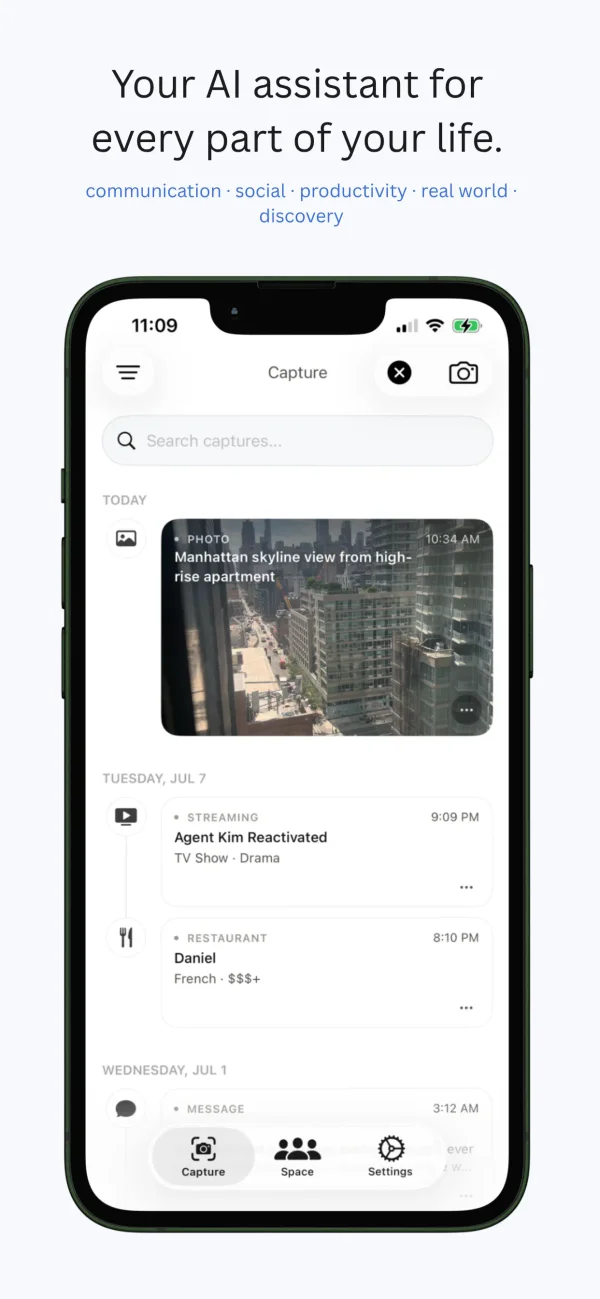
Capture is an AI-powered screenshot assistant that turns anything you capture into the right action automatically.
Take a screenshot, use your camera, or share from any app. Capture understands what you've captured and instantly routes it into the right workflow.
Try Capture free with 3 captures and experience it in seconds.
WHAT CAPTURE DOES
— Receipts → organize merchant, total, and purchase date
— Business cards → save directly to Contacts
— Flight confirmations → add to Google Calendar
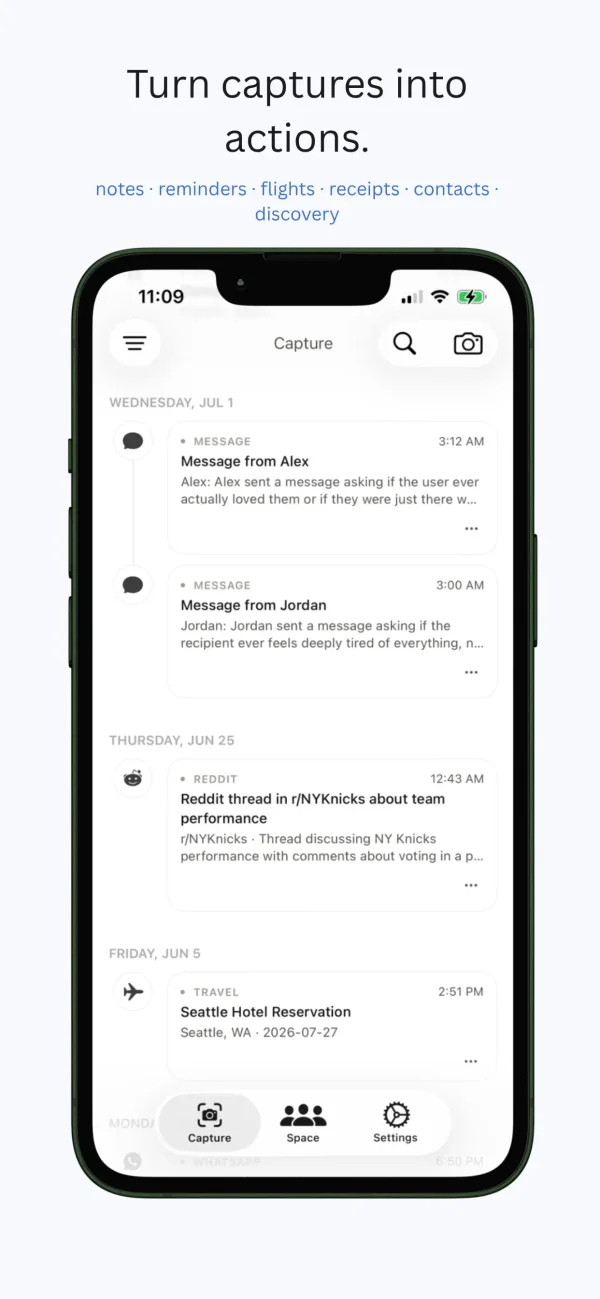
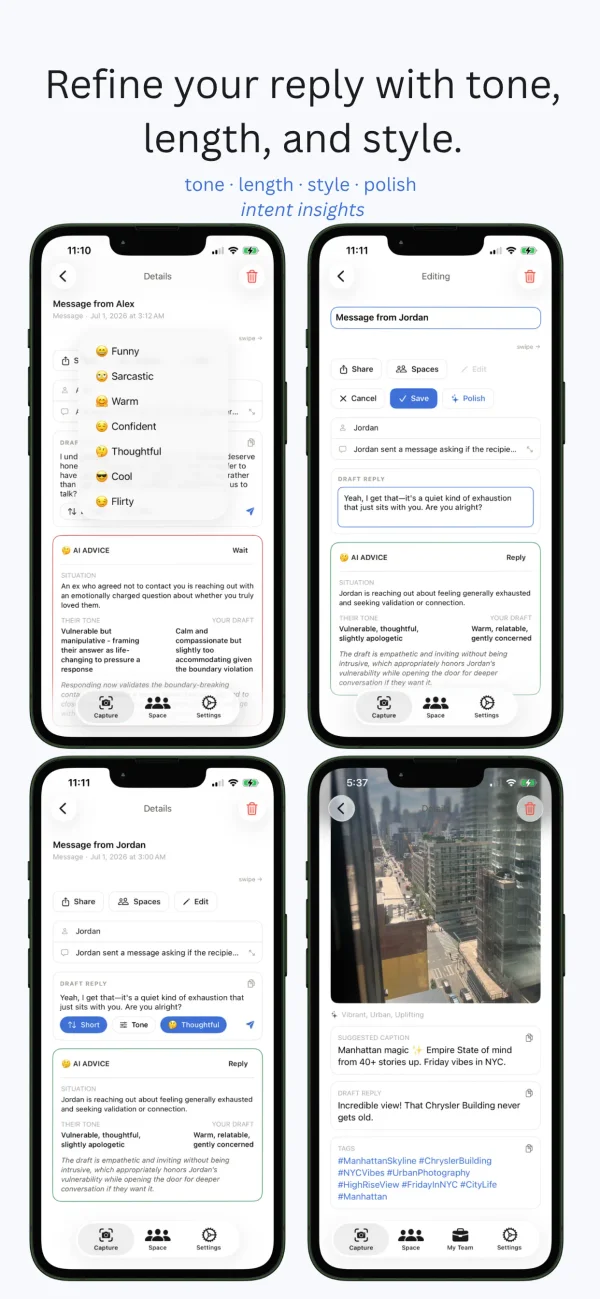
— Messages → generate AI-powered replies ready for iMessage
— Emails → create Gmail drafts automatically
— Social media → generate replies for X (Twitter), Instagram, WhatsApp, Telegram, TikTok, Reddit, and LinkedIn
— Products → search instantly on Amazon
— Restaurants → reserve a table on OpenTable
— Movies & Shows → instantly find where to watch
— Photos → generate AI captions, hashtags, tags, and draft replies (Pro)
AI THAT LEARNS YOU
— Polish any reply with one tap
— Learn your writing style from previous replies
— Choose the length, tone, and personality of every response
SHARED SPACES
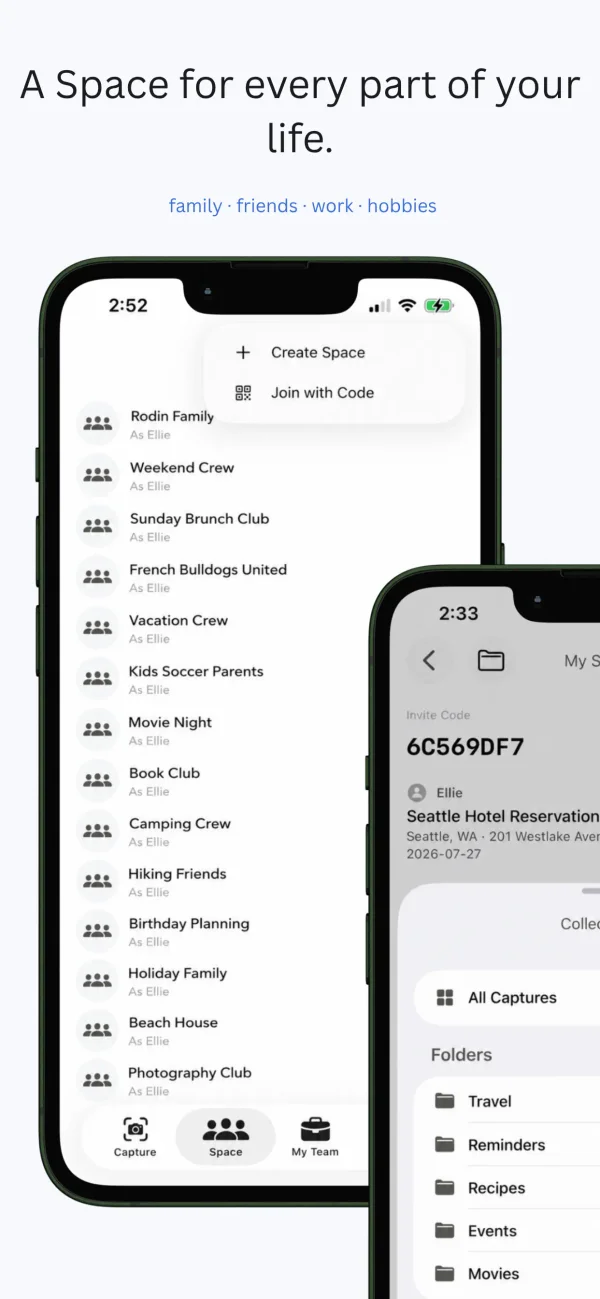
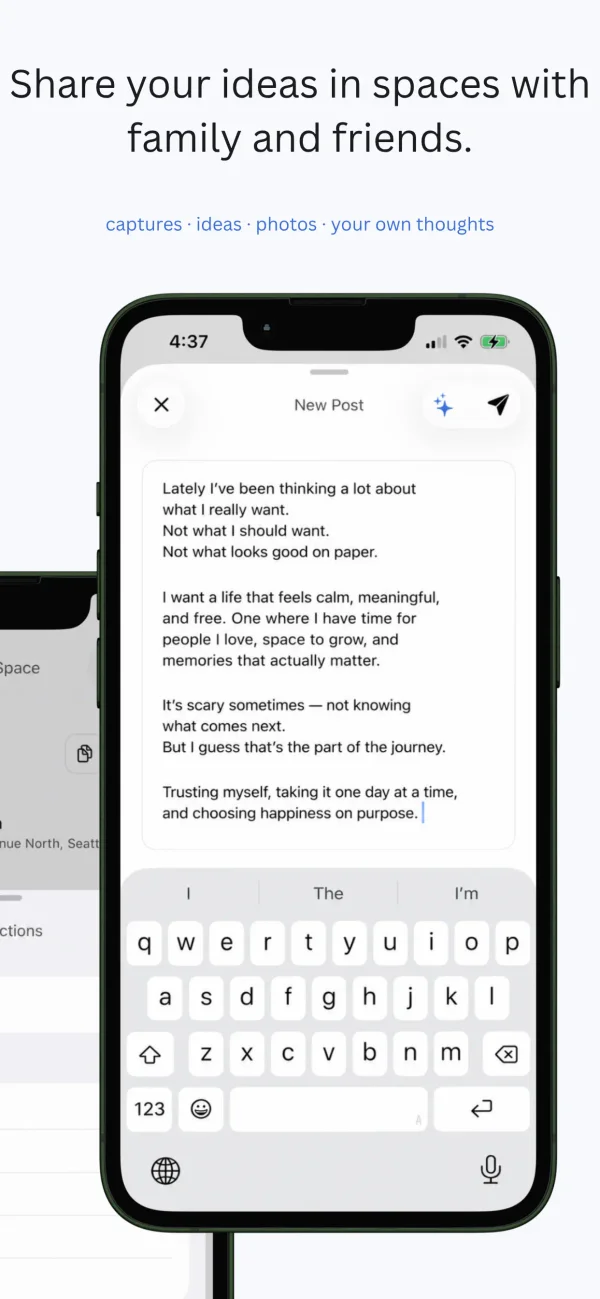
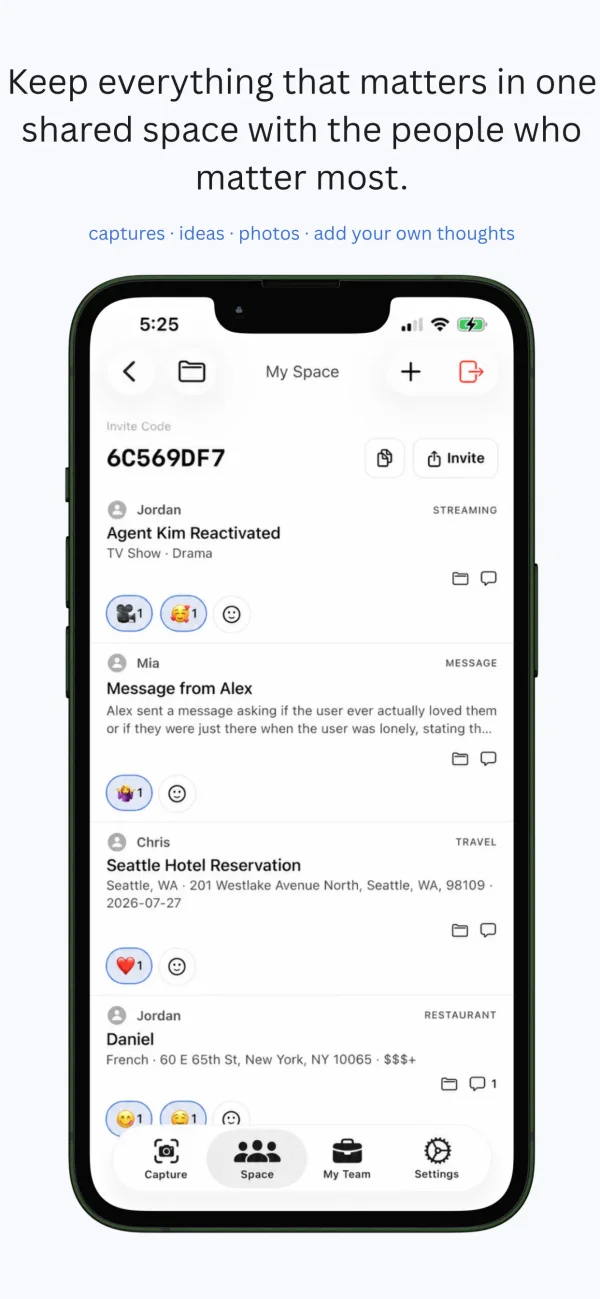
Create Spaces with family, friends, or teammates. Share an invite code and keep everything in sync in real time.
— Share captures instantly
— Comment, react, and send voice messages
— Post directly to your Space
— Organize captures with Collections
— Assign captures to teammates
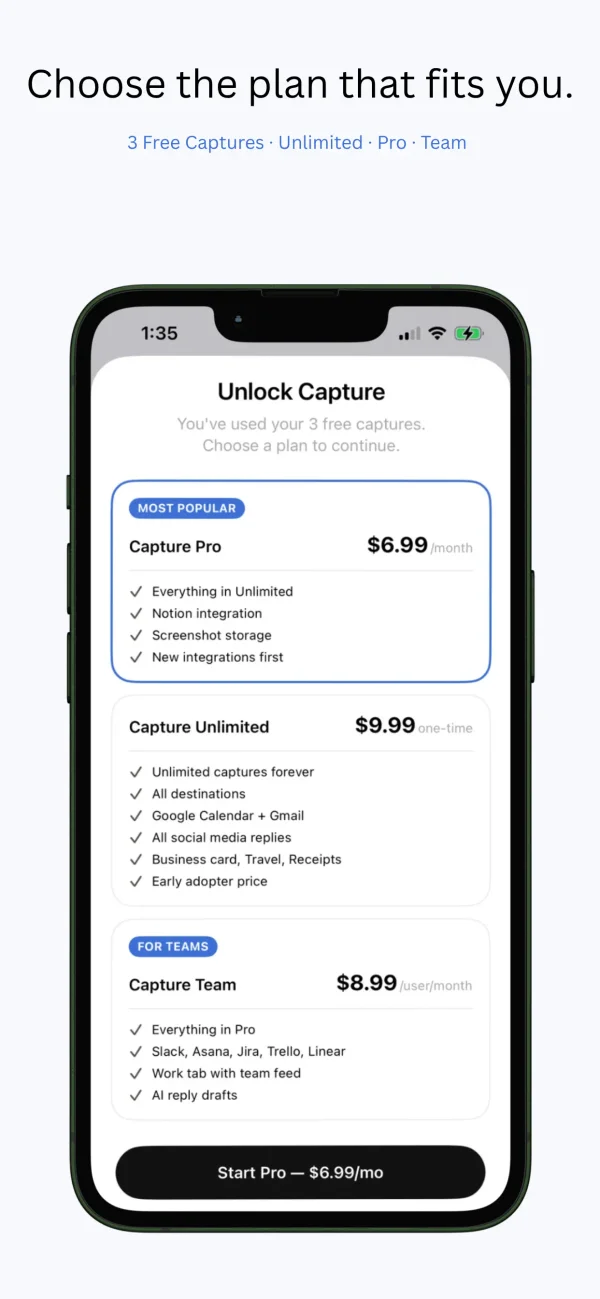
CAPTURE UNLIMITED ($9.99 one-time)
— Unlimited captures forever
— Access to every destination
— Early adopter pricing (price increases in future versions)
CAPTURE PRO ($6.99/month)
— Everything in Unlimited
— Notion integration for your workspace
— Secure screenshot storage with original images
— Photo destination with AI captions and tags
— Early access to upcoming integrations
CAPTURE TEAM ($8.99/user/month)
— Everything in Pro
— Shared team workspace
— Slack, Asana, Jira, Trello, and Linear integrations
— Work tab with AI-generated reply drafts
— Invite teammates by email
— Team notifications for assignments and comments
Terms of Use: https://www.apple.com/legal/internet-services/itunes/dev/stdeula/
What’s new
Version 1.7.6 · Oct 15, 2026
Spaces — share with your people
- A fresh look: soft pearl covers, glass icons and a calmer feed
- Pick an icon or add your own cover photo; see new posts waiting in each space
- Your most active space sits at the top; search spaces right from the toolbar
- Pin posts, search inside a space, and filter by person or type
- Edit or delete your own posts
- Shared checklists: make a list for anything and tick items together, live — see who did what and when
Cards that show what matters
- Redesigned cards for receipts, shopping, shows, restaurants, trips, reminders, messages and checklists
- New cards for X, Instagram, TikTok, Reddit and LinkedIn — who posted, what they said, and a draft reply
- Work cards for Linear, Jira, Trello, Asana, Slack and Notion — status, owner, due date and a suggested next step
- Actions like Directions, Call, Open store, Watch and Add to Calendar live in the ⋯ menu
- Anyone in a space can add a shared trip or event to their own calendar
Conversations
- Tap any card to open it full screen, with the whole conversation in one place
- Comments are chat bubbles, with voice messages playing right inside
- Reply to any message with a quote of what you're answering
- Your text stays if your connection drops, so nothing gets lost
Smarter captures
- Capture photos, products, restaurants and shows — get captions, tags, store search, reservations and where to watch
- Draft replies that learn your writing style, with Length, Tone and Character options
- Polish any draft or note with one tap
- Camera with focus and zoom; create a card for a draft or note right from History
- Batch photos keep the order you chose
Calendar, reminders & integrations
- Trips and date-only events arrive as proper all-day events
- Reminders tell you when notifications are off and open the right capture
- Linear shows all your assigned issues; smoother sign-in for Linear, Jira, Trello and Slack
- Save to Notes on iPhone; contacts keep all their details
- Home and Lock Screen widgets fixed
Plus faster loading, team notifications, and many fixes and polish throughout.
App privacy
What Elena Rodina declares on the App Store about how this app handles data.
-
Data not collected
The developer does not collect any data from this app.
Privacy practices may vary, for example with the features you use or your age.
Information
- Seller
- Elena Rodina
- Category
- Productivity
- Version
- 1.7.6
- Updated
- Oct 15, 2026
- Released
- May 18, 2026
- Size
- 180.0 MB
- Requires
- iOS 26.0 or later
- Age rating
- 4+
- In-app purchases
- Yes
- Languages
- English
- Copyright
- © 2026 Elena Rodina
You might also like
-
 SnapAction AITurn Images Into Actions
-
 Brain Dump - AI Memory VaultAI Journal, Notes & Recall
-
 SnapActionScreenshots Into Actions
-
 Shotbox: Screenshot OrganizerOCR, Receipts & Reminders
-
 ScreenClip AI NotesAI screenshot notes & search
-
 HeyForgetfulReminders for forgetful humans
-
 AGENTS.incAI Agents
-
 Quick Capture for ObsidianDaily notes & Markdown tasks
-
 Nute Pad: Notepad CalculatorMath, Units & Currency in Text