CellGlide - USB Tethering
USB & wireless internet share
Entwickelt für iPhone
Kostenlos
- Altersfreigabe4+
- KategorieDienstprogramme
- EntwicklerXi Wang
- SprachenEnglisch+ 2 weitere
- Größe12,1 MB
Verlinkt auf die offizielle App Store-Seite
Download.org hostet keine Datei von CellGlide - USB Tethering. Die Schaltfläche öffnet die App-Seite bei App Store, wo Xi Wang die App veröffentlicht. Eintrag zuletzt geprüft am 24.11.2026.
Screenshots


Info
Der Entwickler hat diesen Text nicht in Ihrer Sprache bereitgestellt.
Your computer, online anywhere.
Hotel Wi-Fi won’t connect? Broadband down at home? On a call at a café? Connect your iPhone to your computer with a cable, open CellGlide and tap Start sharing, and your computer keeps working on your phone’s connection. Unplug and the computer goes back to its own network.
Works with Mac, Linux and OpenWrt routers
• Mac and Linux computers: install the CellGlide app and it connects when you plug in
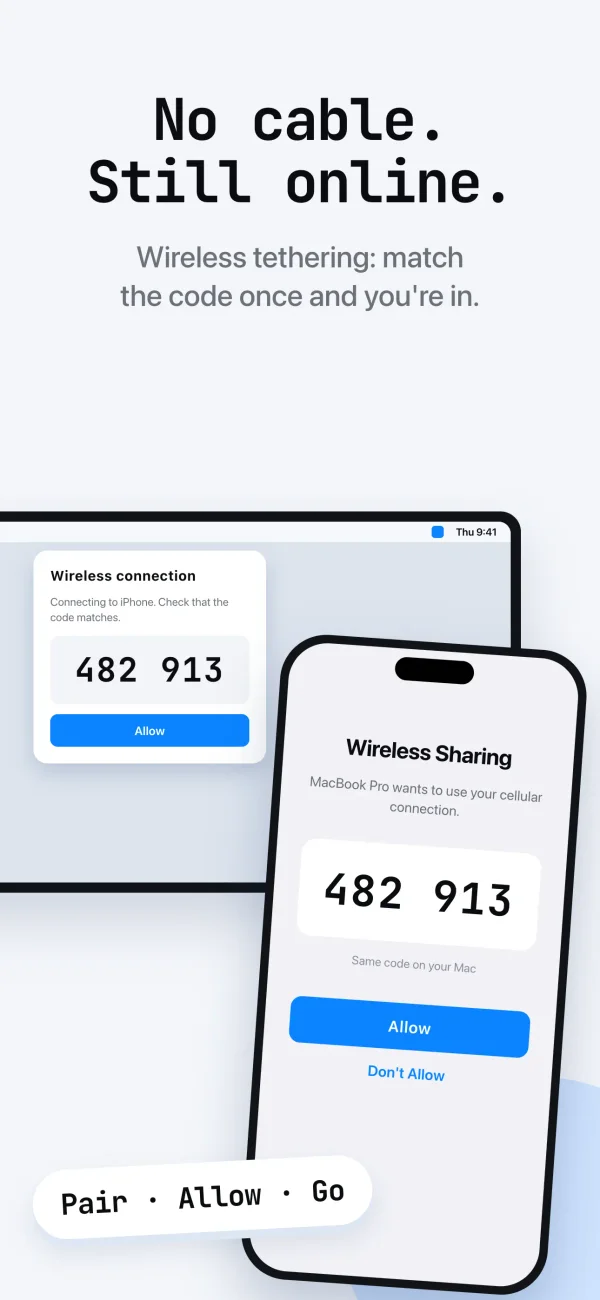
• No cable with you: pair your Mac once and it can connect to your iPhone wirelessly (Mac app 1.3.0 or later)
• When your iPhone is on Wi‑Fi, your computer can use that Wi‑Fi too and save cellular data
• OpenWrt routers: plug your iPhone into the router and the devices you choose go online through it, even when the home broadband is down
Why you can rely on it
• Plug in and go: with CellGlide on your computer it connects when you plug in, no setup each time
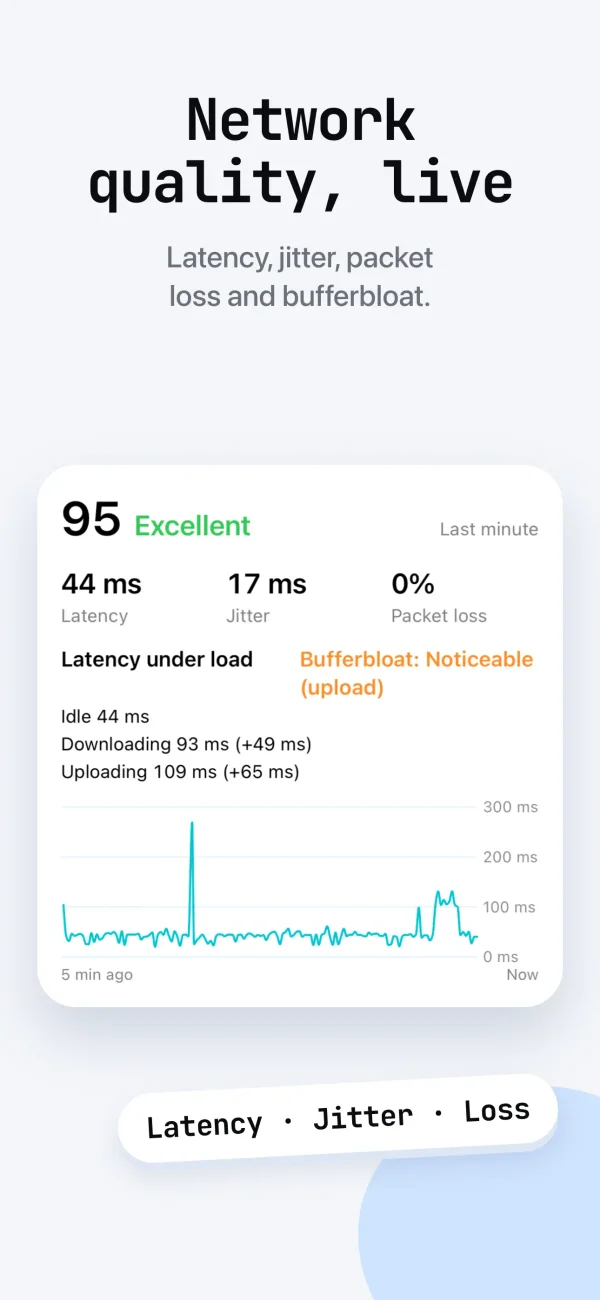
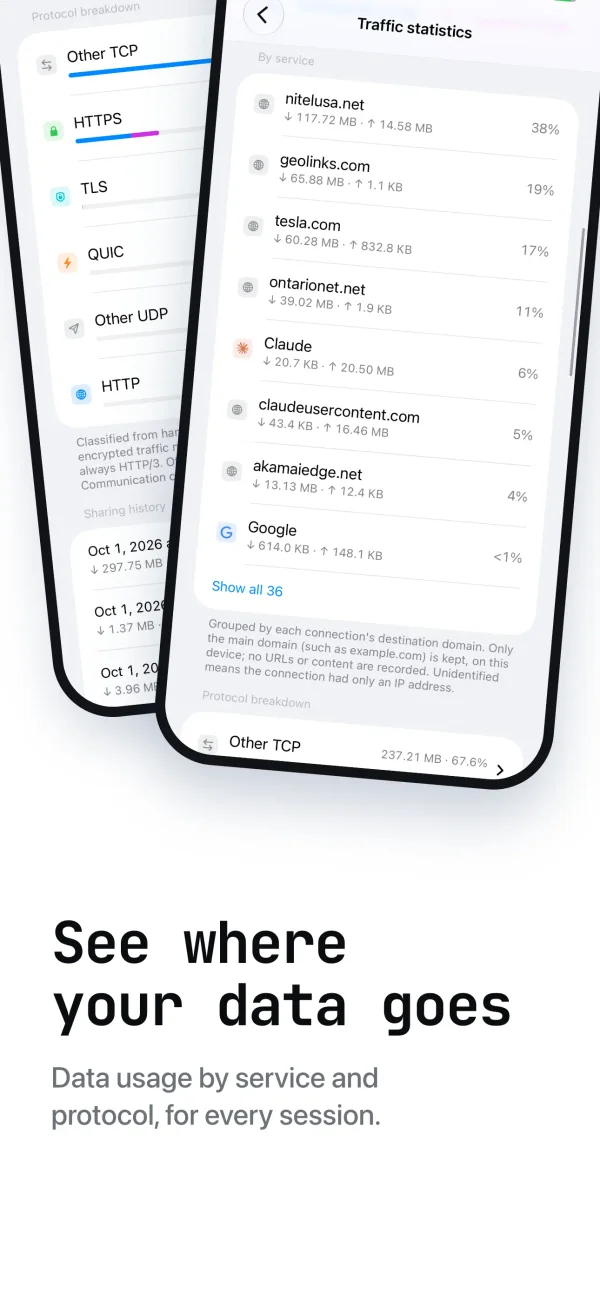
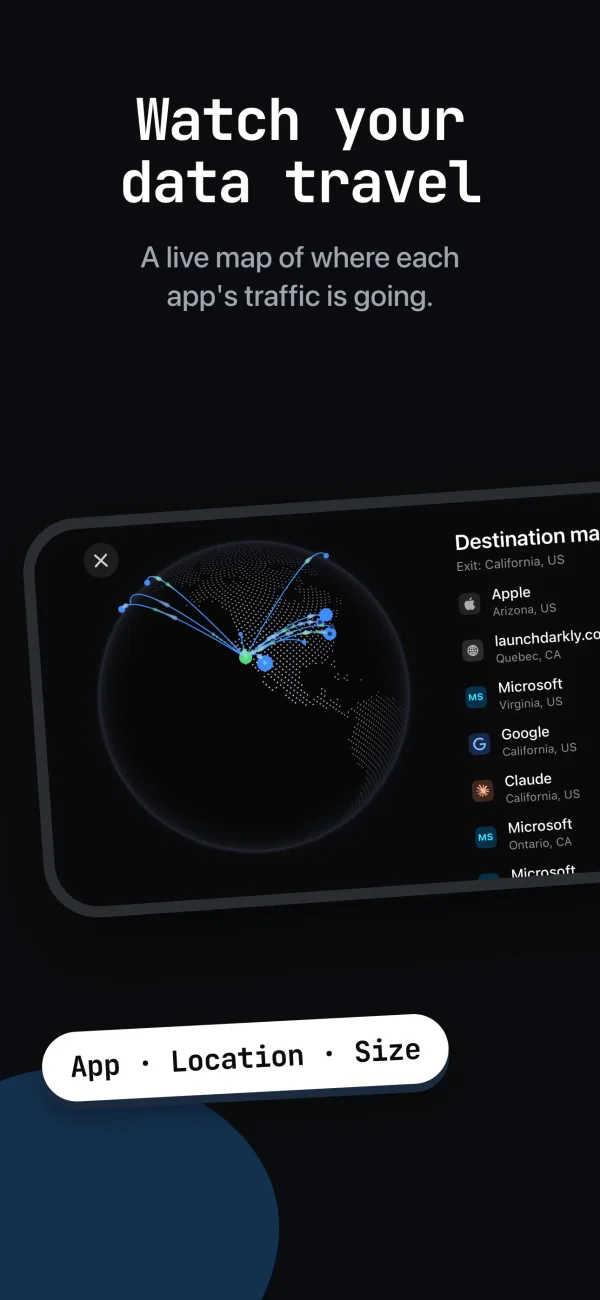
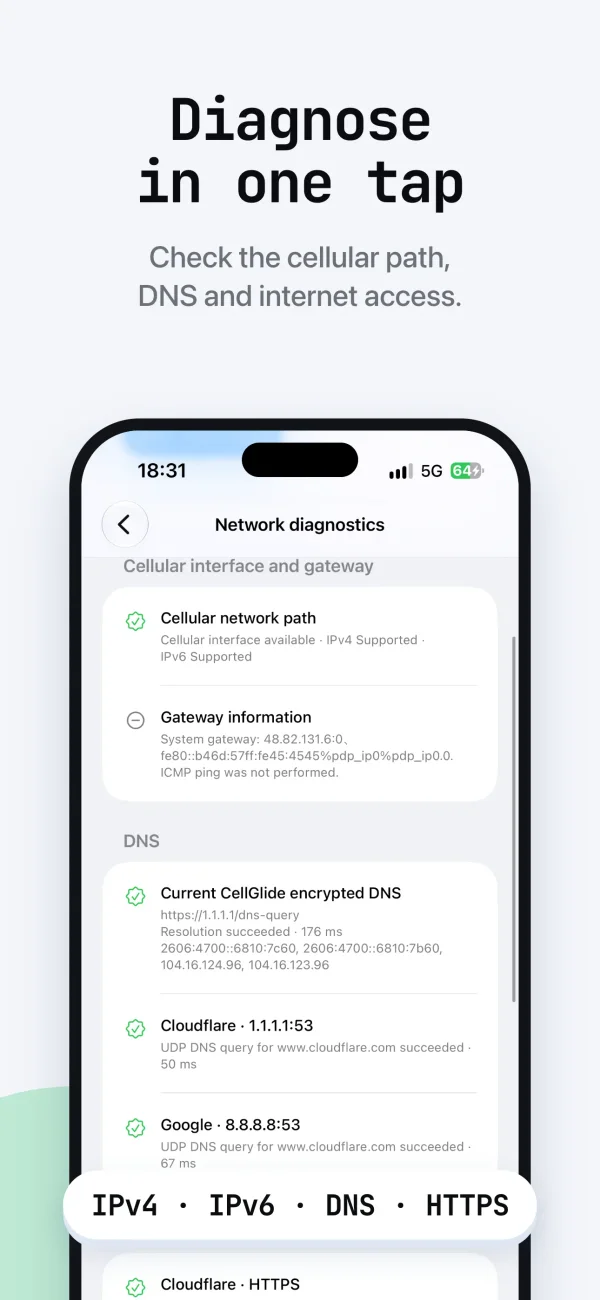
• See how it’s doing: live speeds, network quality, latency and loss, and a heads-up when something breaks
• Recovers on its own: retries when the phone’s connection drops; send diagnostics in one tap if you need help
• Leaves your settings alone: never changes Wi-Fi or other saved network settings
Clear on your iPhone too
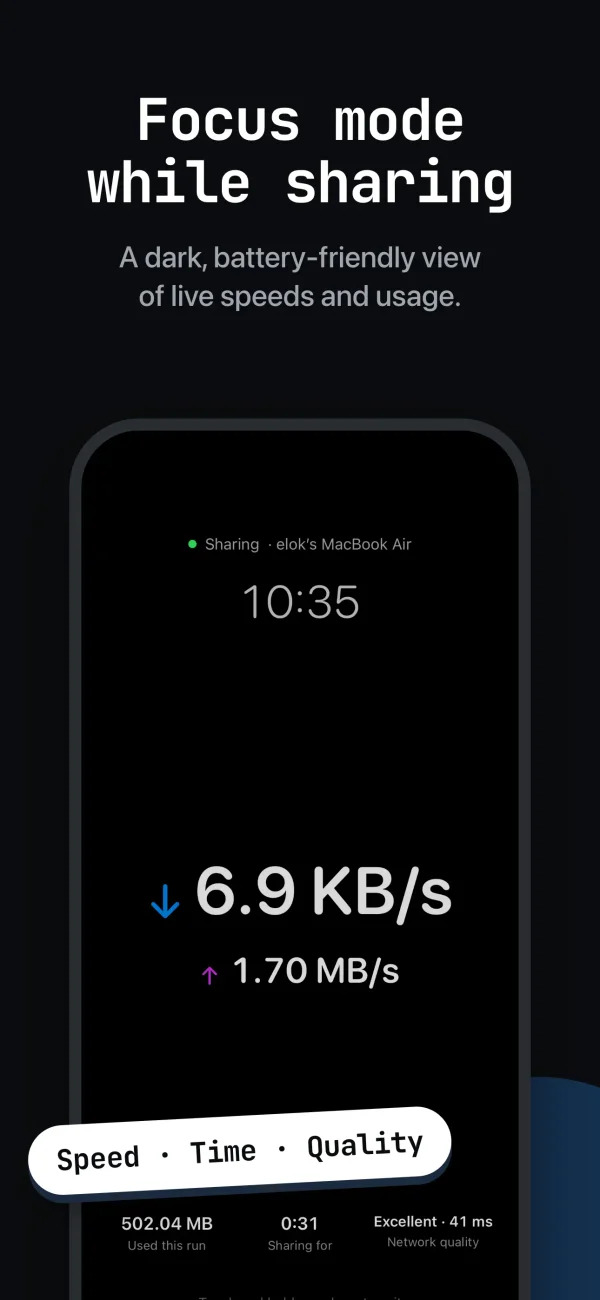
• Dynamic Island countdown and live speeds, plus a black focus page that saves power
• This month’s data, allowance reminders and Data saver to protect your plan
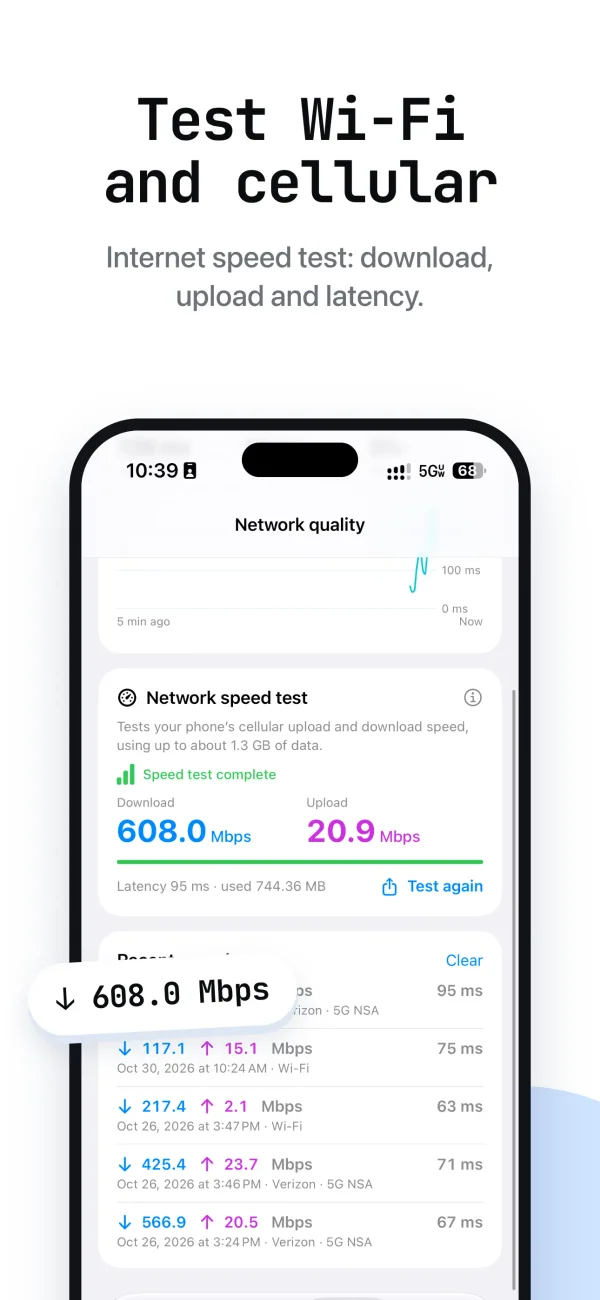
• Network quality, speed tests and recent results to compare places and networks
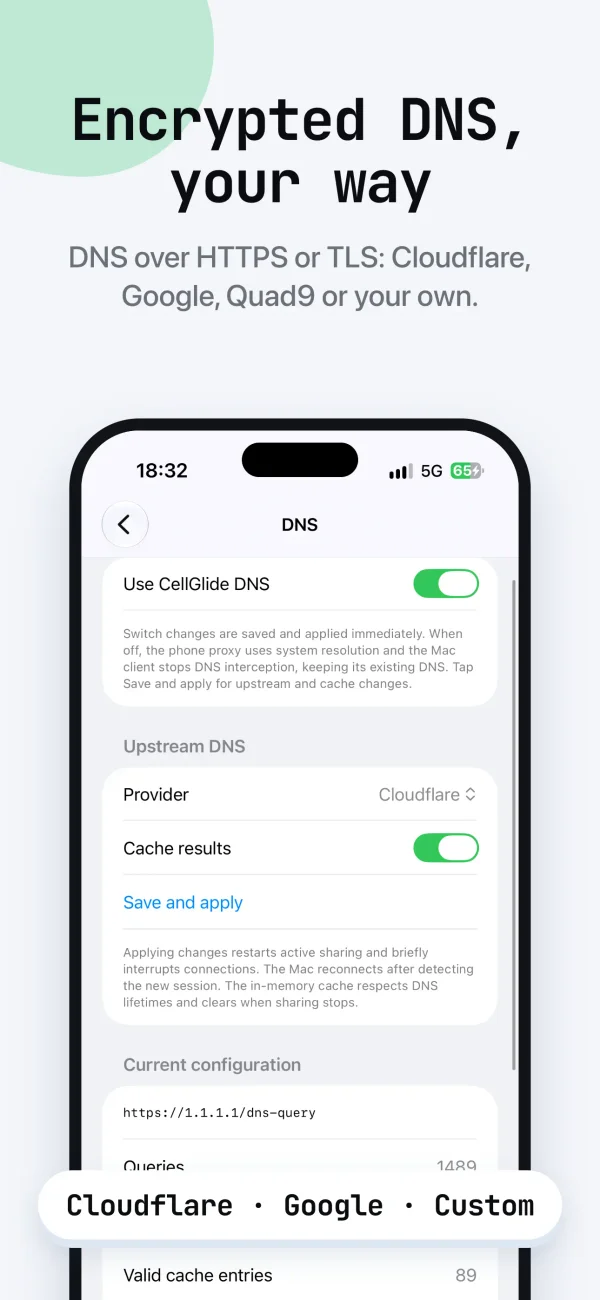
• Encrypted DNS (DNS over HTTPS, DNS over TLS) and DNS acceleration
• Ad and tracker blocking, with optional PCDN blocking for smoother video
Going online through your iPhone uses your cellular plan; follow your carrier’s terms. Requires CellGlide on your computer or router, free at cellglide.com; the Mac app needs macOS 13 or later.
Neue Funktionen
Version 2.6.0 · 09.11.2026
• New: Share the iPhone’s Wi‑Fi. When your iPhone is on Wi‑Fi, your computer can use it too, with no cellular data (turn it on in Settings)
• Ad blocking can now block PCDN, so videos on Bilibili, Douyu, Huya and more load from the platforms’ own servers and stall less
• Add your own domains to block
• Shorter, clearer text throughout the app
• Bug fixes and stability improvements
App-Datenschutz
Was Xi Wang im App Store zum Umgang dieser App mit Daten angibt.
-
Mit Ihnen verknüpfte Daten
Können erfasst und mit Ihrer Identität verknüpft werden.
- Kontaktinformationen
- Benutzerinhalte
- Diagnose
-
Nicht mit Ihnen verknüpfte Daten
Können erfasst werden, sind aber nicht mit Ihrer Identität verknüpft.
- Kennungen
- Nutzungsdaten
Die Datenschutzpraktiken können variieren, zum Beispiel je nach den von Ihnen verwendeten Funktionen oder Ihrem Alter.
Informationen
- Anbieter
- Xi Wang
- Kategorie
- Dienstprogramme
- Version
- 2.6.0
- Aktualisiert
- 09.11.2026
- Veröffentlicht
- 01.10.2026
- Größe
- 12,1 MB
- Erfordert
- iOS 17.0 oder neuer
- Altersfreigabe
- 4+
- Preis
- Kostenlos
- Sprachen
- Englisch, Vereinf. Chinesisch, Spanisch
- Copyright
- © Bllgo Labs Inc
Das könnte Ihnen auch gefallen
-
 JSTVDienstprogramme
-
 Jinx - Systemweiter AdblockerBlockiertWerbung SchnellSicher
-
 Device Status⁺ SystemmonitorWidgets, Live Activity & PiP
-
 Portable WiFi - Mobile HotspotDienstprogramme
-
 WiFi Hotspot - Tragbares WLANWiFi Around - Nearby Hotspots
-
 Case Tracker for USCISDienstprogramme
-
 Cloudflare One AgentDienstprogramme
-
 ntfyDienstprogramme
-
 Clash - Rule Based ProxyDienstprogramme
-
 glinetDienstprogramme