- Altersfreigabe4+
- KategorieFoto und Video
- EntwicklerHidekazu Masuda
- SprachenEnglisch+ 1 weitere
- Größe58,5 MB
CLIPDAY ist bei App Store derzeit möglicherweise nicht verfügbar
Bei unserer letzten Prüfung war der Store-Eintrag nicht erreichbar. Der Link führt weiterhin zur offiziellen App Store-Seite.
Screenshots

Info
Der Entwickler hat diesen Text nicht in Ihrer Sprache bereitgestellt.
ClipDay is a video app for capturing, organizing, editing, and turning short clips into one finished video.
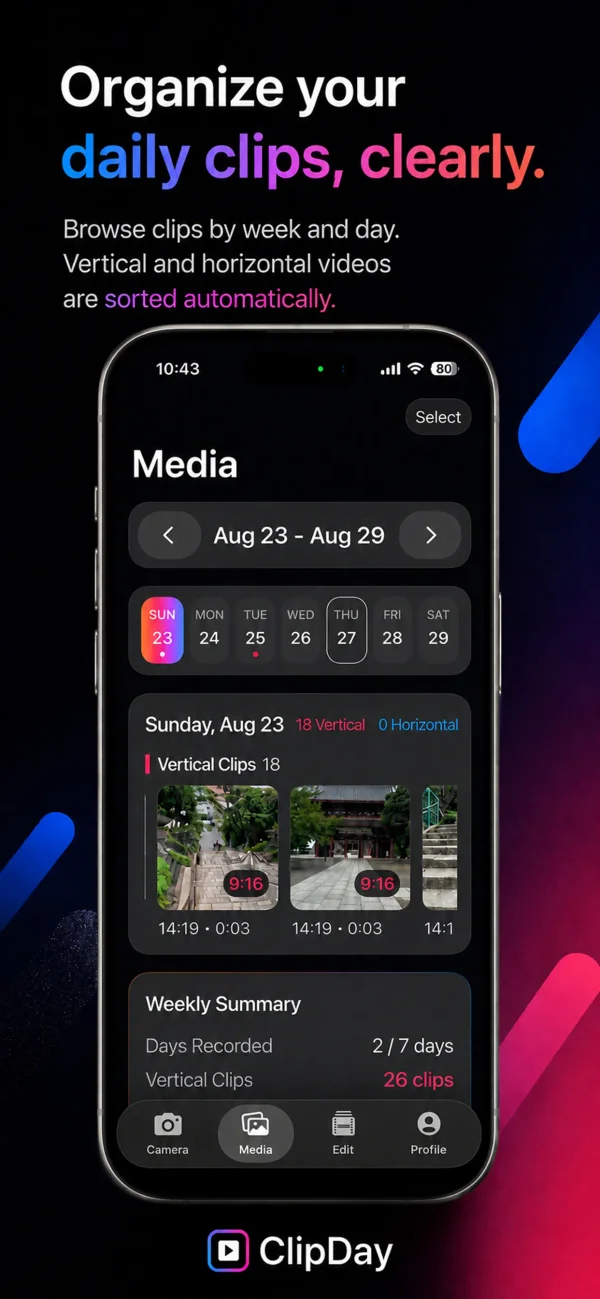
It supports both 9:16 vertical video and 16:9 horizontal video, and lets you organize your recorded clips by date.
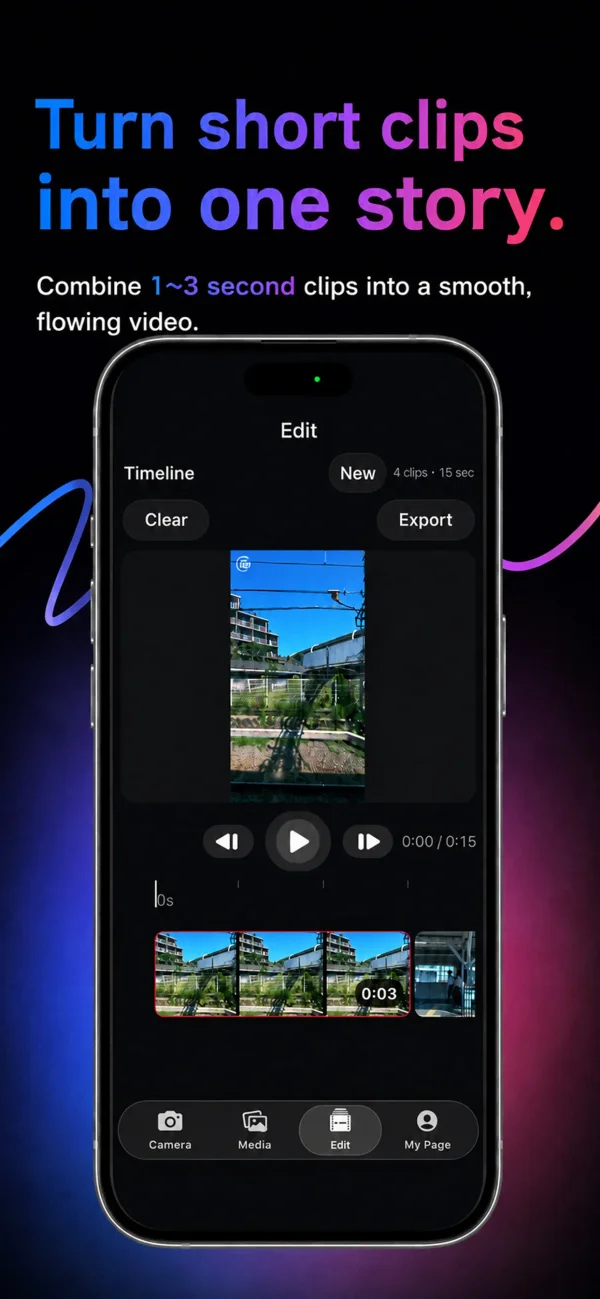
Choose the clips you want, add them to the timeline, rearrange them, preview them, and combine them into a single video with a simple workflow.
You can also import videos from your photo library and trim only the parts you want to use.
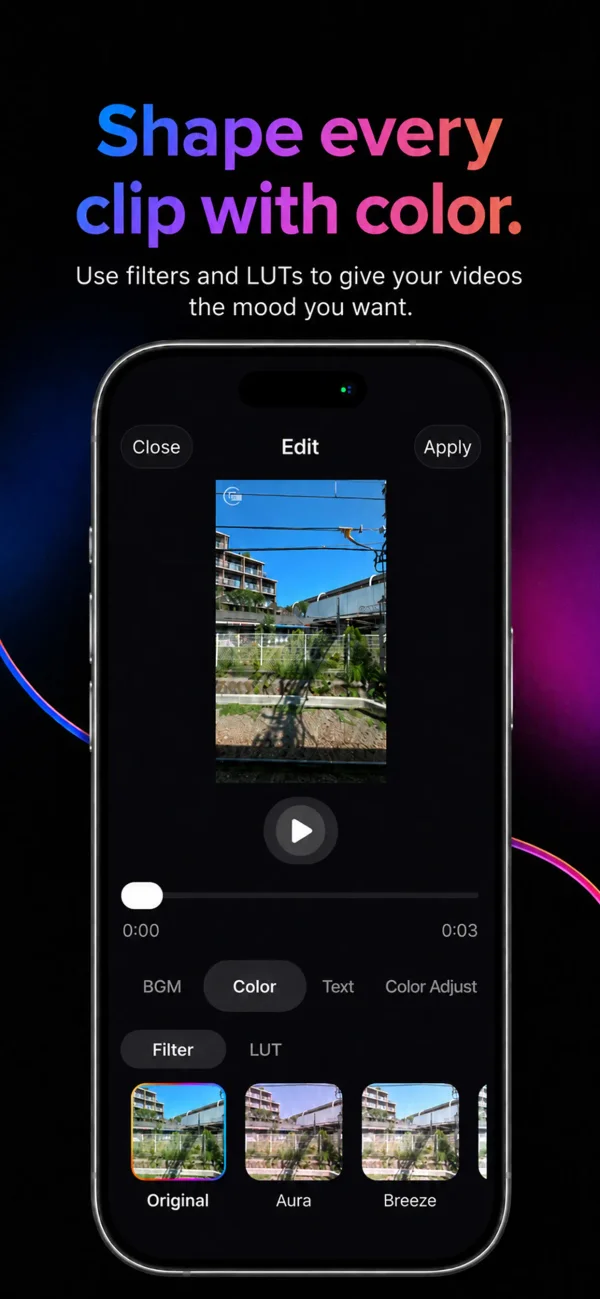
For color editing, ClipDay includes Filters and LUT presets that make it easy to change the look and mood of your videos.
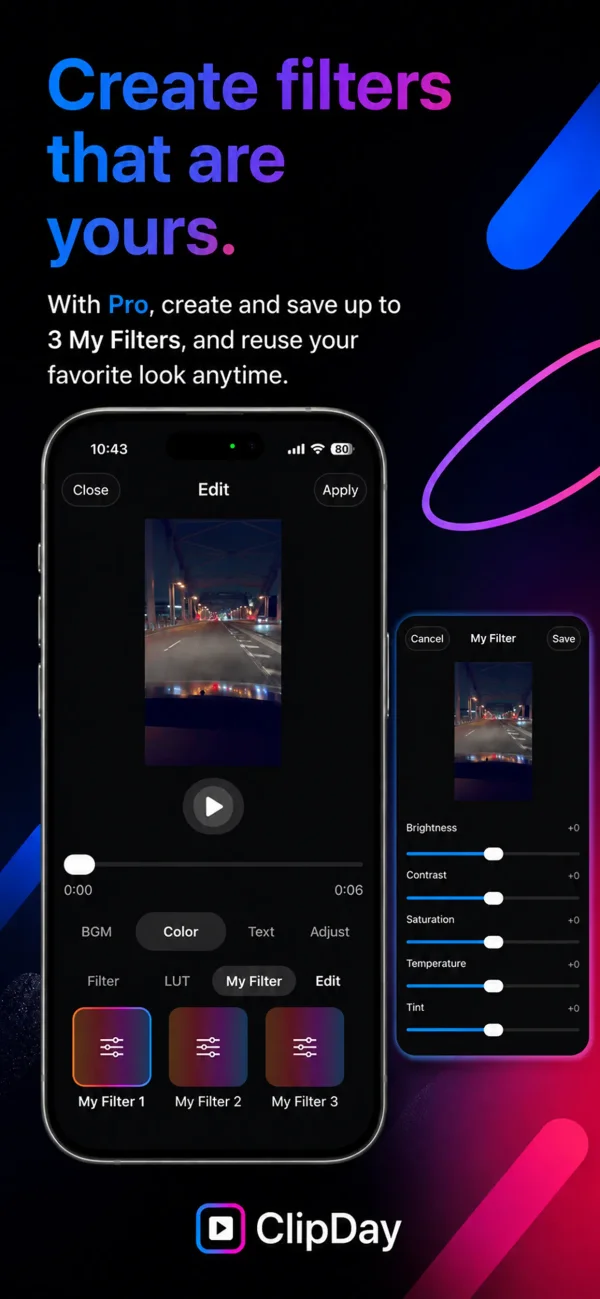
With ClipDay Pro, you can create and save your own custom looks with My Filter.
Adjust brightness, contrast, saturation, temperature, tint, highlights, shadows, and fade, and save up to 3 My Filters.
Saved My Filters can be reused anytime to give your everyday clips a consistent look.
You can also add text and text animations to give your short videos a more personal style.
The camera includes recording-duration presets, zoom switching, and stabilization.
When recording in 16:9, you can also use the volume button as a shutter.
Main Features
• 9:16 / 16:9 video recording
• 1 sec / 2 sec / 3 sec recording presets
• Video stabilization
• Zoom switching
• Volume button recording (16:9)
• Organize videos by date
• Import videos from your photo library
• Video trimming
• Timeline editing
• Add and rearrange multiple clips
• Video export
• Color adjustment with Filters / LUTs
• Create and save My Filters (Pro)
• Add text
• Text animations
Capture a moment, choose it, connect it, and finish it.
ClipDay is a simple video tool for keeping short everyday moments.
ClipDay Pro
ClipDay Pro includes all Filters, all LUTs, My Filter, text animations, 4–6 second recording, watermark-free exports, and other Pro features.
You can create and save up to 3 My Filters.
ClipDay Pro is available as a monthly or annual subscription.
Eligible users can try ClipDay Pro free for 1 week.
After the free trial, the subscription automatically renews at the price of the selected plan.
Subscriptions can be managed or canceled anytime from your Apple Account settings.
Privacy Policy
https://clipday-support.netlify.app/privacy
Terms of Use
https://www.apple.com/legal/internet-services/itunes/dev/stdeula/
Neue Funktionen
Version 3.2 · 19.09.2026
• Optimized the camera preview during recording for smoother performance
• Improved recording startup performance for a more responsive experience
• Other stability improvements
App-Datenschutz
Was Hidekazu Masuda im App Store zum Umgang dieser App mit Daten angibt.
-
Keine Daten erfasst
Der Entwickler erfasst keine Daten von dieser App.
Die Datenschutzpraktiken können variieren, zum Beispiel je nach den von Ihnen verwendeten Funktionen oder Ihrem Alter.
Informationen
- Anbieter
- Hidekazu Masuda
- Kategorie
- Foto und Video
- Version
- 3.2
- Aktualisiert
- 19.09.2026
- Veröffentlicht
- 04.09.2026
- Größe
- 58,5 MB
- Erfordert
- iOS 26.0 oder neuer
- Altersfreigabe
- 4+
- In-App-Käufe
- Ja
- Sprachen
- Englisch, Japanisch
- Copyright
- © 2026 Hidekazu Masuda
Das könnte Ihnen auch gefallen
-
 Pasha - グループ撮影の「パシャ」Foto und Video
-
 TinyVlogFoto und Video
-
 NoirGrade: Cinematic LUTsFarbkorrektur für Log-Video
-
 TYPORAITFoto und Video
-
 Tape, it Black|Mask with TapeFoto und Video
-
 Stamply: Foto-CanvasErinnerungen als Stamps
-
 Edit LOGLOG|Simple Vlog EditorFoto und Video
-
 CapLog – Sticker JournalScrapbook, Sammelalbum & Karte
-
 Lutter: Color Grading & LUTsFilmfilter für Foto und Video
-
 ornett|photo labels & markupFoto und Video