
Edit LOGLOG|Simple Vlog Editor
Simple and Easy Video Editor
Entwickelt für iPhone
Kostenlos · In-App-Käufe
- Altersfreigabe4+
- KategorieFoto und Video
- Entwicklerkoizumi yukihiro
- SprachenJapanisch+ 3 weitere
- Größe30,7 MB
Verlinkt auf die offizielle App Store-Seite
Download.org hostet keine Datei von Edit LOGLOG|Simple Vlog Editor. Die Schaltfläche öffnet die App-Seite bei App Store, wo koizumi yukihiro die App veröffentlicht. Eintrag zuletzt geprüft am 15.11.2026.
Screenshots
Info
Der Entwickler hat diesen Text nicht in Ihrer Sprache bereitgestellt.
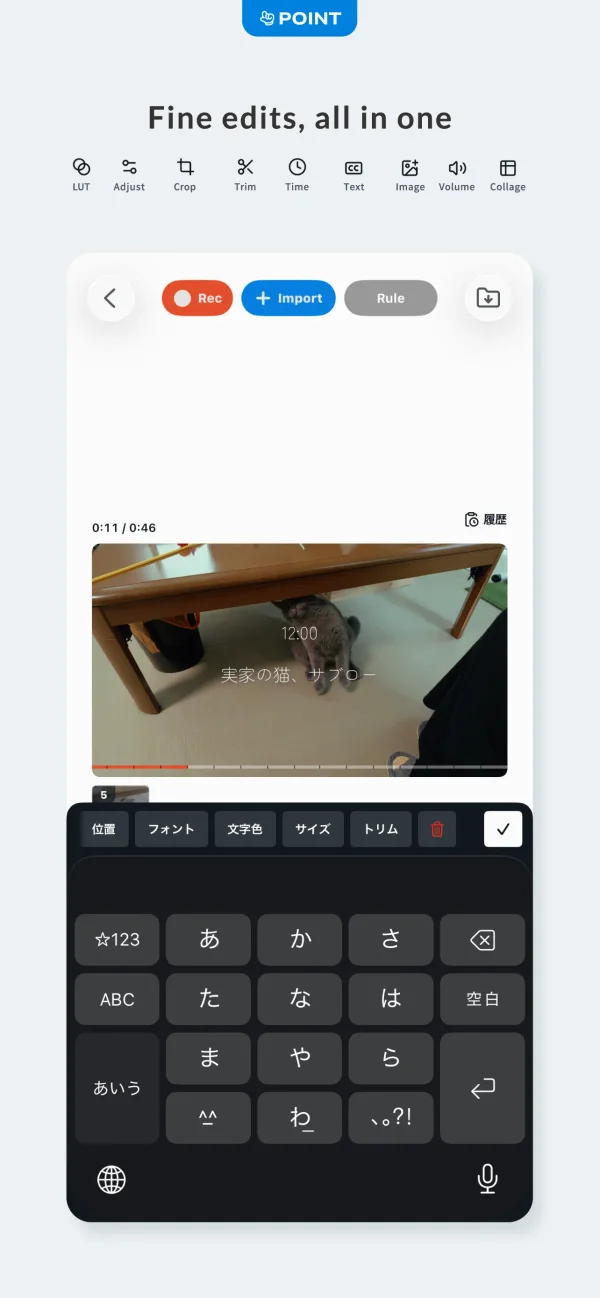
Edit LOGLOG is a simple app for video editing and vlog creation. We prioritize a clean, uncluttered interface with breathing room, and a smooth, intuitive editing experience. Save your favorite LUTs and instantly apply the look you want.
[Home Screen]
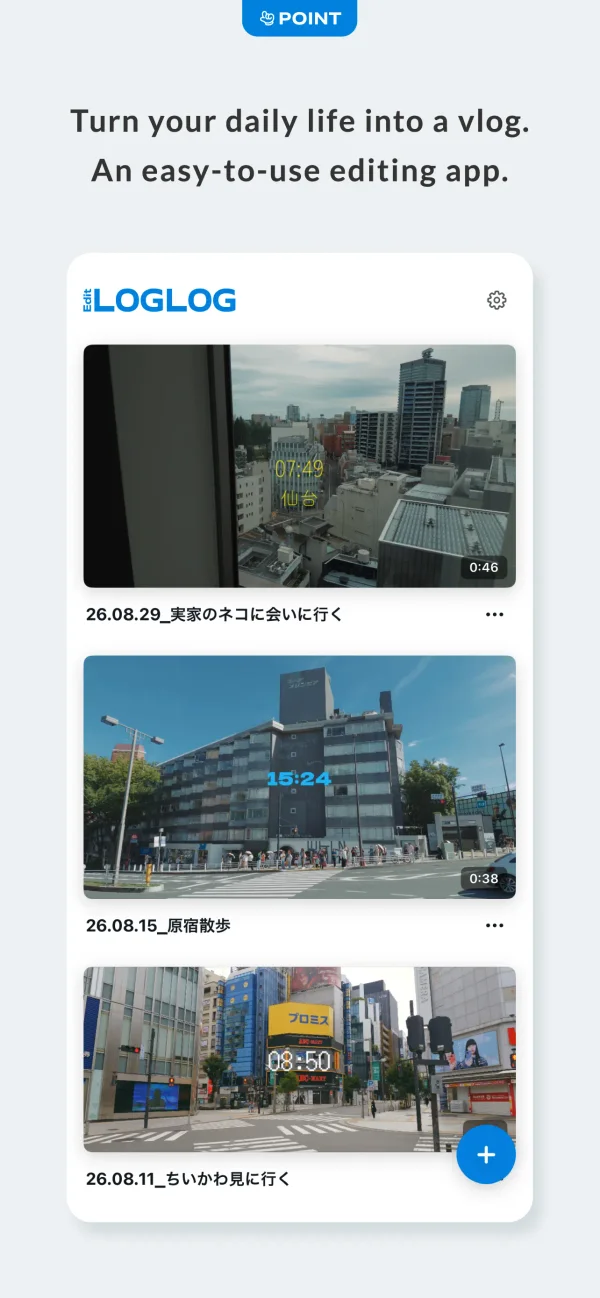
All your projects are displayed in a clean grid on the home screen.
Tap the + button at the bottom right to start a new project.
[Edit Screen]
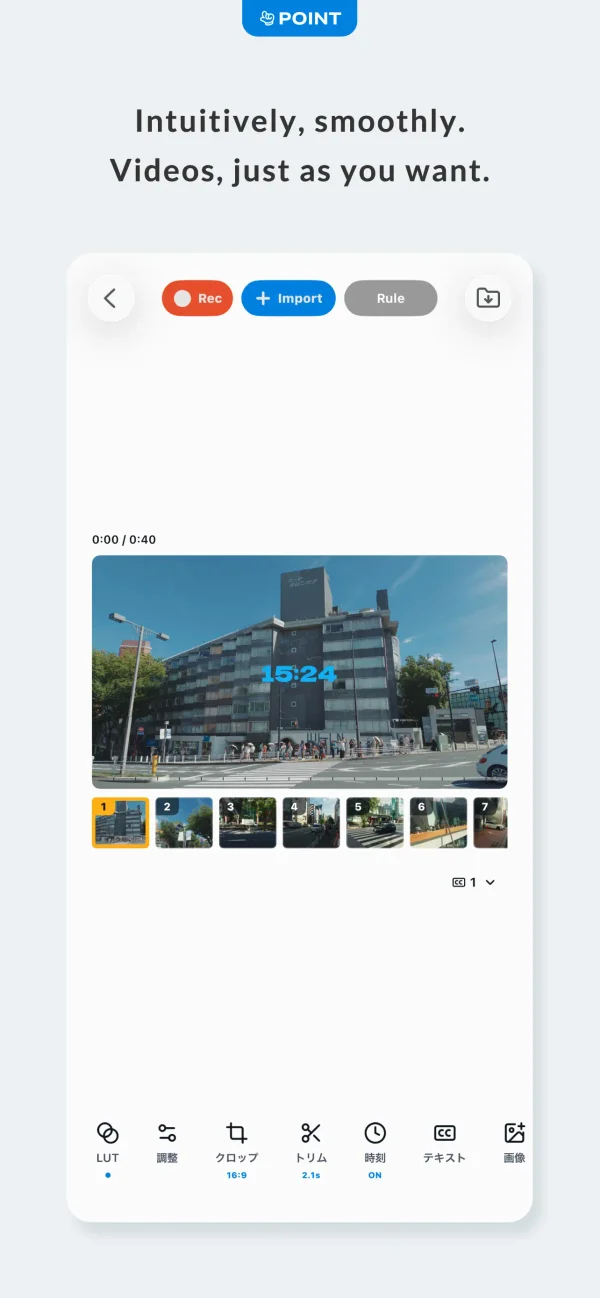
A simple layout with just a preview, clip bar, and editing controls.
Record clips on the spot with the Rec button at the top, or add existing footage with the Import button. Edits are applied per clip.
[Rule]
Set project-wide defaults all in one place.
· Clip: standardize clip duration
· Aspect ratio: standardize clip proportions
· Timestamp: font, color, and size for the recorded time
· Text: font, color, and size
· Frame: add padding around the video
Per-clip settings always take priority over Rule settings.
[Individual Clip Editing]
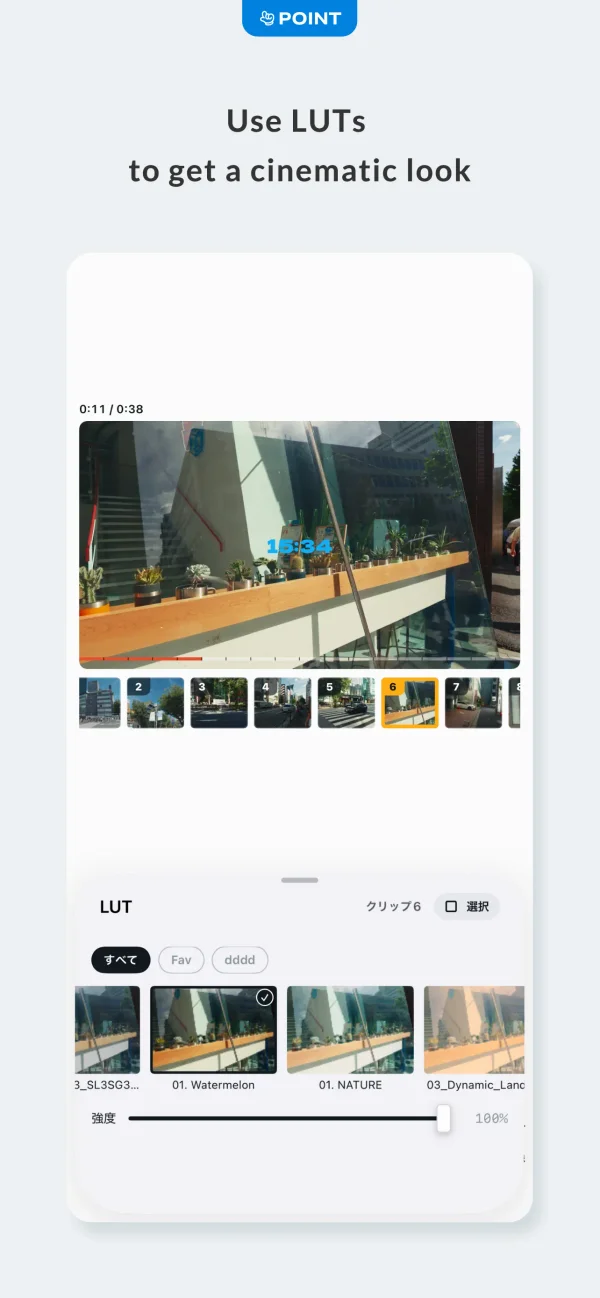
Select any clip from the clip bar to adjust its LUT and color settings. You can also select multiple clips at once and apply the same settings to all of them.
There is no save button — everything saves automatically as you edit.
[Pricing]
▷ FREE
· Up to 10 clips per project
· Up to 3 saved LUTs
· Default font and text color only
▷ PRO (Monthly ¥350 / Annual ¥3,000)
· Unlimited clips and LUTs
· All fonts and text colors
· Cinemascope aspect ratio (21:9)
· Frame feature (add padding around the video)
· Collage feature (display two videos side by side)
Export at 1080p or 4K, watermark-free.
PRO is an auto-renewing subscription. Manage or cancel anytime in Settings > Apple ID > Subscriptions.
Terms of Use (EULA)
> https://www.apple.com/legal/internet-services/itunes/dev/stdeula/
Privacy Policy
> https://walnut-ring-c9b.notion.site/3d2beede72b48064be23f09e38c8ec77?pvs=74
Neue Funktionen
Version 1.7.0 · 14.11.2026
Added preset color filters "Vivid," "Olive," and "Silver." We plan to add more regularly in the future!
App-Datenschutz
Was koizumi yukihiro im App Store zum Umgang dieser App mit Daten angibt.
-
Keine Daten erfasst
Der Entwickler erfasst keine Daten von dieser App.
Die Datenschutzpraktiken können variieren, zum Beispiel je nach den von Ihnen verwendeten Funktionen oder Ihrem Alter.
Informationen
- Anbieter
- koizumi yukihiro
- Kategorie
- Foto und Video
- Version
- 1.7.0
- Aktualisiert
- 14.11.2026
- Veröffentlicht
- 17.09.2026
- Größe
- 30,7 MB
- Erfordert
- iOS 17.0 oder neuer
- Altersfreigabe
- 4+
- Preis
- Kostenlos
- In-App-Käufe
- Ja
- Sprachen
- Japanisch, Tradit. Chinesisch, Englisch, Koreanisch
- Copyright
- © KOIZUMI Yukihiro
Das könnte Ihnen auch gefallen
-
 LogGrid - Make Your VLog LaterFoto und Video
-
 DaymoryFoto und Video
-
 WAVUNE: Video- & Foto-EditorSieh den Film, bevor du drehst
-
 Vidot - Your Own VlogFoto und Video
-
 Dailies – Vlog & VideotagebuchStylische Vlogs, ganz einfach
-
 TinyVlogFoto und Video
-
 Laplus - Daily Vlog & MovieFoto und Video
-
 oblivious — vlog makerein vlog wie ein Mixtape
-
 Reelo - Vlogs im HochformatTägliche Vlogs, ganz ohne Mühe
-
 Vlog Camera - your day in 15sFoto und Video