- Classification d’âge4+
- CatégoriePhoto et vidéo
- DéveloppeurHidekazu Masuda
- LanguesAnglais+ 1 de plus
- Taille58,5 Mo
CLIPDAY n’est peut-être pas disponible sur App Store pour le moment
La fiche de la boutique était inaccessible lors de notre dernière vérification. Le lien mène toujours à la page App Store officielle.
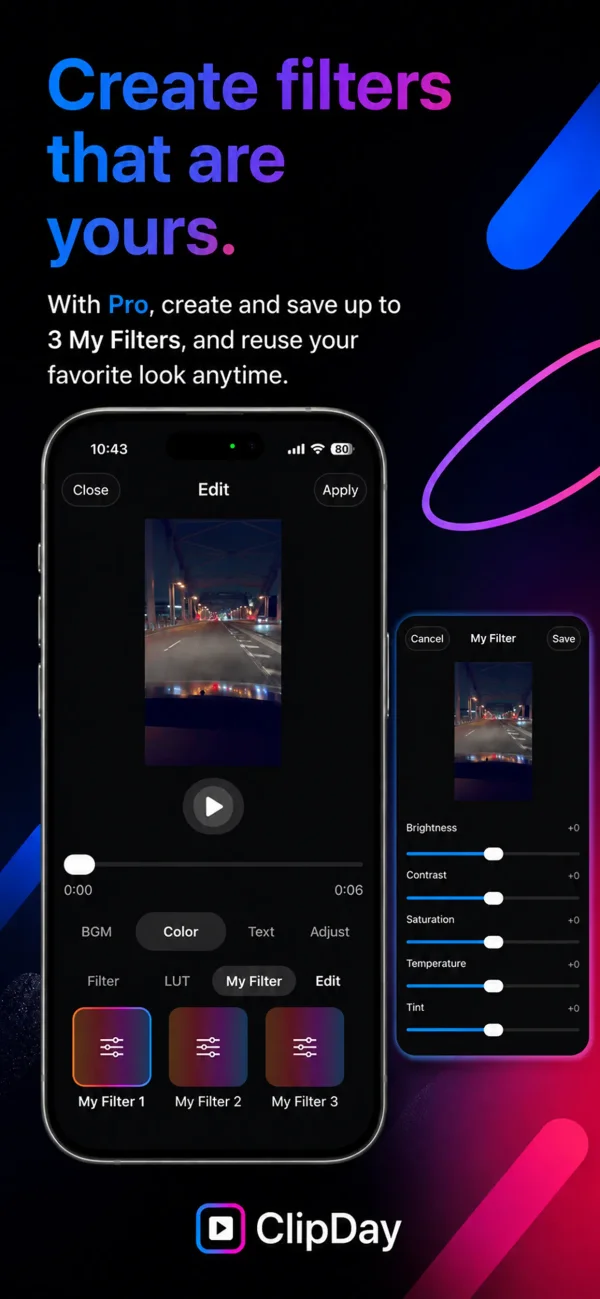
Captures d’écran

À propos
Le développeur n’a pas fourni ce texte dans votre langue.
ClipDay is a video app for capturing, organizing, editing, and turning short clips into one finished video.
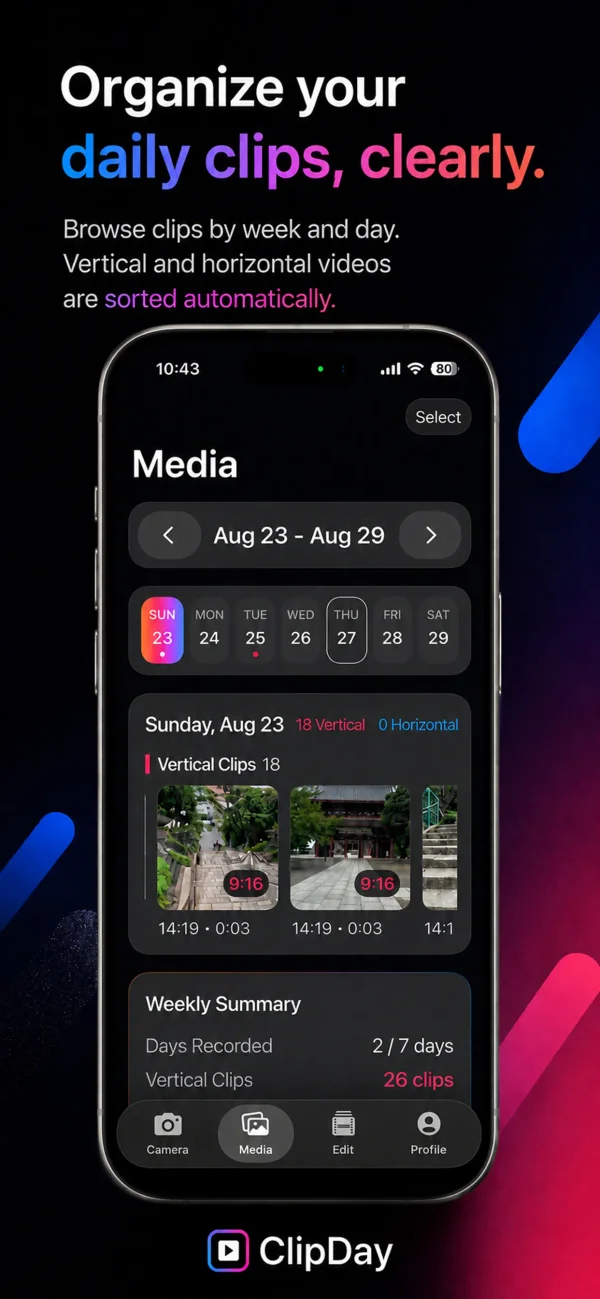
It supports both 9:16 vertical video and 16:9 horizontal video, and lets you organize your recorded clips by date.
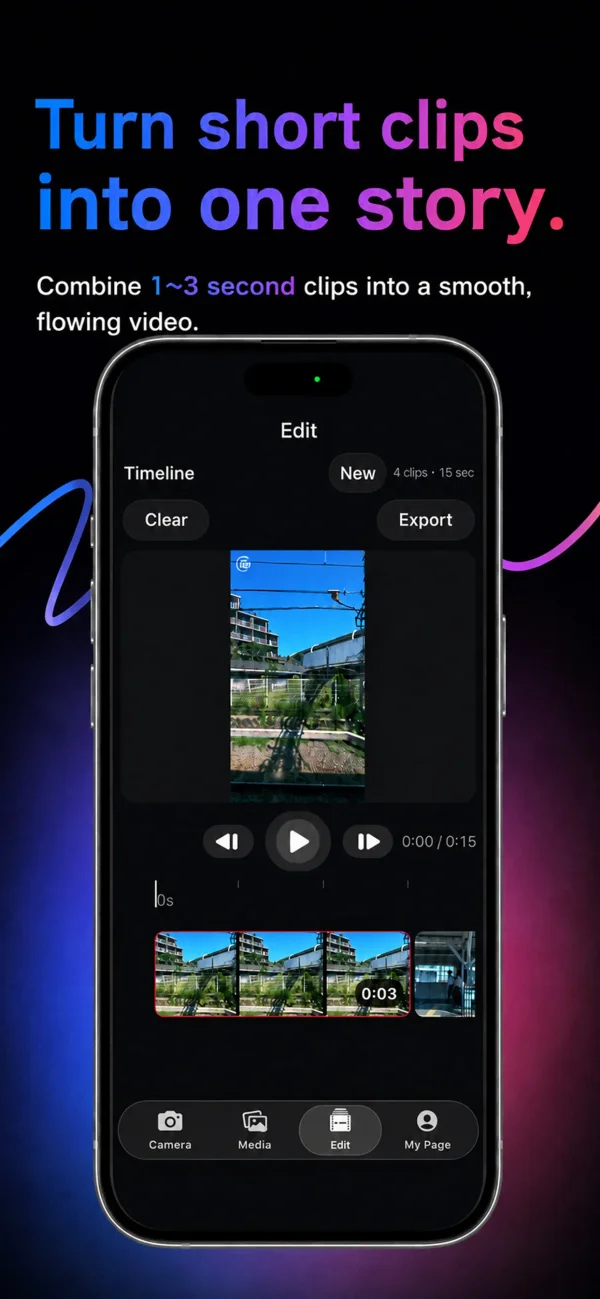
Choose the clips you want, add them to the timeline, rearrange them, preview them, and combine them into a single video with a simple workflow.
You can also import videos from your photo library and trim only the parts you want to use.
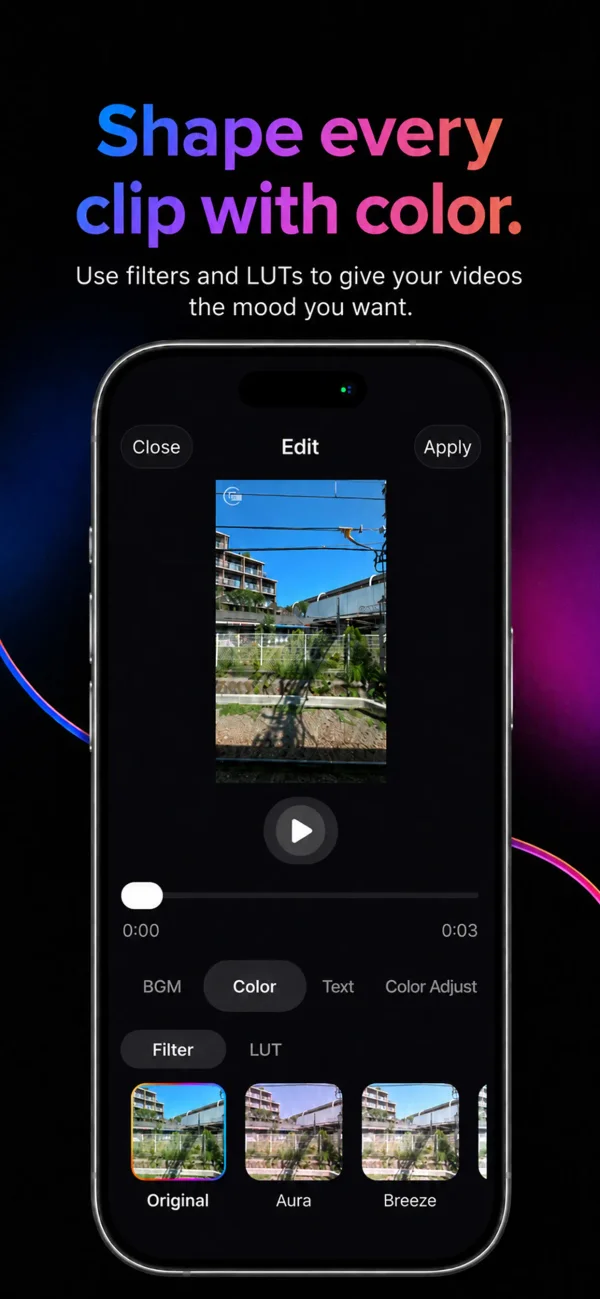
For color editing, ClipDay includes Filters and LUT presets that make it easy to change the look and mood of your videos.
With ClipDay Pro, you can create and save your own custom looks with My Filter.
Adjust brightness, contrast, saturation, temperature, tint, highlights, shadows, and fade, and save up to 3 My Filters.
Saved My Filters can be reused anytime to give your everyday clips a consistent look.
You can also add text and text animations to give your short videos a more personal style.
The camera includes recording-duration presets, zoom switching, and stabilization.
When recording in 16:9, you can also use the volume button as a shutter.
Main Features
• 9:16 / 16:9 video recording
• 1 sec / 2 sec / 3 sec recording presets
• Video stabilization
• Zoom switching
• Volume button recording (16:9)
• Organize videos by date
• Import videos from your photo library
• Video trimming
• Timeline editing
• Add and rearrange multiple clips
• Video export
• Color adjustment with Filters / LUTs
• Create and save My Filters (Pro)
• Add text
• Text animations
Capture a moment, choose it, connect it, and finish it.
ClipDay is a simple video tool for keeping short everyday moments.
ClipDay Pro
ClipDay Pro includes all Filters, all LUTs, My Filter, text animations, 4–6 second recording, watermark-free exports, and other Pro features.
You can create and save up to 3 My Filters.
ClipDay Pro is available as a monthly or annual subscription.
Eligible users can try ClipDay Pro free for 1 week.
After the free trial, the subscription automatically renews at the price of the selected plan.
Subscriptions can be managed or canceled anytime from your Apple Account settings.
Privacy Policy
https://clipday-support.netlify.app/privacy
Terms of Use
https://www.apple.com/legal/internet-services/itunes/dev/stdeula/
Nouveautés
Version 3.2 · 19/09/2026
• Optimized the camera preview during recording for smoother performance
• Improved recording startup performance for a more responsive experience
• Other stability improvements
Confidentialité de l’application
Ce que Hidekazu Masuda déclare sur l’App Store au sujet du traitement des données par cette application.
-
Données non collectées
Le développeur ne collecte aucune donnée à partir de cette application.
Les pratiques en matière de confidentialité peuvent varier, notamment en fonction des fonctionnalités que vous utilisez ou de votre âge.
Informations
- Vendeur
- Hidekazu Masuda
- Catégorie
- Photo et vidéo
- Version
- 3.2
- Mis à jour
- 19/09/2026
- Publié
- 04/09/2026
- Taille
- 58,5 Mo
- Nécessite
- iOS 26.0 ou version ultérieure
- Classification d’âge
- 4+
- Achats intégrés
- Oui
- Langues
- Anglais, Japonais
- Copyright
- © 2026 Hidekazu Masuda
Vous aimerez peut-être aussi
-
 Pasha - グループ撮影の「パシャ」Photo et vidéo
-
 TinyVlogPhoto et vidéo
-
 NoirGrade: Cinematic LUTsÉtalonnage pour vidéo Log
-
 TYPORAITPhoto et vidéo
-
 Tape, it Black|Mask with TapePhoto et vidéo
-
 Stamply: Canvas PhotoTes souvenirs en stamps
-
 Edit LOGLOG|Simple Vlog EditorPhoto et vidéo
-
 CapLog – Sticker JournalCarnet de scrapbooking créatif
-
 Lutter : Étalonnage et LUTFiltres cinéma, photo et vidéo
-
 ornett|photo labels & markupPhoto et vidéo