- Altersfreigabe4+
- KategorieProduktivität
- EntwicklerYakir Edry Giladi
- SprachenEnglisch
- Größe1,5 MB
Verlinkt auf die offizielle App Store-Seite
Download.org hostet keine Datei von ClipHist. Die Schaltfläche öffnet die App-Seite bei App Store, wo Yakir Edry Giladi die App veröffentlicht. Eintrag zuletzt geprüft am 22.11.2026.
Screenshots


Info
Der Entwickler hat diesen Text nicht in Ihrer Sprache bereitgestellt.
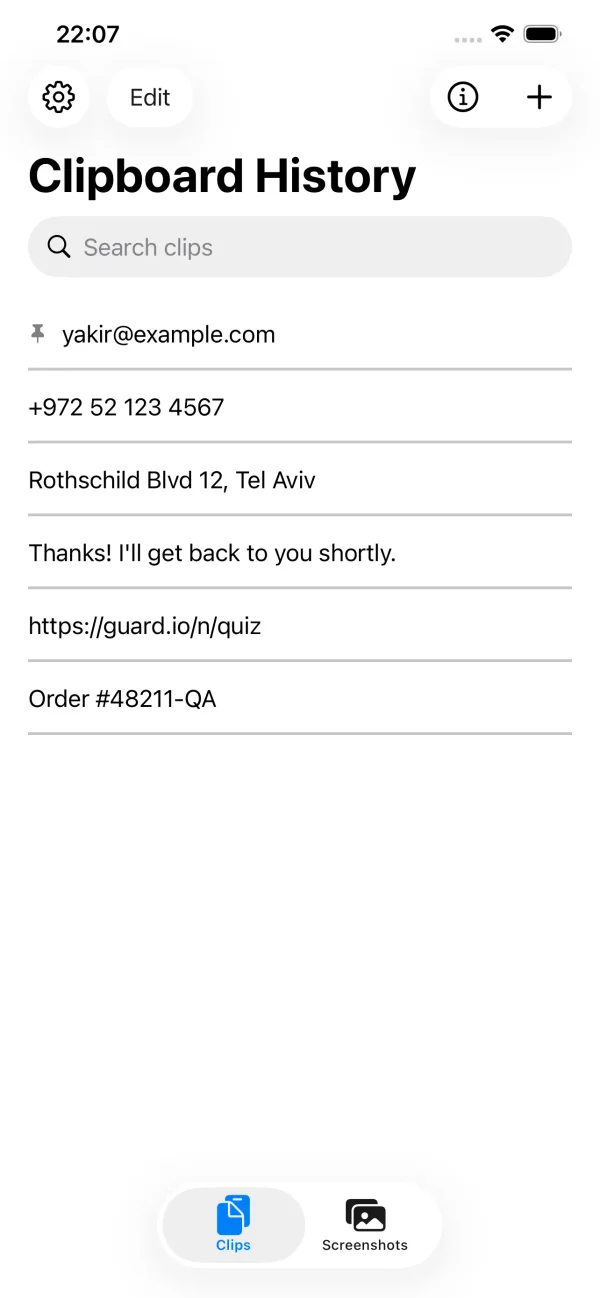
Keep the text you paste all the time exactly where you can reach it.
Your email address. Your home address. That link you send people constantly. The reply you type out ten times a week. ClipHist keeps them all in one simple list, and copies any of them to your clipboard with a single tap.
NO CLUTTER
A clean list of your snippets and nothing else. No accounts, no sign-up, no onboarding carousel, no ads.
ONE TAP TO COPY
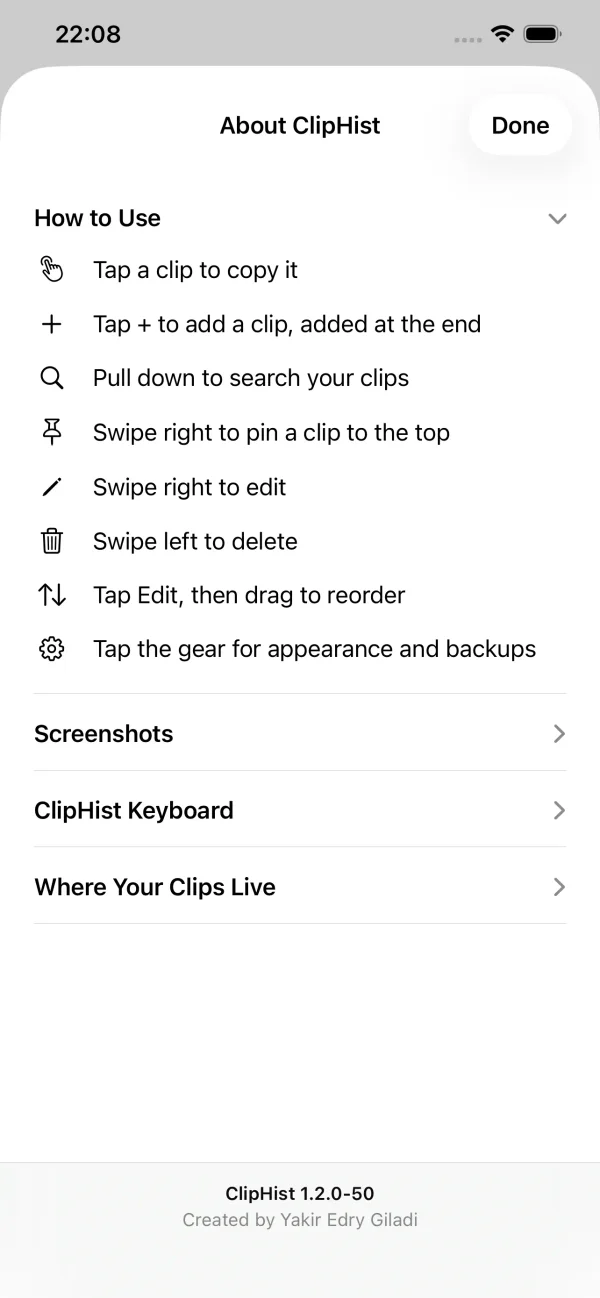
Tap any clip and it's on your clipboard, ready to paste wherever you need it. A brief confirmation lets you know it worked.
MAKE IT YOURS
• Add clips by typing, or pull in whatever you copied last
• Edit any clip whenever you like
• Swipe to delete what you no longer need
• Drag your clips into whatever order suits you — the arrangement sticks
LIGHT OR DARK
Choose Light, Dark, or let ClipHist follow your system setting.
YOUR CLIPS STAY ON YOUR DEVICE
This matters, so here is exactly how it works.
Your clips are written to a single file inside ClipHist's own private storage on your iPhone. iOS keeps that storage sandboxed, so other apps cannot read it.
ClipHist contains no networking code whatsoever. There are no servers, no account, no sign-in, and no sync. Your clips are never uploaded, and they are never shared with the developer or any third party. There is no analytics, no tracking, and no advertising, and the app includes no third-party code of any kind.
Worth knowing: if you use iPhone backups, your clips are included in your own backup, which is how they survive when you move to a new phone. Those backups belong to you and are handled by Apple, not by this app.
Clipboard access happens only when you act. ClipHist writes to your clipboard when you tap a clip to copy it, and reads from it only when you tap Paste from Clipboard. It never watches your clipboard in the background.
Simple, fast, and yours.
Neue Funktionen
Version 1.2.0 (50) · 07.09.2026
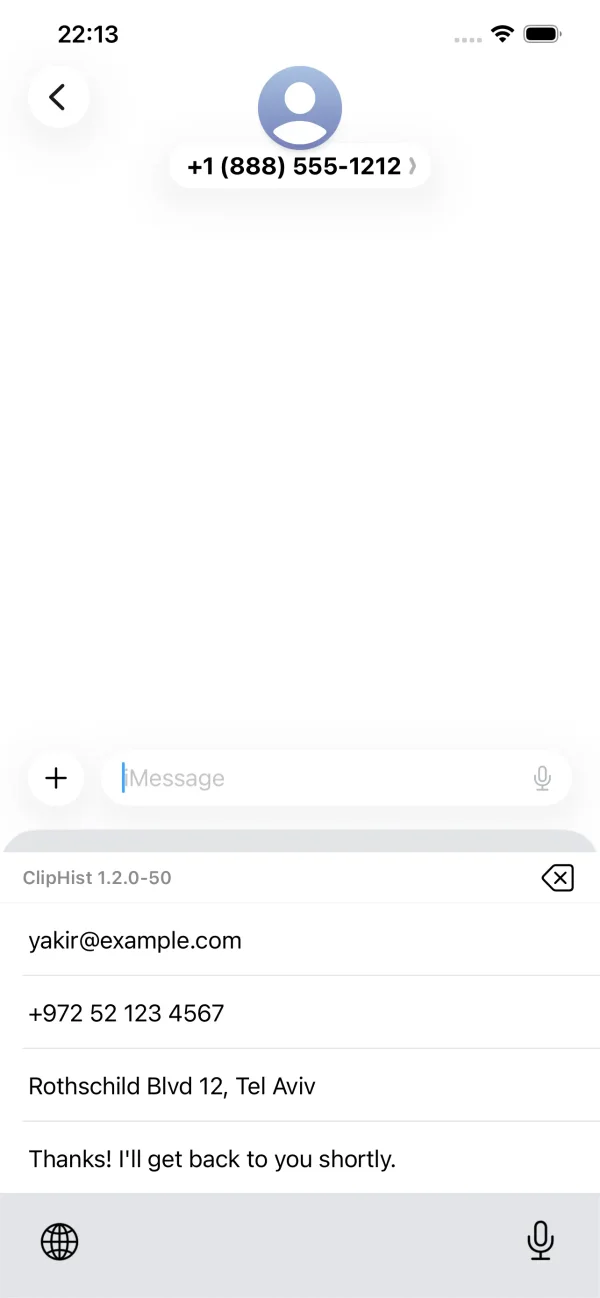
• ClipHist Keyboard — reach your saved clips while typing in any app
• Screenshots — save a screenshot straight to ClipHist and delete it from
Photos; tap any saved screenshot to copy it
• Save Text as Clips — pull the text out of a screenshot on device
• Faster keyboard launch and a refreshed About screen
App-Datenschutz
Was Yakir Edry Giladi im App Store zum Umgang dieser App mit Daten angibt.
-
Keine Daten erfasst
Der Entwickler erfasst keine Daten von dieser App.
Die Datenschutzpraktiken können variieren, zum Beispiel je nach den von Ihnen verwendeten Funktionen oder Ihrem Alter.
Informationen
- Anbieter
- Yakir Edry Giladi
- Kategorie
- Produktivität
- Version
- 1.2.0 (50)
- Aktualisiert
- 07.09.2026
- Veröffentlicht
- 17.08.2026
- Größe
- 1,5 MB
- Erfordert
- iOS 16.0 oder neuer
- Altersfreigabe
- 4+
- Preis
- Kostenlos
- Sprachen
- Englisch
- Copyright
- © 2026 Yakir Edry Giladi
Das könnte Ihnen auch gefallen
-
 Clipboard Boost AssistantProduktivität
-
 KeepText: Snippet KeyboardProduktivität
-
 Atelier DazzleProduktivität
-
 Meron Mail: Email & RSSProduktivität
-
 NowTodo: Lock Screen TasksProduktivität
-
 Ditto – Clipboard CompanionProduktivität
-
 Live Translator: Übersetzer KILive übersetzen & Untertitel
-
 TheGreatMe: KI-WochenreviewZiele, Gewohnheiten & Planer
-
 DARIMPOProduktivität
-
 Calendarly: Kalender-WallpaperSchichtkalender & Notizen