- Độ tuổi4+
- Danh mụcHiệu Suất
- Nhà phát triểnYakir Edry Giladi
- Ngôn ngữTiếng Anh
- Kích thước1,5 MB
Liên kết đến trang App Store chính thức
Download.org không lưu trữ tệp nào của ClipHist. Nút này mở trang ứng dụng trên App Store, nơi Yakir Edry Giladi phát hành ứng dụng. Trang được kiểm tra lần cuối: 22/11/2026.
Ảnh chụp màn hình


Giới thiệu
Nhà phát triển chưa cung cấp nội dung này bằng ngôn ngữ của bạn.
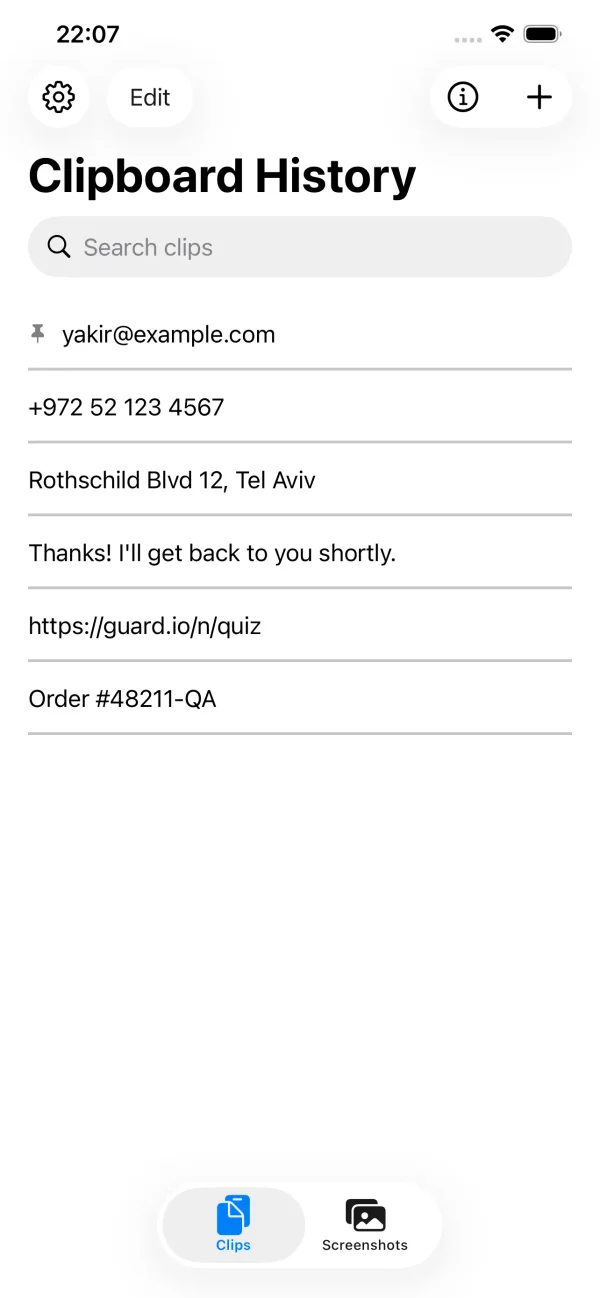
Keep the text you paste all the time exactly where you can reach it.
Your email address. Your home address. That link you send people constantly. The reply you type out ten times a week. ClipHist keeps them all in one simple list, and copies any of them to your clipboard with a single tap.
NO CLUTTER
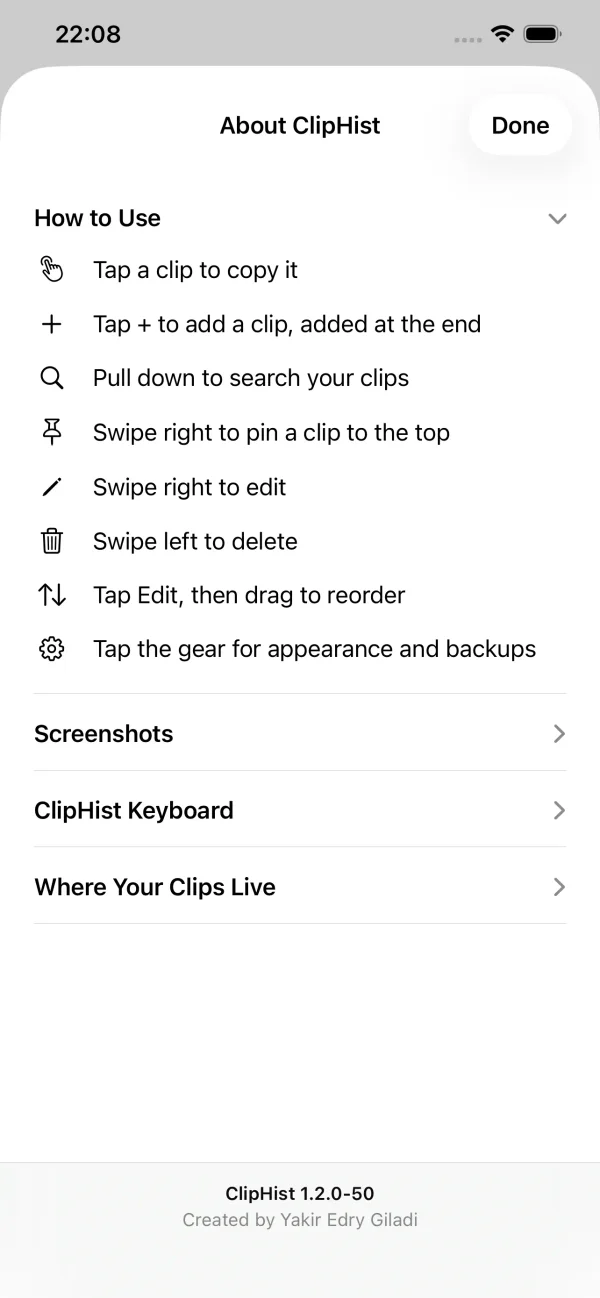
A clean list of your snippets and nothing else. No accounts, no sign-up, no onboarding carousel, no ads.
ONE TAP TO COPY
Tap any clip and it's on your clipboard, ready to paste wherever you need it. A brief confirmation lets you know it worked.
MAKE IT YOURS
• Add clips by typing, or pull in whatever you copied last
• Edit any clip whenever you like
• Swipe to delete what you no longer need
• Drag your clips into whatever order suits you — the arrangement sticks
LIGHT OR DARK
Choose Light, Dark, or let ClipHist follow your system setting.
YOUR CLIPS STAY ON YOUR DEVICE
This matters, so here is exactly how it works.
Your clips are written to a single file inside ClipHist's own private storage on your iPhone. iOS keeps that storage sandboxed, so other apps cannot read it.
ClipHist contains no networking code whatsoever. There are no servers, no account, no sign-in, and no sync. Your clips are never uploaded, and they are never shared with the developer or any third party. There is no analytics, no tracking, and no advertising, and the app includes no third-party code of any kind.
Worth knowing: if you use iPhone backups, your clips are included in your own backup, which is how they survive when you move to a new phone. Those backups belong to you and are handled by Apple, not by this app.
Clipboard access happens only when you act. ClipHist writes to your clipboard when you tap a clip to copy it, and reads from it only when you tap Paste from Clipboard. It never watches your clipboard in the background.
Simple, fast, and yours.
Có gì mới
Phiên bản 1.2.0 (50) · 07/09/2026
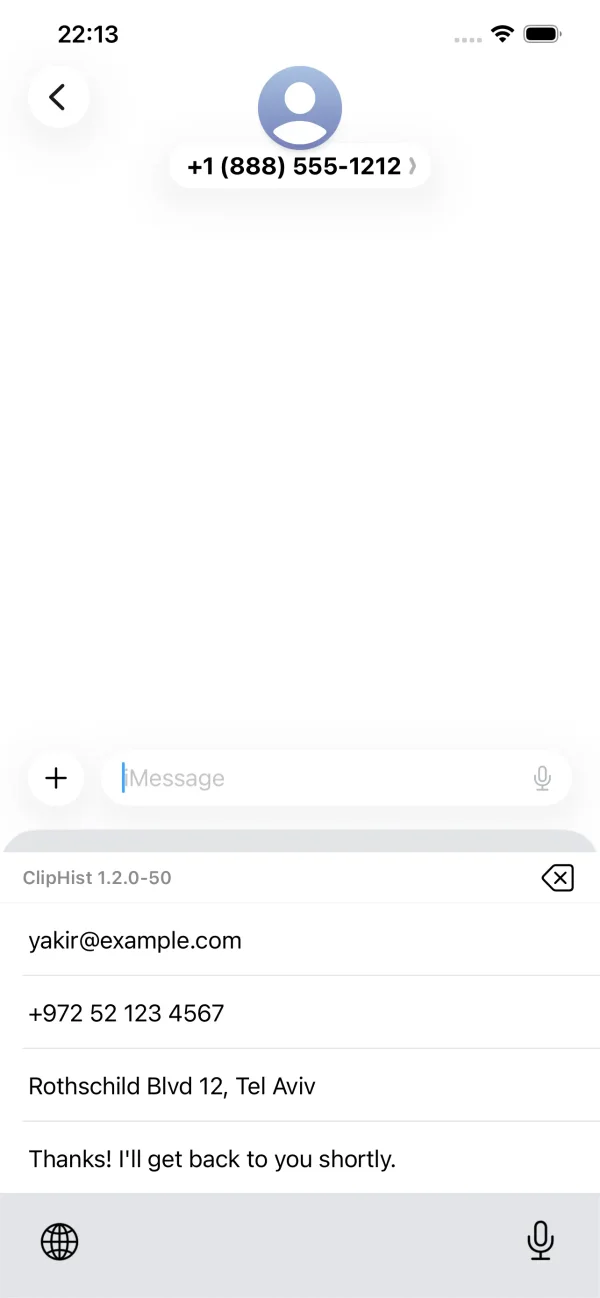
• ClipHist Keyboard — reach your saved clips while typing in any app
• Screenshots — save a screenshot straight to ClipHist and delete it from
Photos; tap any saved screenshot to copy it
• Save Text as Clips — pull the text out of a screenshot on device
• Faster keyboard launch and a refreshed About screen
Quyền riêng tư của ứng dụng
Những gì Yakir Edry Giladi khai báo trên App Store về cách ứng dụng này xử lý dữ liệu.
-
Dữ liệu không được thu thập
Nhà phát triển không thu thập bất kỳ dữ liệu nào từ ứng dụng này.
Phương thức đảm bảo quyền riêng tư có thể khác nhau, chẳng hạn như tuỳ theo các tính năng bạn sử dụng hoặc độ tuổi của bạn.
Thông tin
- Người bán
- Yakir Edry Giladi
- Danh mục
- Hiệu Suất
- Phiên bản
- 1.2.0 (50)
- Cập nhật
- 07/09/2026
- Phát hành
- 17/08/2026
- Kích thước
- 1,5 MB
- Yêu cầu
- iOS 16.0 trở lên
- Độ tuổi
- 4+
- Giá
- Miễn phí
- Ngôn ngữ
- Tiếng Anh
- Bản quyền
- © 2026 Yakir Edry Giladi
Có thể bạn cũng thích
-
 Clipboard Boost AssistantHiệu Suất
-
 KeepText: Snippet KeyboardHiệu Suất
-
 Atelier DazzleHiệu Suất
-
 Meron Mail: Email & RSSHiệu Suất
-
 NowTodo: Lock Screen TasksHiệu Suất
-
 Ditto – Clipboard CompanionHiệu Suất
-
 Live Translator: AI dịch nóiDịch giọng nói trực tiếp
-
 TheGreatMe: AI Weekly ReviewHiệu Suất
-
 DARIMPOHiệu Suất
-
 Calendarly: Lịch màn hình khóaHình nền, ghi chú, đếm ngược