- Clasificación por edad4+
- CategoríaProductividad
- DesarrolladorYakir Edry Giladi
- IdiomasInglés
- Tamaño1,5 MB
Enlaza a la página oficial de App Store
Download.org no aloja ningún archivo de ClipHist. El botón abre la página de la aplicación en App Store, donde la publica Yakir Edry Giladi. Ficha comprobada por última vez el 22/11/2026.
Capturas de pantalla


Acerca de
El desarrollador no ha proporcionado este texto en tu idioma.
Keep the text you paste all the time exactly where you can reach it.
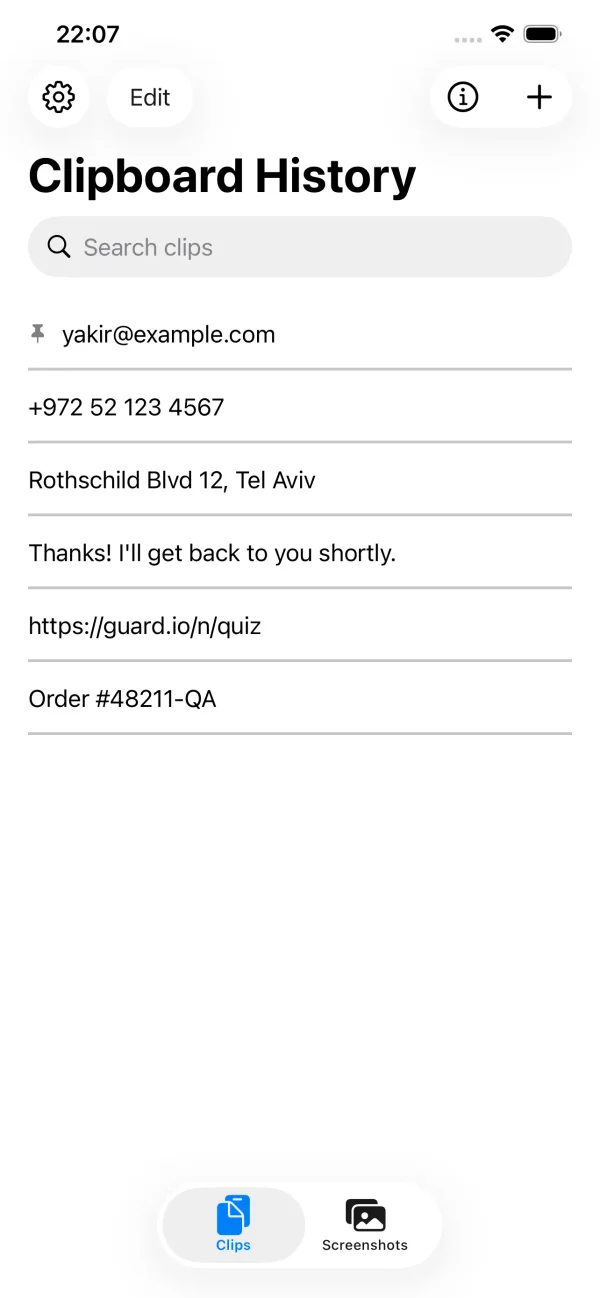
Your email address. Your home address. That link you send people constantly. The reply you type out ten times a week. ClipHist keeps them all in one simple list, and copies any of them to your clipboard with a single tap.
NO CLUTTER
A clean list of your snippets and nothing else. No accounts, no sign-up, no onboarding carousel, no ads.
ONE TAP TO COPY
Tap any clip and it's on your clipboard, ready to paste wherever you need it. A brief confirmation lets you know it worked.
MAKE IT YOURS
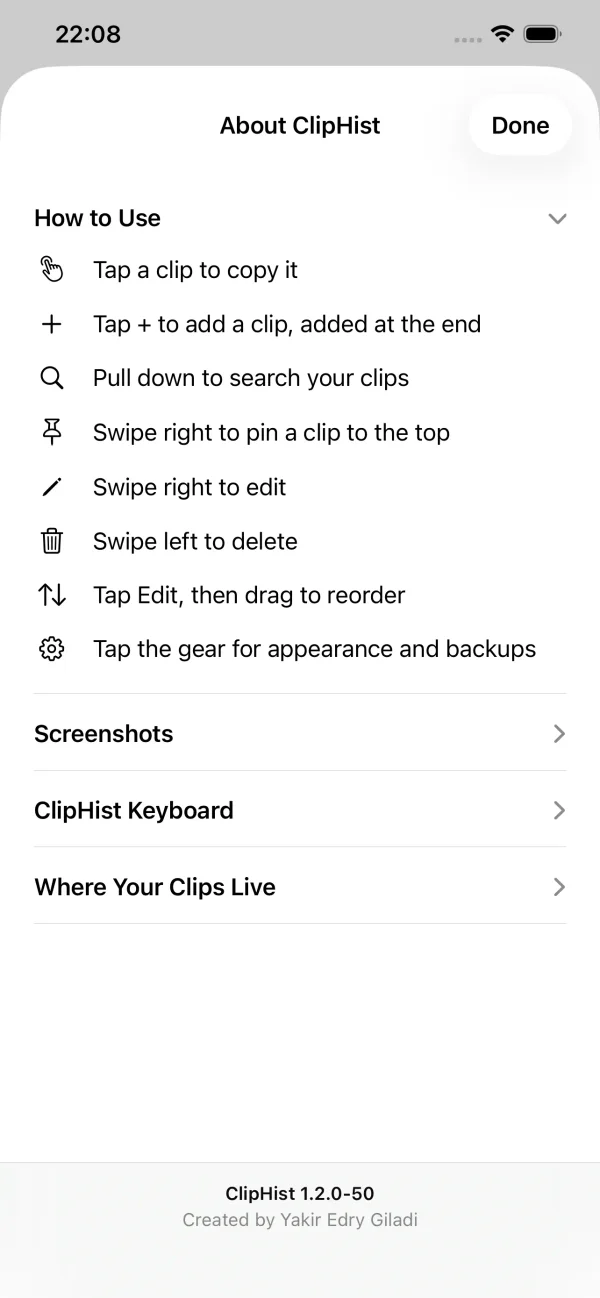
• Add clips by typing, or pull in whatever you copied last
• Edit any clip whenever you like
• Swipe to delete what you no longer need
• Drag your clips into whatever order suits you — the arrangement sticks
LIGHT OR DARK
Choose Light, Dark, or let ClipHist follow your system setting.
YOUR CLIPS STAY ON YOUR DEVICE
This matters, so here is exactly how it works.
Your clips are written to a single file inside ClipHist's own private storage on your iPhone. iOS keeps that storage sandboxed, so other apps cannot read it.
ClipHist contains no networking code whatsoever. There are no servers, no account, no sign-in, and no sync. Your clips are never uploaded, and they are never shared with the developer or any third party. There is no analytics, no tracking, and no advertising, and the app includes no third-party code of any kind.
Worth knowing: if you use iPhone backups, your clips are included in your own backup, which is how they survive when you move to a new phone. Those backups belong to you and are handled by Apple, not by this app.
Clipboard access happens only when you act. ClipHist writes to your clipboard when you tap a clip to copy it, and reads from it only when you tap Paste from Clipboard. It never watches your clipboard in the background.
Simple, fast, and yours.
Novedades
Versión 1.2.0 (50) · 7/9/2026
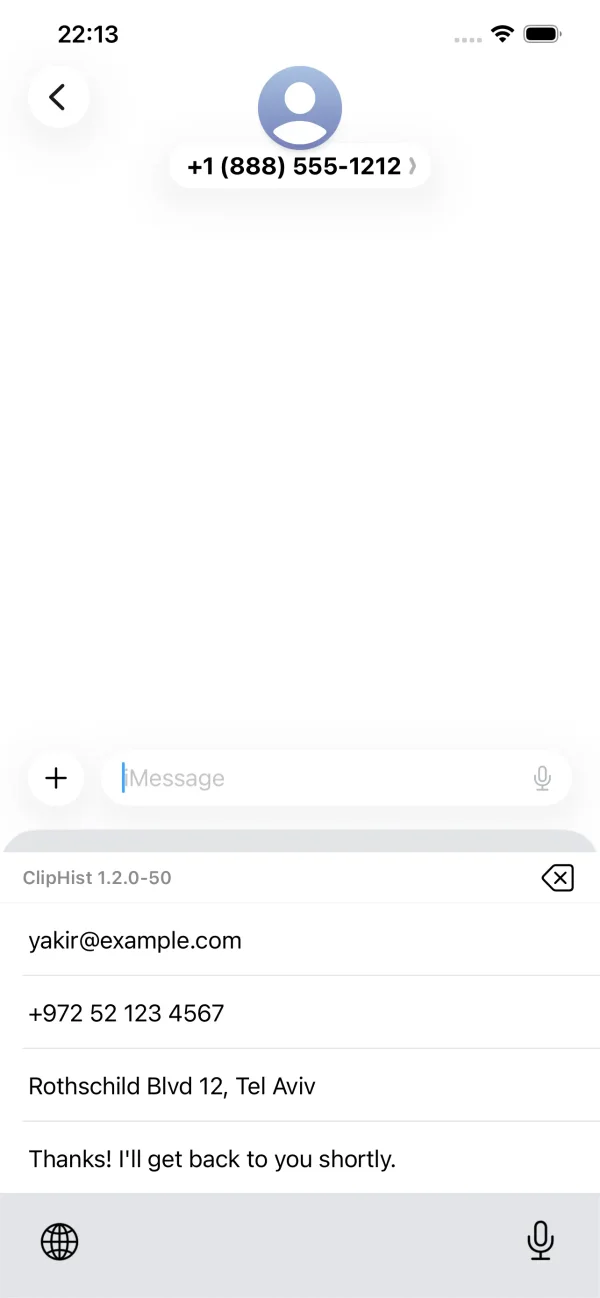
• ClipHist Keyboard — reach your saved clips while typing in any app
• Screenshots — save a screenshot straight to ClipHist and delete it from
Photos; tap any saved screenshot to copy it
• Save Text as Clips — pull the text out of a screenshot on device
• Faster keyboard launch and a refreshed About screen
Privacidad de la aplicación
Lo que Yakir Edry Giladi declara en App Store sobre cómo esta aplicación gestiona los datos.
-
No se recopilan datos
El desarrollador no recopila ningún dato de esta aplicación.
Las prácticas de privacidad pueden variar, por ejemplo, según las funciones que uses o tu edad.
Información
- Vendedor
- Yakir Edry Giladi
- Categoría
- Productividad
- Versión
- 1.2.0 (50)
- Actualizado
- 7/9/2026
- Publicado
- 17/8/2026
- Tamaño
- 1,5 MB
- Requiere
- iOS 16.0 o posterior
- Clasificación por edad
- 4+
- Precio
- Gratis
- Idiomas
- Inglés
- Copyright
- © 2026 Yakir Edry Giladi
Quizá también te guste
-
 Clipboard Boost AssistantProductividad
-
 KeepText: Snippet KeyboardProductividad
-
 Atelier DazzleProductividad
-
 Meron Mail: Email & RSSProductividad
-
 NowTodo: Lock Screen TasksProductividad
-
 Ditto – Clipboard CompanionProductividad
-
 Live Translator: Traductor VozTraducción de voz y subtítulos
-
 TheGreatMe: Revisión AIPlanificador de vida y metas
-
 DARIMPOProductividad
-
 Calendarly: Contador y AgendaTurnos, notas y cuenta atrás