CodePad – Code Editor & IDE
Write & Run Offline
Entwickelt für iPhone, iPad
Kostenlos
- Altersfreigabe4+
- KategorieEntwickler-Tools
- EntwicklerTouch LLC
- SprachenEnglisch+ 12 weitere
- Größe60,1 MB
Verlinkt auf die offizielle App Store-Seite
Download.org hostet keine Datei von CodePad – Code Editor & IDE. Die Schaltfläche öffnet die App-Seite bei App Store, wo Touch LLC die App veröffentlicht. Eintrag zuletzt geprüft am 07.11.2026.
Screenshots

Info
Der Entwickler hat diesen Text nicht in Ihrer Sprache bereitgestellt.
Write and run Python – right on your iPhone or iPad, with no ads and no subscriptions.
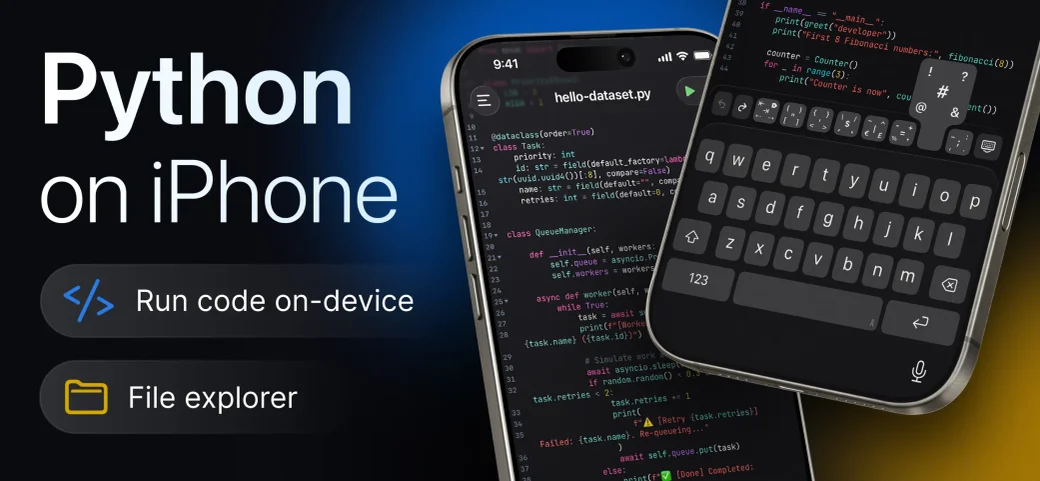
CodePad is a full Python code editor and IDE built for iOS and iPadOS. It runs a real embedded Python interpreter directly on your device – no server or internet connection required. Your code executes locally, instantly, and works even offline.
NO ADS. NO SUBSCRIPTIONS.
• All features are available
• No ads
• No subscription required
• No account required
• Run Python locally and offline
CODE WITH A REAL EDITOR
• Full Python syntax highlighting
• Line numbers, code folding, and current-line highlighting
• Auto-indent and auto-close brackets
• Line wrap and adjustable tab width
• Find and replace across your file
• Multiple editor themes and fonts with adjustable font size
RUN PYTHON ON YOUR DEVICE
• Execute Python scripts directly on your iPhone or iPad
• No server round-trip – your code runs locally
• Watch output appear in a dedicated console as your script runs
• Send input to a running script interactively
• Built-in timeout protection for runaway loops
• Full Python tracebacks to help find and fix errors fast
ORGANIZE YOUR WORK
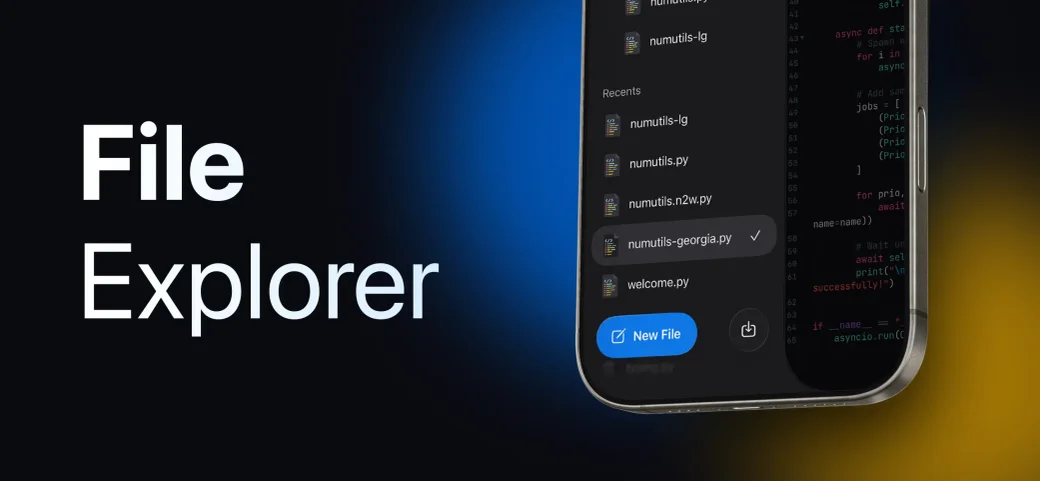
• Create and manage multiple projects, files, and folders
• Import existing Python files or whole projects (.zip)
• Export projects to share or back up
• Deleted items move to Recently Deleted first
NEVER LOSE YOUR PROGRESS
• Automatic version history for every file
• Compare earlier versions against your current code, line by line
• Restore an older version in a single tap
BUILT FOR iPHONE & iPAD
• Dedicated Light and Dark editor themes
• Keyboard accessory bar built specifically for writing code
• Interview Mode for a clean, distraction-free workspace
• Native experience on both iPhone and iPad
Whether you're learning Python, prototyping an idea, preparing for an interview, or just need to run a quick script without opening a laptop, CodePad gives you a real Python environment anywhere.
Write Python. Run it offline. Code anywhere.
Python is a trademark of the Python Software Foundation. CodePad is not affiliated with or endorsed by the Python Software Foundation.
Neue Funktionen
Version 1.1 · 02.11.2026
• History: every run is now saved next to your file's versions. Open a past run to see its output, view the exact code it ran, compare it with your current code, or restore it.
• Explain Code: on devices with Apple Intelligence, get a plain-language explanation of your code or a selection — on device, private, and free. Tap Read Aloud to listen to it.
• Better input(): your answers now appear on their own line, emoji and non-Latin text work, and error line numbers point to the right place.
• Copy or share a run's output in one tap.
• Search files by name across all your projects.
• Improved Chinese and Japanese editing, with a new font for CJK text.
• Recently Deleted in Settings lets you restore files you've removed.
• A refreshed look, with new icons throughout and smoother menus.
• More of the app is now translated into all supported languages.
Thanks for all your feedback — keep it coming from Settings › Suggest Improvement!
App-Datenschutz
Was Touch LLC im App Store zum Umgang dieser App mit Daten angibt.
-
Nicht mit Ihnen verknüpfte Daten
Können erfasst werden, sind aber nicht mit Ihrer Identität verknüpft.
- Nutzungsdaten
Die Datenschutzpraktiken können variieren, zum Beispiel je nach den von Ihnen verwendeten Funktionen oder Ihrem Alter.
Informationen
- Anbieter
- Touch LLC
- Kategorie
- Entwickler-Tools
- Version
- 1.1
- Aktualisiert
- 02.11.2026
- Veröffentlicht
- 13.10.2026
- Größe
- 60,1 MB
- Erfordert
- iOS 17.0 oder neuer
- Altersfreigabe
- 4+
- Preis
- Kostenlos
- Sprachen
- Englisch, Dänisch, Niederländisch, Finnisch, Französisch, Deutsch, Italienisch, Japanisch, Norwegisch (Bokmål), Vereinf. Chinesisch, Spanisch, Schwedisch + 1 weitere
- Copyright
- © Touch LLC
Das könnte Ihnen auch gefallen
-
 Pythona - Python 3 IDEOffline Python Compiler & KI
-
 Python Code Editor & IDEEntwickler-Tools
-
 Visual Code Editor - vCodeRun Node.js,Python,JS,C & more
-
 Python Coding – IDE & EditorPython lernen · Offline Editor
-
 Python IDE und Jupyter – JunoCode-Editor, Notebooks & KI
-
 Pyto IDEPython, C/C++
-
 Carnets - JupyterEntwickler-Tools
-
 Code Editor - Compiler & IDEProgramming on mobile
-
 a-ShellEntwickler-Tools
-
 Textastic Code EditorText, Coding, SFTP Client, SSH