CodePad – Code Editor & IDE
Write & Run Offline
Dirancang untuk iPhone, iPad
Gratis
- Batasan usia4+
- KategoriAlat Pengembang
- PengembangTouch LLC
- BahasaInggris+ 12 lainnya
- Ukuran60,1 MB
Tertaut ke halaman resmi App Store
Download.org tidak menyimpan file CodePad – Code Editor & IDE apa pun. Tombol ini membuka halaman aplikasi di App Store, tempat Touch LLC menerbitkannya. Halaman terakhir diperiksa pada 7/11/2026.
Tangkapan layar

Tentang
Pengembang belum menyediakan teks ini dalam bahasa Anda.
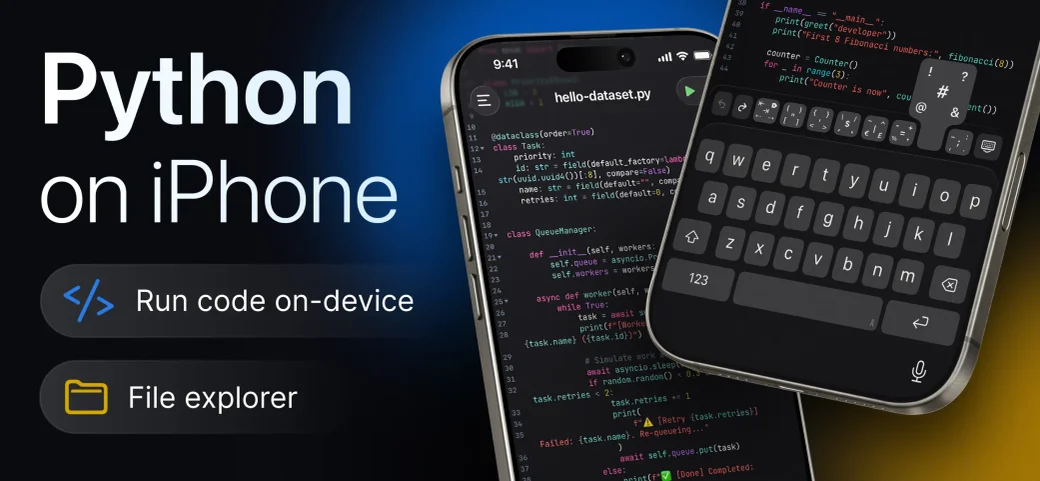
Write and run Python – right on your iPhone or iPad, with no ads and no subscriptions.
CodePad is a full Python code editor and IDE built for iOS and iPadOS. It runs a real embedded Python interpreter directly on your device – no server or internet connection required. Your code executes locally, instantly, and works even offline.
NO ADS. NO SUBSCRIPTIONS.
• All features are available
• No ads
• No subscription required
• No account required
• Run Python locally and offline
CODE WITH A REAL EDITOR
• Full Python syntax highlighting
• Line numbers, code folding, and current-line highlighting
• Auto-indent and auto-close brackets
• Line wrap and adjustable tab width
• Find and replace across your file
• Multiple editor themes and fonts with adjustable font size
RUN PYTHON ON YOUR DEVICE
• Execute Python scripts directly on your iPhone or iPad
• No server round-trip – your code runs locally
• Watch output appear in a dedicated console as your script runs
• Send input to a running script interactively
• Built-in timeout protection for runaway loops
• Full Python tracebacks to help find and fix errors fast
ORGANIZE YOUR WORK
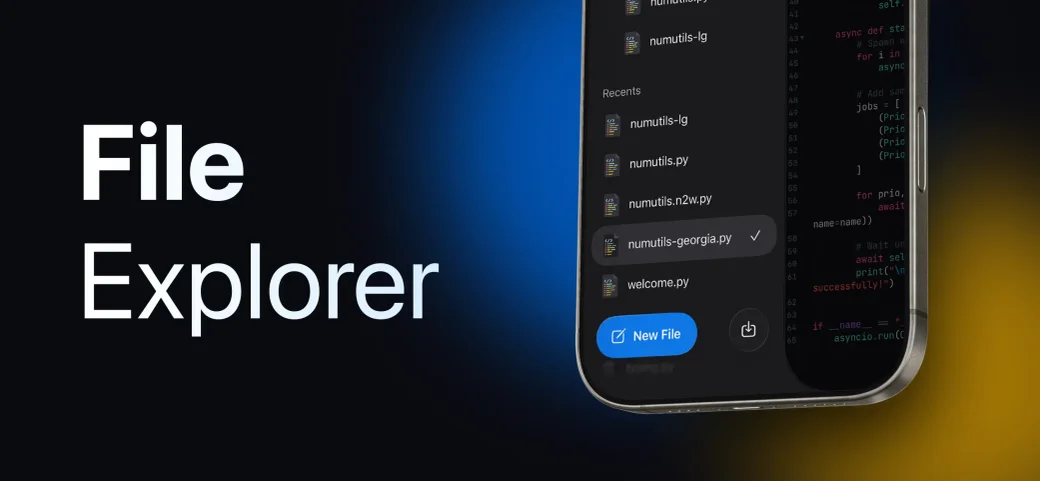
• Create and manage multiple projects, files, and folders
• Import existing Python files or whole projects (.zip)
• Export projects to share or back up
• Deleted items move to Recently Deleted first
NEVER LOSE YOUR PROGRESS
• Automatic version history for every file
• Compare earlier versions against your current code, line by line
• Restore an older version in a single tap
BUILT FOR iPHONE & iPAD
• Dedicated Light and Dark editor themes
• Keyboard accessory bar built specifically for writing code
• Interview Mode for a clean, distraction-free workspace
• Native experience on both iPhone and iPad
Whether you're learning Python, prototyping an idea, preparing for an interview, or just need to run a quick script without opening a laptop, CodePad gives you a real Python environment anywhere.
Write Python. Run it offline. Code anywhere.
Python is a trademark of the Python Software Foundation. CodePad is not affiliated with or endorsed by the Python Software Foundation.
Yang baru
Versi 1.1 · 2/11/2026
• History: every run is now saved next to your file's versions. Open a past run to see its output, view the exact code it ran, compare it with your current code, or restore it.
• Explain Code: on devices with Apple Intelligence, get a plain-language explanation of your code or a selection — on device, private, and free. Tap Read Aloud to listen to it.
• Better input(): your answers now appear on their own line, emoji and non-Latin text work, and error line numbers point to the right place.
• Copy or share a run's output in one tap.
• Search files by name across all your projects.
• Improved Chinese and Japanese editing, with a new font for CJK text.
• Recently Deleted in Settings lets you restore files you've removed.
• A refreshed look, with new icons throughout and smoother menus.
• More of the app is now translated into all supported languages.
Thanks for all your feedback — keep it coming from Settings › Suggest Improvement!
Privasi aplikasi
Yang dinyatakan Touch LLC di App Store tentang cara aplikasi ini menangani data.
-
Data yang tidak ditautkan dengan Anda
Dapat dikumpulkan, tetapi tidak ditautkan dengan identitas Anda.
- Data penggunaan
Praktik privasi dapat bervariasi, misalnya berdasarkan fitur yang Anda gunakan atau usia Anda.
Informasi
- Penjual
- Touch LLC
- Kategori
- Alat Pengembang
- Versi
- 1.1
- Diperbarui
- 2/11/2026
- Dirilis
- 13/10/2026
- Ukuran
- 60,1 MB
- Memerlukan
- iOS 17.0 atau yang lebih baru
- Batasan usia
- 4+
- Harga
- Gratis
- Bahasa
- Inggris, Dansk (Denmark), Belanda, Suomi (Finlandia), Prancis, Jerman, Italia, Jepang, Bokmål Norsk, Tionghoa Sederhana, Spanyol, Swensk (Swedia) + 1 lainnya
- Hak cipta
- © Touch LLC
Mungkin Anda juga suka
-
 Pythona - Python 3 IDEAlat Pengembang
-
 Python Code Editor & IDEAlat Pengembang
-
 Visual Code Editor - vCodeRun Node.js,Python,JS,C & more
-
 Python CodingAlat Pengembang
-
 Python IDE & Jupyter – JunoAlat Pengembang
-
 Pyto IDEAlat Pengembang
-
 Carnets - JupyterAlat Pengembang
-
 Code Editor - Compiler & IDEProgramming on mobile
-
 a-ShellAlat Pengembang
-
 Textastic Code EditorAlat Pengembang