Coloring Maker
make coloring book from photo
Entwickelt für iPhone, iPad, iPod touch
- Altersfreigabe4+
- KategorieBildung
- EntwicklerYutaka Kato
- SprachenEnglisch+ 1 weitere
- Größe230,3 MB
Coloring Maker ist bei App Store derzeit möglicherweise nicht verfügbar
Bei unserer letzten Prüfung war der Store-Eintrag nicht erreichbar. Der Link führt weiterhin zur offiziellen App Store-Seite.
Screenshots

Info
Der Entwickler hat diesen Text nicht in Ihrer Sprache bereitgestellt.
"Coloring Maker" is an app that allows you to create your own coloring book.
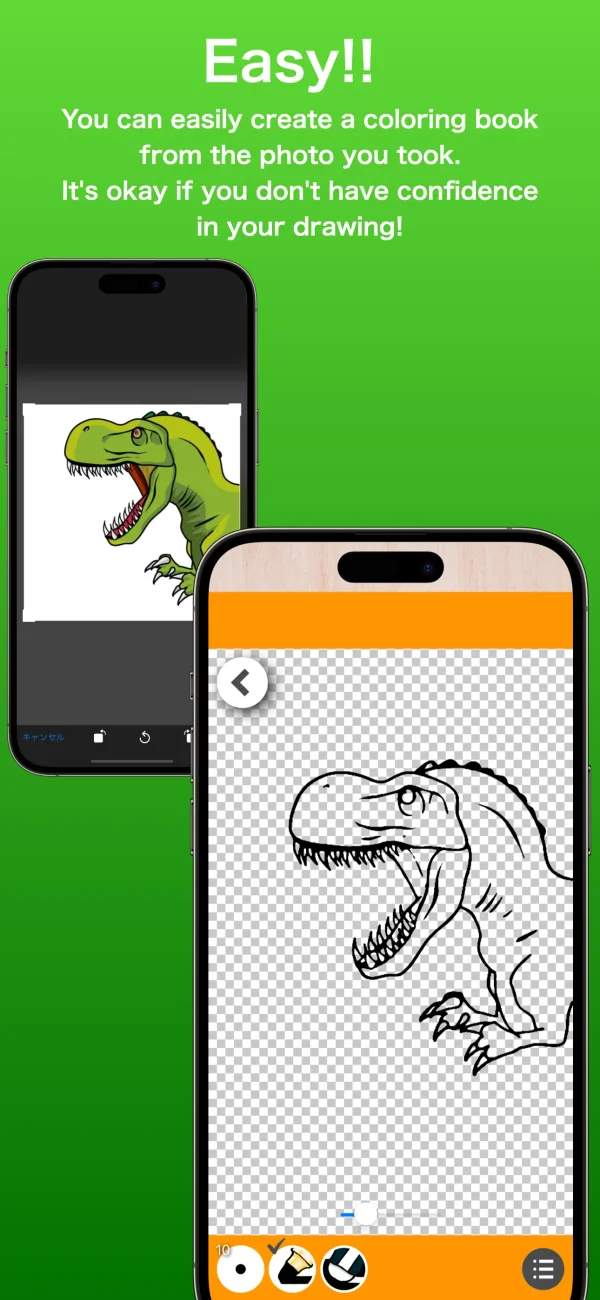
Just take a picture of your favorite illustration with the camera, and you can immediately start coloring.
========================
Features of Coloring Maker
========================
* Simple coloring book app without subscription or membership registration
* The feature is that you can make your own coloring book
* Creating a coloring book is as easy as scanning images taken with a camera or downloaded.
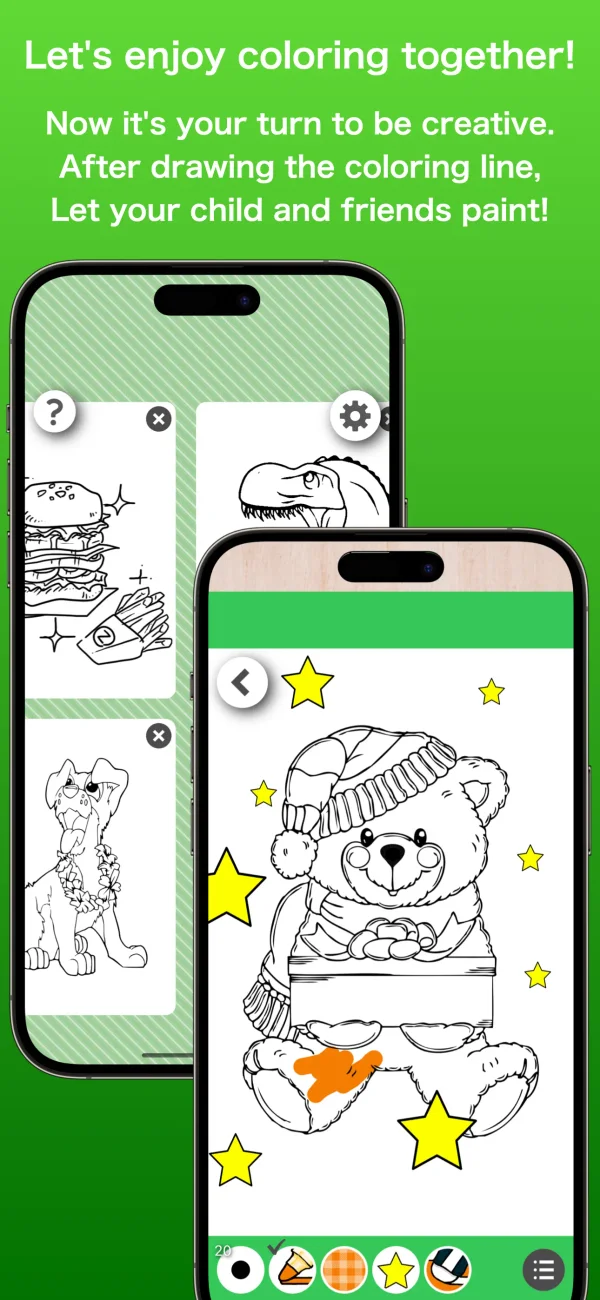
* You can give the coloring book made only with black lines to children and friends and have them play.
* You can play by stamping on the coloring book
* You can also make your own stamps.
* You can save and share your coloring book
========================
Coloring Maker is recommended for these people!
========================
* I want to use a coloring book app that I can play immediately without subscribing or registering as a member
* I want to play with my favorite picture as a coloring book
* I want to enjoy coloring while talking with parents and children and friends
* I want my child to color with the picture I drew
* I want to concentrate on coloring without thinking
* I want to make a line drawing of an illustration
========================
Coloring Maker Features
========================
[Creating a coloring book]
* You can create outlines for coloring books from images taken with the camera or downloaded.
* You can fine-tune the captured outline (adjust the density of the line and the strength of the transparency)
* You can edit the captured outline (add with a pen, erase with an eraser)
* You can create a coloring book by drawing the outline yourself, not from the image.
* There are 50 levels of pen thickness that can be used for coloring books
* Contours can be re-edited at any time
* Can save images with outlines only (PNG format)
* Up to 100 coloring books can be created (9 or more, advertisement viewing is required)
* The coloring book can be deleted at any time
[Coloring book play]
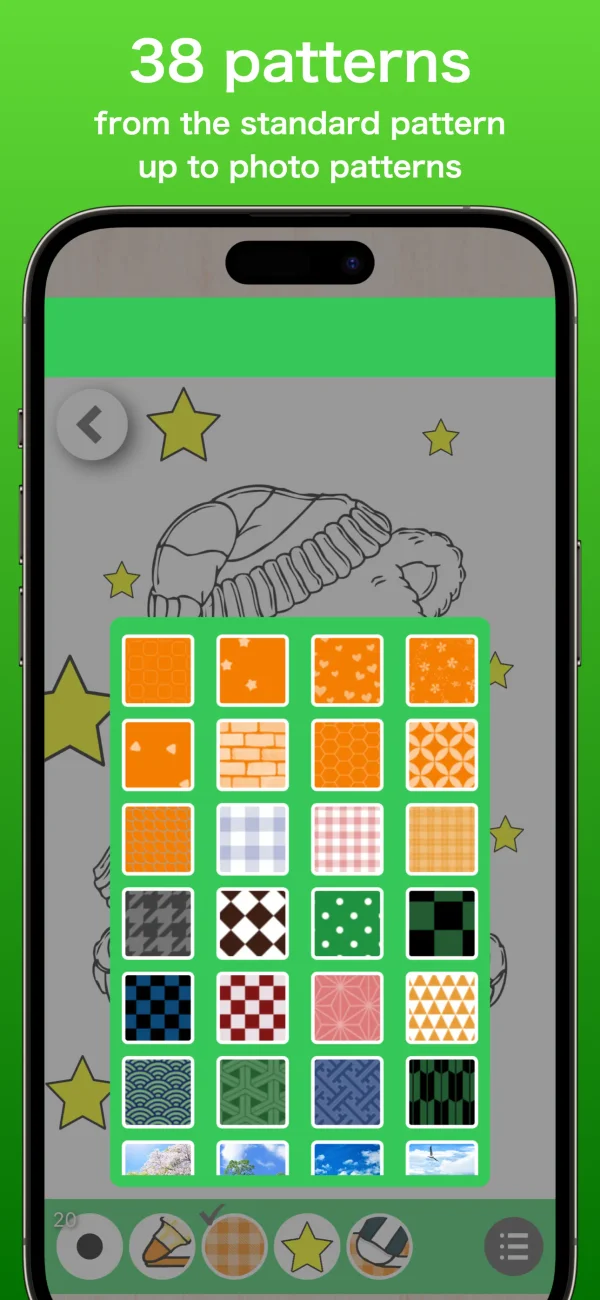
* You can paint and decorate the coloring book you made with the following tools
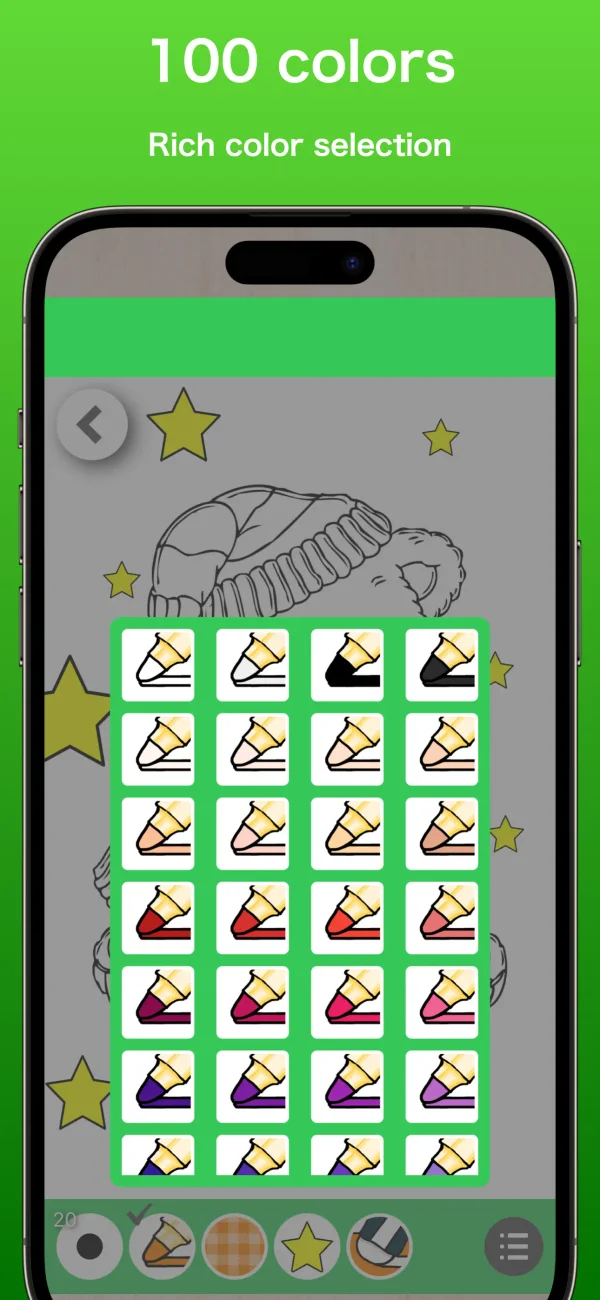
* Pen (100 colors, 5 levels of thickness)
* Pattern (3x types, 5 levels of thickness)
* Stamps (3 sizes, you can add your own)
* You can save the completed coloring book image.
* Share to SNS, email, etc.
[Stamp making, play]
* You can make a stamp that can be pressed from the top of the coloring book.
* You can create stamps that can be used in [Coloring book play] in the same way as coloring books
* You can import outlines from images even when creating stamps
[Others]
* There is a child lock function
* Prevent children from accidentally deleting or sharing coloring books
* BGM, sound can be turned ON/OFF
* You can undo the coloring operation.
* The screen can be enlarged/reduced when creating coloring books and playing.
Terms of Use: https://mozkzki.github.io/apps/nurie_maker/terms_and_conditions/english
Privacy Policy: https://mozkzki.github.io/apps/nurie_maker/privacy_policy/english
Neue Funktionen
Version 1.0.4 · 12.12.2025
* Minor text adjustments.
App-Datenschutz
Was Yutaka Kato im App Store zum Umgang dieser App mit Daten angibt.
-
Daten, die zum Tracking Ihrer Person verwendet werden
Können verwendet werden, um Sie über Apps und Websites anderer Unternehmen hinweg zu verfolgen.
- Kennungen
-
Nicht mit Ihnen verknüpfte Daten
Können erfasst werden, sind aber nicht mit Ihrer Identität verknüpft.
- Kennungen
- Nutzungsdaten
- Diagnose
Die Datenschutzpraktiken können variieren, zum Beispiel je nach den von Ihnen verwendeten Funktionen oder Ihrem Alter.
Informationen
- Anbieter
- Yutaka Kato
- Kategorie
- Bildung
- Version
- 1.0.4
- Aktualisiert
- 12.12.2025
- Veröffentlicht
- 14.03.2023
- Größe
- 230,3 MB
- Erfordert
- iOS 15.6 oder neuer
- Altersfreigabe
- 4+
- Sprachen
- Englisch, Japanisch
- Copyright
- © 2023 Yutaka Kato
Das könnte Ihnen auch gefallen
-
 Vibecode - AI App BuilderApps & Websites erstellen
-
 Zeichen brett: Zeichnen LernenLearn How to Draw Bilder Malen
-
 PhomemoMini Ink free Printer
-
 VisualMind: AI MindMap/ChatbotBildung
-
 Schreibschrift und HandschriftHandschrift in vielen Sprachen
-
 TinkercadBildung
-
 Skillshare Online-KurseEntdecke tausende von Kursen
-
 ReelTrends - AI Creator ToolsNachschlagewerke
-
 Yousician: Klavier LernenLektionen und Songs für Piano
-
 ScratchJrBildung