Coloring Maker
make coloring book from photo
Designed for iPhone, iPad, iPod touch
Free
- Age rating4+
- CategoryEducation
- DeveloperYutaka Kato
- LanguagesEnglish+ 1 more
- Size230.3 MB
Links to the official App Store page
Download.org hosts no file of Coloring Maker. The button opens its official App Store page, published by Yutaka Kato. Listing last checked on Nov 12, 2026.
Screenshots

About
"Coloring Maker" is an app that allows you to create your own coloring book.
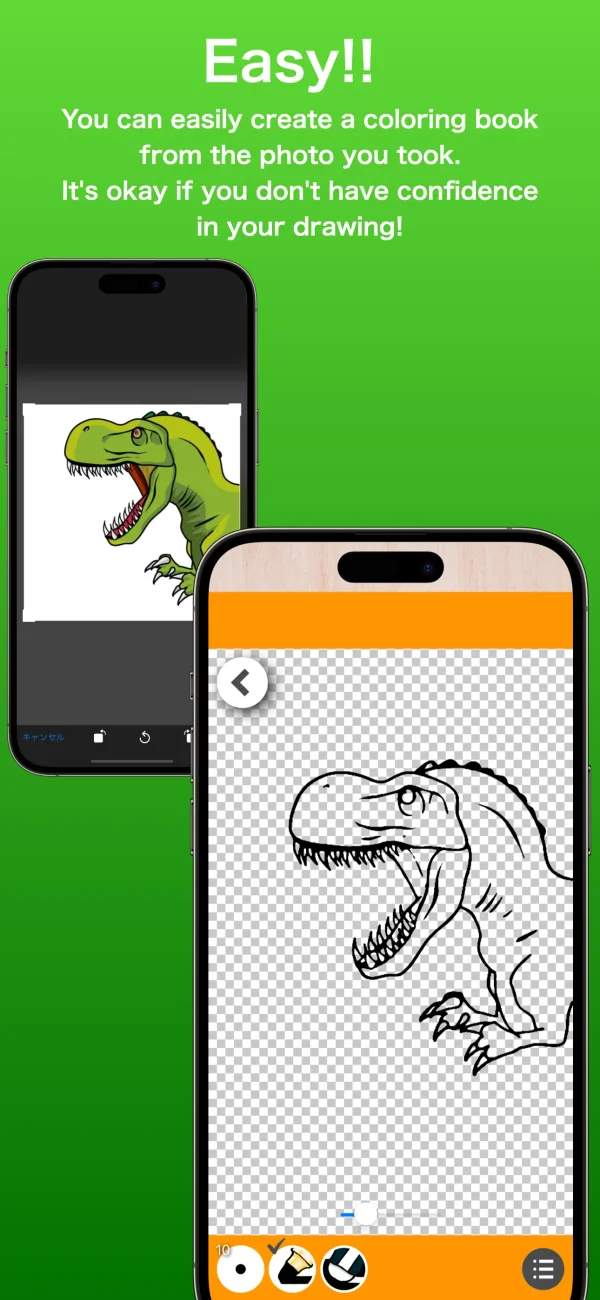
Just take a picture of your favorite illustration with the camera, and you can immediately start coloring.
========================
Features of Coloring Maker
========================
* Simple coloring book app without subscription or membership registration
* The feature is that you can make your own coloring book
* Creating a coloring book is as easy as scanning images taken with a camera or downloaded.
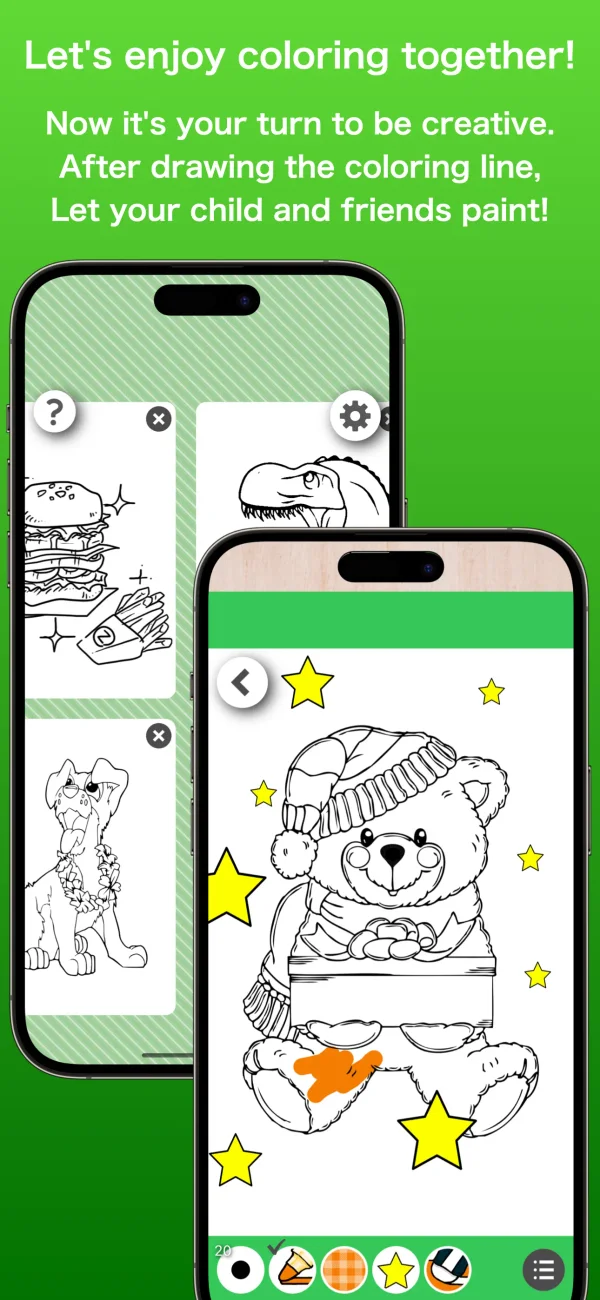
* You can give the coloring book made only with black lines to children and friends and have them play.
* You can play by stamping on the coloring book
* You can also make your own stamps.
* You can save and share your coloring book
========================
Coloring Maker is recommended for these people!
========================
* I want to use a coloring book app that I can play immediately without subscribing or registering as a member
* I want to play with my favorite picture as a coloring book
* I want to enjoy coloring while talking with parents and children and friends
* I want my child to color with the picture I drew
* I want to concentrate on coloring without thinking
* I want to make a line drawing of an illustration
========================
Coloring Maker Features
========================
[Creating a coloring book]
* You can create outlines for coloring books from images taken with the camera or downloaded.
* You can fine-tune the captured outline (adjust the density of the line and the strength of the transparency)
* You can edit the captured outline (add with a pen, erase with an eraser)
* You can create a coloring book by drawing the outline yourself, not from the image.
* There are 50 levels of pen thickness that can be used for coloring books
* Contours can be re-edited at any time
* Can save images with outlines only (PNG format)
* Up to 100 coloring books can be created (9 or more, advertisement viewing is required)
* The coloring book can be deleted at any time
[Coloring book play]
* You can paint and decorate the coloring book you made with the following tools
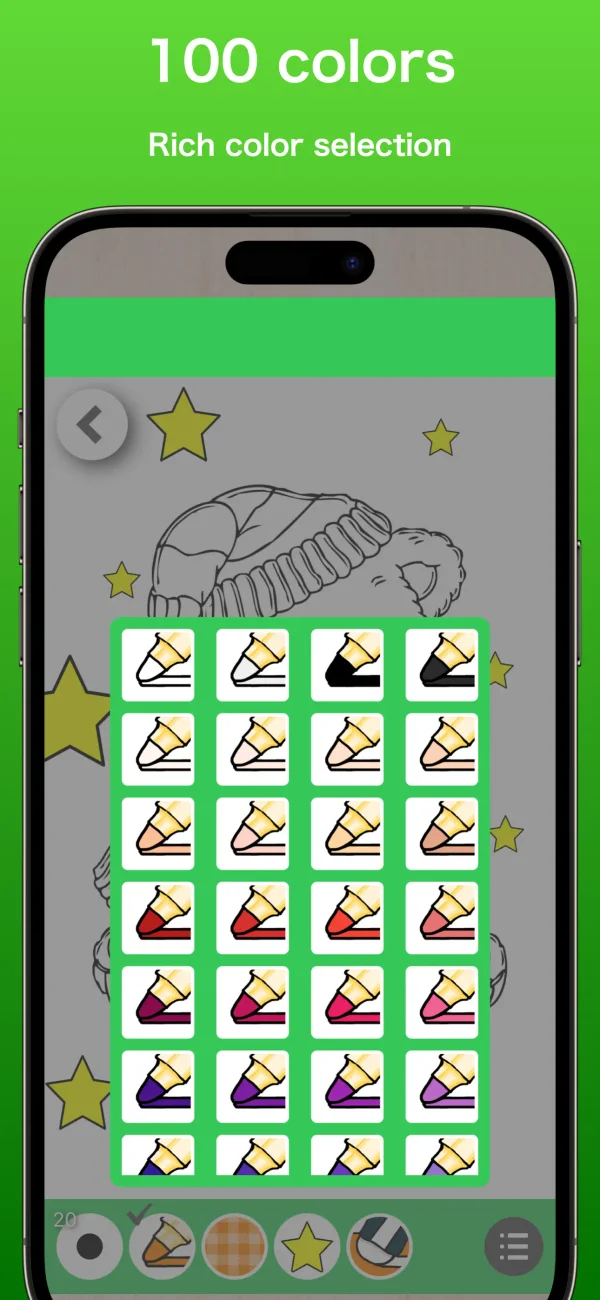
* Pen (100 colors, 5 levels of thickness)
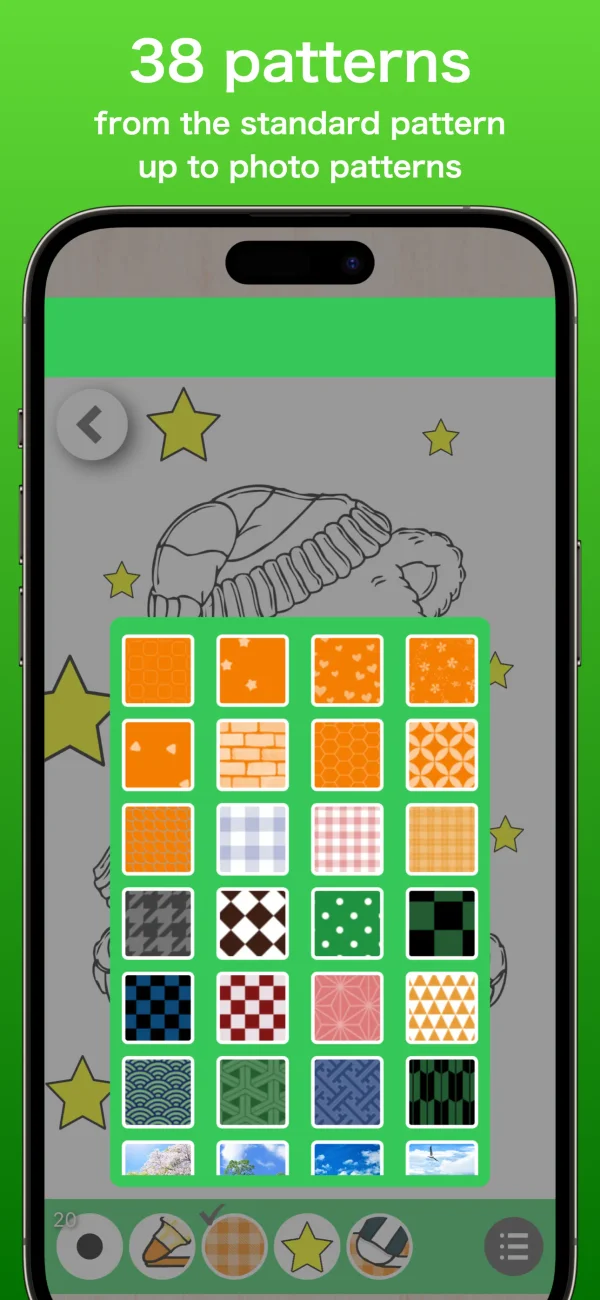
* Pattern (3x types, 5 levels of thickness)
* Stamps (3 sizes, you can add your own)
* You can save the completed coloring book image.
* Share to SNS, email, etc.
[Stamp making, play]
* You can make a stamp that can be pressed from the top of the coloring book.
* You can create stamps that can be used in [Coloring book play] in the same way as coloring books
* You can import outlines from images even when creating stamps
[Others]
* There is a child lock function
* Prevent children from accidentally deleting or sharing coloring books
* BGM, sound can be turned ON/OFF
* You can undo the coloring operation.
* The screen can be enlarged/reduced when creating coloring books and playing.
Terms of Use: https://mozkzki.github.io/apps/nurie_maker/terms_and_conditions/english
Privacy Policy: https://mozkzki.github.io/apps/nurie_maker/privacy_policy/english
What’s new
Version 1.0.4 · Dec 12, 2025
* Minor text adjustments.
App privacy
What Yutaka Kato declares on the App Store about how this app handles data.
-
Data used to track you
May be used to track you across apps and websites owned by other companies.
- Identifiers
-
Data not linked to you
May be collected but is not linked to your identity.
- Identifiers
- Usage data
- Diagnostics
Privacy practices may vary, for example with the features you use or your age.
Information
- Seller
- Yutaka Kato
- Category
- Education
- Version
- 1.0.4
- Updated
- Dec 12, 2025
- Released
- Mar 14, 2023
- Size
- 230.3 MB
- Requires
- iOS 15.6 or later
- Age rating
- 4+
- Price
- Free
- Languages
- English, Japanese
- Copyright
- © 2023 Yutaka Kato
You might also like
-
 Vibecode - AI App BuilderBuild Apps & Websites with AI
-
 Drawing Desk:Learn How to DrawArt Lessons & AR Drawing Games
-
 PhomemoInklessPrints:Photos,Tasks,Doc
-
 VisualMind: AI MindMap/ChatbotVisualize anything with AI
-
 Writey Cursive HandwritingPractice calligraphy writing
-
 TinkercadFrom mind to design in minutes
-
 Skillshare: Creativity ClassesDrawing, Photography, Design
-
 ReelTrends - AI Creator ToolsGrow Faster on IG
-
 Piano by YousicianLearn Piano with Fun Lessons
-
 ScratchJrEducation