Coloring Maker
make coloring book from photo
iPhone, iPad, iPod touch için tasarlandı
- Yaş sınırı4+
- KategoriEğitim
- GeliştiriciYutaka Kato
- Dillerİngilizce+ 1 dil daha
- Boyut230,3 MB
Coloring Maker şu anda App Store üzerinde mevcut olmayabilir
Son kontrolümüzde mağaza sayfasına ulaşılamadı. Bağlantı yine de resmi App Store sayfasına gider.
Ekran görüntüleri

Hakkında
Geliştirici bu metni dilinizde sunmamış.
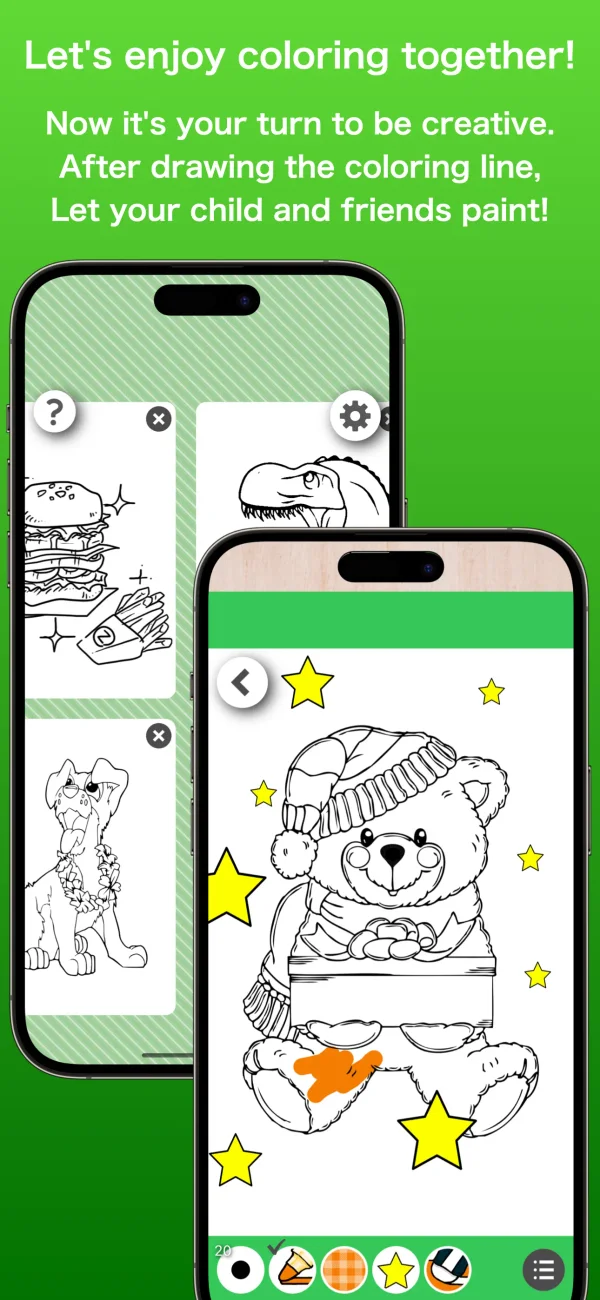
"Coloring Maker" is an app that allows you to create your own coloring book.
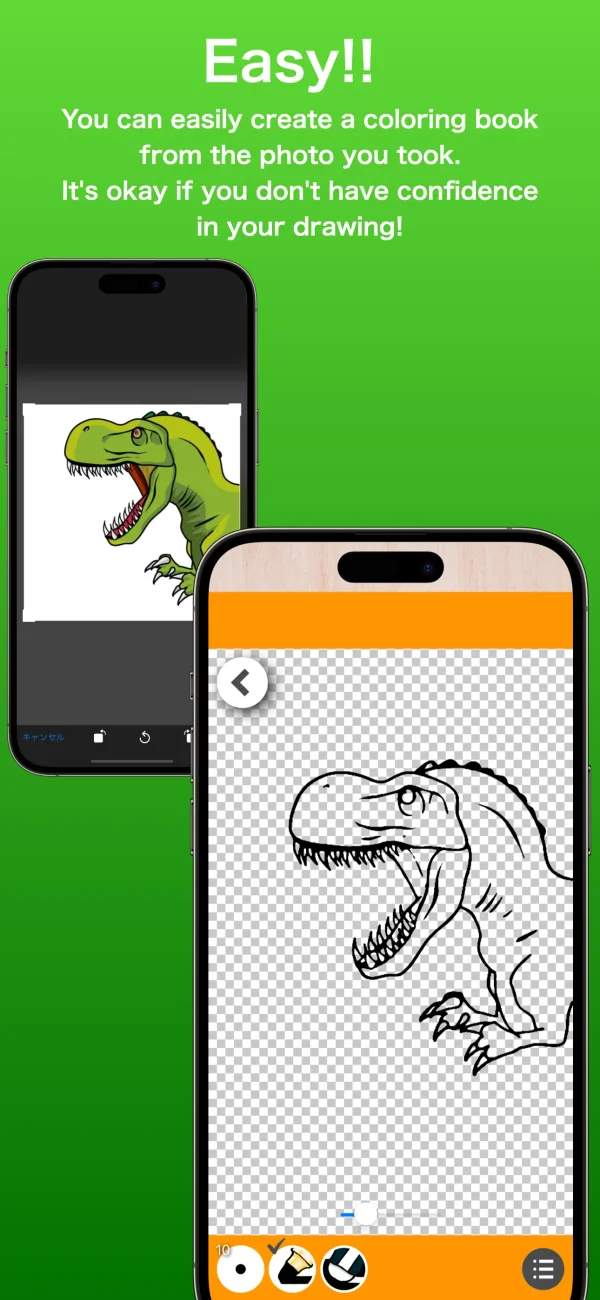
Just take a picture of your favorite illustration with the camera, and you can immediately start coloring.
========================
Features of Coloring Maker
========================
* Simple coloring book app without subscription or membership registration
* The feature is that you can make your own coloring book
* Creating a coloring book is as easy as scanning images taken with a camera or downloaded.
* You can give the coloring book made only with black lines to children and friends and have them play.
* You can play by stamping on the coloring book
* You can also make your own stamps.
* You can save and share your coloring book
========================
Coloring Maker is recommended for these people!
========================
* I want to use a coloring book app that I can play immediately without subscribing or registering as a member
* I want to play with my favorite picture as a coloring book
* I want to enjoy coloring while talking with parents and children and friends
* I want my child to color with the picture I drew
* I want to concentrate on coloring without thinking
* I want to make a line drawing of an illustration
========================
Coloring Maker Features
========================
[Creating a coloring book]
* You can create outlines for coloring books from images taken with the camera or downloaded.
* You can fine-tune the captured outline (adjust the density of the line and the strength of the transparency)
* You can edit the captured outline (add with a pen, erase with an eraser)
* You can create a coloring book by drawing the outline yourself, not from the image.
* There are 50 levels of pen thickness that can be used for coloring books
* Contours can be re-edited at any time
* Can save images with outlines only (PNG format)
* Up to 100 coloring books can be created (9 or more, advertisement viewing is required)
* The coloring book can be deleted at any time
[Coloring book play]
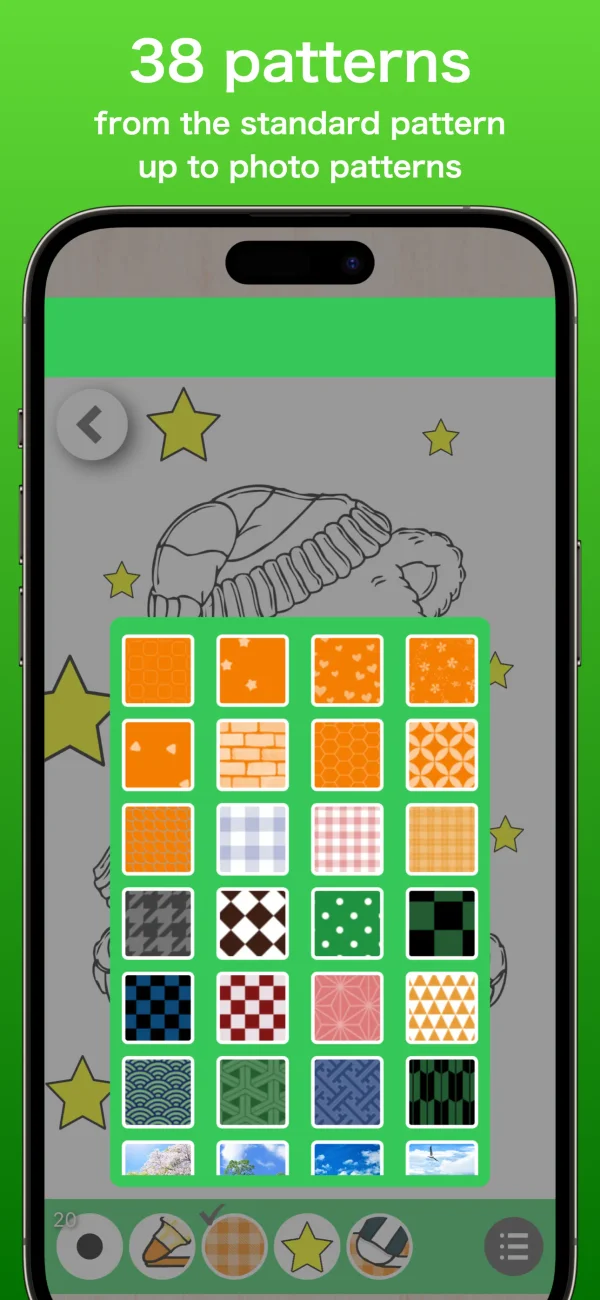
* You can paint and decorate the coloring book you made with the following tools
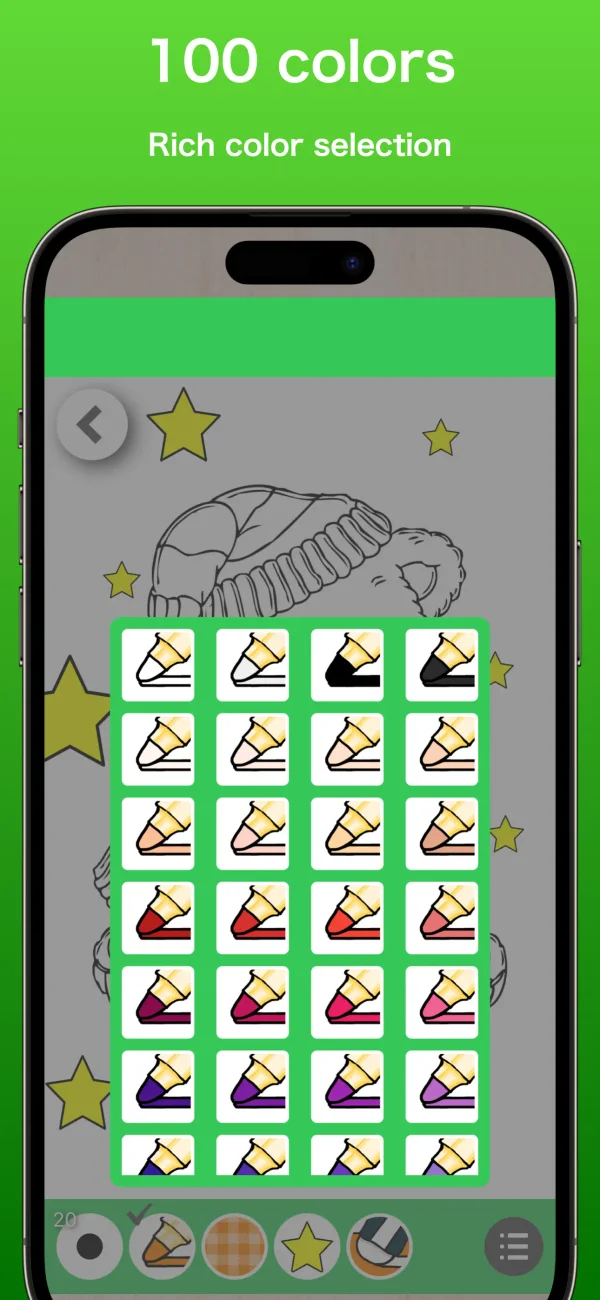
* Pen (100 colors, 5 levels of thickness)
* Pattern (3x types, 5 levels of thickness)
* Stamps (3 sizes, you can add your own)
* You can save the completed coloring book image.
* Share to SNS, email, etc.
[Stamp making, play]
* You can make a stamp that can be pressed from the top of the coloring book.
* You can create stamps that can be used in [Coloring book play] in the same way as coloring books
* You can import outlines from images even when creating stamps
[Others]
* There is a child lock function
* Prevent children from accidentally deleting or sharing coloring books
* BGM, sound can be turned ON/OFF
* You can undo the coloring operation.
* The screen can be enlarged/reduced when creating coloring books and playing.
Terms of Use: https://mozkzki.github.io/apps/nurie_maker/terms_and_conditions/english
Privacy Policy: https://mozkzki.github.io/apps/nurie_maker/privacy_policy/english
Yenilikler
Sürüm 1.0.4 · 12.12.2025
* Minor text adjustments.
Uygulama gizliliği
Bu uygulamanın verileri nasıl işlediği hakkında Yutaka Kato tarafından App Store üzerinde yapılan beyan.
-
Sizi izlemek için kullanılan veriler
Başka şirketlere ait uygulamalarda ve web sitelerinde sizi izlemek için kullanılabilir.
- Tanımlayıcılar
-
Sizinle ilişkilendirilmeyen veriler
Toplanabilir ancak kimliğinizle ilişkilendirilmez.
- Tanımlayıcılar
- Kullanım verileri
- Tanılama
Gizlilik uygulamaları, örneğin kullandığınız özelliklere veya yaşınıza göre değişiklik gösterebilir.
Bilgiler
- Satıcı
- Yutaka Kato
- Kategori
- Eğitim
- Sürüm
- 1.0.4
- Güncellendi
- 12.12.2025
- Yayın tarihi
- 14.03.2023
- Boyut
- 230,3 MB
- Gereksinim
- iOS 15.6 veya sonrası
- Yaş sınırı
- 4+
- Diller
- İngilizce, Japonca
- Telif hakkı
- © 2023 Yutaka Kato
Bunları da beğenebilirsiniz
-
 Vibecode - AI Uygulama YapıcıYapay zeka ile app ve site yap
-
 Drawing Desk:Learn How to DrawEğitim
-
 PhomemoMini Ink free Printer
-
 VisualMind: AI MindMap/ChatbotEğitim
-
 Writey Cursive HandwritingEğitim
-
 TinkercadEğitim
-
 Skillshare: Creativity ClassesEğitim
-
 ReelTrends - AI Creator ToolsReferans
-
 Piano by YousicianEğitim
-
 ScratchJrEğitim