Couch Remote
Android TV remote with Watch
Entwickelt für iPhone, iPad, iPod touch
Kostenlos · In-App-Käufe
- Altersfreigabe4+
- KategorieDienstprogramme
- EntwicklerSIA MBC Solutions
- SprachenEnglisch
- Größe22,8 MB
Verlinkt auf die offizielle App Store-Seite
Download.org hostet keine Datei von Couch Remote. Die Schaltfläche öffnet die App-Seite bei App Store, wo SIA MBC Solutions die App veröffentlicht. Eintrag zuletzt geprüft am 18.11.2026.
Screenshots
Info
Der Entwickler hat diesen Text nicht in Ihrer Sprache bereitgestellt.
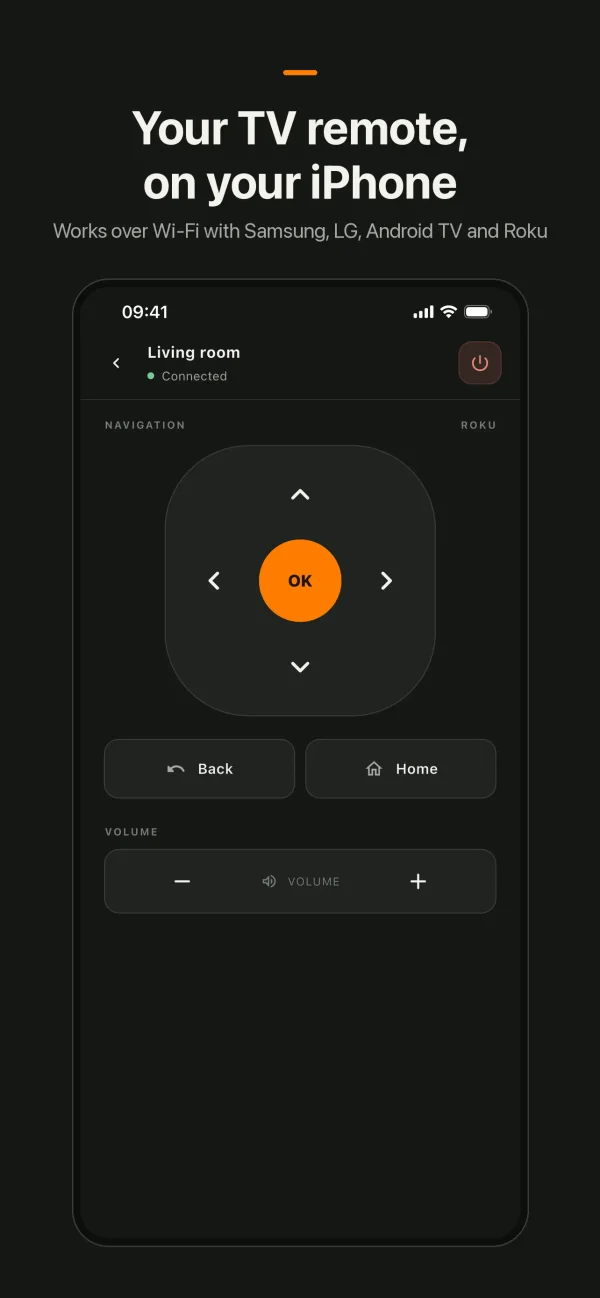
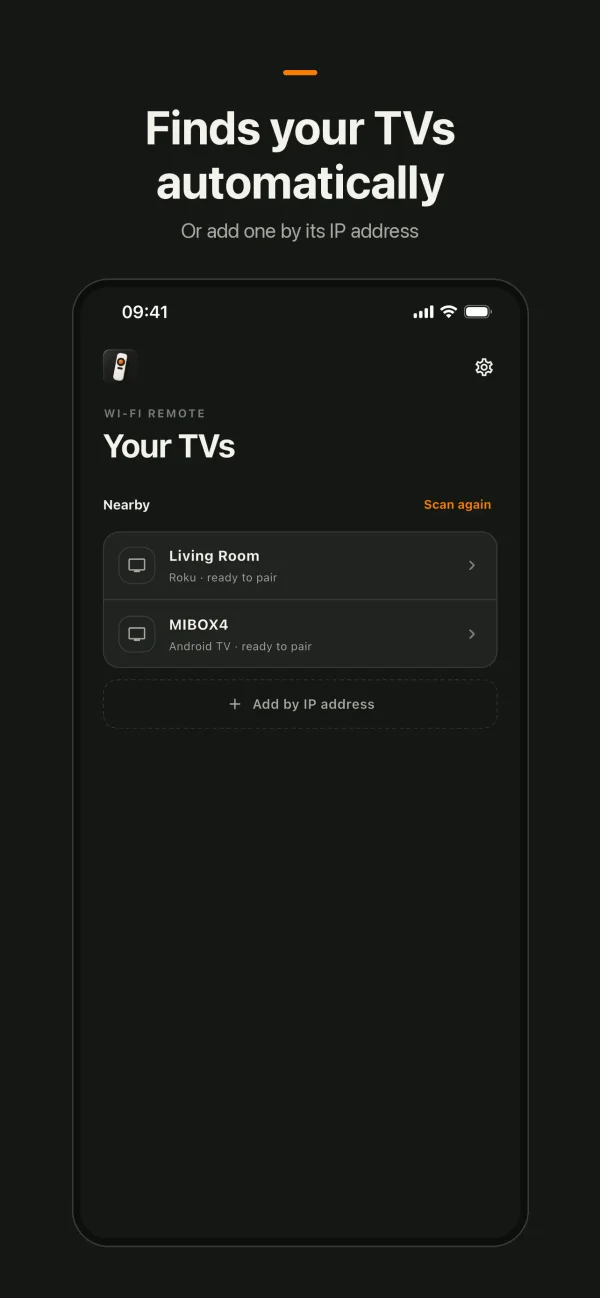
Couch Remote turns your iPhone into a simple Wi-Fi remote for the TV in your living room, and puts the same remote on your Apple Watch.
Pair your TV once. After that it's one tap away: a big d-pad with OK, Back and Home, volume and power.
WORKS WITH
• Samsung Smart TVs (Tizen, 2016 and newer)
• LG Smart TVs (webOS)
• Android TV and Google TV
• Roku TVs and Roku players
HOW IT WORKS
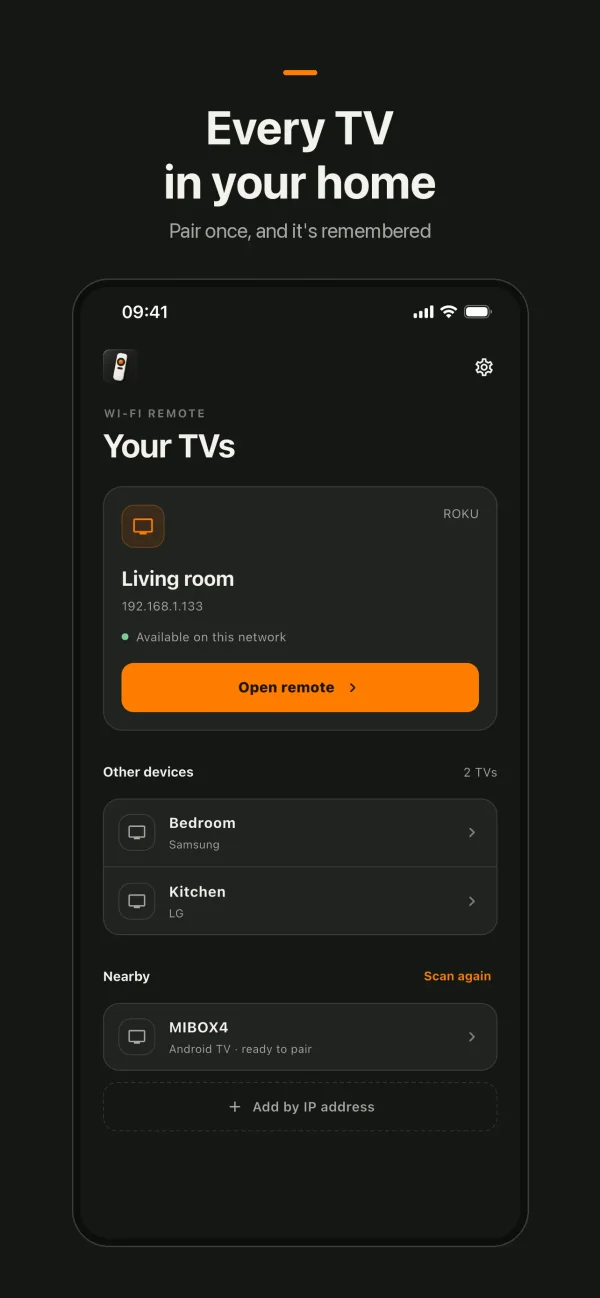
• Couch Remote looks for TVs on your Wi-Fi. If yours doesn't appear, add it by its IP address.
• Pair once: Samsung and LG ask you to Allow on the TV screen, Android TV shows a 6-character code to type in, and Roku needs no pairing at all.
• Paired TVs are remembered, so next time you go straight to the remote.
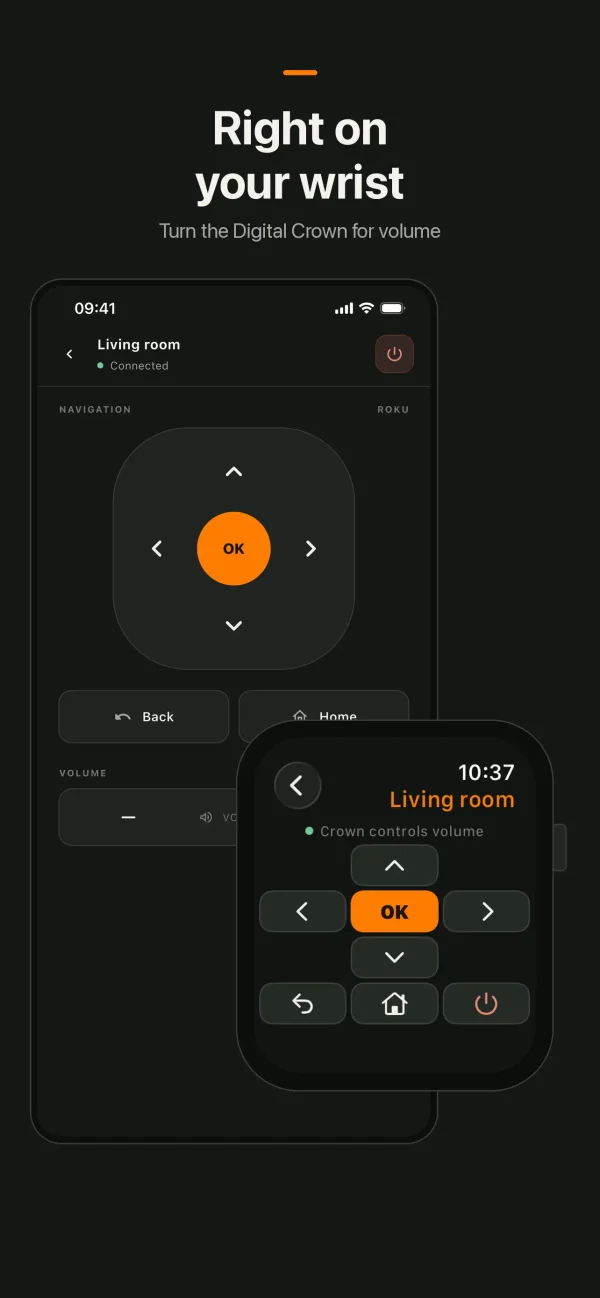
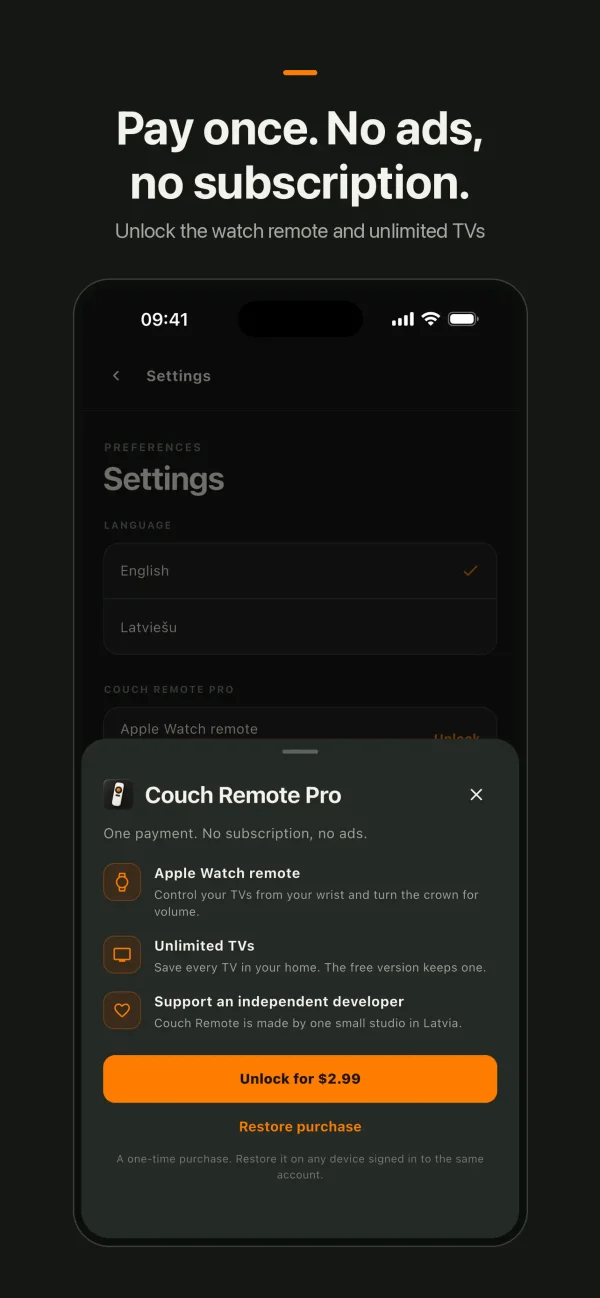
ON YOUR APPLE WATCH (COUCH REMOTE PRO)
• The TVs you paired on your iPhone, on your wrist.
• D-pad, OK, Back, Home and power.
• Turn the Digital Crown to change the volume, one click at a time.
• The watch sends each press through your iPhone, so keep it nearby.
FEATURES
• D-pad, OK, Back, Home, volume and power
• Hold an arrow or volume key to repeat it
• Rename or remove saved TVs
• English and Latvian
• No account, no sign-up
COUCH REMOTE PRO
The phone remote is free for one TV, volume and power included. A one-time purchase unlocks the Apple Watch remote and unlimited saved TVs. No subscription, no ads.
GOOD TO KNOW
• Your iPhone and TV need to be on the same Wi-Fi network.
• Turning a TV on from standby depends on the TV model and its network standby setting.
• Couch Remote is an independent app and is not affiliated with Samsung, LG, Google or Roku.
Neue Funktionen
Version 1.1.0 · 23.10.2026
Swipe remote
A new touchpad layout: swipe to move, tap for OK. A long swipe keeps moving, so you can glide along a row. Switch between Buttons and Swipe right above the pad or in Settings. Your choice is remembered.
Type on your TV from your phone
Tap Keyboard and type. Every letter appears on the TV as you press it, backspace deletes and Return submits. Perfect for search, Wi-Fi passwords and PIN codes. On Android TV, the TV’s own keyboard steps aside automatically.
TVs that change address are found again
If your router gives a TV a new address, Couch Remote now finds it and reconnects, with no need to remove the TV and pair again.
TV options are easier to find
Tap ••• on any saved TV to rename it, pair it again or remove it.
App-Datenschutz
Was SIA MBC Solutions im App Store zum Umgang dieser App mit Daten angibt.
-
Keine Daten erfasst
Der Entwickler erfasst keine Daten von dieser App.
Die Datenschutzpraktiken können variieren, zum Beispiel je nach den von Ihnen verwendeten Funktionen oder Ihrem Alter.
Informationen
- Anbieter
- MBC Solutions
- Kategorie
- Dienstprogramme
- Version
- 1.1.0
- Aktualisiert
- 23.10.2026
- Veröffentlicht
- 29.09.2026
- Größe
- 22,8 MB
- Erfordert
- iOS 13.0 oder neuer
- Altersfreigabe
- 4+
- Preis
- Kostenlos
- In-App-Käufe
- Ja
- Sprachen
- Englisch
- Copyright
- © 2026 SIA MBC Solutions
Das könnte Ihnen auch gefallen
-
 Don'tTouch Who Touched MyPhoneDienstprogramme
-
 Zapp Remote: Smart TV ControlDienstprogramme
-
 TV Remote+ Smart TV ControllerDienstprogramme
-
 Virtual TV RemoteDienstprogramme
-
 TV Remote: UniversalDienstprogramme
-
 Universal TV Remote: Smart TVㅤDienstprogramme
-
 Sam : TV Remote ControlDienstprogramme
-
 Remoto: TV FernbedienungSmart-TV per WLAN steuern
-
 Remote Control for all TV.sDienstprogramme
-
 Remotely: TV FernbedienungUniversal & Smart TV