Couch Remote
Android TV remote with Watch
Được thiết kế cho iPhone, iPad, iPod touch
Miễn phí · Mua hàng trong ứng dụng
- Độ tuổi4+
- Danh mụcTiện Ích
- Nhà phát triểnSIA MBC Solutions
- Ngôn ngữTiếng Anh
- Kích thước22,8 MB
Liên kết đến trang App Store chính thức
Download.org không lưu trữ tệp nào của Couch Remote. Nút này mở trang ứng dụng trên App Store, nơi SIA MBC Solutions phát hành ứng dụng. Trang được kiểm tra lần cuối: 18/11/2026.
Ảnh chụp màn hình
Giới thiệu
Nhà phát triển chưa cung cấp nội dung này bằng ngôn ngữ của bạn.
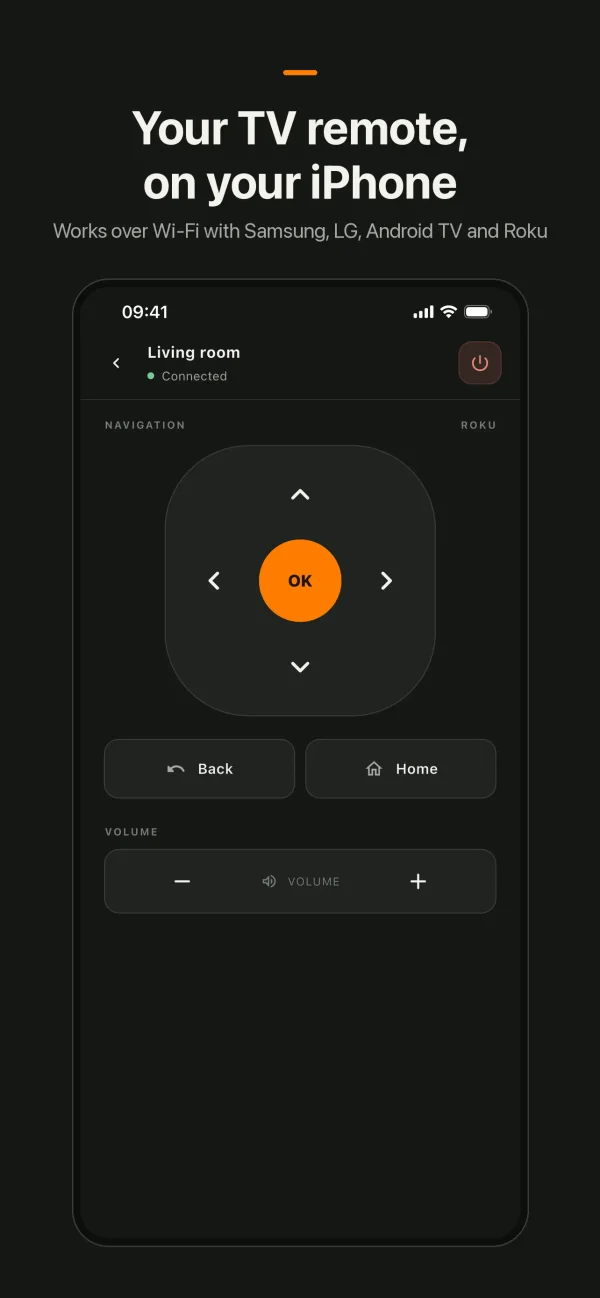
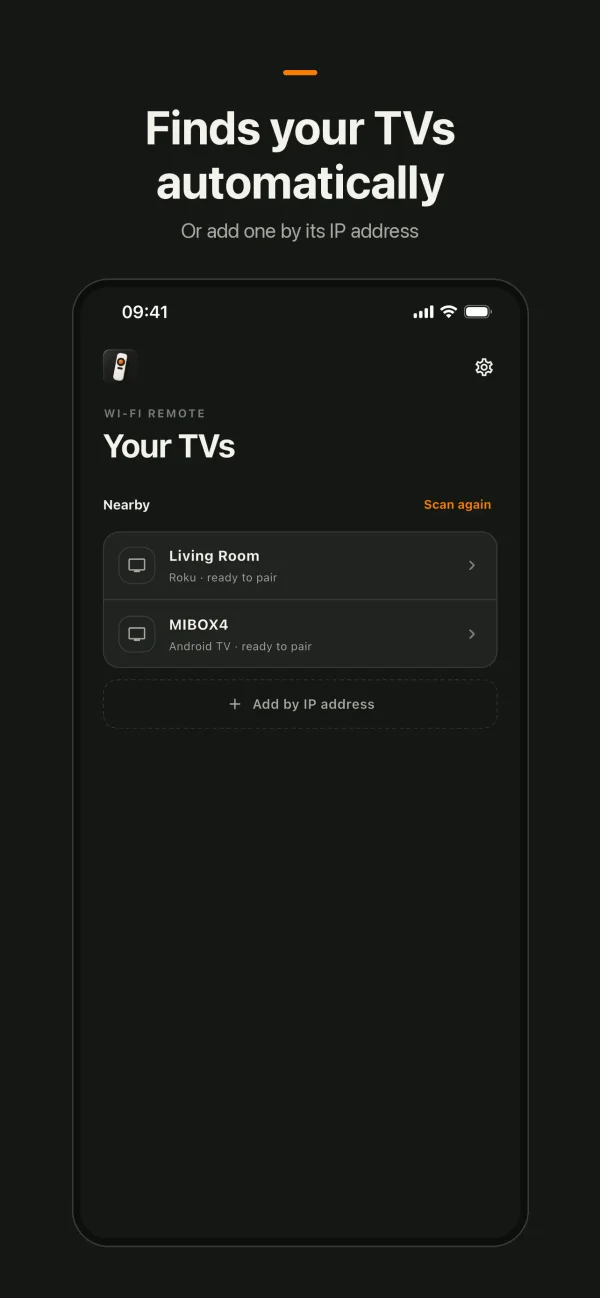
Couch Remote turns your iPhone into a simple Wi-Fi remote for the TV in your living room, and puts the same remote on your Apple Watch.
Pair your TV once. After that it's one tap away: a big d-pad with OK, Back and Home, volume and power.
WORKS WITH
• Samsung Smart TVs (Tizen, 2016 and newer)
• LG Smart TVs (webOS)
• Android TV and Google TV
• Roku TVs and Roku players
HOW IT WORKS
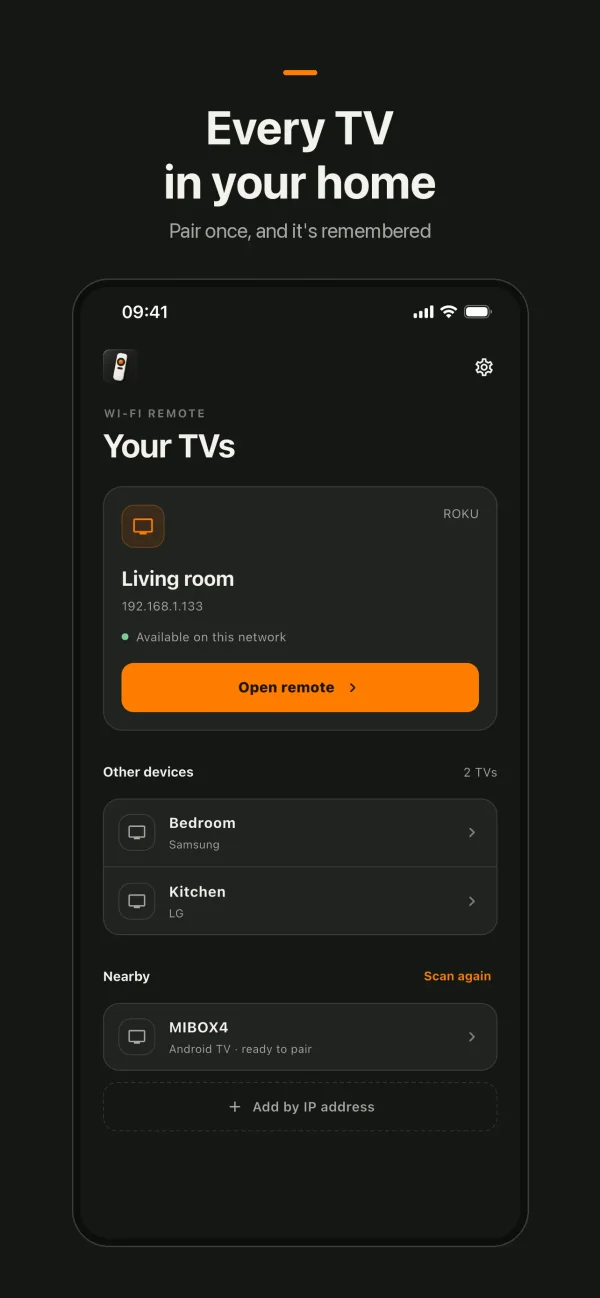
• Couch Remote looks for TVs on your Wi-Fi. If yours doesn't appear, add it by its IP address.
• Pair once: Samsung and LG ask you to Allow on the TV screen, Android TV shows a 6-character code to type in, and Roku needs no pairing at all.
• Paired TVs are remembered, so next time you go straight to the remote.
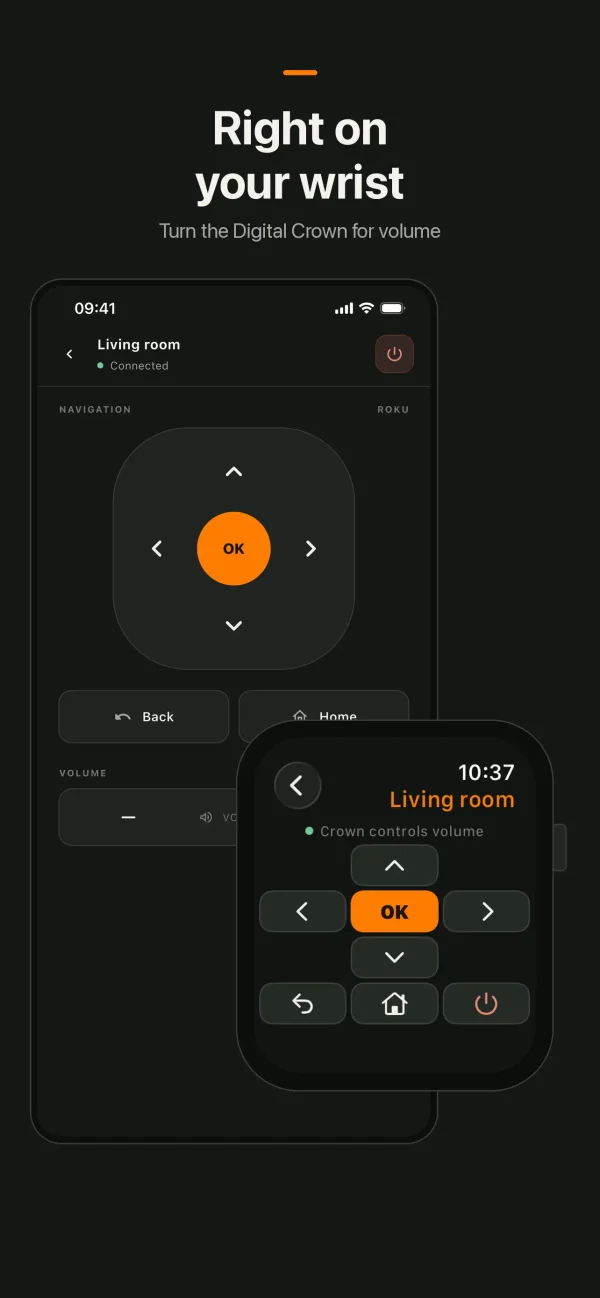
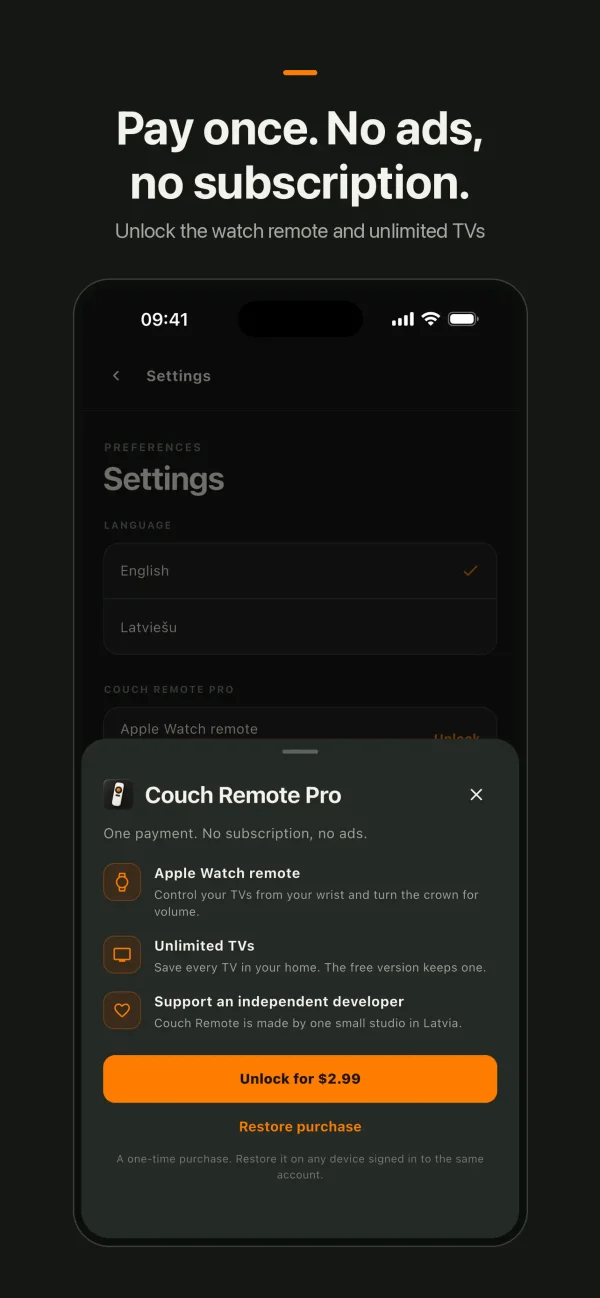
ON YOUR APPLE WATCH (COUCH REMOTE PRO)
• The TVs you paired on your iPhone, on your wrist.
• D-pad, OK, Back, Home and power.
• Turn the Digital Crown to change the volume, one click at a time.
• The watch sends each press through your iPhone, so keep it nearby.
FEATURES
• D-pad, OK, Back, Home, volume and power
• Hold an arrow or volume key to repeat it
• Rename or remove saved TVs
• English and Latvian
• No account, no sign-up
COUCH REMOTE PRO
The phone remote is free for one TV, volume and power included. A one-time purchase unlocks the Apple Watch remote and unlimited saved TVs. No subscription, no ads.
GOOD TO KNOW
• Your iPhone and TV need to be on the same Wi-Fi network.
• Turning a TV on from standby depends on the TV model and its network standby setting.
• Couch Remote is an independent app and is not affiliated with Samsung, LG, Google or Roku.
Có gì mới
Phiên bản 1.1.0 · 23/10/2026
Swipe remote
A new touchpad layout: swipe to move, tap for OK. A long swipe keeps moving, so you can glide along a row. Switch between Buttons and Swipe right above the pad or in Settings. Your choice is remembered.
Type on your TV from your phone
Tap Keyboard and type. Every letter appears on the TV as you press it, backspace deletes and Return submits. Perfect for search, Wi-Fi passwords and PIN codes. On Android TV, the TV’s own keyboard steps aside automatically.
TVs that change address are found again
If your router gives a TV a new address, Couch Remote now finds it and reconnects, with no need to remove the TV and pair again.
TV options are easier to find
Tap ••• on any saved TV to rename it, pair it again or remove it.
Quyền riêng tư của ứng dụng
Những gì SIA MBC Solutions khai báo trên App Store về cách ứng dụng này xử lý dữ liệu.
-
Dữ liệu không được thu thập
Nhà phát triển không thu thập bất kỳ dữ liệu nào từ ứng dụng này.
Phương thức đảm bảo quyền riêng tư có thể khác nhau, chẳng hạn như tuỳ theo các tính năng bạn sử dụng hoặc độ tuổi của bạn.
Thông tin
- Người bán
- MBC Solutions
- Danh mục
- Tiện Ích
- Phiên bản
- 1.1.0
- Cập nhật
- 23/10/2026
- Phát hành
- 29/09/2026
- Kích thước
- 22,8 MB
- Yêu cầu
- iOS 13.0 trở lên
- Độ tuổi
- 4+
- Giá
- Miễn phí
- Mua hàng trong ứng dụng
- Có
- Ngôn ngữ
- Tiếng Anh
- Bản quyền
- © 2026 SIA MBC Solutions
Có thể bạn cũng thích
-
 Don'tTouch Who Touched MyPhoneTiện Ích
-
 Zapp Remote: Smart TV ControlTiện Ích
-
 TV Remote+ Smart TV ControllerTiện Ích
-
 Virtual TV RemoteTiện Ích
-
 TV Remote: UniversalTiện Ích
-
 Universal TV Remote: Smart TVㅤTiện Ích
-
 Sam : TV Remote ControlTiện Ích
-
 Remoto: Điều khiển TVDùng iPhone thay remote TV
-
 Remote Control for all TV.sTiện Ích
-
 Remotely - Universal TV RemoteTiện Ích