- 対象年齢4+
- カテゴリユーティリティ
- 開発元SIA MBC Solutions
- 言語英語
- サイズ22.8 MB
App Storeの公式ページにリンクしています
Download.orgはCouch Remoteのファイルを一切ホストしていません。ボタンを押すと、SIA MBC Solutionsが公開しているApp Storeのアプリページが開きます。ページの最終確認:2026/11/18。
スクリーンショット
概要
開発元はこのテキストをお使いの言語で提供していません。
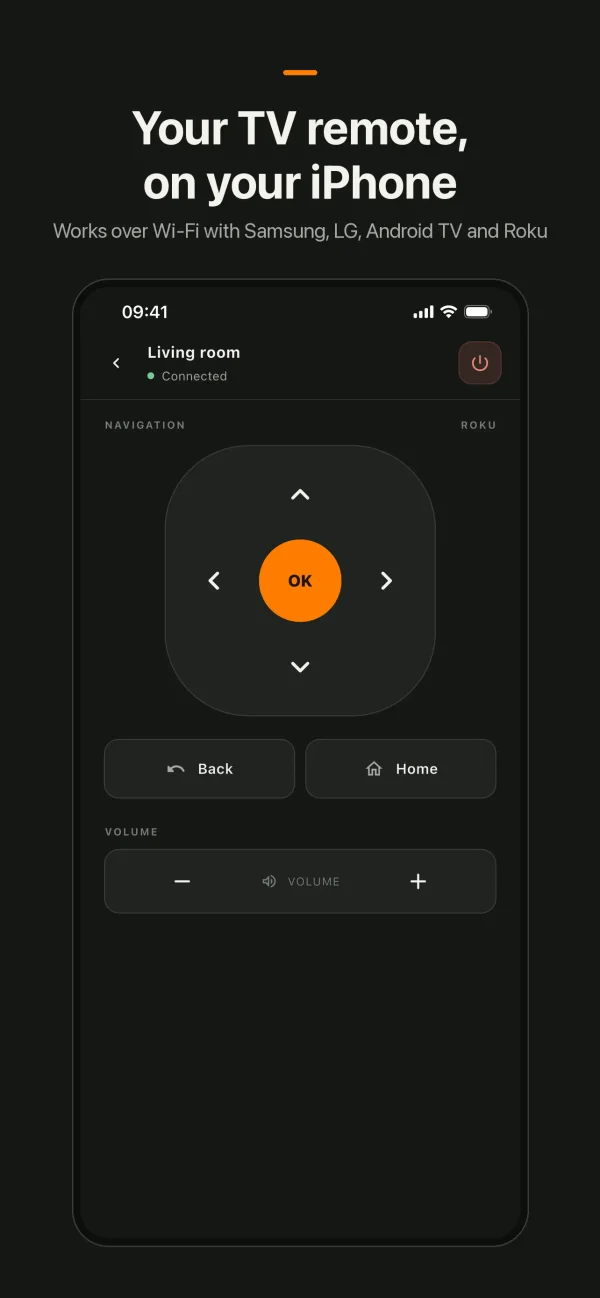
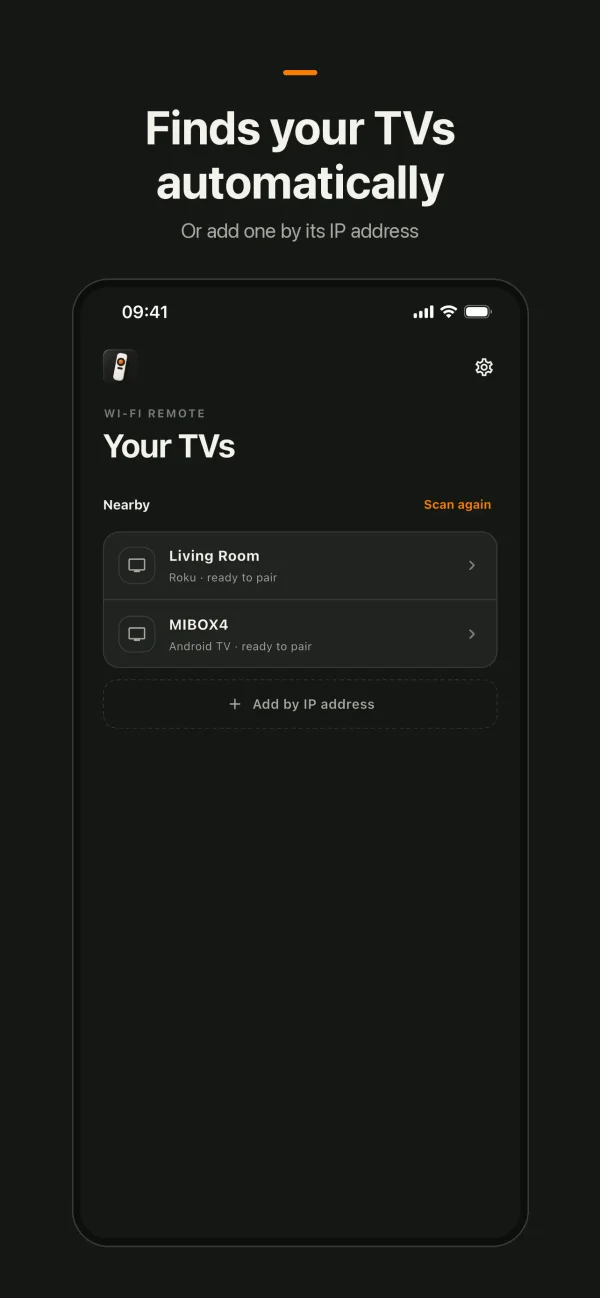
Couch Remote turns your iPhone into a simple Wi-Fi remote for the TV in your living room, and puts the same remote on your Apple Watch.
Pair your TV once. After that it's one tap away: a big d-pad with OK, Back and Home, volume and power.
WORKS WITH
• Samsung Smart TVs (Tizen, 2016 and newer)
• LG Smart TVs (webOS)
• Android TV and Google TV
• Roku TVs and Roku players
HOW IT WORKS
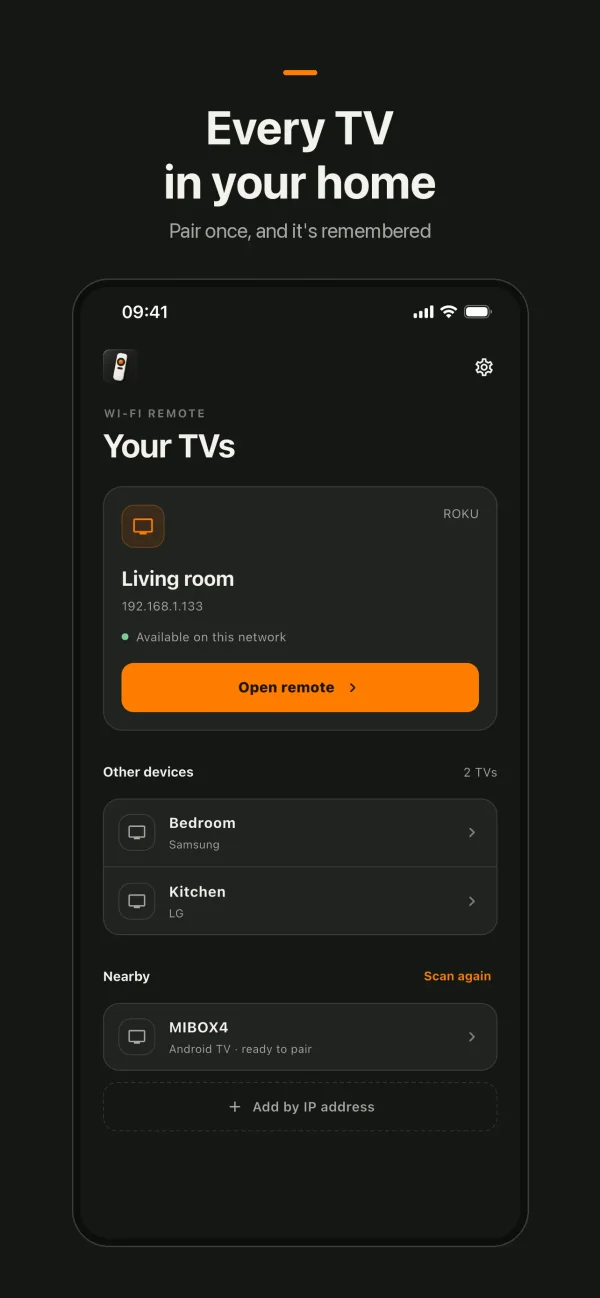
• Couch Remote looks for TVs on your Wi-Fi. If yours doesn't appear, add it by its IP address.
• Pair once: Samsung and LG ask you to Allow on the TV screen, Android TV shows a 6-character code to type in, and Roku needs no pairing at all.
• Paired TVs are remembered, so next time you go straight to the remote.
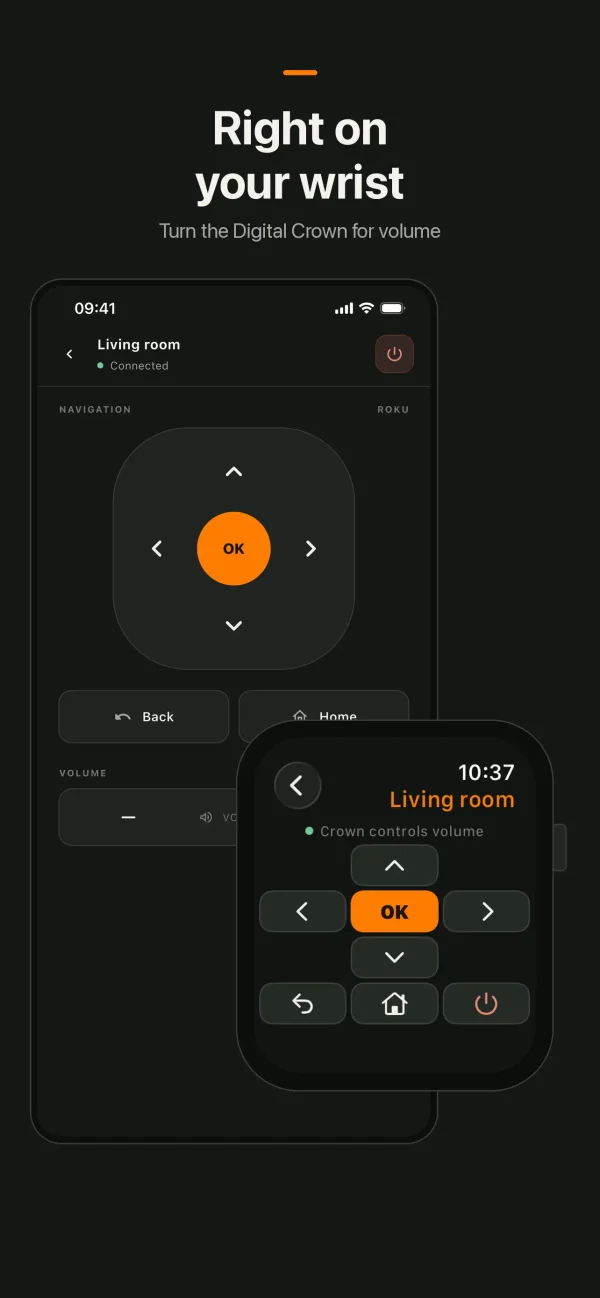
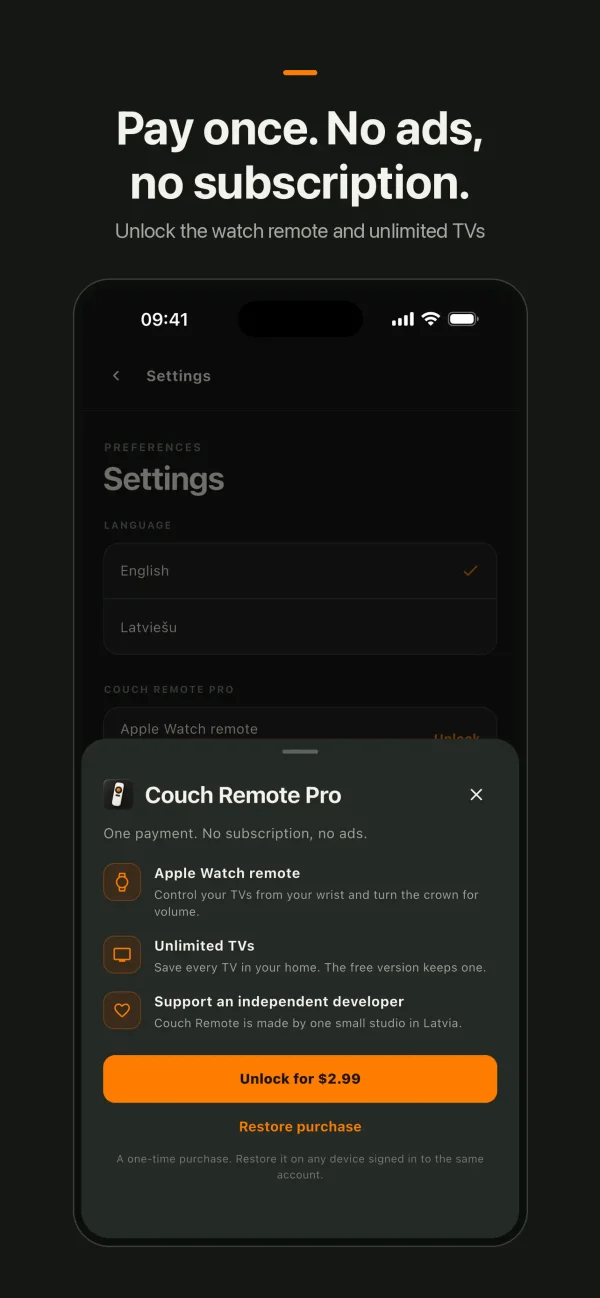
ON YOUR APPLE WATCH (COUCH REMOTE PRO)
• The TVs you paired on your iPhone, on your wrist.
• D-pad, OK, Back, Home and power.
• Turn the Digital Crown to change the volume, one click at a time.
• The watch sends each press through your iPhone, so keep it nearby.
FEATURES
• D-pad, OK, Back, Home, volume and power
• Hold an arrow or volume key to repeat it
• Rename or remove saved TVs
• English and Latvian
• No account, no sign-up
COUCH REMOTE PRO
The phone remote is free for one TV, volume and power included. A one-time purchase unlocks the Apple Watch remote and unlimited saved TVs. No subscription, no ads.
GOOD TO KNOW
• Your iPhone and TV need to be on the same Wi-Fi network.
• Turning a TV on from standby depends on the TV model and its network standby setting.
• Couch Remote is an independent app and is not affiliated with Samsung, LG, Google or Roku.
新機能
バージョン 1.1.0 · 2026/10/23
Swipe remote
A new touchpad layout: swipe to move, tap for OK. A long swipe keeps moving, so you can glide along a row. Switch between Buttons and Swipe right above the pad or in Settings. Your choice is remembered.
Type on your TV from your phone
Tap Keyboard and type. Every letter appears on the TV as you press it, backspace deletes and Return submits. Perfect for search, Wi-Fi passwords and PIN codes. On Android TV, the TV’s own keyboard steps aside automatically.
TVs that change address are found again
If your router gives a TV a new address, Couch Remote now finds it and reconnects, with no need to remove the TV and pair again.
TV options are easier to find
Tap ••• on any saved TV to rename it, pair it again or remove it.
アプリのプライバシー
このアプリのデータの取り扱いについて、SIA MBC SolutionsがApp Storeで申告している内容です。
-
データの収集なし
開発元はこのアプリからデータを収集しません。
プライバシーの取り扱いは、ご利用の機能やお客様の年齢などに応じて異なる場合があります。
情報
- 販売元
- MBC Solutions
- カテゴリ
- ユーティリティ
- バージョン
- 1.1.0
- 更新日
- 2026/10/23
- リリース
- 2026/9/29
- サイズ
- 22.8 MB
- 必要条件
- iOS 13.0以降
- 対象年齢
- 4+
- 価格
- 無料
- アプリ内課金
- あり
- 言語
- 英語
- 著作権
- © 2026 SIA MBC Solutions
こちらもおすすめ
-
 Don'tTouch Who Touched MyPhoneユーティリティ
-
 Zapp Remote: Smart TV Controlユーティリティ
-
 TV Remote+ Smart TV Controllerユーティリティ
-
 Virtual TV Remoteユーティリティ
-
 TV Remote: Universalユーティリティ
-
 Universal TV Remote: Smart TVㅤユーティリティ
-
 Sam : TV Remote Controlユーティリティ
-
 Remoto:テレビリモコンiPhoneでスマートテレビを操作
-
 Remote Control for all TV.sユーティリティ
-
 Remotely: テレビリモコンスマートTVをかんたん操作