Docket: Private PDF Scanner
Scan, OCR & sign, on-device
Entwickelt für iPhone
In-App-Käufe
- Altersfreigabe4+
- KategorieProduktivität
- EntwicklerRamananda Kairi
- SprachenEnglisch
- Größe2,8 MB
Docket: Private PDF Scanner ist bei App Store derzeit möglicherweise nicht verfügbar
Bei unserer letzten Prüfung war der Store-Eintrag nicht erreichbar. Der Link führt weiterhin zur offiziellen App Store-Seite.
Screenshots

Info
Der Entwickler hat diesen Text nicht in Ihrer Sprache bereitgestellt.
Docket scans documents on your iPhone and keeps every step on the device. There is no account, no upload and no analytics.
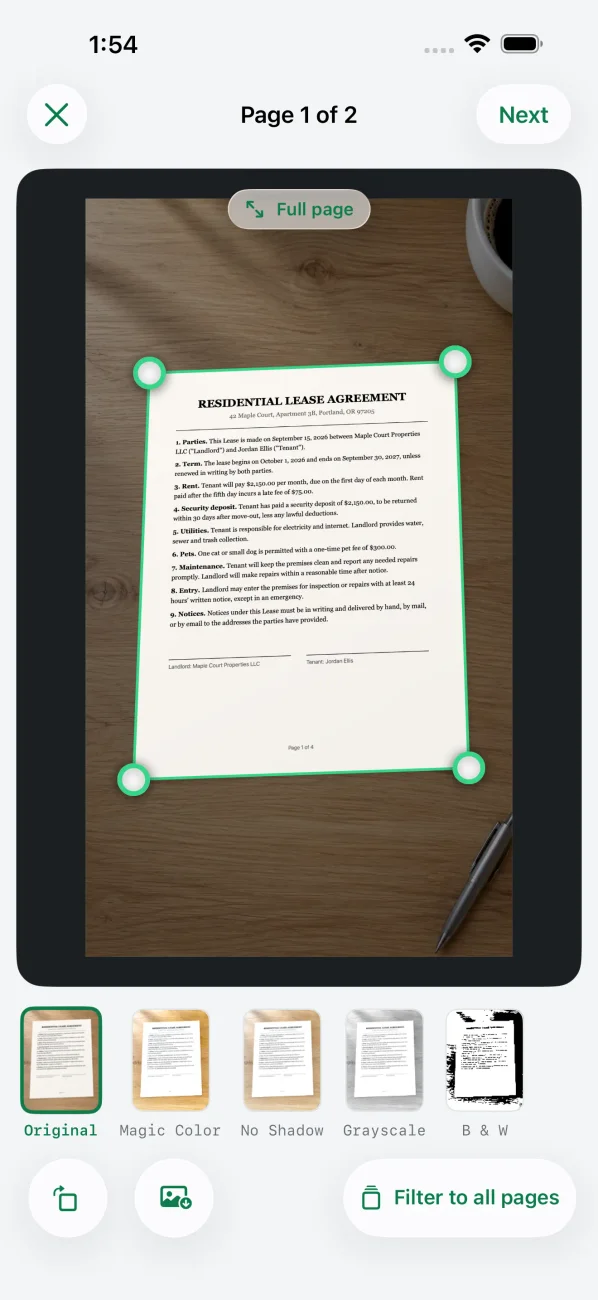
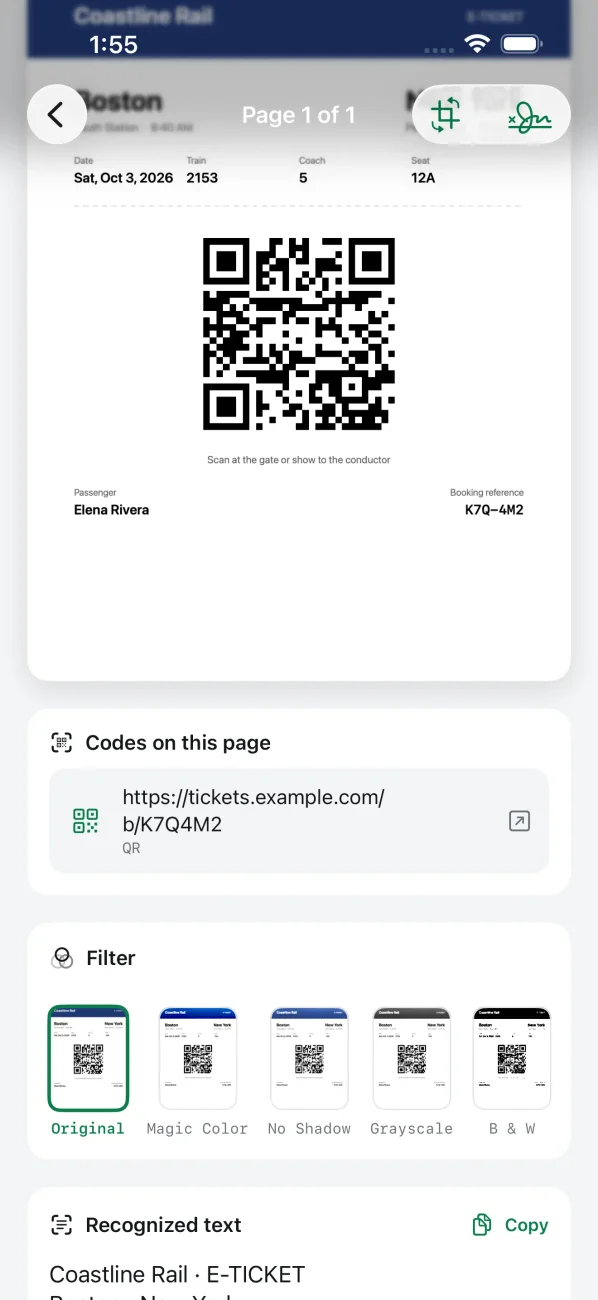
Capture with the camera, which finds page edges automatically, or import a photo or PDF. Before anything is saved you review each page: drag the four corners to crop, straighten the perspective, rotate, and pick a filter. Docket then recognizes the text on device and builds a searchable PDF, so the text is selectable and searchable in Files, Spotlight, Mail and anywhere else you open it.
Free, with no watermark, no ad and no page limit:
- Capture or import documents, with crop corners, perspective correction and rotate
- Filters: Magic Color, No Shadow (evens out shadows from your hand or phone), Grayscale and B&W, per page or for every page
- On-device text recognition (OCR) and search across all your documents
- Folders, with move and sort
- QR codes on a page are detected; tap to open or copy
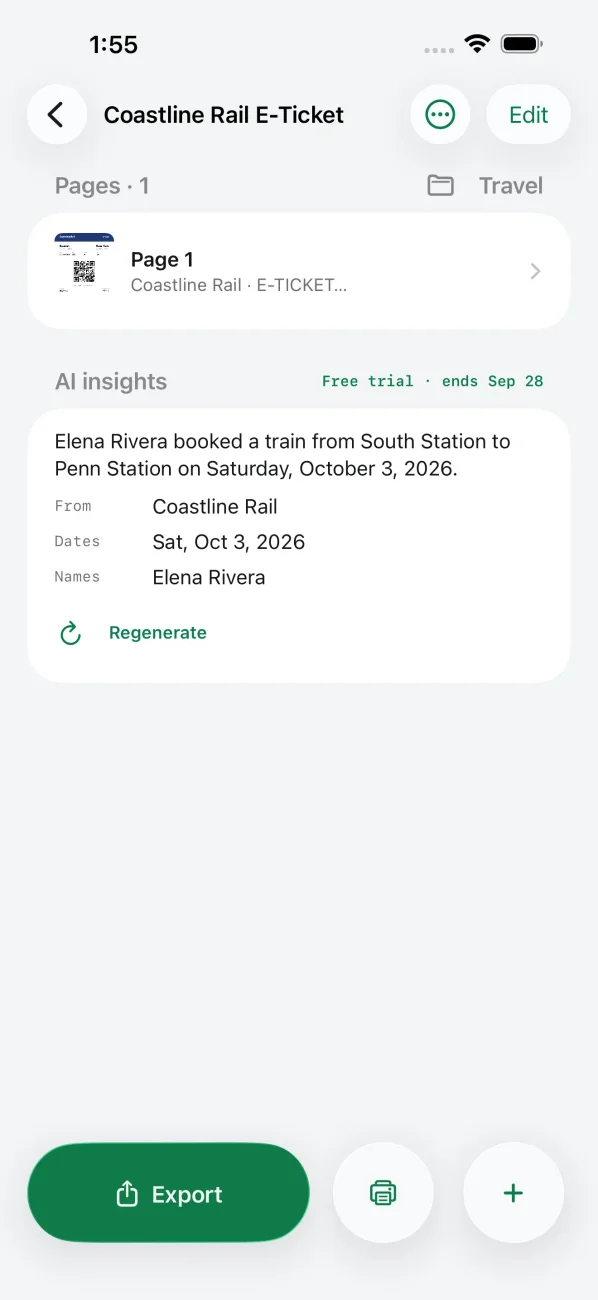
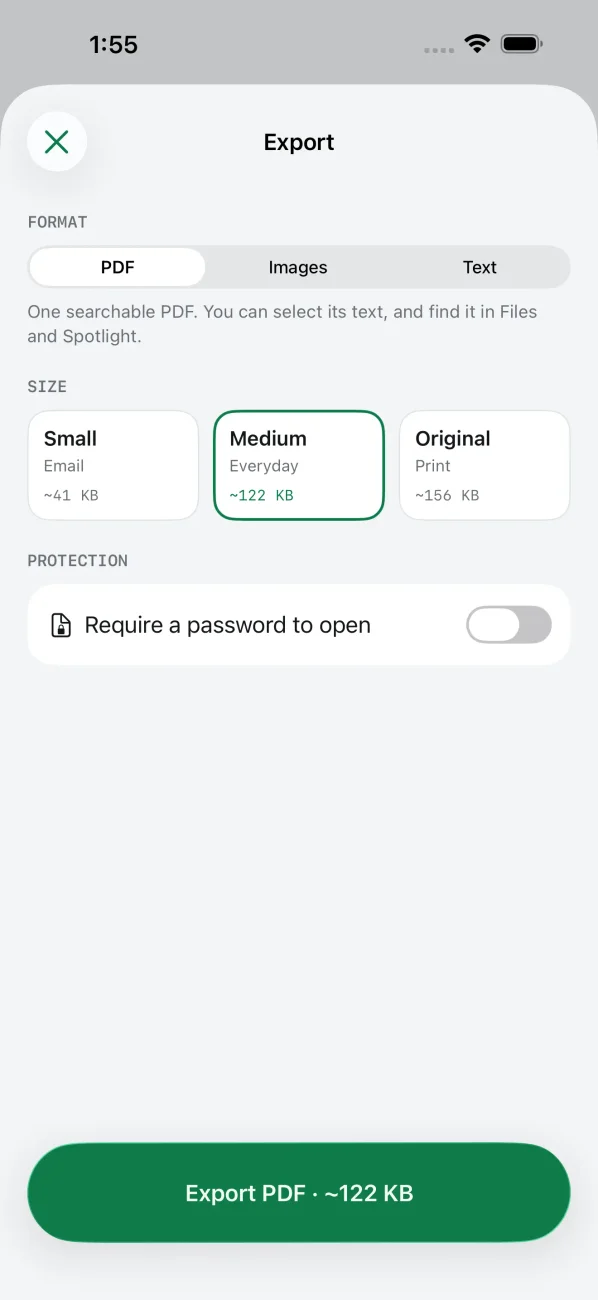
- Export as PDF, images or text, in small, medium or original size, with a size estimate before you share
- Reorder or delete pages, share, save to Files or Photos, and print
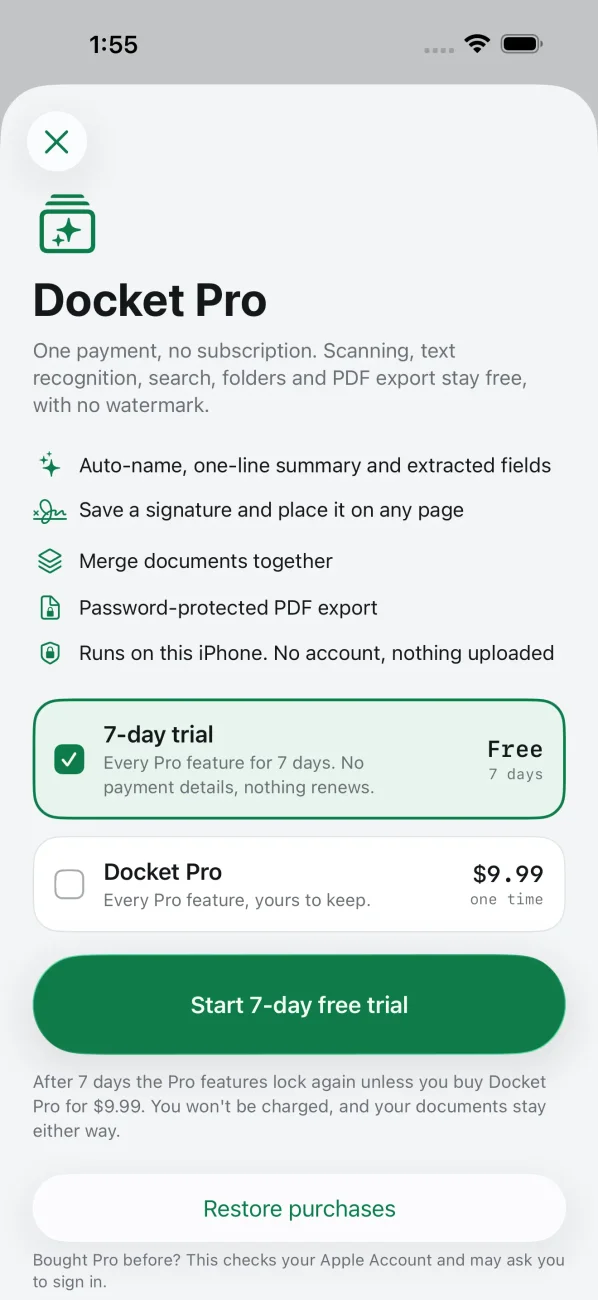
Docket Pro ($9.99, a single one-time purchase, no subscription) adds:
- Automatic file naming, a one-line summary and extracted fields (dates, totals, names) using Apple's on-device Foundation Models
- Signatures: draw and place a signature on a page
- Merge two documents into one
- Password-protected PDF export
Try every Pro feature free for 7 days. The trial does not renew and never charges you; when it ends, Docket asks once whether you want Pro.
The AI naming, summary and field extraction in Pro need an iPhone with Apple Intelligence (iPhone 15 Pro or later) with Apple Intelligence turned on in Settings. Without it, new documents still get an automatic date-based name, and every free feature works the same either way.
No account or sign-in is required.
Support: https://apps.nexg.tech/doc-scanner/support.html
App-Datenschutz
Was Ramananda Kairi im App Store zum Umgang dieser App mit Daten angibt.
-
Keine Daten erfasst
Der Entwickler erfasst keine Daten von dieser App.
Die Datenschutzpraktiken können variieren, zum Beispiel je nach den von Ihnen verwendeten Funktionen oder Ihrem Alter.
Informationen
- Anbieter
- Ramananda Kairi
- Kategorie
- Produktivität
- Version
- 1.0
- Aktualisiert
- 03.10.2026
- Veröffentlicht
- 03.10.2026
- Größe
- 2,8 MB
- Erfordert
- iOS 26.0 oder neuer
- Altersfreigabe
- 4+
- In-App-Käufe
- Ja
- Sprachen
- Englisch
- Copyright
- © 2026 Ramananda Kairi
Das könnte Ihnen auch gefallen
-
 OffPDF: PDF-Text bearbeitenOffline-Scanner & Konverter
-
 PocketScan - Snap to PDFProduktivität
-
 ScanMate: PDF ScannerKein Wasserzeichen. Keine Ads
-
 LocalRAG! - KI-Dokument-ChatKI-Chat: PDF, Audio & Video
-
 QR Code Maker & ReaderProduktivität
-
 Scanner Keyboard: CameraBoardProduktivität
-
 CopyClip: Clipboard MangerProduktivität
-
 PDF Search: AI Chat & ReaderProduktivität
-
 Metall und Flüssigkeitsrechnerkosten, Länge und Gewicht
-
 KI Tastatur Pro - AnyWriteKI-Grammatik-Texte umschreiben