Docket: Private PDF Scanner
Scan, OCR & sign, on-device
Conçue pour iPhone
Achats intégrés
- Classification d’âge4+
- CatégorieProductivité
- DéveloppeurRamananda Kairi
- LanguesAnglais
- Taille2,8 Mo
Docket: Private PDF Scanner n’est peut-être pas disponible sur App Store pour le moment
La fiche de la boutique était inaccessible lors de notre dernière vérification. Le lien mène toujours à la page App Store officielle.
Captures d’écran

À propos
Le développeur n’a pas fourni ce texte dans votre langue.
Docket scans documents on your iPhone and keeps every step on the device. There is no account, no upload and no analytics.
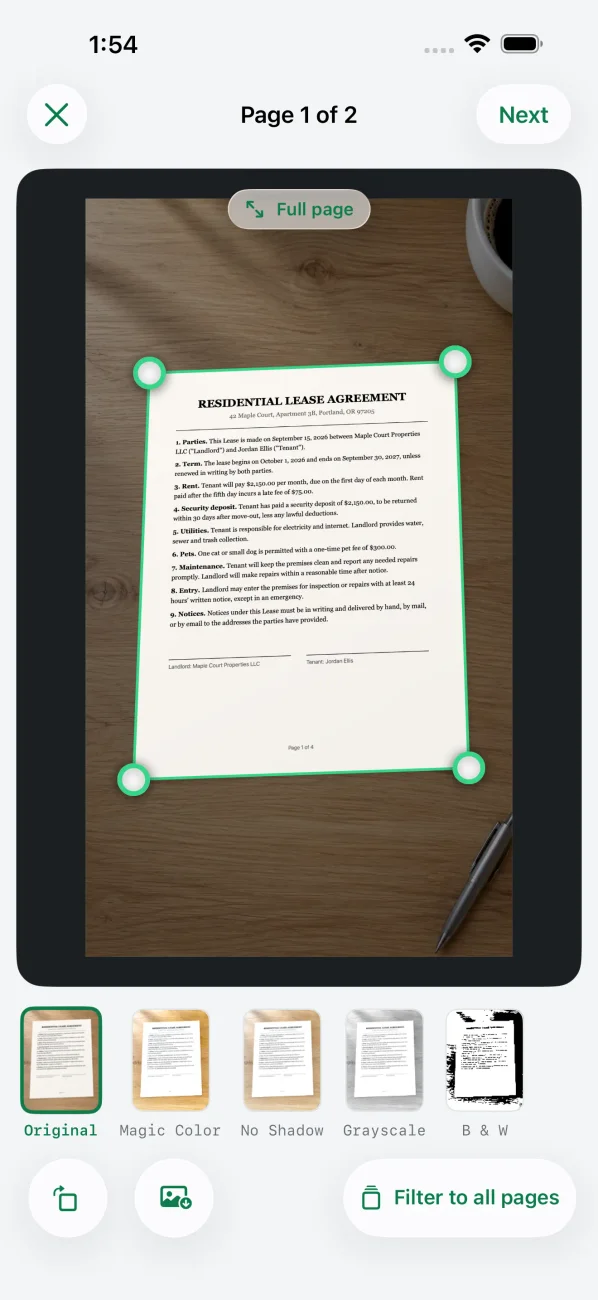
Capture with the camera, which finds page edges automatically, or import a photo or PDF. Before anything is saved you review each page: drag the four corners to crop, straighten the perspective, rotate, and pick a filter. Docket then recognizes the text on device and builds a searchable PDF, so the text is selectable and searchable in Files, Spotlight, Mail and anywhere else you open it.
Free, with no watermark, no ad and no page limit:
- Capture or import documents, with crop corners, perspective correction and rotate
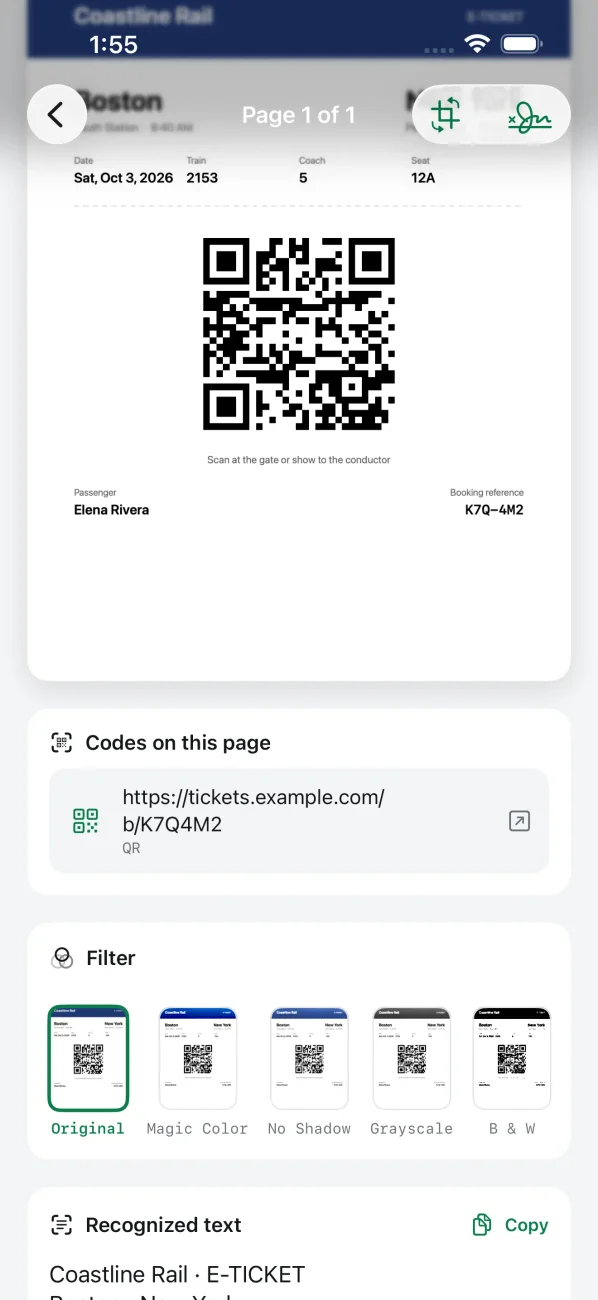
- Filters: Magic Color, No Shadow (evens out shadows from your hand or phone), Grayscale and B&W, per page or for every page
- On-device text recognition (OCR) and search across all your documents
- Folders, with move and sort
- QR codes on a page are detected; tap to open or copy
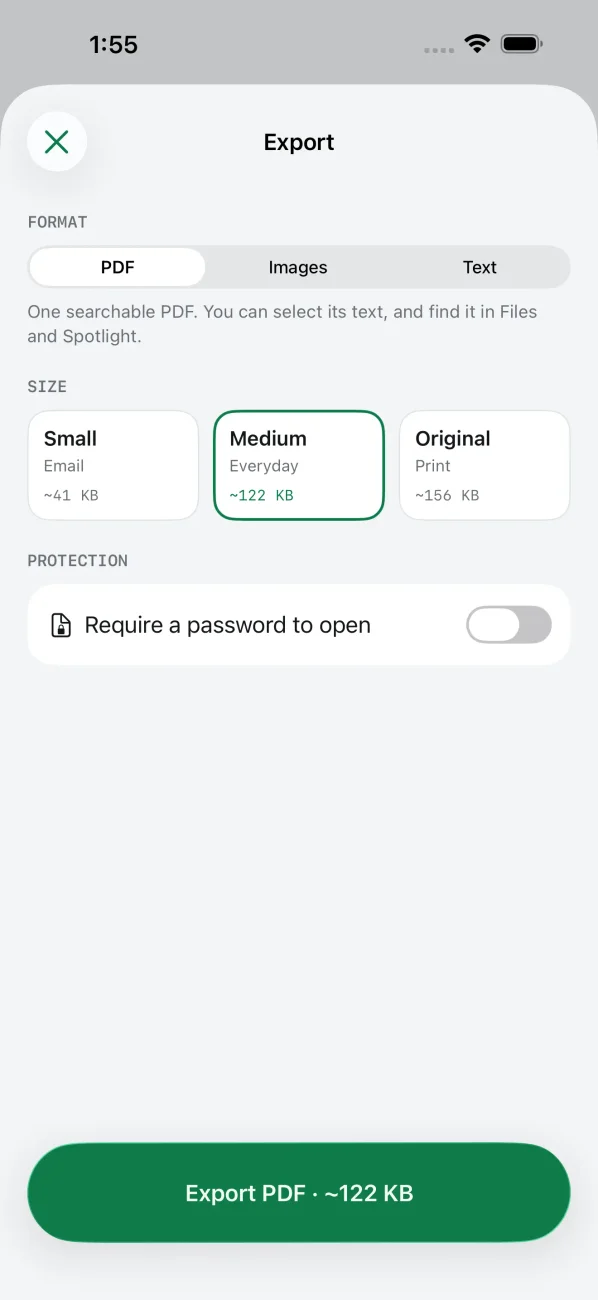
- Export as PDF, images or text, in small, medium or original size, with a size estimate before you share
- Reorder or delete pages, share, save to Files or Photos, and print
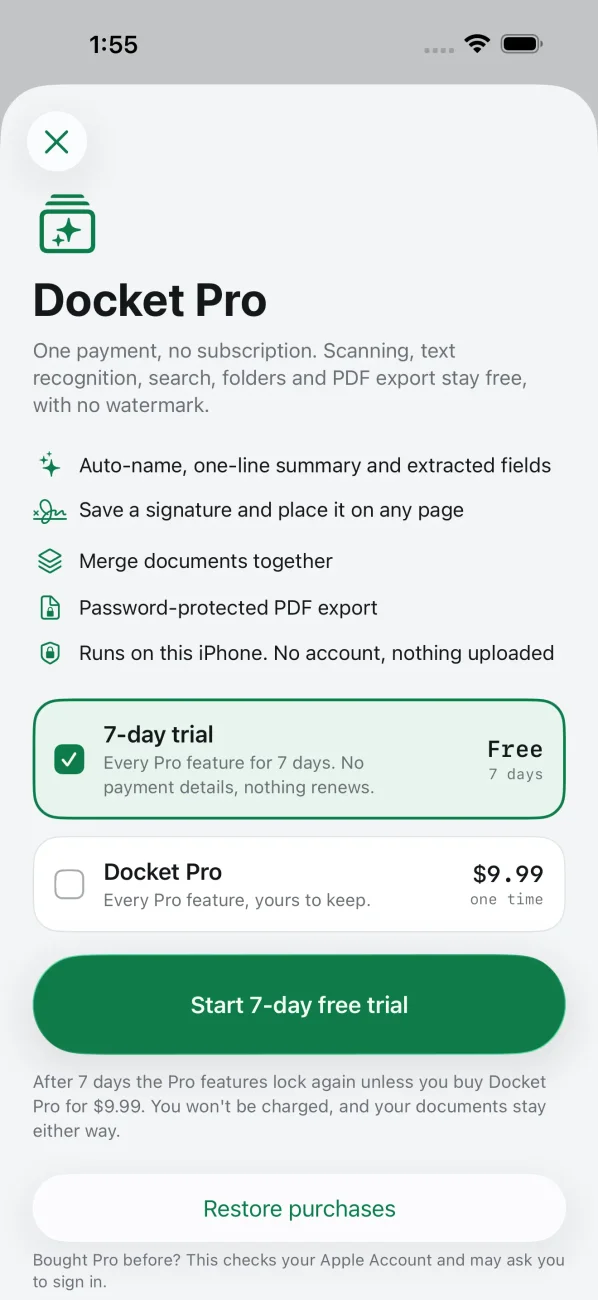
Docket Pro ($9.99, a single one-time purchase, no subscription) adds:
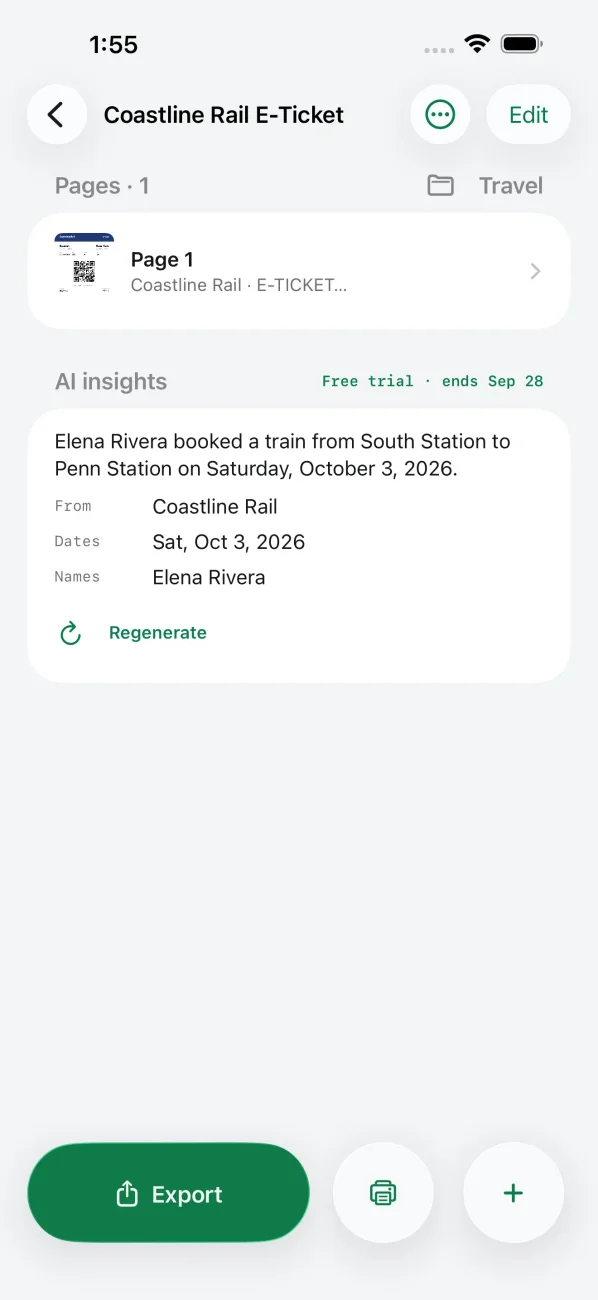
- Automatic file naming, a one-line summary and extracted fields (dates, totals, names) using Apple's on-device Foundation Models
- Signatures: draw and place a signature on a page
- Merge two documents into one
- Password-protected PDF export
Try every Pro feature free for 7 days. The trial does not renew and never charges you; when it ends, Docket asks once whether you want Pro.
The AI naming, summary and field extraction in Pro need an iPhone with Apple Intelligence (iPhone 15 Pro or later) with Apple Intelligence turned on in Settings. Without it, new documents still get an automatic date-based name, and every free feature works the same either way.
No account or sign-in is required.
Support: https://apps.nexg.tech/doc-scanner/support.html
Confidentialité de l’application
Ce que Ramananda Kairi déclare sur l’App Store au sujet du traitement des données par cette application.
-
Données non collectées
Le développeur ne collecte aucune donnée à partir de cette application.
Les pratiques en matière de confidentialité peuvent varier, notamment en fonction des fonctionnalités que vous utilisez ou de votre âge.
Informations
- Vendeur
- Ramananda Kairi
- Catégorie
- Productivité
- Version
- 1.0
- Mis à jour
- 03/10/2026
- Publié
- 03/10/2026
- Taille
- 2,8 Mo
- Nécessite
- iOS 26.0 ou version ultérieure
- Classification d’âge
- 4+
- Achats intégrés
- Oui
- Langues
- Anglais
- Copyright
- © 2026 Ramananda Kairi
Vous aimerez peut-être aussi
-
 OffPDF: modifier texte PDFScanner, convertir et signer
-
 PocketScan - Snap to PDFProductivité
-
 ScanMate : Scanner PDFSans pub. Sans filigrane.
-
 LocalRAG! - Chat IA DocumentsChat IA: PDF, audio et vidéo
-
 QR Code Maker & ReaderProductivité
-
 Scanner Keyboard: CameraBoardProductivité
-
 CopyClip: Clipboard MangerProductivité
-
 PDF Search : Chat IA, lecteurRésumé, scanner et OCR
-
 de métaux et de liquidesCoût du Longueur et poids
-
 Clavier IA – AnyWrite Type AITraduire & Reformuler messages