Docket: Private PDF Scanner
Scan, OCR & sign, on-device
Được thiết kế cho iPhone
Miễn phí · Mua hàng trong ứng dụng
- Độ tuổi4+
- Danh mụcHiệu Suất
- Nhà phát triểnRamananda Kairi
- Ngôn ngữTiếng Anh
- Kích thước2,8 MB
Liên kết đến trang App Store chính thức
Download.org không lưu trữ tệp nào của Docket: Private PDF Scanner. Nút này mở trang ứng dụng trên App Store, nơi Ramananda Kairi phát hành ứng dụng. Trang được kiểm tra lần cuối: 14/11/2026.
Ảnh chụp màn hình

Giới thiệu
Nhà phát triển chưa cung cấp nội dung này bằng ngôn ngữ của bạn.
Docket scans documents on your iPhone and keeps every step on the device. There is no account, no upload and no analytics.
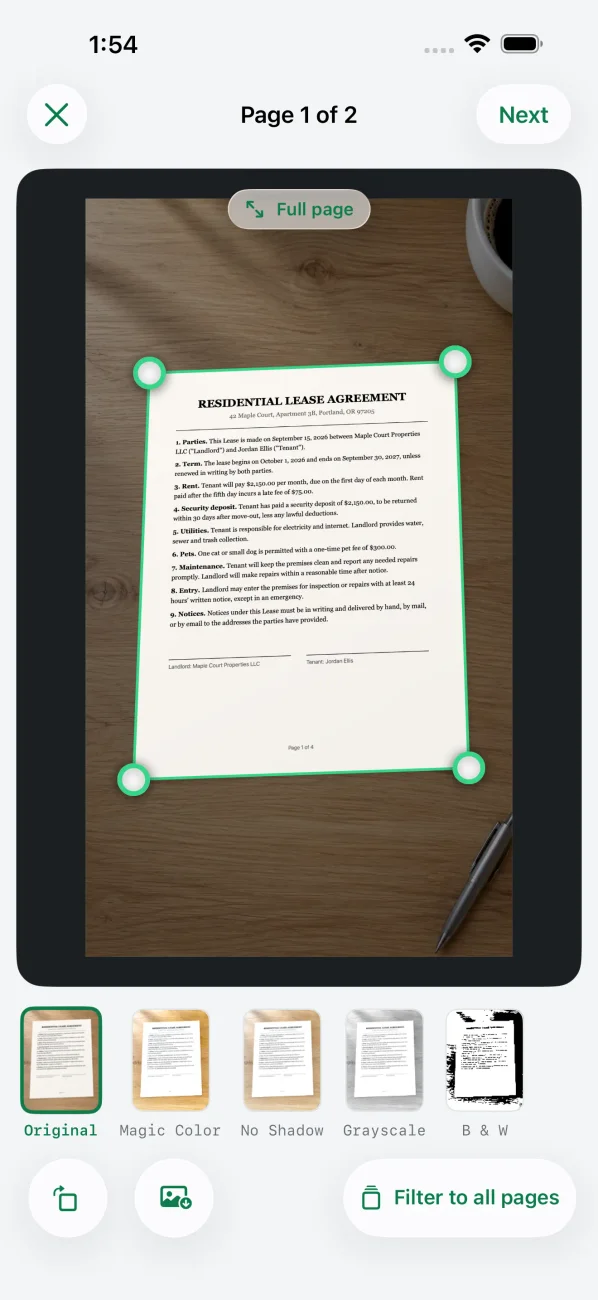
Capture with the camera, which finds page edges automatically, or import a photo or PDF. Before anything is saved you review each page: drag the four corners to crop, straighten the perspective, rotate, and pick a filter. Docket then recognizes the text on device and builds a searchable PDF, so the text is selectable and searchable in Files, Spotlight, Mail and anywhere else you open it.
Free, with no watermark, no ad and no page limit:
- Capture or import documents, with crop corners, perspective correction and rotate
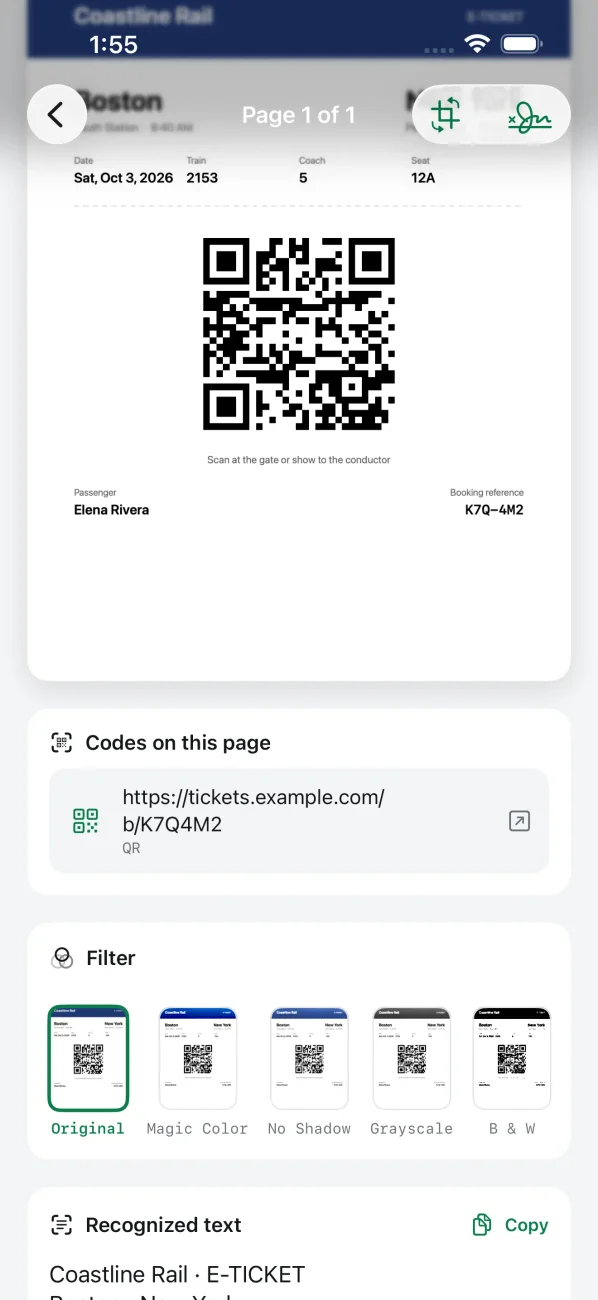
- Filters: Magic Color, No Shadow (evens out shadows from your hand or phone), Grayscale and B&W, per page or for every page
- On-device text recognition (OCR) and search across all your documents
- Folders, with move and sort
- QR codes on a page are detected; tap to open or copy
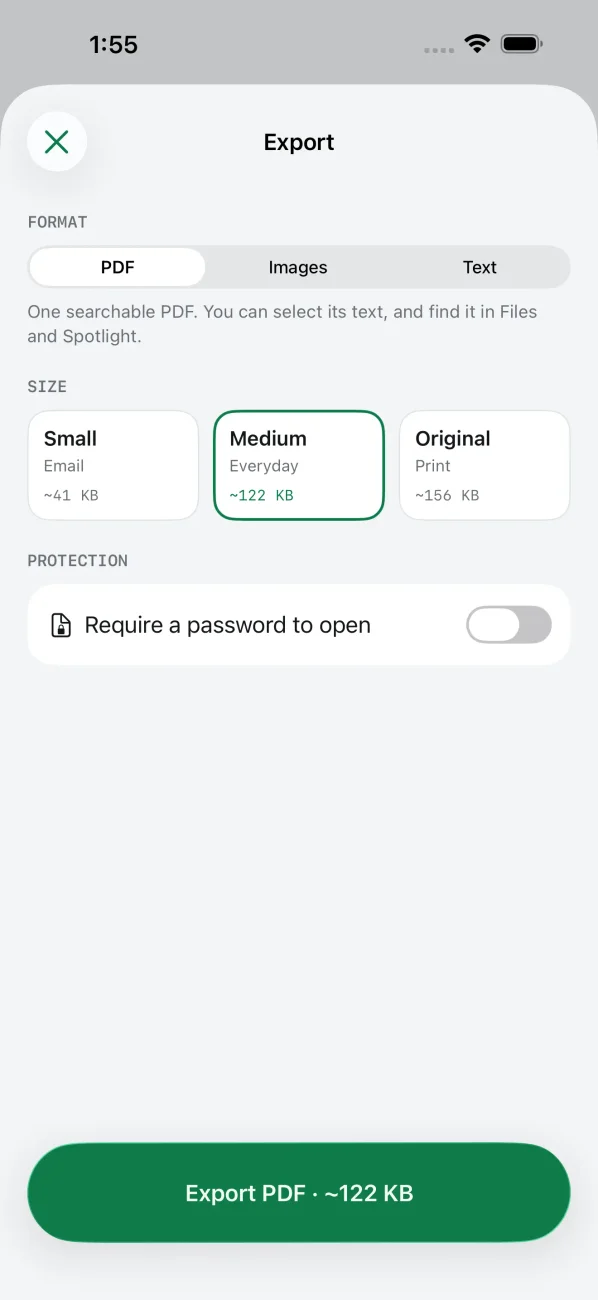
- Export as PDF, images or text, in small, medium or original size, with a size estimate before you share
- Reorder or delete pages, share, save to Files or Photos, and print
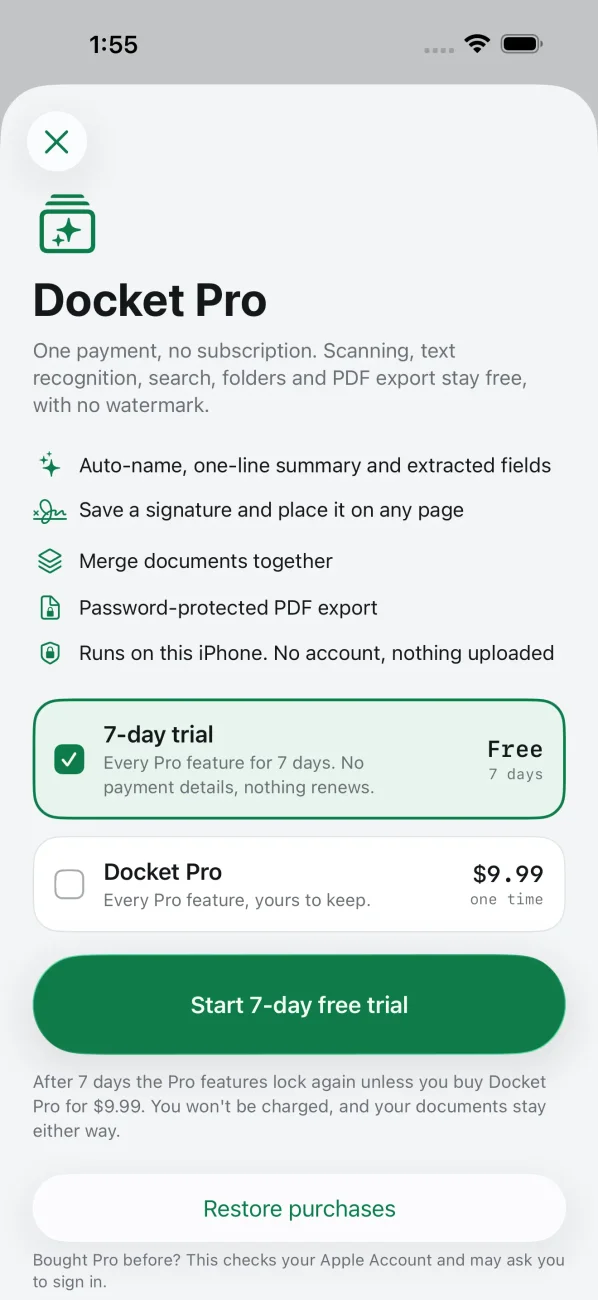
Docket Pro ($9.99, a single one-time purchase, no subscription) adds:
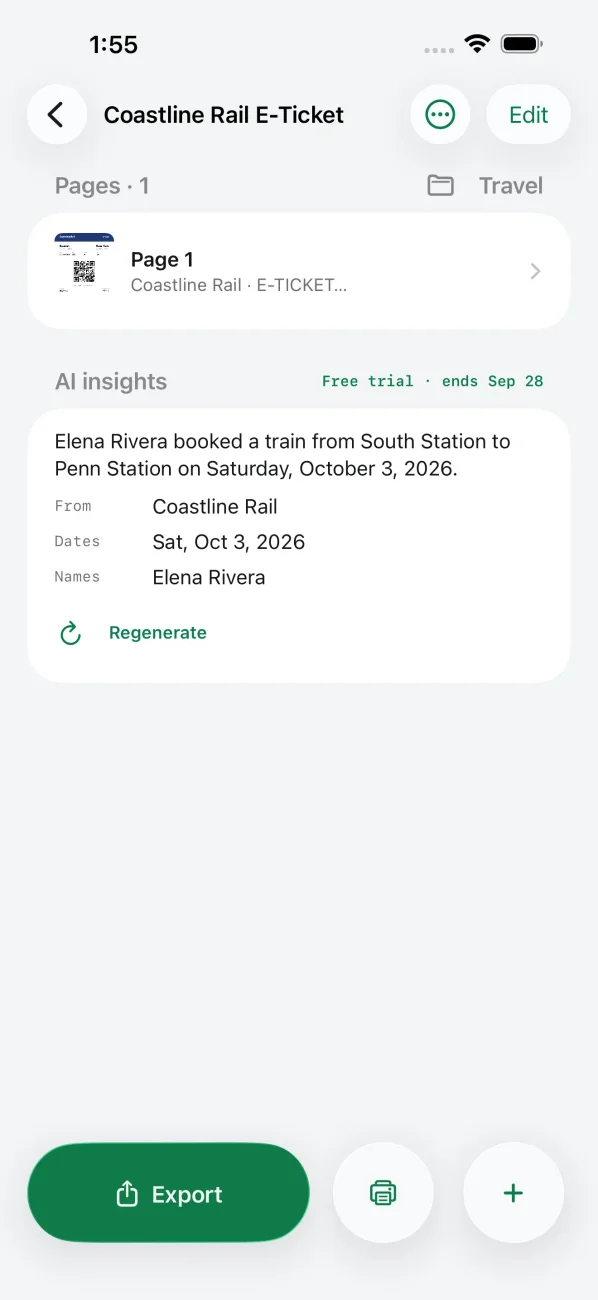
- Automatic file naming, a one-line summary and extracted fields (dates, totals, names) using Apple's on-device Foundation Models
- Signatures: draw and place a signature on a page
- Merge two documents into one
- Password-protected PDF export
Try every Pro feature free for 7 days. The trial does not renew and never charges you; when it ends, Docket asks once whether you want Pro.
The AI naming, summary and field extraction in Pro need an iPhone with Apple Intelligence (iPhone 15 Pro or later) with Apple Intelligence turned on in Settings. Without it, new documents still get an automatic date-based name, and every free feature works the same either way.
No account or sign-in is required.
Support: https://apps.nexg.tech/doc-scanner/support.html
Quyền riêng tư của ứng dụng
Những gì Ramananda Kairi khai báo trên App Store về cách ứng dụng này xử lý dữ liệu.
-
Dữ liệu không được thu thập
Nhà phát triển không thu thập bất kỳ dữ liệu nào từ ứng dụng này.
Phương thức đảm bảo quyền riêng tư có thể khác nhau, chẳng hạn như tuỳ theo các tính năng bạn sử dụng hoặc độ tuổi của bạn.
Thông tin
- Người bán
- Ramananda Kairi
- Danh mục
- Hiệu Suất
- Phiên bản
- 1.0
- Cập nhật
- 03/10/2026
- Phát hành
- 03/10/2026
- Kích thước
- 2,8 MB
- Yêu cầu
- iOS 26.0 trở lên
- Độ tuổi
- 4+
- Giá
- Miễn phí
- Mua hàng trong ứng dụng
- Có
- Ngôn ngữ
- Tiếng Anh
- Bản quyền
- © 2026 Ramananda Kairi
Có thể bạn cũng thích
-
 OffPDF: Sửa chữ trong PDFMáy quét & chuyển đổi tài liệu
-
 PocketScan - Snap to PDFHiệu Suất
-
 ScanMate: Máy quét PDFKhông quảng cáo, không hình mờ
-
 LocalRAG! - AI Document ChatHiệu Suất
-
 QR Code Maker & ReaderHiệu Suất
-
 Scanner Keyboard: CameraBoardHiệu Suất
-
 CopyClip: Clipboard MangerHiệu Suất
-
 PDF Search: AI Chat & ReaderHiệu Suất
-
 Máy tính kim loại và chất lỏngВартість Довжина та вага
-
 AI Keyboard – AnyWrite Type AIHiệu Suất