
Export Audio
Extract audio from videos
Entwickelt für iPhone, iPad, iPod touch
Kostenlos · In-App-Käufe
- Altersfreigabe4+
- KategorieMusik
- EntwicklerNobutaka Yuasa
- SprachenEnglisch+ 1 weitere
- Größe31,3 MB
Verlinkt auf die offizielle App Store-Seite
Download.org hostet keine Datei von Export Audio. Die Schaltfläche öffnet die App-Seite bei App Store, wo Nobutaka Yuasa die App veröffentlicht. Eintrag zuletzt geprüft am 24.11.2026.
Screenshots

Info
Der Entwickler hat diesen Text nicht in Ihrer Sprache bereitgestellt.
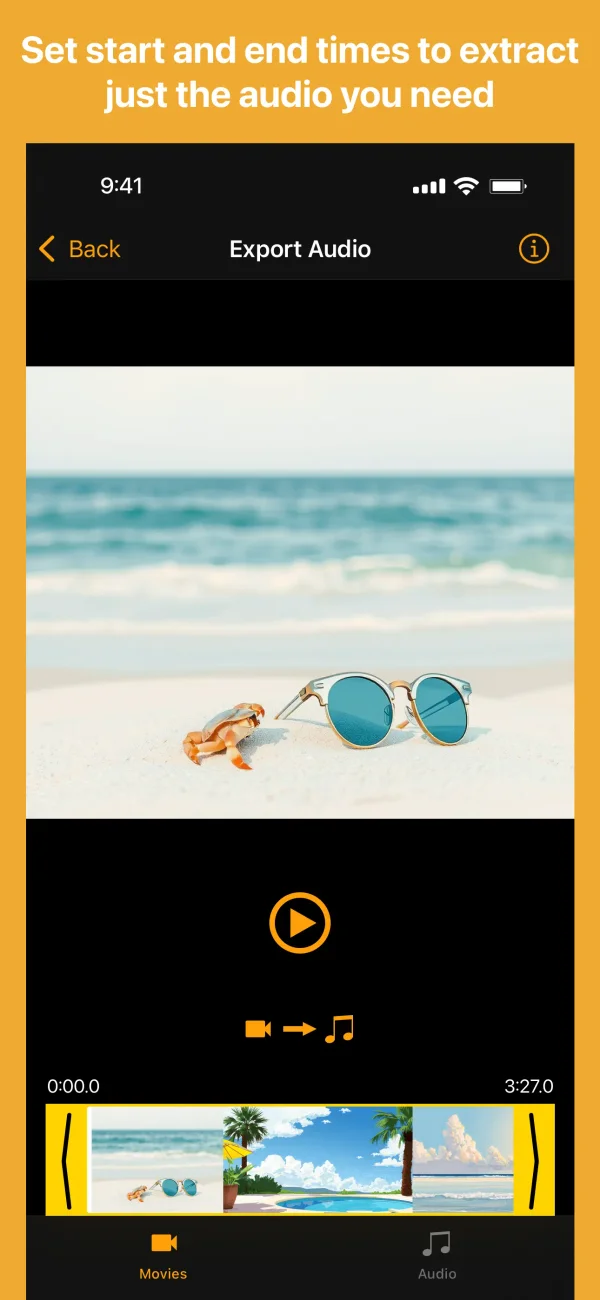
Extract audio from QuickTime (.mov) and MP4 videos with this easy-to-use audio extractor app.
Select a QuickTime or MP4 video from the Photos app or Files app.
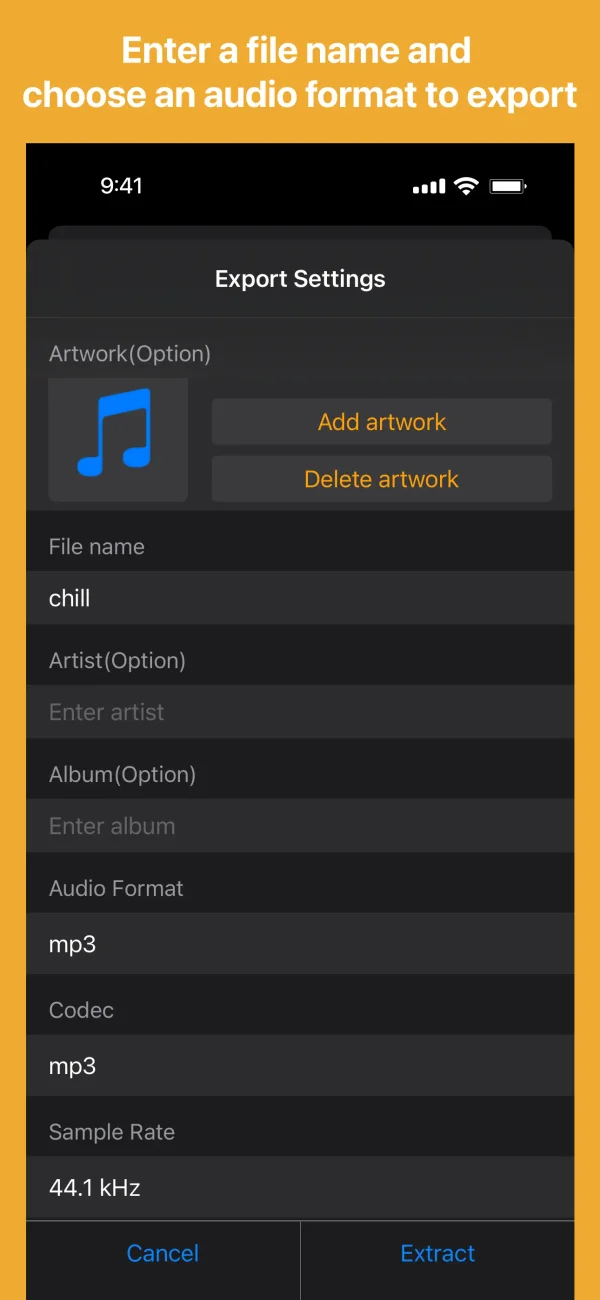
Set the start and end time for extraction, enter a custom audio file name, and choose your preferred output audio format.
Extract and save the audio clip in the format you selected.
You can also add custom artwork and artist metadata to your extracted audio files
when using formats like AIFC, AIFF, FLAC, M4A, MP3, MP4, or WAV.
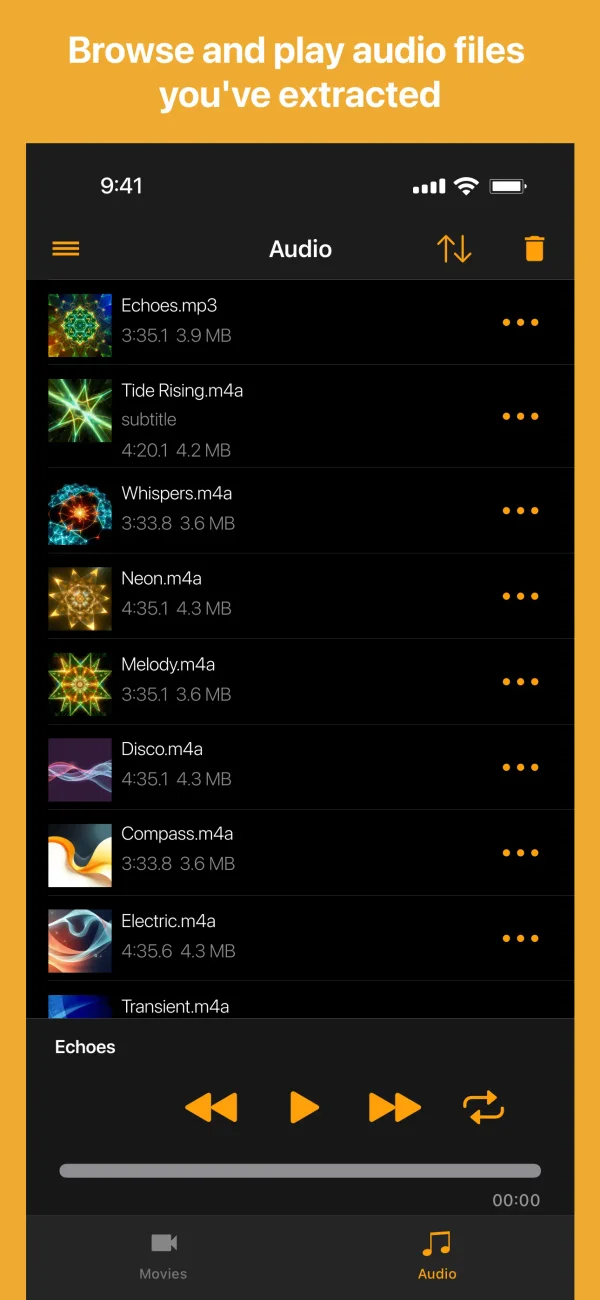
Easily open or share your extracted audio files with other apps.
All extracted audio files are saved and accessible from the Files app:
On My iPhone/iPad → MovieToAudio → Audio
【Supported Audio Formats】
- AIFC
- AIFF
- CAF
- FLAC
- M4A (recommended)
- MP3
- MP4
- WAV
【Additional Notes & Troubleshooting】
Need more features or have suggestions?
Just leave a review; I will do my best to improve.
**Troubleshooting Tips:**
If your extracted files don't appear in the Files app, try restarting your device.
If you encounter extraction errors:
• Restart your device
• Move the video from the Photos app to the Files app, then open it from there
• If the issue persists, send the video file or a downloadable link to the support email so I can investigate and improve the app
If you enjoy using this app, please leave a review or rating—thank you for your support!
【About IN APP PURCHASE】
Removing ADs is available via an auto-renewable yearly subscription.
Payment will be charged to iTunes Account at confirmation of purchase.
Subscription automatically renews unless auto-renew is turned off at least 24-hours
before the end of the current period. Manage your subscriptions in Account Settings after purchase.
No cancellation of the current subscription is allowed during active subscription period.
Privacy Policy: https://nobu-y-dev.web.app/export-audio/privacy-policy.html
Terms and Conditions: https://nobu-y-dev.web.app/export-audio/terms-and-conditions.html
Neue Funktionen
Version 3.1.0 · 23.08.2026
■3.1.0
- Updated SDKs and third-party libraries.
- Minor improvements and bug fixes.
If you have found a reproducible bug,
please let me know via App Support → Scroll down to Contact.
App-Datenschutz
Was Nobutaka Yuasa im App Store zum Umgang dieser App mit Daten angibt.
-
Daten, die zum Tracking Ihrer Person verwendet werden
Können verwendet werden, um Sie über Apps und Websites anderer Unternehmen hinweg zu verfolgen.
- Käufe
- Standort
- Kennungen
- Nutzungsdaten
- Diagnose
-
Mit Ihnen verknüpfte Daten
Können erfasst und mit Ihrer Identität verknüpft werden.
- Standort
- Kennungen
- Nutzungsdaten
- Diagnose
-
Nicht mit Ihnen verknüpfte Daten
Können erfasst werden, sind aber nicht mit Ihrer Identität verknüpft.
- Käufe
- Nutzungsdaten
- Diagnose
Die Datenschutzpraktiken können variieren, zum Beispiel je nach den von Ihnen verwendeten Funktionen oder Ihrem Alter.
Informationen
- Anbieter
- Nobutaka Yuasa
- Kategorie
- Musik
- Version
- 3.1.0
- Aktualisiert
- 23.08.2026
- Veröffentlicht
- 24.07.2017
- Größe
- 31,3 MB
- Erfordert
- iOS 15.6 oder neuer
- Altersfreigabe
- 4+
- Preis
- Kostenlos
- In-App-Käufe
- Ja
- Sprachen
- Englisch, Japanisch
- Copyright
- © Nobutaka Yuasa
Das könnte Ihnen auch gefallen
-
 MP3 Converter - Video zu AudioVideo zu Musik Konverter
-
 Audio-Extraktor -MP3-KonverterVideo zum Klingelton
-
 EZAudioCut - Audio Editor LiteAudio Filter, Audioeditor,易剪
-
 MP3 Converter -Audio ExtractorVideo zum Klingelton
-
 Any MP3 Converter -Extract MP3Convert Any Video to MP3
-
 WavePad Music and Audio EditorMusik
-
 Vocal Extractor -Karaoke makerMusik
-
 Mp3 Konverter musik bearbeitenAudio Aufnahme und Bearbeitung
-
 LALAL.AI: KI Vocal RemoverGesang, Musik & Stems trennen
-
 Audio aus Video – MP3 & M4AUmwandeln & Files Converter