
Export Audio
Extract audio from videos
Conçue pour iPhone, iPad, iPod touch
Achats intégrés
- Classification d’âge4+
- CatégorieMusique
- DéveloppeurNobutaka Yuasa
- LanguesAnglais+ 1 de plus
- Taille31,3 Mo
Export Audio n’est peut-être pas disponible sur App Store pour le moment
La fiche de la boutique était inaccessible lors de notre dernière vérification. Le lien mène toujours à la page App Store officielle.
Captures d’écran

À propos
Le développeur n’a pas fourni ce texte dans votre langue.
Extract audio from QuickTime (.mov) and MP4 videos with this easy-to-use audio extractor app.
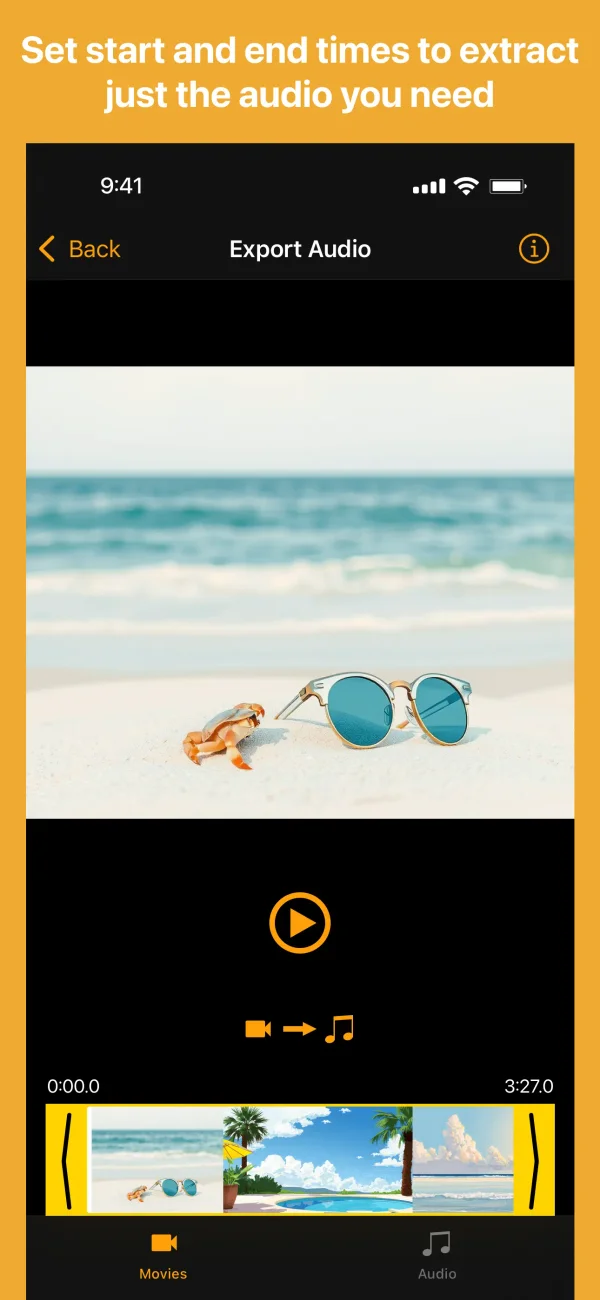
Select a QuickTime or MP4 video from the Photos app or Files app.
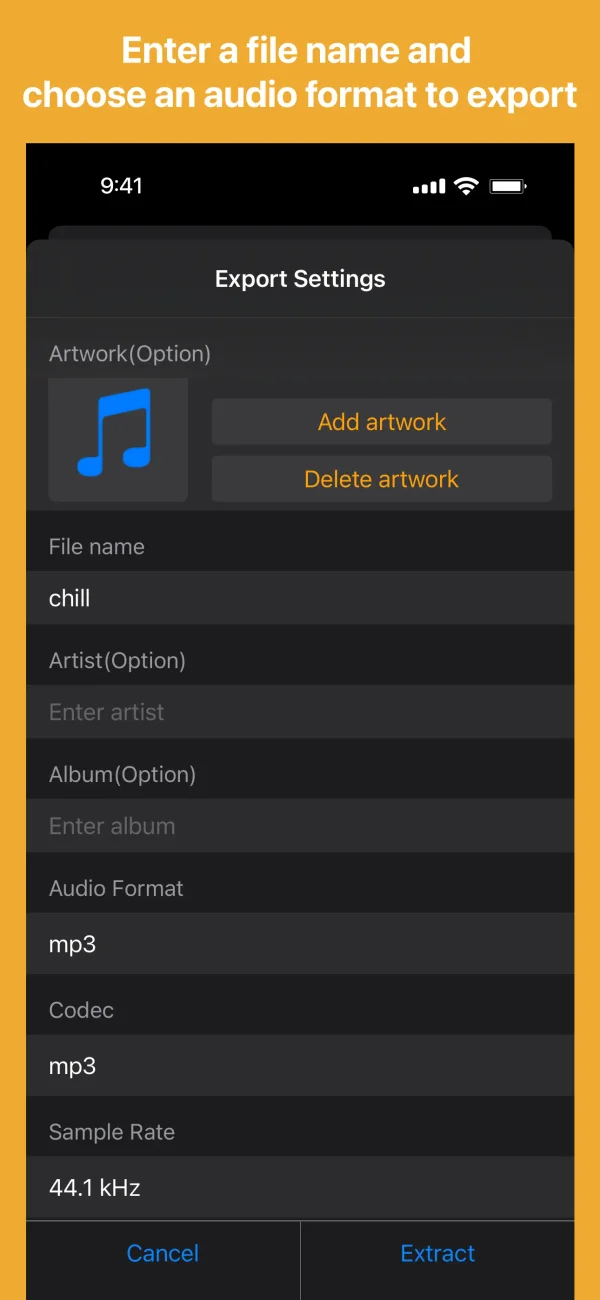
Set the start and end time for extraction, enter a custom audio file name, and choose your preferred output audio format.
Extract and save the audio clip in the format you selected.
You can also add custom artwork and artist metadata to your extracted audio files
when using formats like AIFC, AIFF, FLAC, M4A, MP3, MP4, or WAV.
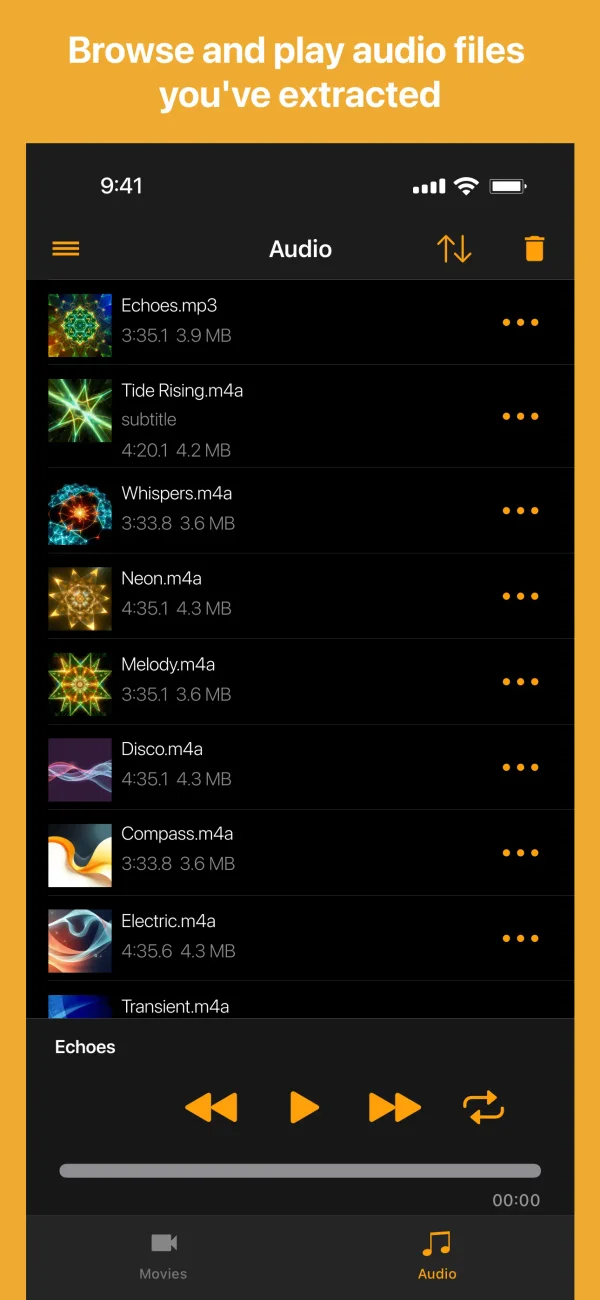
Easily open or share your extracted audio files with other apps.
All extracted audio files are saved and accessible from the Files app:
On My iPhone/iPad → MovieToAudio → Audio
【Supported Audio Formats】
- AIFC
- AIFF
- CAF
- FLAC
- M4A (recommended)
- MP3
- MP4
- WAV
【Additional Notes & Troubleshooting】
Need more features or have suggestions?
Just leave a review; I will do my best to improve.
**Troubleshooting Tips:**
If your extracted files don't appear in the Files app, try restarting your device.
If you encounter extraction errors:
• Restart your device
• Move the video from the Photos app to the Files app, then open it from there
• If the issue persists, send the video file or a downloadable link to the support email so I can investigate and improve the app
If you enjoy using this app, please leave a review or rating—thank you for your support!
【About IN APP PURCHASE】
Removing ADs is available via an auto-renewable yearly subscription.
Payment will be charged to iTunes Account at confirmation of purchase.
Subscription automatically renews unless auto-renew is turned off at least 24-hours
before the end of the current period. Manage your subscriptions in Account Settings after purchase.
No cancellation of the current subscription is allowed during active subscription period.
Privacy Policy: https://nobu-y-dev.web.app/export-audio/privacy-policy.html
Terms and Conditions: https://nobu-y-dev.web.app/export-audio/terms-and-conditions.html
Nouveautés
Version 3.1.0 · 23/08/2026
■3.1.0
- Updated SDKs and third-party libraries.
- Minor improvements and bug fixes.
If you have found a reproducible bug,
please let me know via App Support → Scroll down to Contact.
Confidentialité de l’application
Ce que Nobutaka Yuasa déclare sur l’App Store au sujet du traitement des données par cette application.
-
Données utilisées pour vous suivre
Peuvent être utilisées pour vous suivre sur des applications et des sites web appartenant à d’autres sociétés.
- Achats
- Emplacement
- Identifiants
- Données d’utilisation
- Diagnostic
-
Données établissant un lien avec vous
Peuvent être collectées et liées à votre identité.
- Emplacement
- Identifiants
- Données d’utilisation
- Diagnostic
-
Données n’établissant aucun lien avec vous
Peuvent être collectées, mais ne sont pas liées à votre identité.
- Achats
- Données d’utilisation
- Diagnostic
Les pratiques en matière de confidentialité peuvent varier, notamment en fonction des fonctionnalités que vous utilisez ou de votre âge.
Informations
- Vendeur
- Nobutaka Yuasa
- Catégorie
- Musique
- Version
- 3.1.0
- Mis à jour
- 23/08/2026
- Publié
- 24/07/2017
- Taille
- 31,3 Mo
- Nécessite
- iOS 15.6 ou version ultérieure
- Classification d’âge
- 4+
- Achats intégrés
- Oui
- Langues
- Anglais, Japonais
- Copyright
- © Nobutaka Yuasa
Vous aimerez peut-être aussi
-
 Convertisseur - vidéo en mp3Convertir la vidéo en audio
-
 Audio Extractor -MP3 ConverterCréation de sonneries
-
 EZAudioCut - Audio Editor LiteAudio Chorus, éditeur audio,易剪
-
 MP3 Converter-Extracteur audioCréation de sonneries
-
 Any MP3 Converter -Extract MP3Convert Any Video to MP3
-
 WavePad Music and Audio EditorMusique
-
 Vocal Extractor -Karaoke makerSupprimer,Isoler,Annuler Vocal
-
 Convertisseur mp3 & musiqueExtraire l'audio de la vidéo
-
 LALAL.AI : Supprimez la voixKaraoké, instrumental & stems
-
 Extraire Audio de VidéoSon en MP3 MP4, Convertisseur