
Export Audio
Extract audio from videos
Diseñada para iPhone, iPad, iPod touch
Gratis · Compras en la aplicación
- Clasificación por edad4+
- CategoríaMúsica
- DesarrolladorNobutaka Yuasa
- IdiomasInglés+ 1 más
- Tamaño31,3 MB
Enlaza a la página oficial de App Store
Download.org no aloja ningún archivo de Export Audio. El botón abre la página de la aplicación en App Store, donde la publica Nobutaka Yuasa. Ficha comprobada por última vez el 24/11/2026.
Capturas de pantalla

Acerca de
El desarrollador no ha proporcionado este texto en tu idioma.
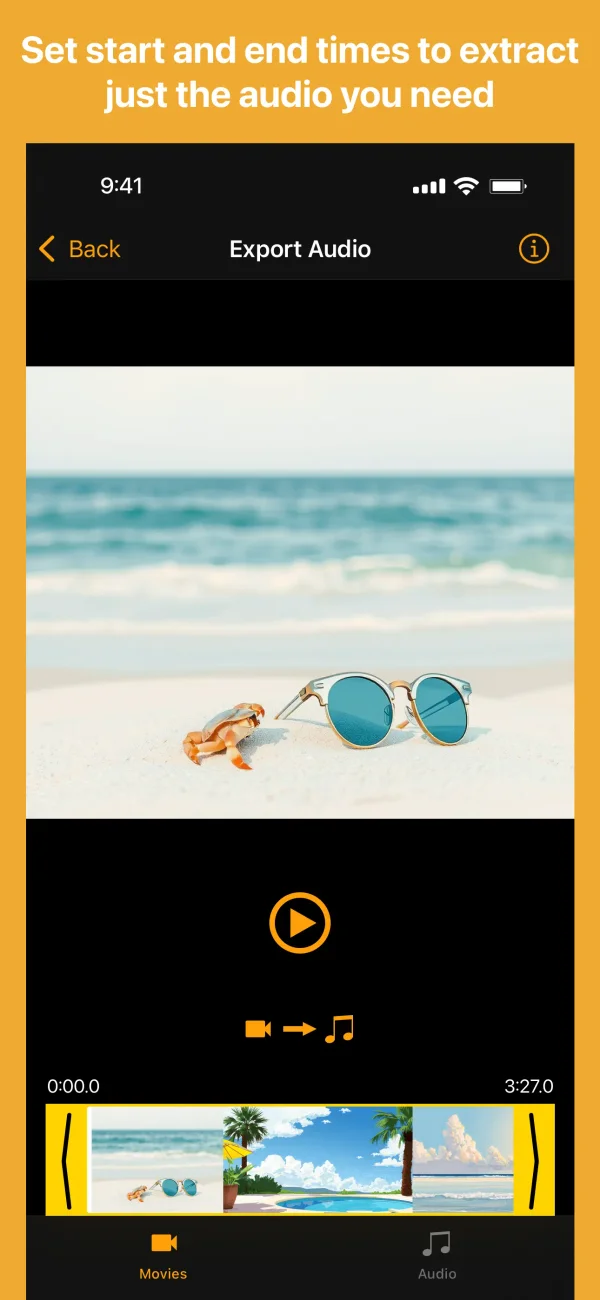
Extract audio from QuickTime (.mov) and MP4 videos with this easy-to-use audio extractor app.
Select a QuickTime or MP4 video from the Photos app or Files app.
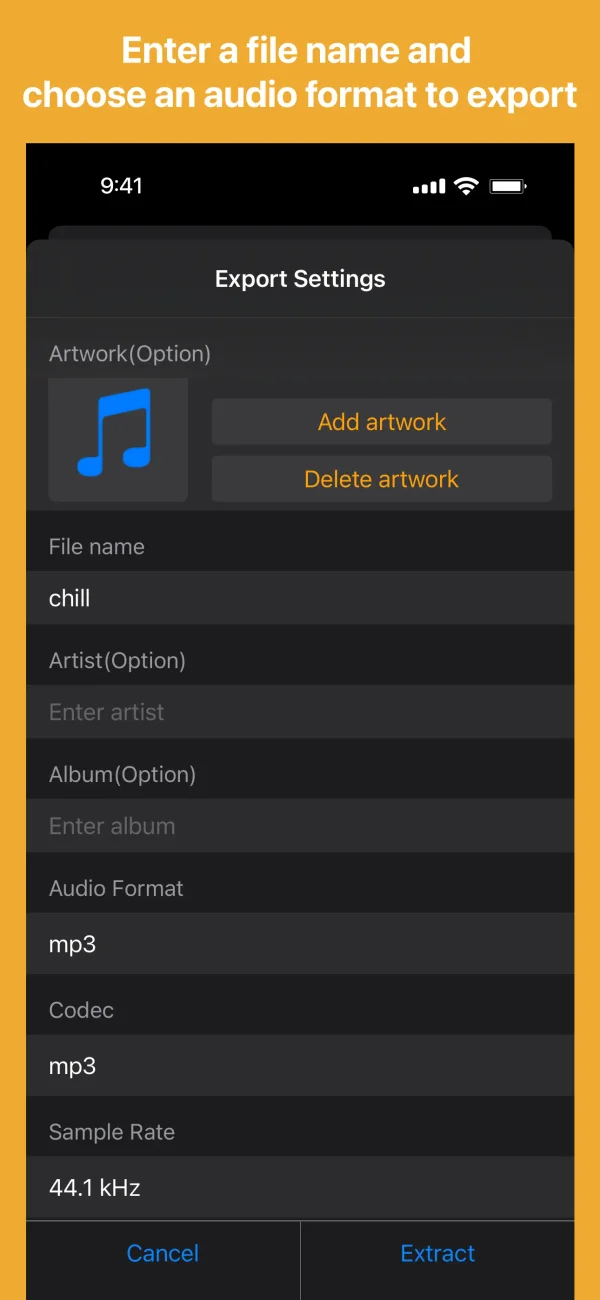
Set the start and end time for extraction, enter a custom audio file name, and choose your preferred output audio format.
Extract and save the audio clip in the format you selected.
You can also add custom artwork and artist metadata to your extracted audio files
when using formats like AIFC, AIFF, FLAC, M4A, MP3, MP4, or WAV.
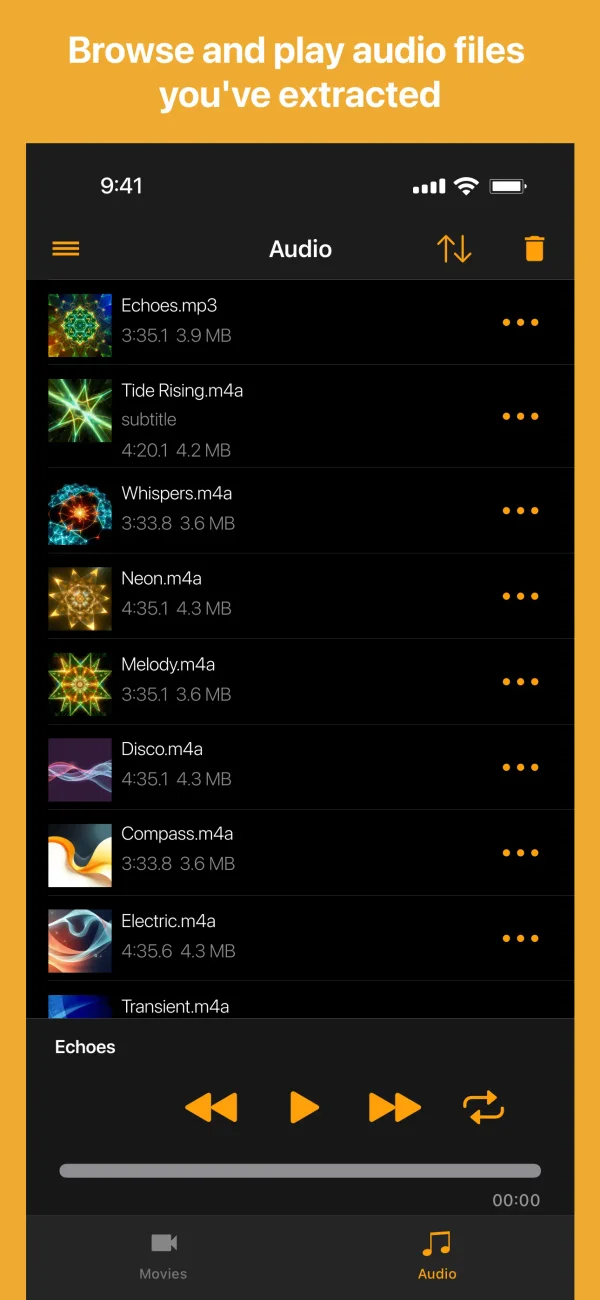
Easily open or share your extracted audio files with other apps.
All extracted audio files are saved and accessible from the Files app:
On My iPhone/iPad → MovieToAudio → Audio
【Supported Audio Formats】
- AIFC
- AIFF
- CAF
- FLAC
- M4A (recommended)
- MP3
- MP4
- WAV
【Additional Notes & Troubleshooting】
Need more features or have suggestions?
Just leave a review; I will do my best to improve.
**Troubleshooting Tips:**
If your extracted files don't appear in the Files app, try restarting your device.
If you encounter extraction errors:
• Restart your device
• Move the video from the Photos app to the Files app, then open it from there
• If the issue persists, send the video file or a downloadable link to the support email so I can investigate and improve the app
If you enjoy using this app, please leave a review or rating—thank you for your support!
【About IN APP PURCHASE】
Removing ADs is available via an auto-renewable yearly subscription.
Payment will be charged to iTunes Account at confirmation of purchase.
Subscription automatically renews unless auto-renew is turned off at least 24-hours
before the end of the current period. Manage your subscriptions in Account Settings after purchase.
No cancellation of the current subscription is allowed during active subscription period.
Privacy Policy: https://nobu-y-dev.web.app/export-audio/privacy-policy.html
Terms and Conditions: https://nobu-y-dev.web.app/export-audio/terms-and-conditions.html
Novedades
Versión 3.1.0 · 23/8/2026
■3.1.0
- Updated SDKs and third-party libraries.
- Minor improvements and bug fixes.
If you have found a reproducible bug,
please let me know via App Support → Scroll down to Contact.
Privacidad de la aplicación
Lo que Nobutaka Yuasa declara en App Store sobre cómo esta aplicación gestiona los datos.
-
Datos usados para rastrearte
Pueden usarse para rastrearte en aplicaciones y sitios web propiedad de otras empresas.
- Compras
- Ubicación
- Identificadores
- Datos de uso
- Diagnóstico
-
Datos vinculados a ti
Pueden recopilarse y vincularse a tu identidad.
- Ubicación
- Identificadores
- Datos de uso
- Diagnóstico
-
Datos no vinculados a ti
Pueden recopilarse, pero no se vinculan a tu identidad.
- Compras
- Datos de uso
- Diagnóstico
Las prácticas de privacidad pueden variar, por ejemplo, según las funciones que uses o tu edad.
Información
- Vendedor
- Nobutaka Yuasa
- Categoría
- Música
- Versión
- 3.1.0
- Actualizado
- 23/8/2026
- Publicado
- 24/7/2017
- Tamaño
- 31,3 MB
- Requiere
- iOS 15.6 o posterior
- Clasificación por edad
- 4+
- Precio
- Gratis
- Compras en la aplicación
- Sí
- Idiomas
- Inglés, Japonés
- Copyright
- © Nobutaka Yuasa
Quizá también te guste
-
 EasyMp3 Video to mp3 ConverterConvertir videos a música mp3
-
 Audio Extractor -MP3 ConverterHacer tono de llamada
-
 EZAudioCut - Audio Editor LiteAudio Pitch, editor de audio
-
 MP3 Converter -Audio ExtractorHacer tono de llamada
-
 Any MP3 Converter -Extract MP3Convert Any Video to MP3
-
 WavePad Music and Audio EditorMúsica
-
 Vocal Extractor -Karaoke makerBorrar, Aislar, Cancelar Vocal
-
 Audio Converter - vídeo a mp3Grabadora de voz, volumen 100%
-
 LALAL.AI: Quitar Voz y MúsicaVoz e instrumental con IA
-
 Extraer Audio de Video M4AConvertidor vídeo MP4 a MP3