
- Altersfreigabe4+
- KategorieFinanzen
- EntwicklerAnishu, Inc.
- SprachenEnglisch+ 10 weitere
- Größe27,2 MB
Verlinkt auf die offizielle App Store-Seite
Download.org hostet keine Datei von Finances. Die Schaltfläche öffnet die App-Seite bei App Store, wo Anishu, Inc. die App veröffentlicht. Eintrag zuletzt geprüft am 10.11.2026.
Screenshots
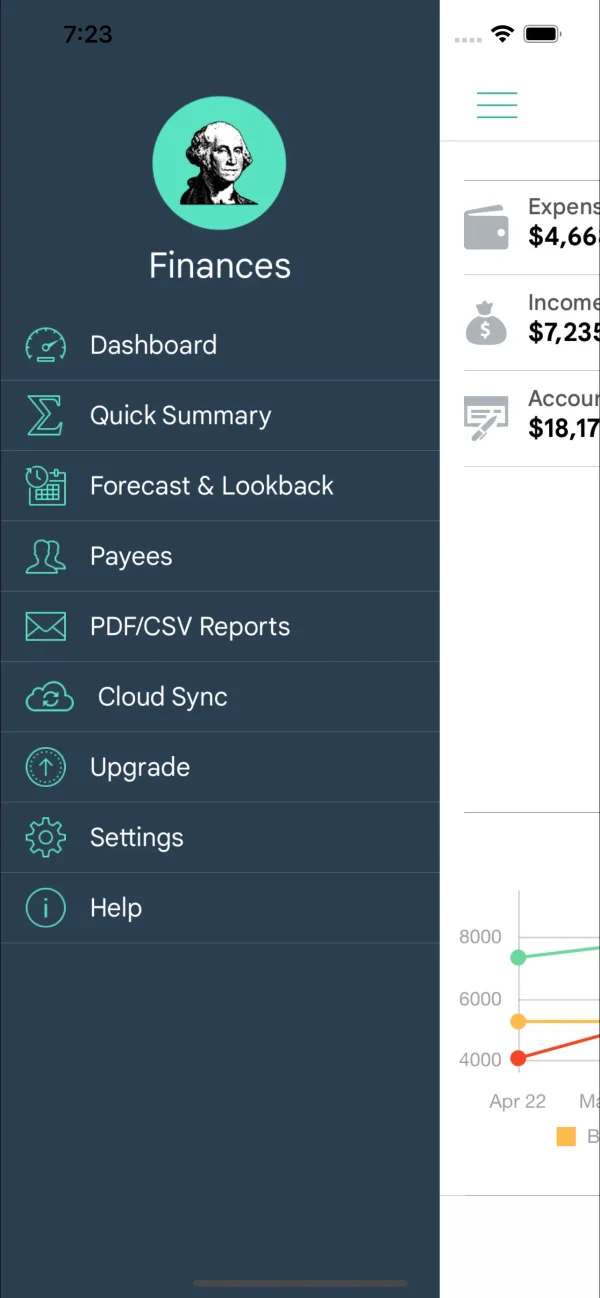
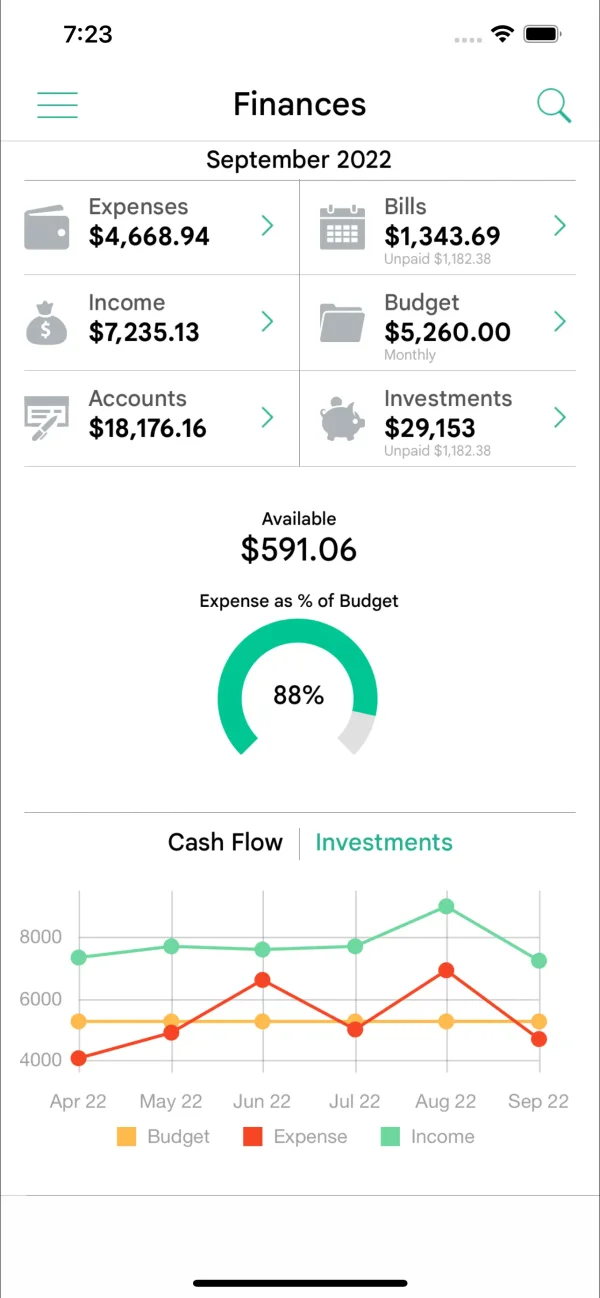
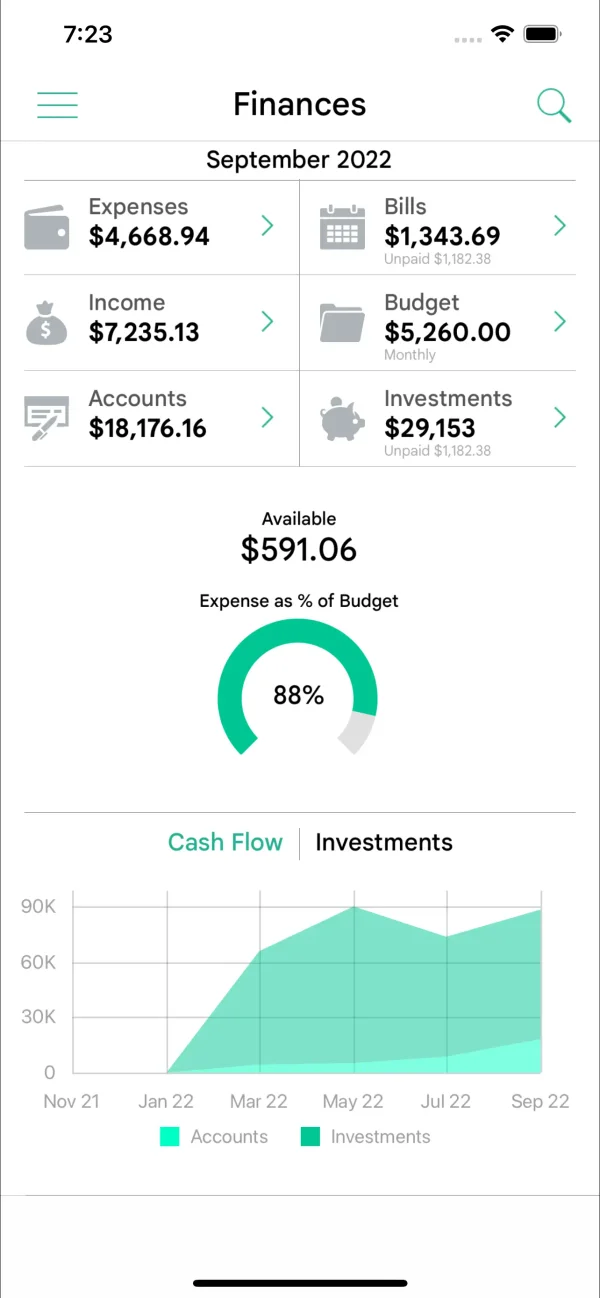

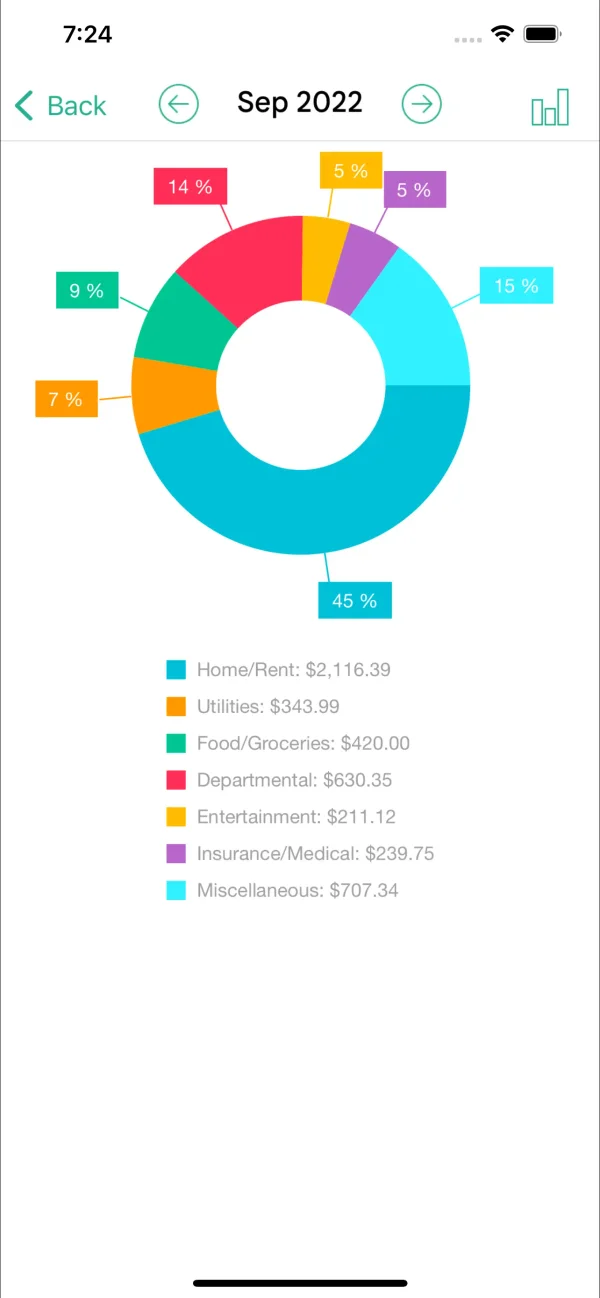


Info
Der Entwickler hat diesen Text nicht in Ihrer Sprache bereitgestellt.
The Finances application provides an integrated set of features to help you manage your cash flow and investments:
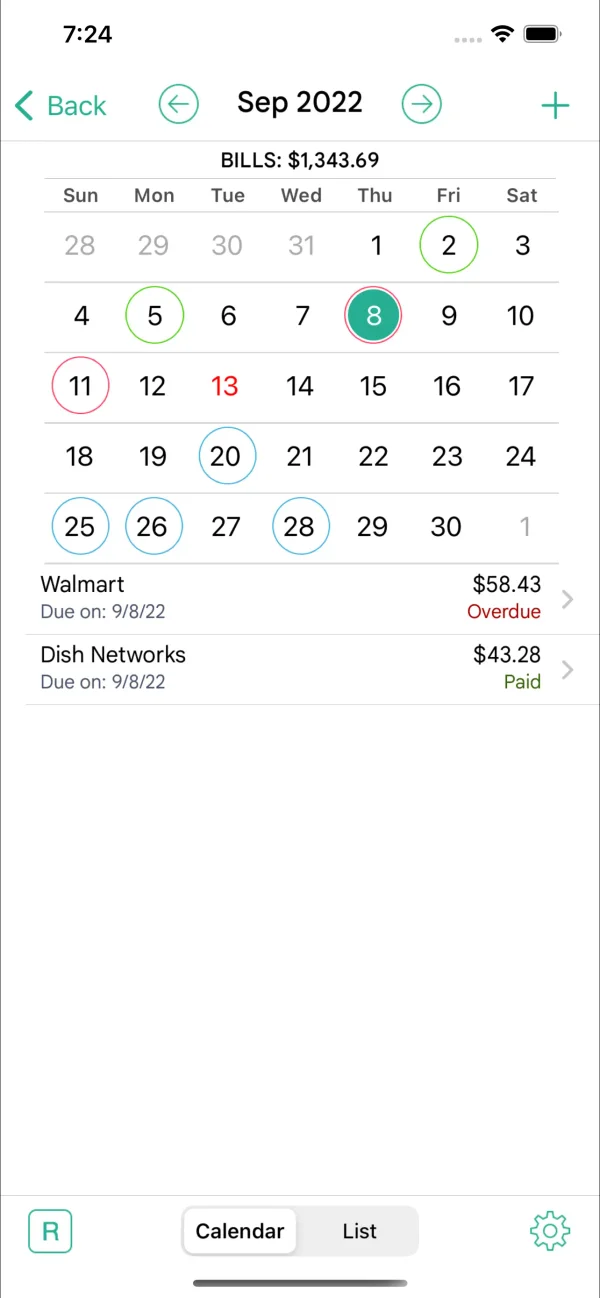
- For cash flow, Finances supports tracking expenses and income, and includes support for budgets, accounts, payees, and bill tracking.
- For investments, Finances supports tracking cash and stock investments and automatically fetches daily stock prices.
- Finances allows flexible cycles for managing your cash-flow: Monthly (default), Weekly, Every 2 weeks, Every 4 weeks, and Semi-monthly.
- The Finances application provides the ability to group your expenses into categories and sub-categories, and lets you set a budget and track expenses at the category/sub-category level.
- The features within Finances are well integrated such that a bill can become an expense (when you pay for it) and adjust the account balance at the same time.
- Finances includes Cloud Sync that automatically backs up your data, and syncs entries across multiple devices (iPhone, iPad).
KEY FEATURES:
Expenses:
- Create/Edit/Delete expenses and recurring expenses
- Browse expense entries by month, by category/date with the ability to drill-down
- Optionally associate an account and payee with an expense
- Attach photo images of receipts; drag and resize images on screen
- Support for multiple currencies and automatic exchange rate conversion
Income:
- Create/Edit/Delete income and recurring income
- Optionally associate an account with the income
Bills
- Create/Edit/Delete bills and recurring bills
- Support for Payees, and track payments by Payee.
- Make payment on bills either an as expense or as a transfer (to avoid double accounting your expenses)
- Bill reminders
Categories and Budget
- Create/Edit/Delete expense categories and sub-categories
- Set a budget, and track expenses at the category/sub-category level.
- Associate icons with the categories
- Budget rollover
- Support for one-time budgets
- Classify expenses into fixed, variable and discretionary and compute your disposable income
Accounts
- Support for Accounts such as Checking, Savings, Credit, Debit, Cash, etc.
- Associate your expense and income entries with your accounts and accurately track account balances.
- View transactions, and do transfer between accounts.
- Ability to choose a different base currency for each account
Investments
- Support create/edit/delete of Investment accounts
- Support for add/edit/delete of investments
- Support for Cash and Stock investments
- Automatic fetching of stock prices every for accurate tracking of investment values
Reports
- Trend chart for Expense, Budget and Income for the last 6 months
- Trend chart for Accounts and Investments for the last 6 months
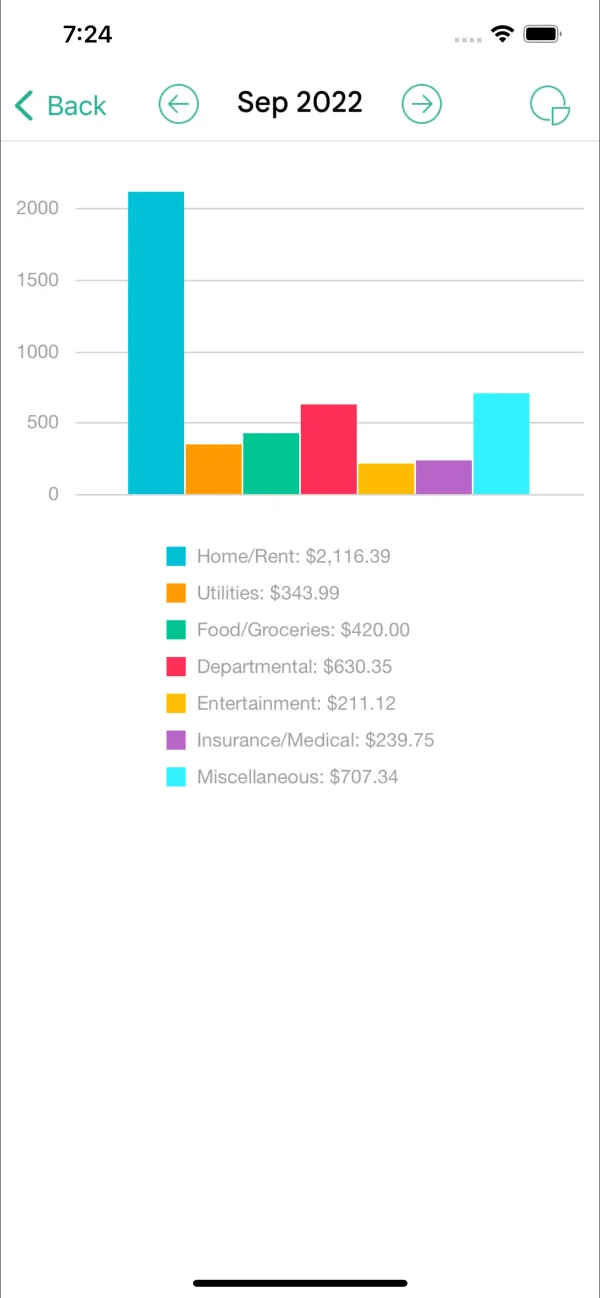
- Pie/Bar charts for expense break-down (Available in the Expenses screen).
- Export reports in PDF/CSV format by email or via WiFi
Cloud Sync
- Automatic backups
- Automatically sync entries across multiple devices (iPhone, iPad, iTouch)
- Sync works over 4G and WiFi
- Ability to work within a single budget with other members of the household
Other
- Import data in OFX/CSV format into accounts
- Large numeric keypad for expense/income amount entry
- Finances follows the locale/region setting on your device and shows date and currency symbols appropriate for your region
Finances is free for the first 100 entries. You can upgrade to unlimited entries by subscribing to either the monthly plan or the yearly plan. Payment will be charged to iTunes Account at confirmation of purchase. Subscription automatically renews unless auto-renew is turned off at least 24-hours before the end of the current period. Account will be charged for renewal within 24-hours prior to the end of the current period at the current subscription price. The subscription auto-renewal can be turned off by going to your iTunes Account Settings.
Please refer to http://www.anishu.com/privacy.html for privacy policy, and http://www.anishu.com/terms.html for terms of use.
Neue Funktionen
Version 1.1.0 · 11.08.2026
Minor update
App-Datenschutz
Was Anishu, Inc. im App Store zum Umgang dieser App mit Daten angibt.
-
Nicht mit Ihnen verknüpfte Daten
Können erfasst werden, sind aber nicht mit Ihrer Identität verknüpft.
- Sonstige Daten
Die Datenschutzpraktiken können variieren, zum Beispiel je nach den von Ihnen verwendeten Funktionen oder Ihrem Alter.
Informationen
- Anbieter
- Anishu, Inc.
- Kategorie
- Finanzen
- Version
- 1.1.0
- Aktualisiert
- 11.08.2026
- Veröffentlicht
- 05.06.2017
- Größe
- 27,2 MB
- Erfordert
- iOS 15.6 oder neuer
- Altersfreigabe
- 4+
- Preis
- Kostenlos
- In-App-Käufe
- Ja
- Sprachen
- Englisch, Französisch, Deutsch, Italienisch, Japanisch, Rumänisch, Russisch, Vereinf. Chinesisch, Spanisch, Schwedisch, Tradit. Chinesisch
- Copyright
- © 2026 (C) Anishu, Inc.
Das könnte Ihnen auch gefallen
-
 Visual Budget - FinancesBudgeting and Accounting
-
 MoneyThings - Finance TrackerFinanzen
-
 Money MonitorKonto, Budget, Rechnung Planer
-
 Gist Money: Expense TrackerFinanzen
-
 Nudget: Spending TrackerFinanzen
-
 Money-Budget & AusgabentrackerBudget, Ausgaben & Rechnungen
-
 MoneyWiz 2027 Personal FinanceFinanzen
-
 Budget-App & Ausgaben-TrackerAusgaben, Budgetierung, Geld
-
 Budget - Persönliche FinanzenKontrolle Familien Ausgaben
-
 Ausgaben Budget Planner AppGeld Sparen Haushaltsbuch