
- 対象年齢4+
- カテゴリファイナンス
- 開発元Anishu, Inc.
- 言語英語ほか10言語
- サイズ27.2 MB
App Storeの公式ページにリンクしています
Download.orgはFinancesのファイルを一切ホストしていません。ボタンを押すと、Anishu, Inc.が公開しているApp Storeのアプリページが開きます。ページの最終確認:2026/11/10。
スクリーンショット



概要
開発元はこのテキストをお使いの言語で提供していません。
The Finances application provides an integrated set of features to help you manage your cash flow and investments:
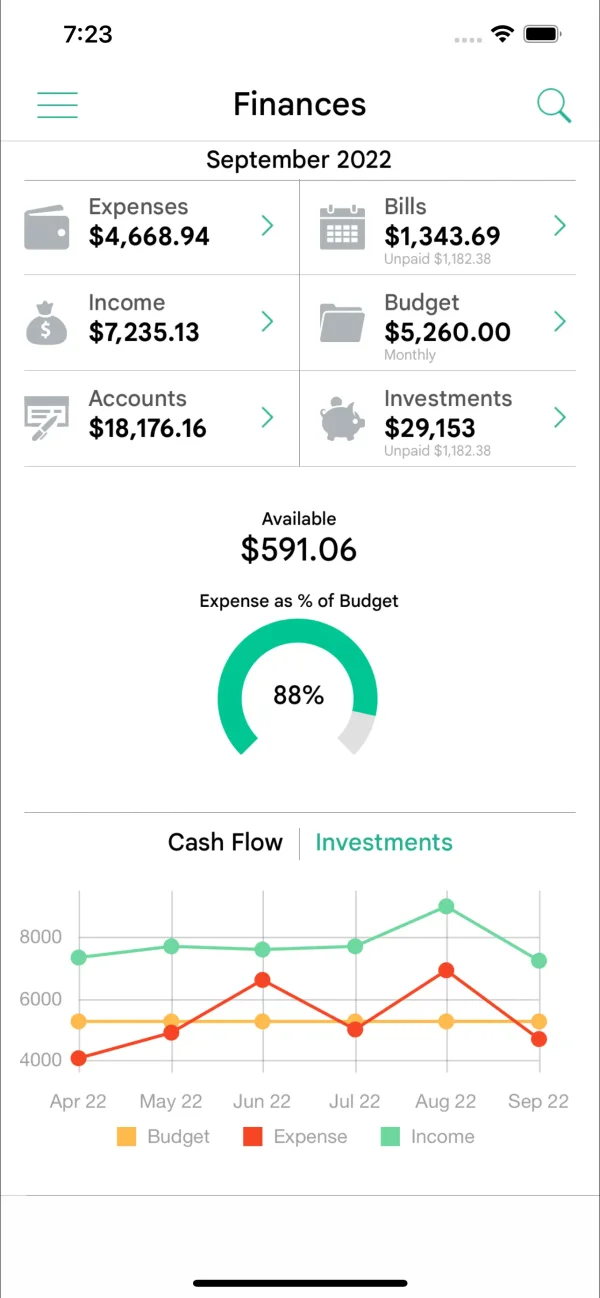
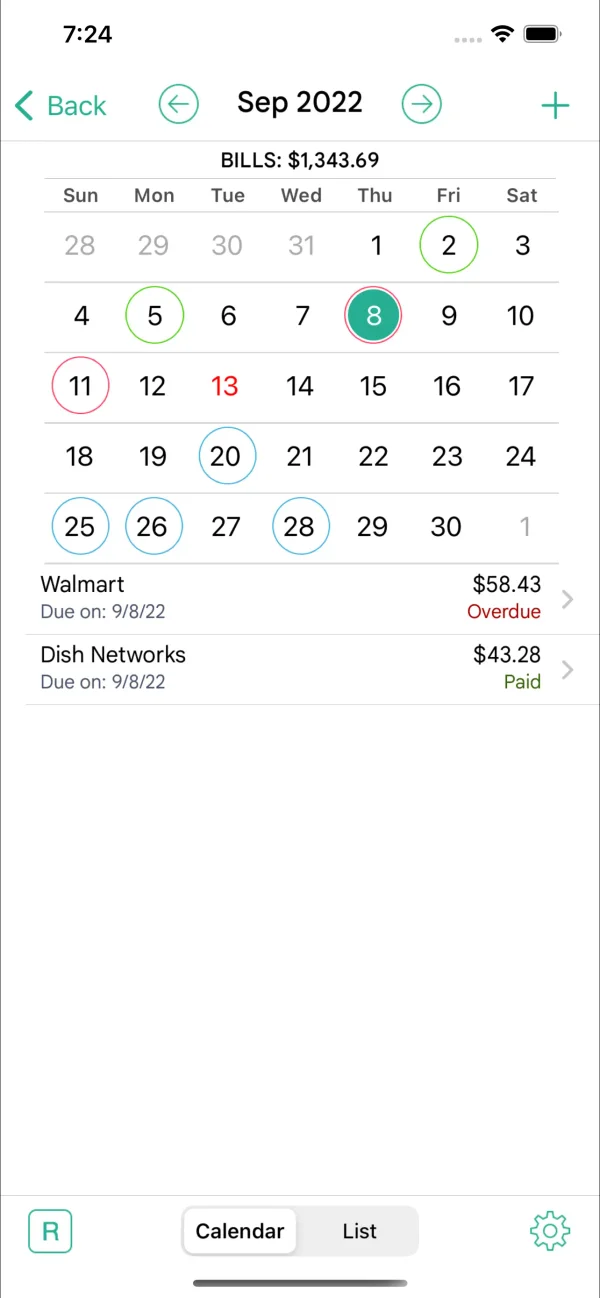
- For cash flow, Finances supports tracking expenses and income, and includes support for budgets, accounts, payees, and bill tracking.
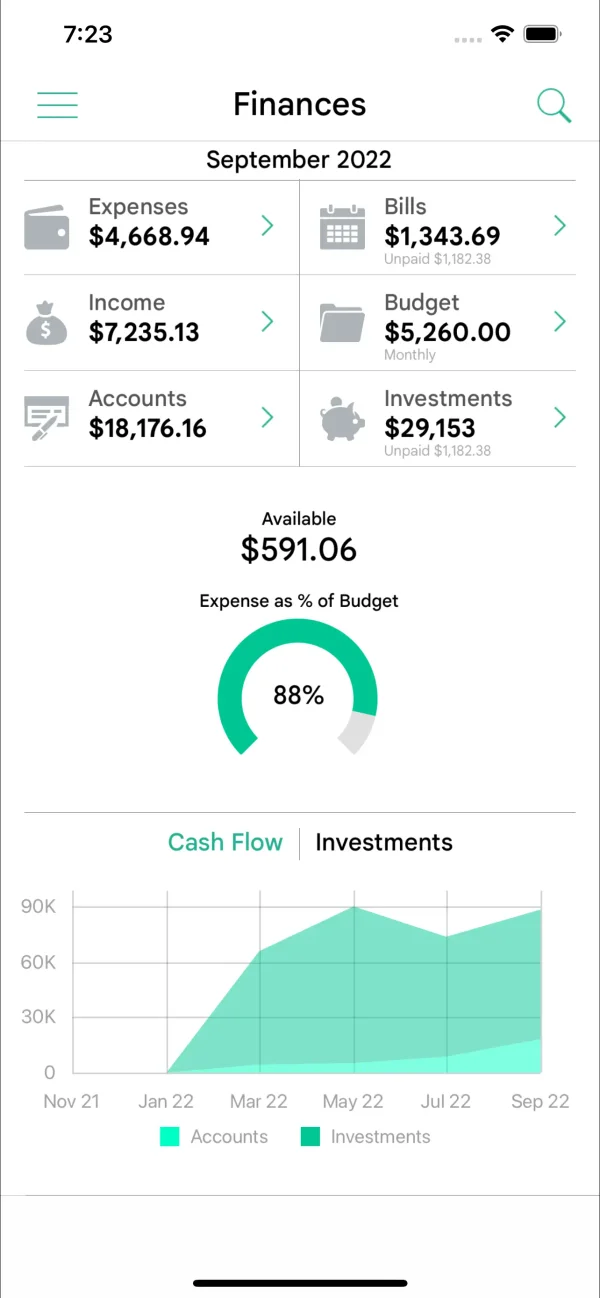
- For investments, Finances supports tracking cash and stock investments and automatically fetches daily stock prices.
- Finances allows flexible cycles for managing your cash-flow: Monthly (default), Weekly, Every 2 weeks, Every 4 weeks, and Semi-monthly.
- The Finances application provides the ability to group your expenses into categories and sub-categories, and lets you set a budget and track expenses at the category/sub-category level.
- The features within Finances are well integrated such that a bill can become an expense (when you pay for it) and adjust the account balance at the same time.
- Finances includes Cloud Sync that automatically backs up your data, and syncs entries across multiple devices (iPhone, iPad).
KEY FEATURES:
Expenses:
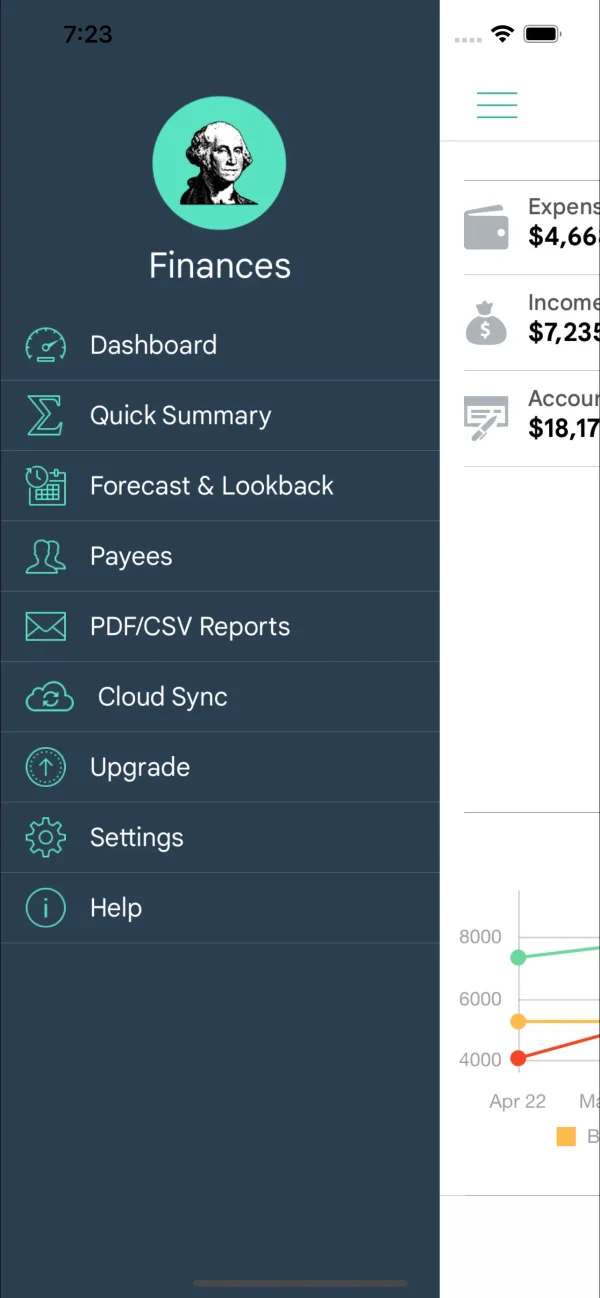
- Create/Edit/Delete expenses and recurring expenses
- Browse expense entries by month, by category/date with the ability to drill-down
- Optionally associate an account and payee with an expense
- Attach photo images of receipts; drag and resize images on screen
- Support for multiple currencies and automatic exchange rate conversion
Income:
- Create/Edit/Delete income and recurring income
- Optionally associate an account with the income
Bills
- Create/Edit/Delete bills and recurring bills
- Support for Payees, and track payments by Payee.
- Make payment on bills either an as expense or as a transfer (to avoid double accounting your expenses)
- Bill reminders
Categories and Budget
- Create/Edit/Delete expense categories and sub-categories
- Set a budget, and track expenses at the category/sub-category level.
- Associate icons with the categories
- Budget rollover
- Support for one-time budgets
- Classify expenses into fixed, variable and discretionary and compute your disposable income
Accounts
- Support for Accounts such as Checking, Savings, Credit, Debit, Cash, etc.
- Associate your expense and income entries with your accounts and accurately track account balances.
- View transactions, and do transfer between accounts.
- Ability to choose a different base currency for each account
Investments
- Support create/edit/delete of Investment accounts
- Support for add/edit/delete of investments
- Support for Cash and Stock investments
- Automatic fetching of stock prices every for accurate tracking of investment values
Reports
- Trend chart for Expense, Budget and Income for the last 6 months
- Trend chart for Accounts and Investments for the last 6 months
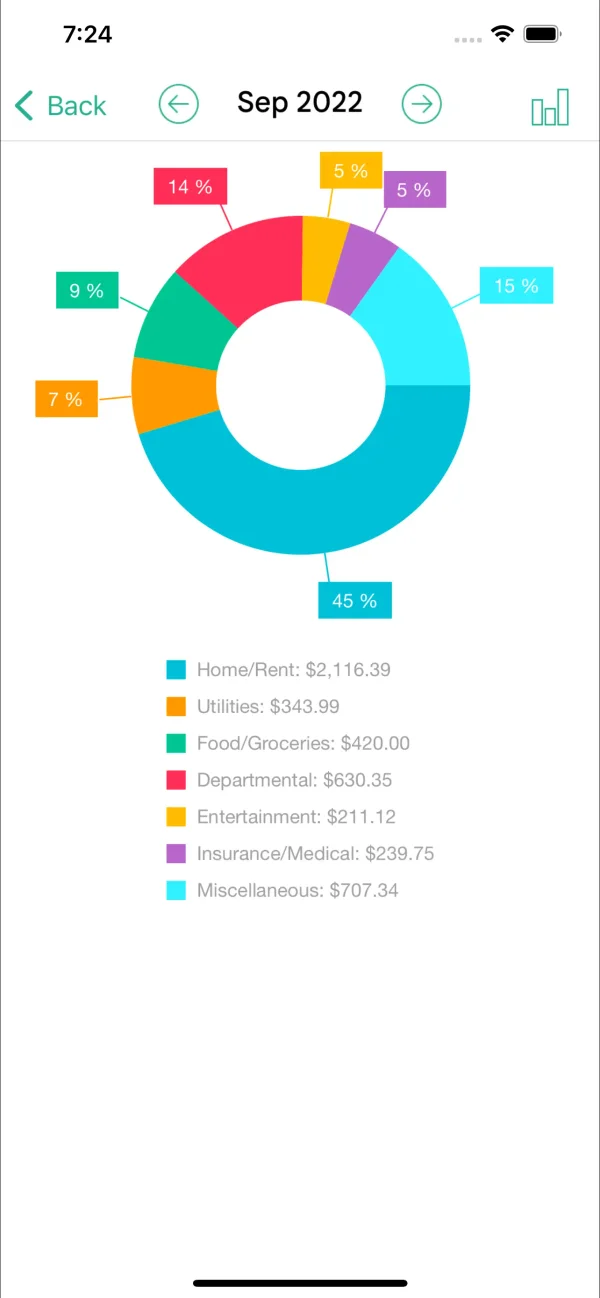
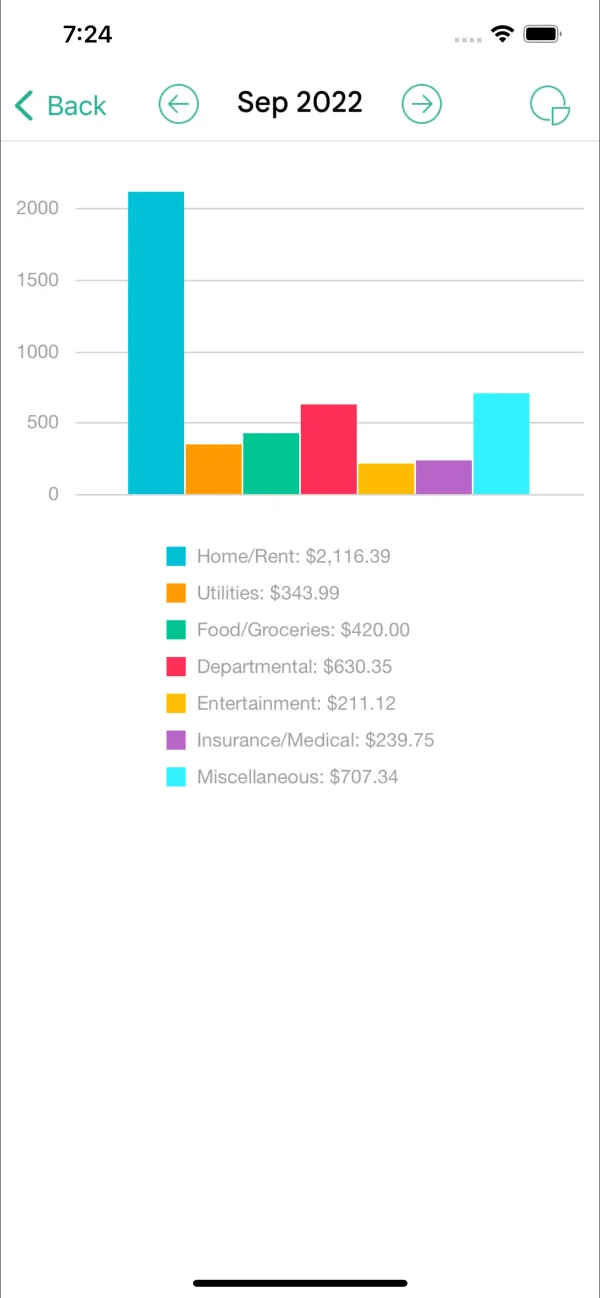
- Pie/Bar charts for expense break-down (Available in the Expenses screen).
- Export reports in PDF/CSV format by email or via WiFi
Cloud Sync
- Automatic backups
- Automatically sync entries across multiple devices (iPhone, iPad, iTouch)
- Sync works over 4G and WiFi
- Ability to work within a single budget with other members of the household
Other
- Import data in OFX/CSV format into accounts
- Large numeric keypad for expense/income amount entry
- Finances follows the locale/region setting on your device and shows date and currency symbols appropriate for your region
Finances is free for the first 100 entries. You can upgrade to unlimited entries by subscribing to either the monthly plan or the yearly plan. Payment will be charged to iTunes Account at confirmation of purchase. Subscription automatically renews unless auto-renew is turned off at least 24-hours before the end of the current period. Account will be charged for renewal within 24-hours prior to the end of the current period at the current subscription price. The subscription auto-renewal can be turned off by going to your iTunes Account Settings.
Please refer to http://www.anishu.com/privacy.html for privacy policy, and http://www.anishu.com/terms.html for terms of use.
新機能
バージョン 1.1.0 · 2026/8/11
Minor update
アプリのプライバシー
このアプリのデータの取り扱いについて、Anishu, Inc.がApp Storeで申告している内容です。
-
ユーザーに関連付けられないデータ
収集される場合がありますが、ユーザーの識別情報には関連付けられません。
- その他のデータ
プライバシーの取り扱いは、ご利用の機能やお客様の年齢などに応じて異なる場合があります。
情報
- 販売元
- Anishu, Inc.
- カテゴリ
- ファイナンス
- バージョン
- 1.1.0
- 更新日
- 2026/8/11
- リリース
- 2017/6/5
- サイズ
- 27.2 MB
- 必要条件
- iOS 15.6以降
- 対象年齢
- 4+
- 価格
- 無料
- アプリ内課金
- あり
- 言語
- 英語, フランス語, ドイツ語, イタリア語, 日本語, ルーマニア語, ロシア語, 簡体字中国語, スペイン語, スウェーデン語, 繁体字中国語
- 著作権
- © 2026 (C) Anishu, Inc.
こちらもおすすめ
-
 Visual Budget - FinancesBudgeting and Accounting
-
 MoneyThings - Finance Trackerファイナンス
-
 Money Monitor個人家庭のビジネス資金管理、予算と請求書は執事に注意し
-
 Gist Money: Expense Trackerファイナンス
-
 Nudget: Spending Trackerファイナンス
-
 Money-家計簿 予算管理&支出トラッカー予算・支出・請求書管理アプリ
-
 MoneyWiz 2027 Personal Financeファイナンス
-
 Budget App & Expense TrackerSpending, Budgeting, Money
-
 予算 ~ パーソナルファイナンス、家計一家の財布、支出会計
-
 Income and Expense Trackerファイナンス