
Finances
Được thiết kế cho iPhone, iPad, iPod touch
Miễn phí · Mua hàng trong ứng dụng
- Độ tuổi4+
- Danh mụcTài Chính
- Nhà phát triểnAnishu, Inc.
- Ngôn ngữTiếng Anh+ 10 ngôn ngữ khác
- Kích thước27,2 MB
Liên kết đến trang App Store chính thức
Download.org không lưu trữ tệp nào của Finances. Nút này mở trang ứng dụng trên App Store, nơi Anishu, Inc. phát hành ứng dụng. Trang được kiểm tra lần cuối: 10/11/2026.
Ảnh chụp màn hình



Giới thiệu
Nhà phát triển chưa cung cấp nội dung này bằng ngôn ngữ của bạn.
The Finances application provides an integrated set of features to help you manage your cash flow and investments:
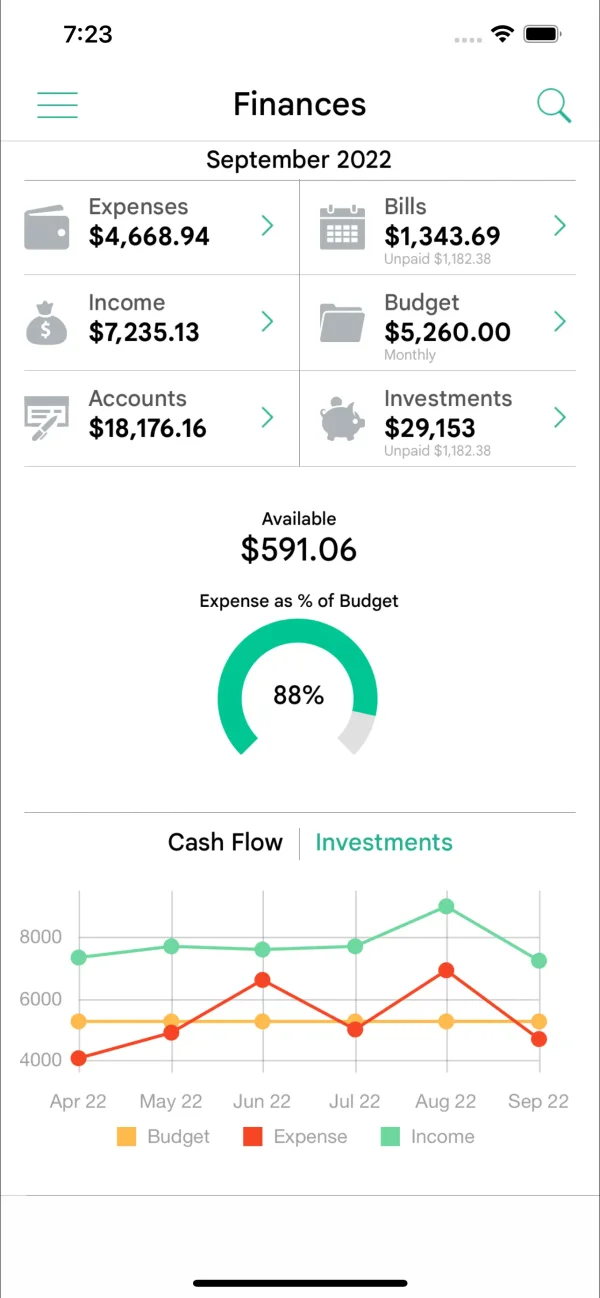
- For cash flow, Finances supports tracking expenses and income, and includes support for budgets, accounts, payees, and bill tracking.
- For investments, Finances supports tracking cash and stock investments and automatically fetches daily stock prices.
- Finances allows flexible cycles for managing your cash-flow: Monthly (default), Weekly, Every 2 weeks, Every 4 weeks, and Semi-monthly.
- The Finances application provides the ability to group your expenses into categories and sub-categories, and lets you set a budget and track expenses at the category/sub-category level.
- The features within Finances are well integrated such that a bill can become an expense (when you pay for it) and adjust the account balance at the same time.
- Finances includes Cloud Sync that automatically backs up your data, and syncs entries across multiple devices (iPhone, iPad).
KEY FEATURES:
Expenses:
- Create/Edit/Delete expenses and recurring expenses
- Browse expense entries by month, by category/date with the ability to drill-down
- Optionally associate an account and payee with an expense
- Attach photo images of receipts; drag and resize images on screen
- Support for multiple currencies and automatic exchange rate conversion
Income:
- Create/Edit/Delete income and recurring income
- Optionally associate an account with the income
Bills
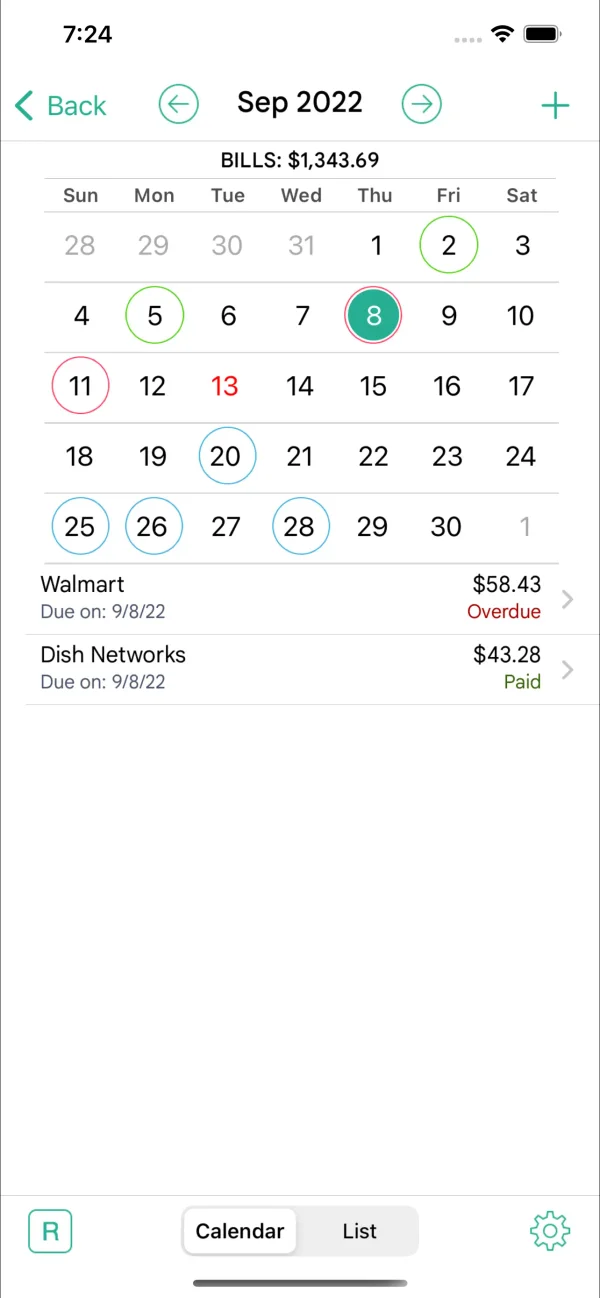
- Create/Edit/Delete bills and recurring bills
- Support for Payees, and track payments by Payee.
- Make payment on bills either an as expense or as a transfer (to avoid double accounting your expenses)
- Bill reminders
Categories and Budget
- Create/Edit/Delete expense categories and sub-categories
- Set a budget, and track expenses at the category/sub-category level.
- Associate icons with the categories
- Budget rollover
- Support for one-time budgets
- Classify expenses into fixed, variable and discretionary and compute your disposable income
Accounts
- Support for Accounts such as Checking, Savings, Credit, Debit, Cash, etc.
- Associate your expense and income entries with your accounts and accurately track account balances.
- View transactions, and do transfer between accounts.
- Ability to choose a different base currency for each account
Investments
- Support create/edit/delete of Investment accounts
- Support for add/edit/delete of investments
- Support for Cash and Stock investments
- Automatic fetching of stock prices every for accurate tracking of investment values
Reports
- Trend chart for Expense, Budget and Income for the last 6 months
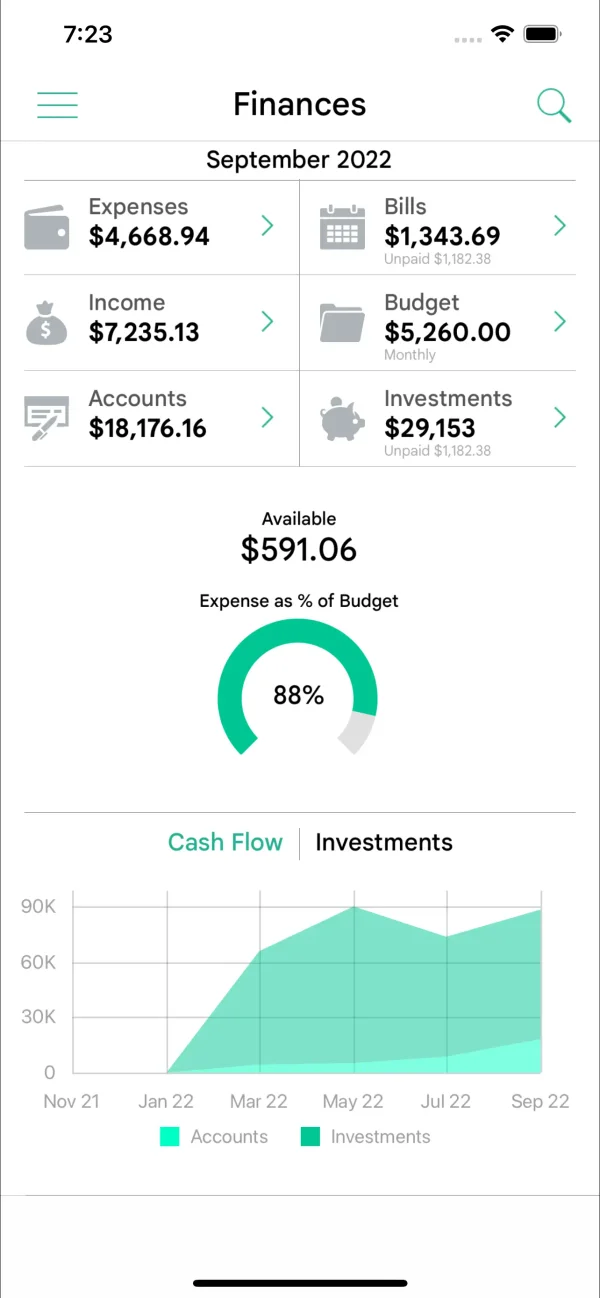
- Trend chart for Accounts and Investments for the last 6 months
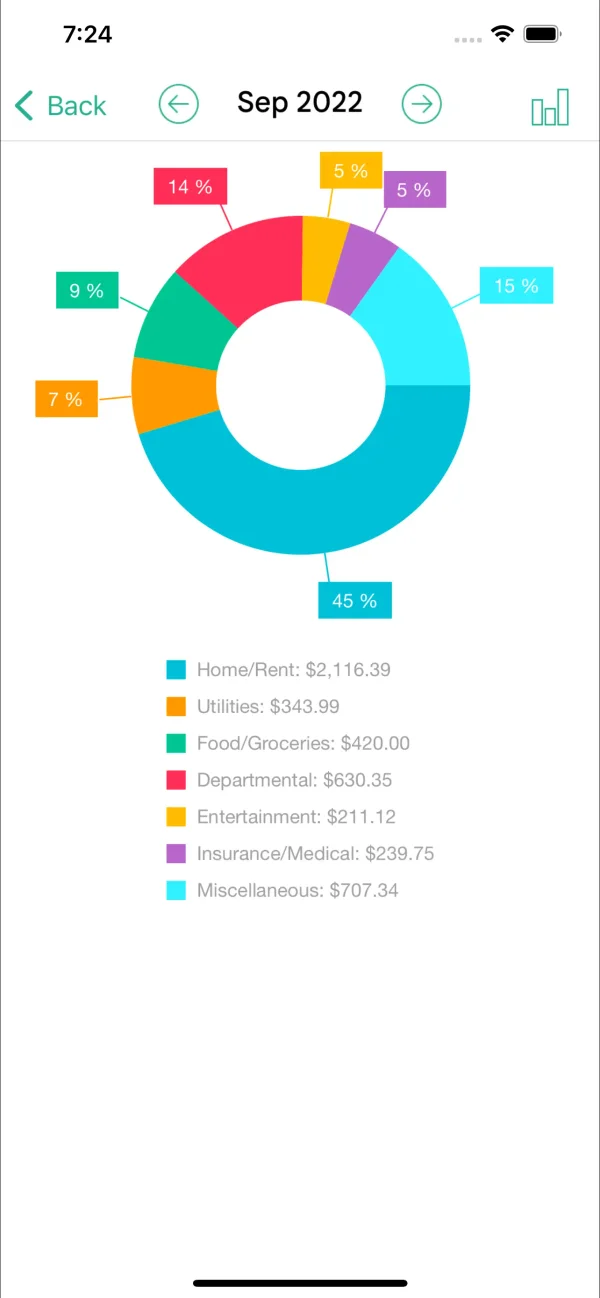
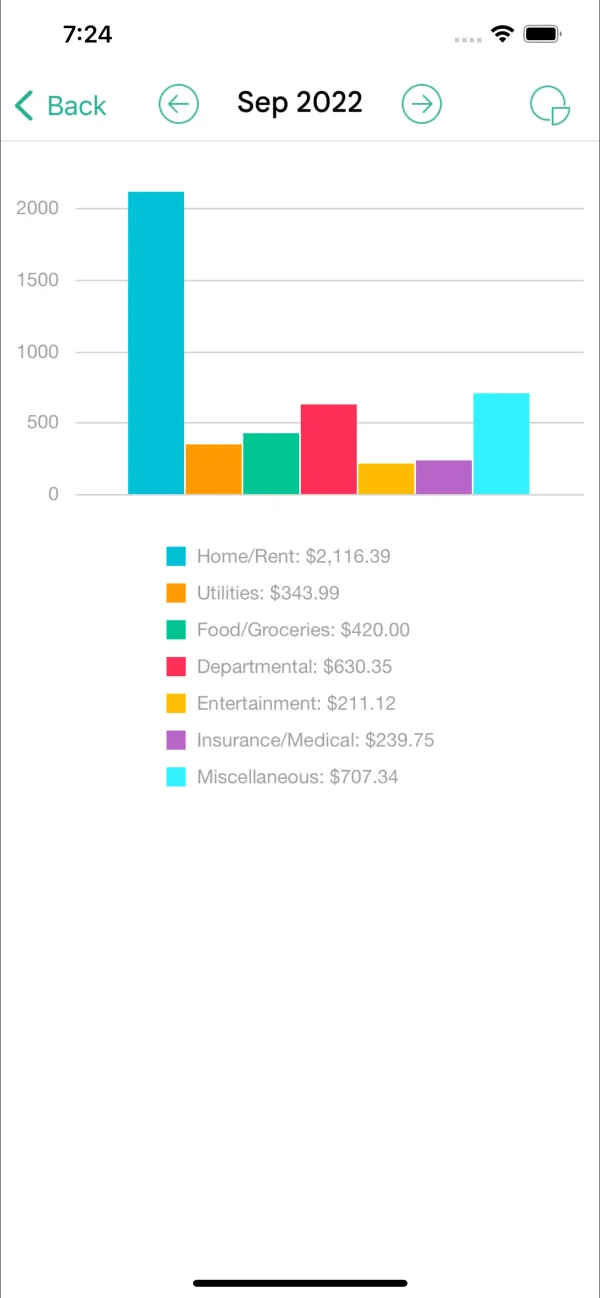
- Pie/Bar charts for expense break-down (Available in the Expenses screen).
- Export reports in PDF/CSV format by email or via WiFi
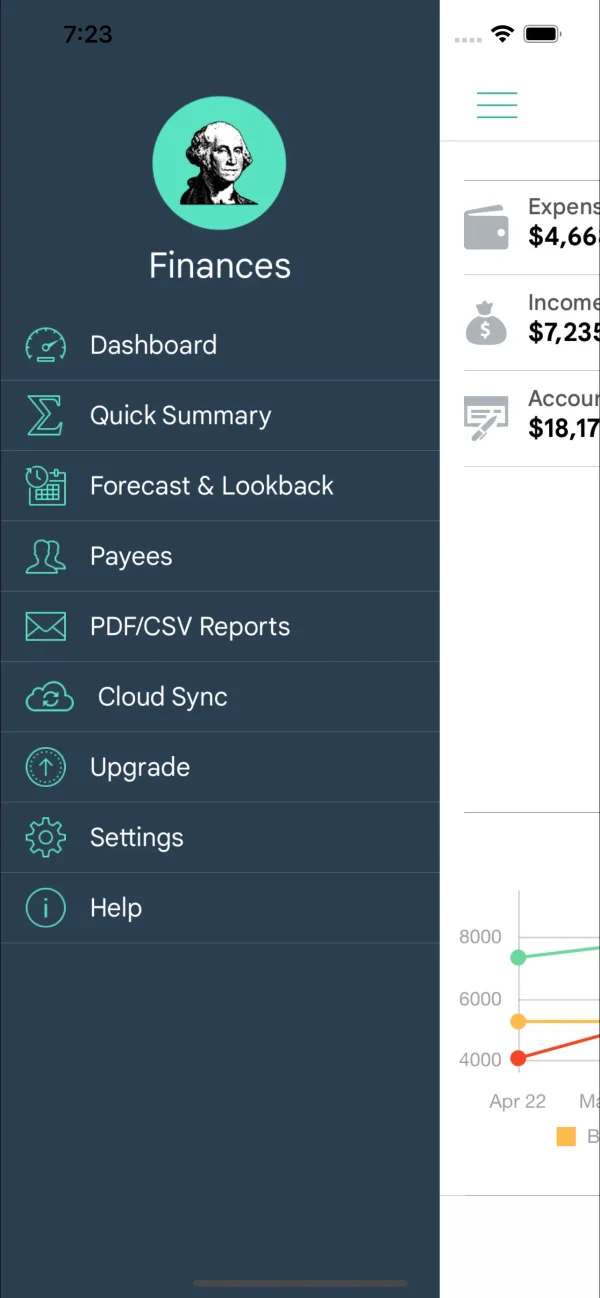
Cloud Sync
- Automatic backups
- Automatically sync entries across multiple devices (iPhone, iPad, iTouch)
- Sync works over 4G and WiFi
- Ability to work within a single budget with other members of the household
Other
- Import data in OFX/CSV format into accounts
- Large numeric keypad for expense/income amount entry
- Finances follows the locale/region setting on your device and shows date and currency symbols appropriate for your region
Finances is free for the first 100 entries. You can upgrade to unlimited entries by subscribing to either the monthly plan or the yearly plan. Payment will be charged to iTunes Account at confirmation of purchase. Subscription automatically renews unless auto-renew is turned off at least 24-hours before the end of the current period. Account will be charged for renewal within 24-hours prior to the end of the current period at the current subscription price. The subscription auto-renewal can be turned off by going to your iTunes Account Settings.
Please refer to http://www.anishu.com/privacy.html for privacy policy, and http://www.anishu.com/terms.html for terms of use.
Có gì mới
Phiên bản 1.1.0 · 11/08/2026
Minor update
Quyền riêng tư của ứng dụng
Những gì Anishu, Inc. khai báo trên App Store về cách ứng dụng này xử lý dữ liệu.
-
Dữ liệu không liên kết với bạn
Có thể được thu thập nhưng không liên kết với danh tính của bạn.
- Dữ liệu khác
Phương thức đảm bảo quyền riêng tư có thể khác nhau, chẳng hạn như tuỳ theo các tính năng bạn sử dụng hoặc độ tuổi của bạn.
Thông tin
- Người bán
- Anishu, Inc.
- Danh mục
- Tài Chính
- Phiên bản
- 1.1.0
- Cập nhật
- 11/08/2026
- Phát hành
- 05/06/2017
- Kích thước
- 27,2 MB
- Yêu cầu
- iOS 15.6 trở lên
- Độ tuổi
- 4+
- Giá
- Miễn phí
- Mua hàng trong ứng dụng
- Có
- Ngôn ngữ
- Tiếng Anh, Tiếng Pháp, Tiếng Đức, Tiếng Ý, Tiếng Nhật, Tiếng Rumani, Tiếng Nga, Tiếng Trung Giản thể, Tiếng Tây Ban Nha, Tiếng Thụy Điển, Tiếng Trung Phồn thể
- Bản quyền
- © 2026 (C) Anishu, Inc.
Có thể bạn cũng thích
-
 Visual Budget - FinancesTài Chính
-
 MoneyThings - Finance TrackerTài Chính
-
 Money Monitor: Expense TrackerQuản lý tiền bạc và theo dõi
-
 Gist Money: Expense TrackerTài Chính
-
 Nudget: Spending TrackerTài Chính
-
 Money: Budget, Expense TrackerTài Chính
-
 MoneyWiz 2027 Personal FinanceTài Chính
-
 Budget App & Expense TrackerTài Chính
-
 Tài chính cá nhânngân sách gia đình kế toán tại
-
 Income and Expense TrackerTài Chính