
Folio: Markdown to PDF
Obsidian, live page preview
Entwickelt für iPhone, iPad
Kostenlos · In-App-Käufe
- Altersfreigabe4+
- KategorieProduktivität
- EntwicklerRUEBEN ANSOLIWEN AKANKOBATENG
- SprachenEnglisch+ 2 weitere
- Größe18,2 MB
Verlinkt auf die offizielle App Store-Seite
Download.org hostet keine Datei von Folio: Markdown to PDF. Die Schaltfläche öffnet die App-Seite bei App Store, wo RUEBEN ANSOLIWEN AKANKOBATENG die App veröffentlicht. Eintrag zuletzt geprüft am 15.11.2026.
Screenshots

Info
Der Entwickler hat diesen Text nicht in Ihrer Sprache bereitgestellt.
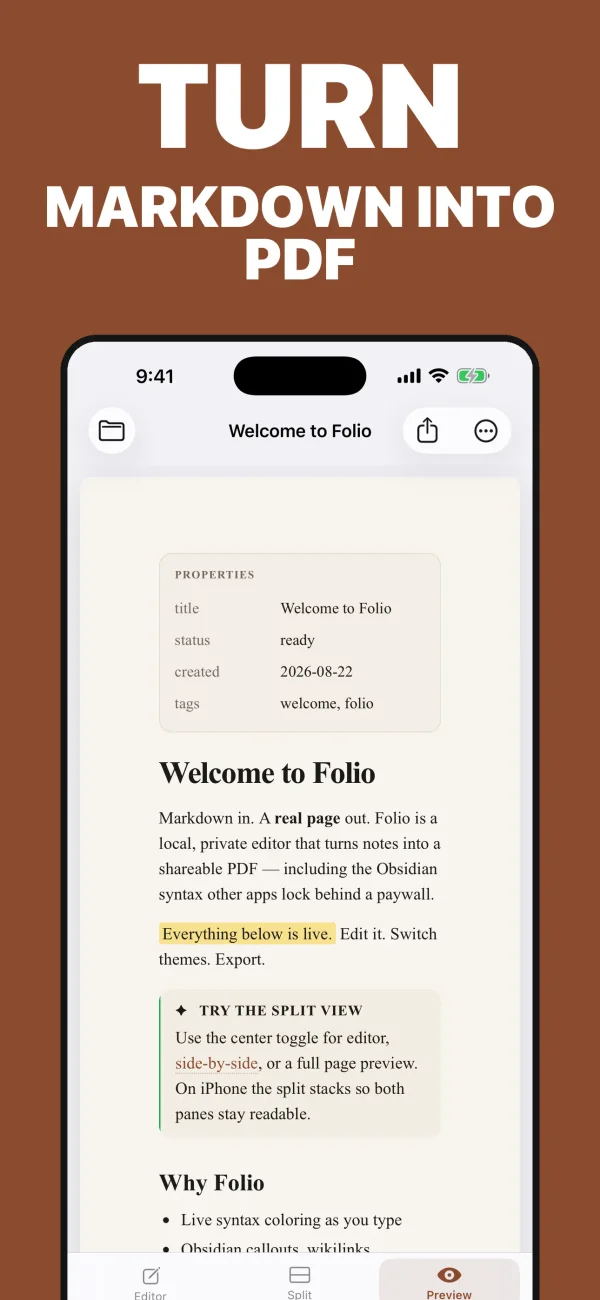
Write a note in Markdown and see it laid out as a real page — then export it when it is ready.
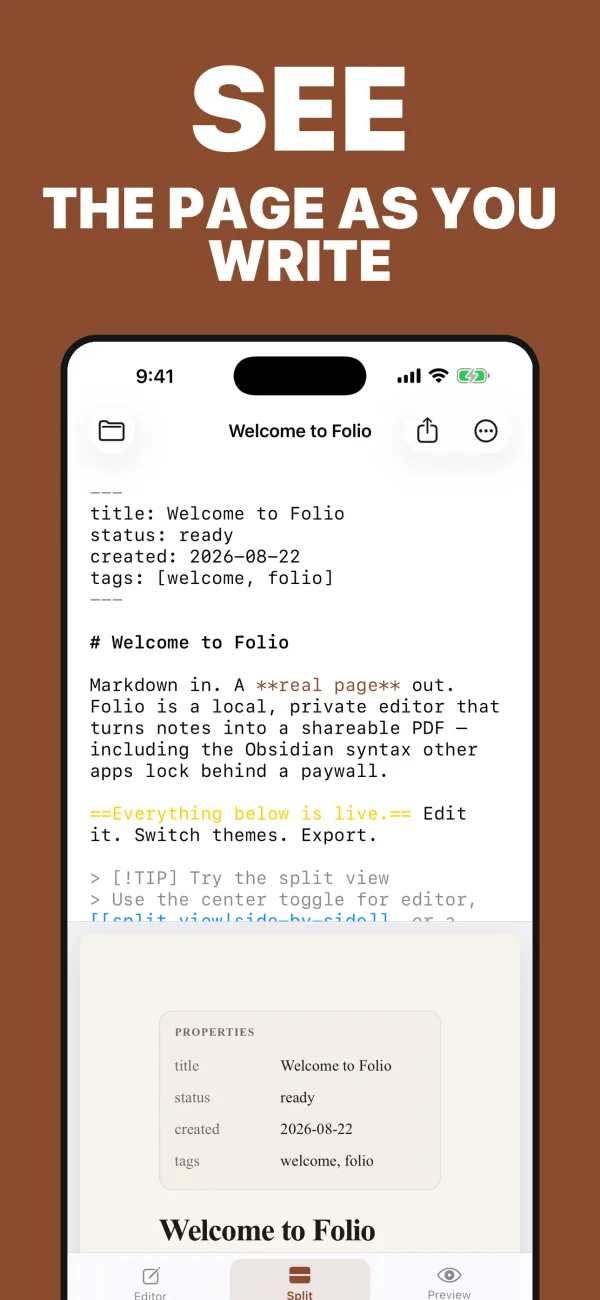
Folio is for people who already write in Markdown, including Obsidian vaults. The preview is paginated, so you can check margins, page breaks, and the finished reading experience as you write.
WRITE AND PREVIEW
• See your note on a page with margins and page breaks, not only as a continuous web preview
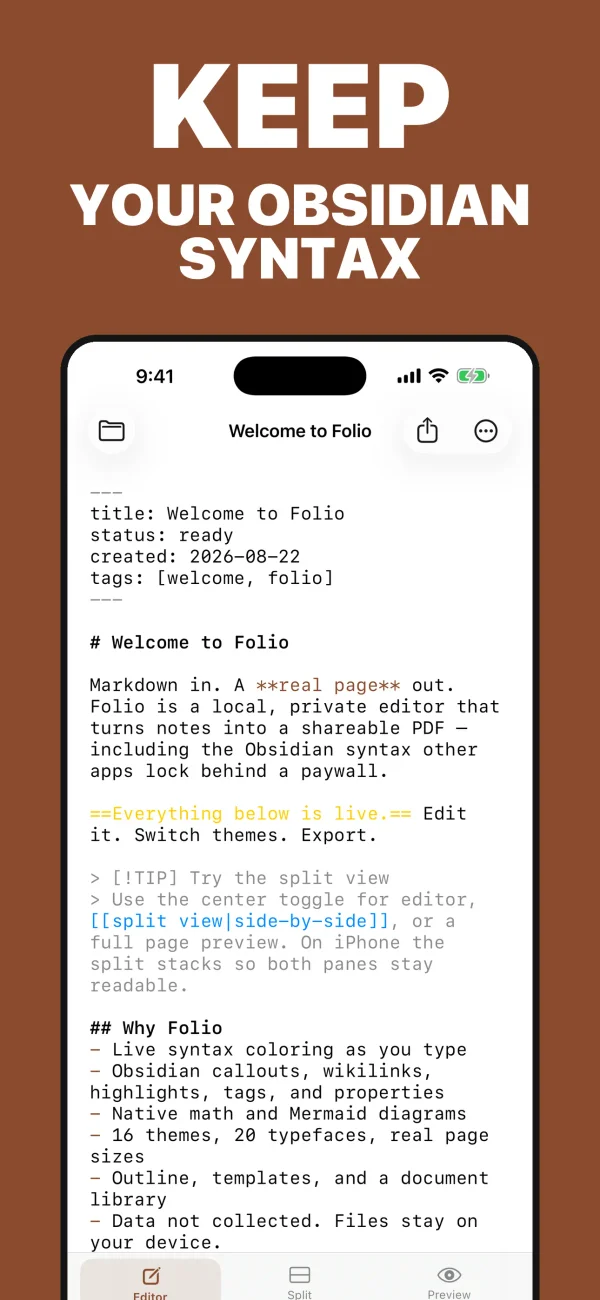
• Use Markdown and Obsidian-style callouts, wikilinks, highlights, tags, properties, math, and Mermaid diagrams
• Link a notes folder to resolve embedded images and notes on your device
• Start from a blank page or a built-in template
STYLE AND EXPORT
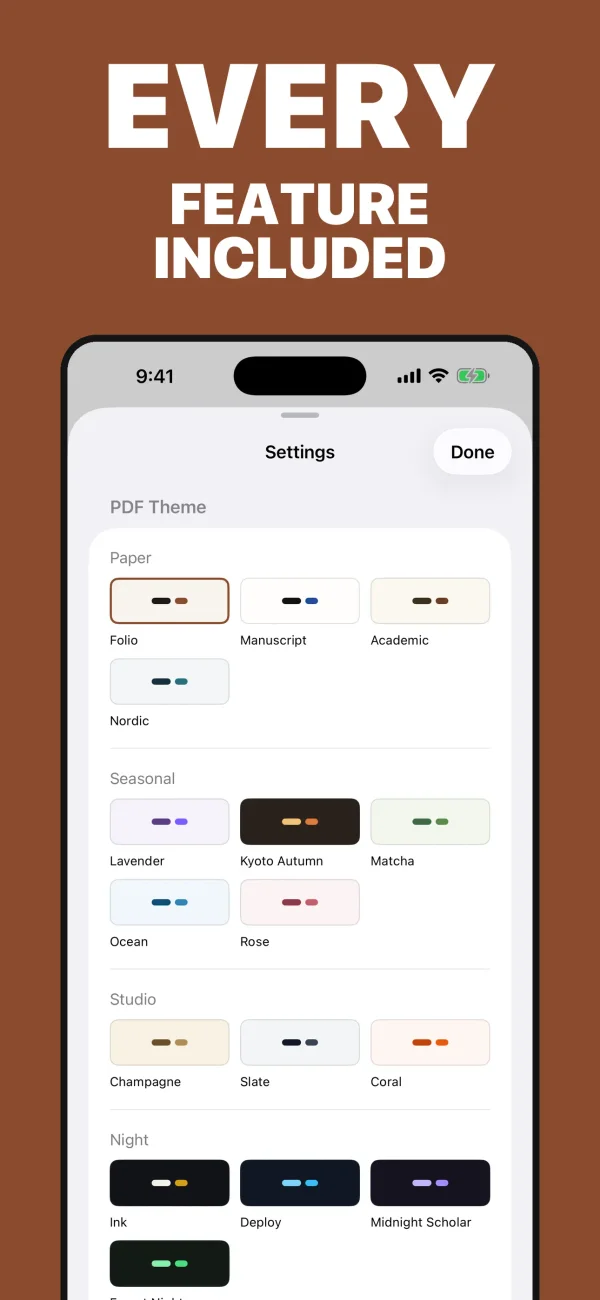
• Choose from 16 built-in themes and 20 typefaces
• Export PDF, Word (.docx), EPUB, RTF, or plain text
• Share a Markdown file into Folio or convert with Shortcuts
• Save back to the original file or replace the last export in the same folder
FREE AND FOLIO PRO
Writing, live preview, built-in themes, and Markdown features are free. Your first three PDF exports are free. Folio Pro unlocks unlimited PDF exports, Word, EPUB, RTF, and the custom theme builder.
Folio Pro is available monthly, annually, or as a one-time lifetime purchase. The annual plan includes a 7-day free trial. Subscription terms and the current price are shown before purchase.
No account is required. Folio renders documents on your device; notes are not uploaded for preview or export. You choose when to export or share a file.
Terms of Use (EULA): https://www.apple.com/legal/internet-services/itunes/dev/stdeula/
Neue Funktionen
Version 1.2 · 05.11.2026
Improved text, highlight, and color contrast across editor and document themes. Added Japanese and Traditional Chinese localization.
App-Datenschutz
Was RUEBEN ANSOLIWEN AKANKOBATENG im App Store zum Umgang dieser App mit Daten angibt.
-
Nicht mit Ihnen verknüpfte Daten
Können erfasst werden, sind aber nicht mit Ihrer Identität verknüpft.
- Käufe
Die Datenschutzpraktiken können variieren, zum Beispiel je nach den von Ihnen verwendeten Funktionen oder Ihrem Alter.
Informationen
- Anbieter
- RUEBEN ANSOLIWEN AKANKOBATENG
- Kategorie
- Produktivität
- Version
- 1.2
- Aktualisiert
- 05.11.2026
- Veröffentlicht
- 16.09.2026
- Größe
- 18,2 MB
- Erfordert
- iOS 18.0 oder neuer
- Altersfreigabe
- 4+
- Preis
- Kostenlos
- In-App-Käufe
- Ja
- Sprachen
- Englisch, Japanisch, Tradit. Chinesisch
- Copyright
- © AKANKOBATENG 2026
Das könnte Ihnen auch gefallen
-
 PDF to Markdown: Smart ExportProduktivität
-
 Tiho DocsDein .docx bleibt dein .docx
-
 PDF to Markdown: PDF LiftPDF-Import, Scannen, MD-Editor
-
 Markdown to PDF: Pro EditorIn DOCX, EPUB & HTML umwandeln
-
 NoteSam: Handschrift-NotizenPrivates Handschrift-Notizbuch
-
 SinceWhen: Tage seit ZählerWann zuletzt? Log & Erinnerung
-
 Chessvision.ai eBook ReaderProduktivität
-
 Winmail Reader LiteProduktivität
-
 Notes for Dynamic Notch IslandInstant Note Widget for 18 Pro
-
 Zoom for SafariProduktivität