
Folio: Markdown to PDF
Obsidian, live page preview
iPhone, iPad için tasarlandı
Ücretsiz · Uygulama içi satın alma
- Yaş sınırı4+
- KategoriÜretkenlik
- GeliştiriciRUEBEN ANSOLIWEN AKANKOBATENG
- Dillerİngilizce+ 2 dil daha
- Boyut18,2 MB
Resmi App Store sayfasına bağlanır
Download.org, Folio: Markdown to PDF için hiçbir dosya barındırmaz. Düğme, uygulamanın App Store üzerindeki sayfasını açar; uygulamayı orada RUEBEN ANSOLIWEN AKANKOBATENG yayınlar. Sayfanın son kontrolü: 15.11.2026.
Ekran görüntüleri

Hakkında
Geliştirici bu metni dilinizde sunmamış.
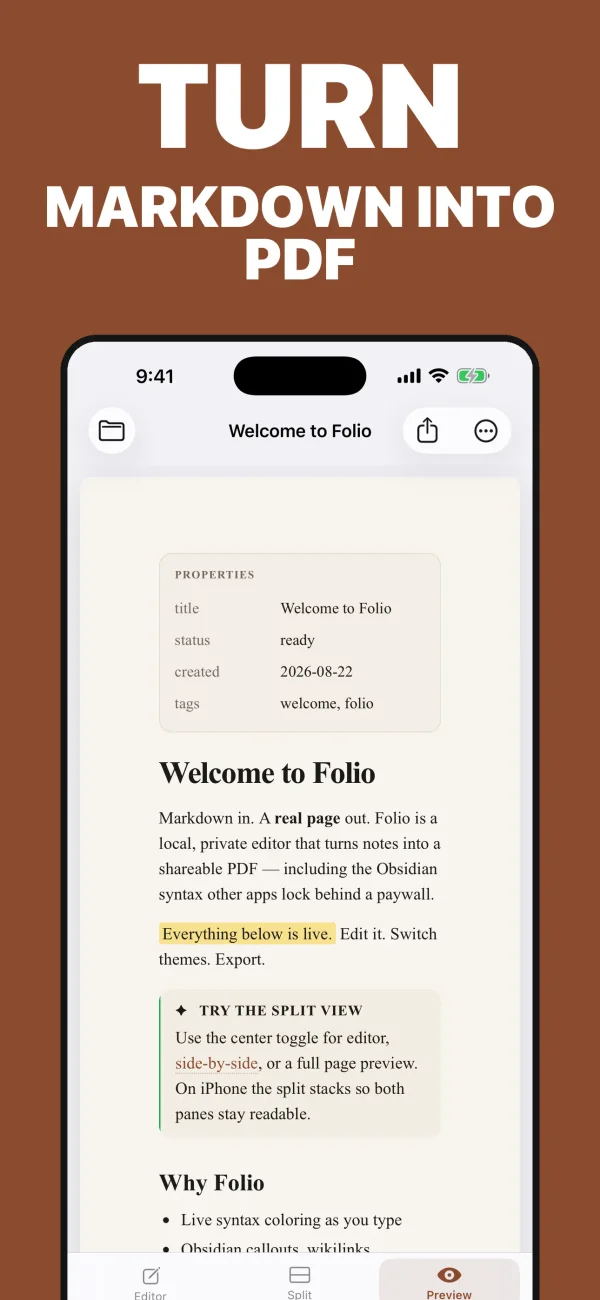
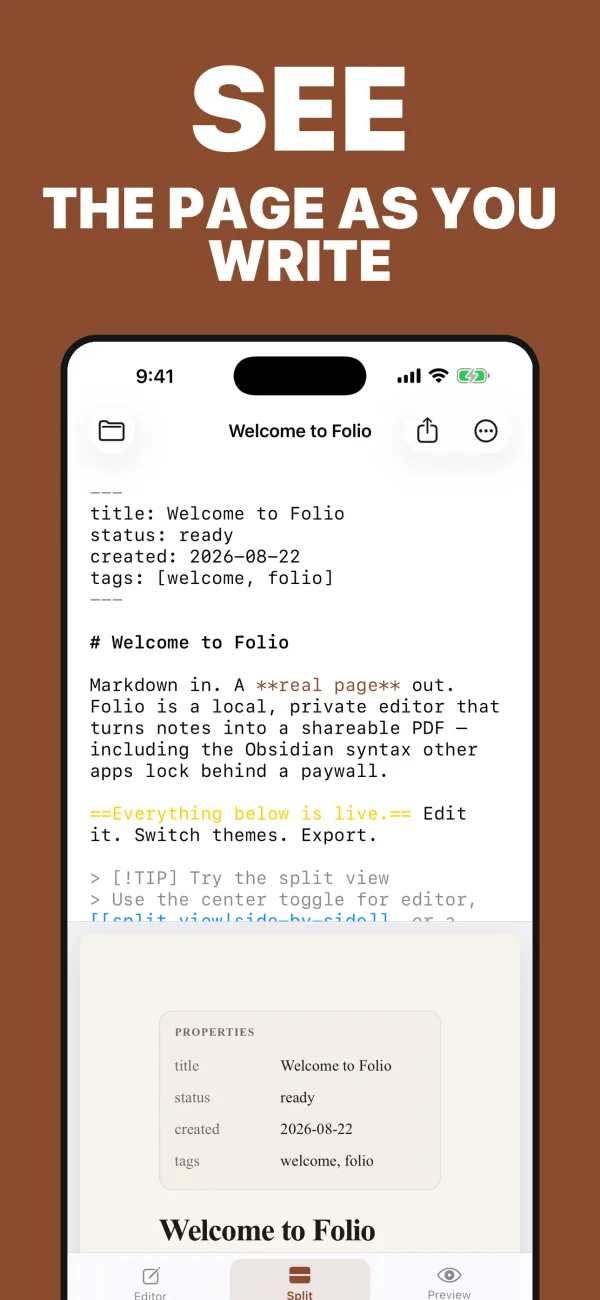
Write a note in Markdown and see it laid out as a real page — then export it when it is ready.
Folio is for people who already write in Markdown, including Obsidian vaults. The preview is paginated, so you can check margins, page breaks, and the finished reading experience as you write.
WRITE AND PREVIEW
• See your note on a page with margins and page breaks, not only as a continuous web preview
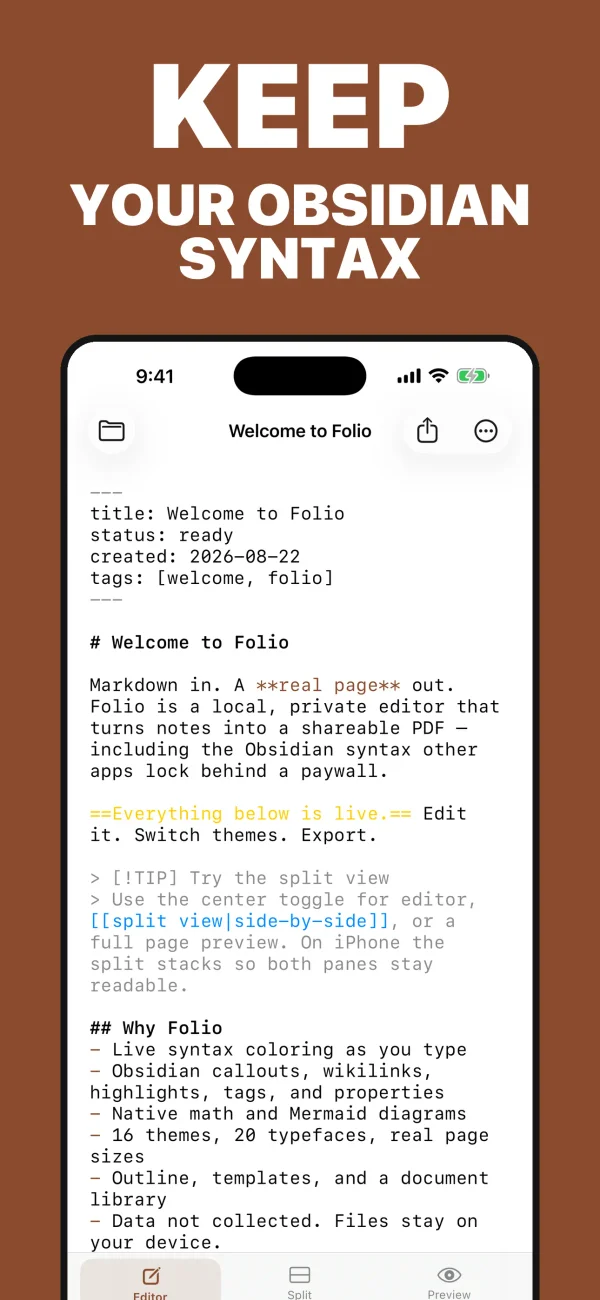
• Use Markdown and Obsidian-style callouts, wikilinks, highlights, tags, properties, math, and Mermaid diagrams
• Link a notes folder to resolve embedded images and notes on your device
• Start from a blank page or a built-in template
STYLE AND EXPORT
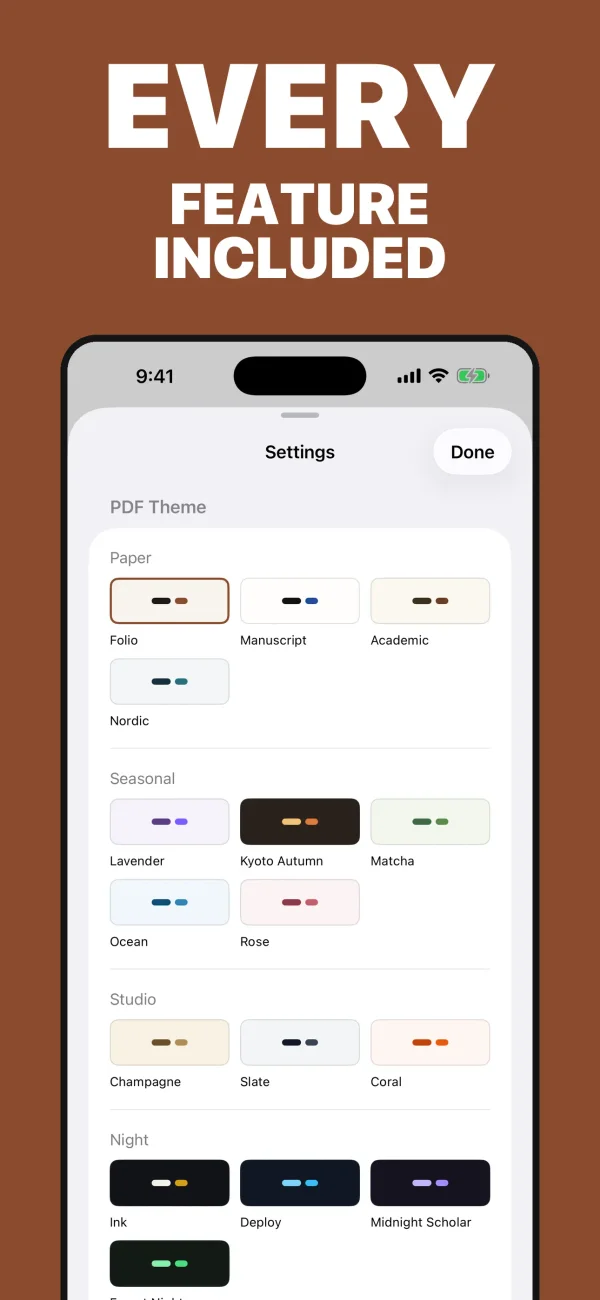
• Choose from 16 built-in themes and 20 typefaces
• Export PDF, Word (.docx), EPUB, RTF, or plain text
• Share a Markdown file into Folio or convert with Shortcuts
• Save back to the original file or replace the last export in the same folder
FREE AND FOLIO PRO
Writing, live preview, built-in themes, and Markdown features are free. Your first three PDF exports are free. Folio Pro unlocks unlimited PDF exports, Word, EPUB, RTF, and the custom theme builder.
Folio Pro is available monthly, annually, or as a one-time lifetime purchase. The annual plan includes a 7-day free trial. Subscription terms and the current price are shown before purchase.
No account is required. Folio renders documents on your device; notes are not uploaded for preview or export. You choose when to export or share a file.
Terms of Use (EULA): https://www.apple.com/legal/internet-services/itunes/dev/stdeula/
Yenilikler
Sürüm 1.2 · 05.11.2026
Improved text, highlight, and color contrast across editor and document themes. Added Japanese and Traditional Chinese localization.
Uygulama gizliliği
Bu uygulamanın verileri nasıl işlediği hakkında RUEBEN ANSOLIWEN AKANKOBATENG tarafından App Store üzerinde yapılan beyan.
-
Sizinle ilişkilendirilmeyen veriler
Toplanabilir ancak kimliğinizle ilişkilendirilmez.
- Satın alımlar
Gizlilik uygulamaları, örneğin kullandığınız özelliklere veya yaşınıza göre değişiklik gösterebilir.
Bilgiler
- Satıcı
- RUEBEN ANSOLIWEN AKANKOBATENG
- Kategori
- Üretkenlik
- Sürüm
- 1.2
- Güncellendi
- 05.11.2026
- Yayın tarihi
- 16.09.2026
- Boyut
- 18,2 MB
- Gereksinim
- iOS 18.0 veya sonrası
- Yaş sınırı
- 4+
- Fiyat
- Ücretsiz
- Uygulama içi satın alma
- Evet
- Diller
- İngilizce, Japonca, Geleneksel Çince
- Telif hakkı
- © AKANKOBATENG 2026
Bunları da beğenebilirsiniz
-
 PDF to Markdown: Smart ExportÜretkenlik
-
 Tiho DocsÜretkenlik
-
 PDF to Markdown: PDF Liftİçe Aktar, Tara, MD Düzenle
-
 Markdown to PDF: Pro EditorDOCX, EPUB ve HTML'ye Dönüştür
-
 NoteSam: El Yazısı NotlarGizli el yazısı defter
-
 SinceWhen: Days Since TrackerÜretkenlik
-
 Chessvision.ai eBook ReaderÜretkenlik
-
 Winmail Reader LiteÜretkenlik
-
 Notes for Dynamic Notch IslandÜretkenlik
-
 Zoom for SafariÜretkenlik