
Folio: Markdown to PDF
Obsidian, live page preview
Designed for iPhone, iPad
In-app purchases
- Age rating4+
- CategoryProductivity
- DeveloperRUEBEN ANSOLIWEN AKANKOBATENG
- LanguagesEnglish+ 2 more
- Size18.2 MB
Links to the official App Store page
Download.org hosts no file of Folio: Markdown to PDF. The button opens its official App Store page, published by RUEBEN ANSOLIWEN AKANKOBATENG. Listing last checked on Nov 15, 2026.
Screenshots

About
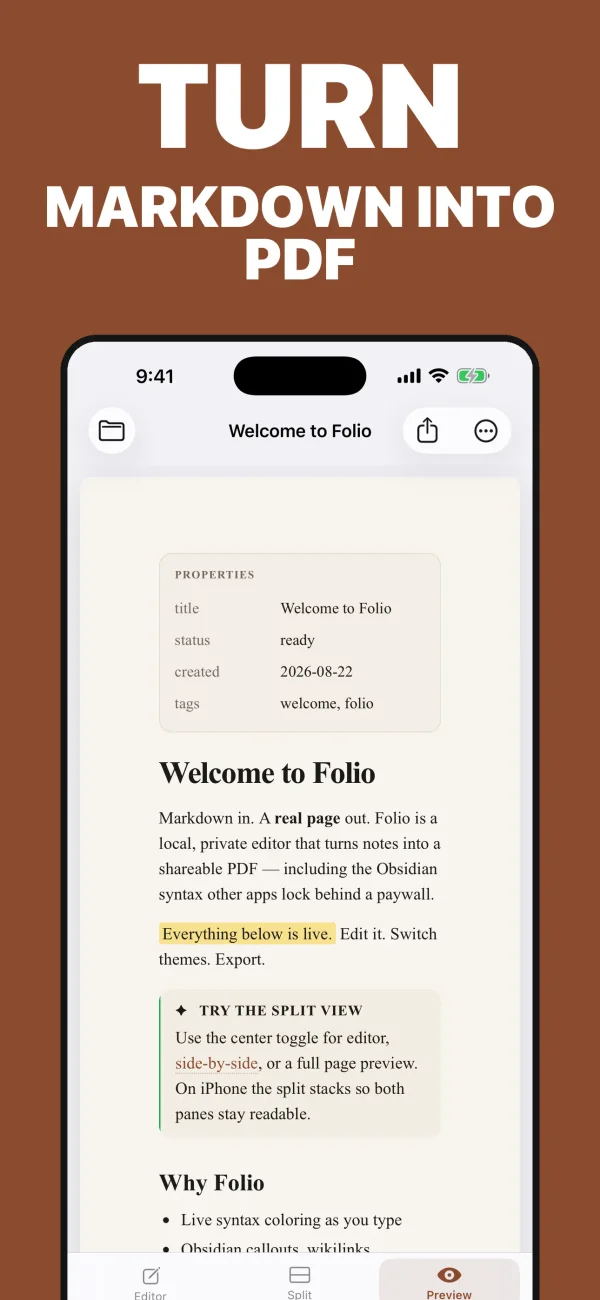
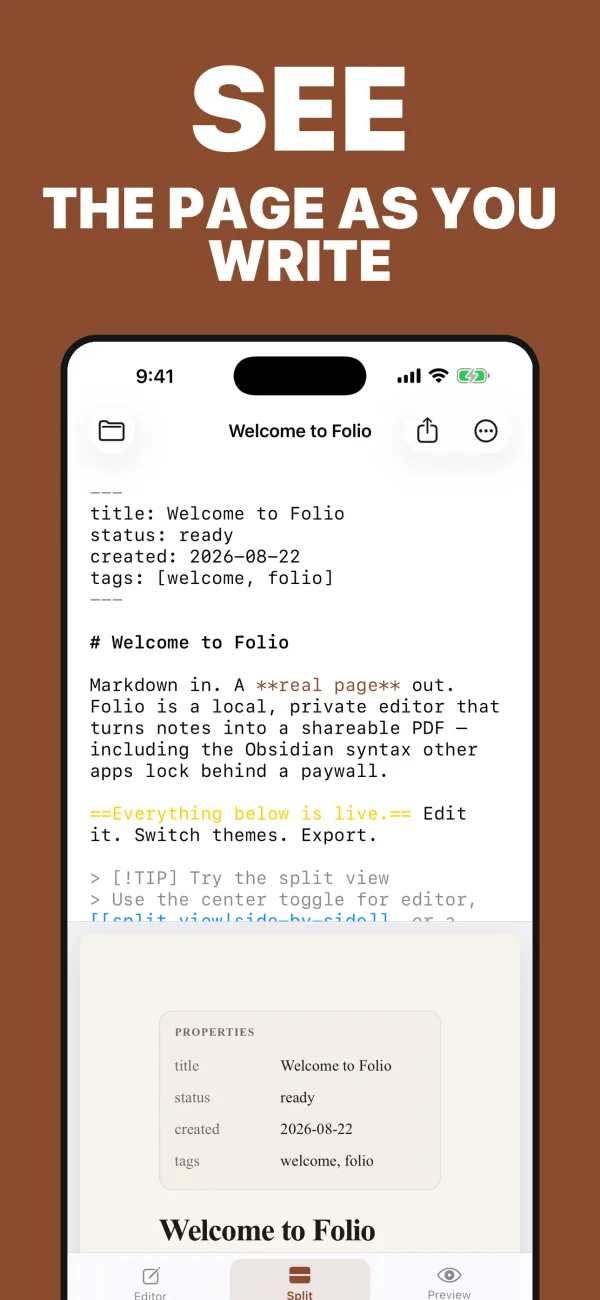
Write a note in Markdown and see it laid out as a real page — then export it when it is ready.
Folio is for people who already write in Markdown, including Obsidian vaults. The preview is paginated, so you can check margins, page breaks, and the finished reading experience as you write.
WRITE AND PREVIEW
• See your note on a page with margins and page breaks, not only as a continuous web preview
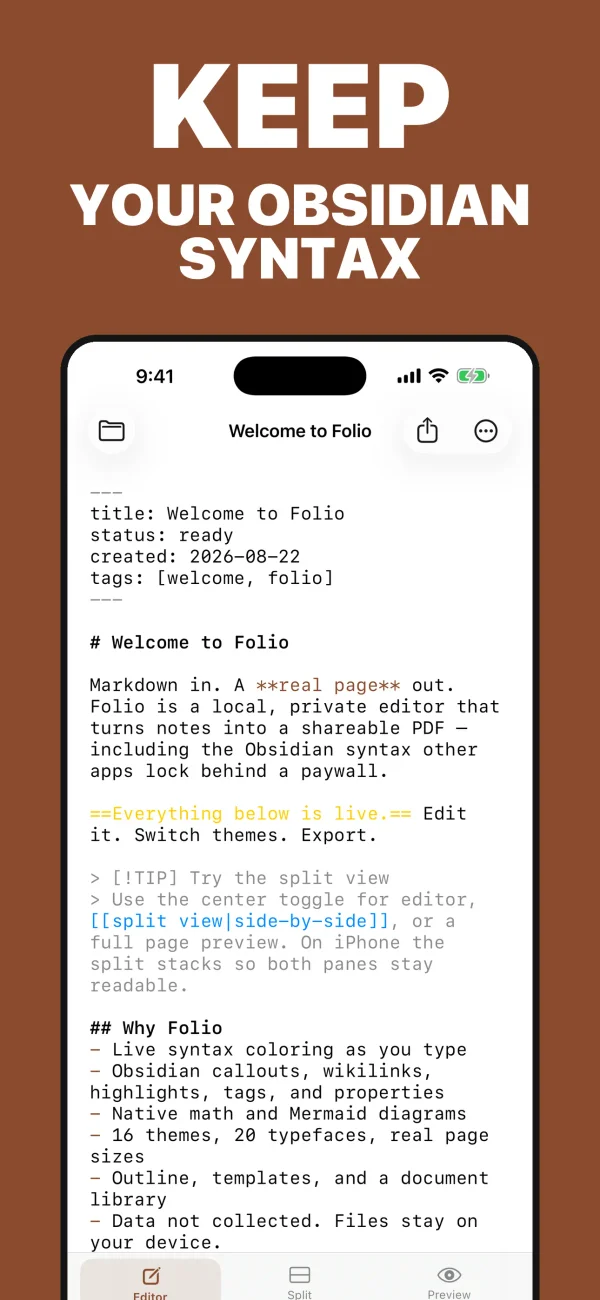
• Use Markdown and Obsidian-style callouts, wikilinks, highlights, tags, properties, math, and Mermaid diagrams
• Link a notes folder to resolve embedded images and notes on your device
• Start from a blank page or a built-in template
STYLE AND EXPORT
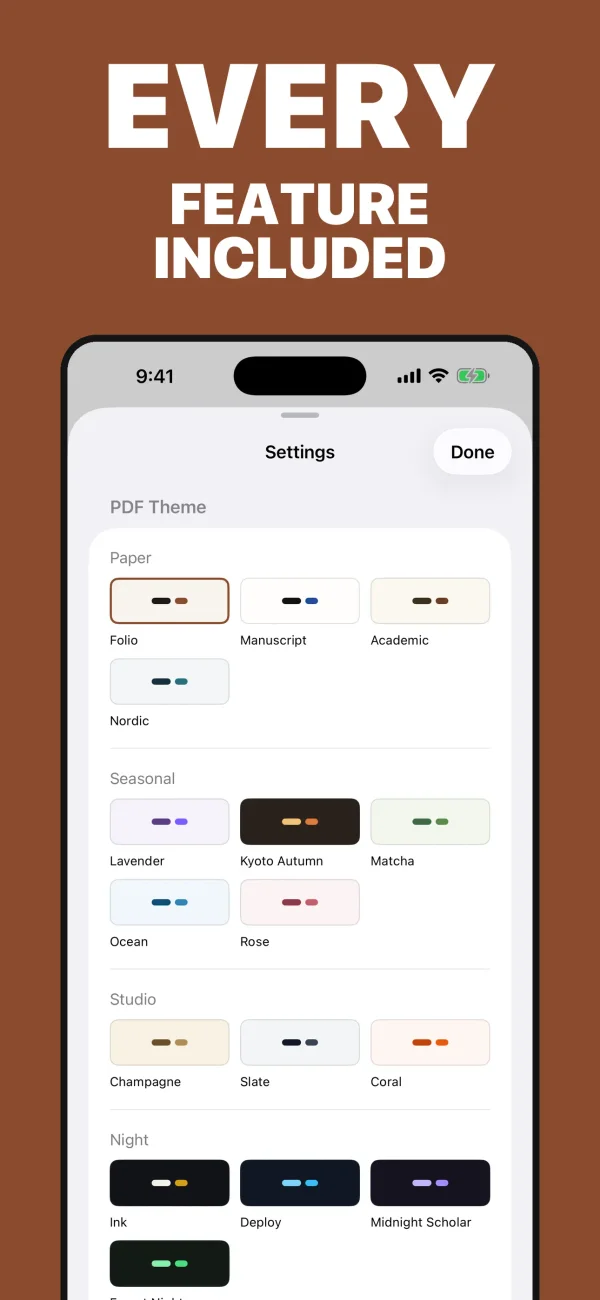
• Choose from 16 built-in themes and 20 typefaces
• Export PDF, Word (.docx), EPUB, RTF, or plain text
• Share a Markdown file into Folio or convert with Shortcuts
• Save back to the original file or replace the last export in the same folder
FREE AND FOLIO PRO
Writing, live preview, built-in themes, and Markdown features are free. Your first three PDF exports are free. Folio Pro unlocks unlimited PDF exports, Word, EPUB, RTF, and the custom theme builder.
Folio Pro is available monthly, annually, or as a one-time lifetime purchase. The annual plan includes a 7-day free trial. Subscription terms and the current price are shown before purchase.
No account is required. Folio renders documents on your device; notes are not uploaded for preview or export. You choose when to export or share a file.
Terms of Use (EULA): https://www.apple.com/legal/internet-services/itunes/dev/stdeula/
What’s new
Version 1.2 · Nov 5, 2026
Improved text, highlight, and color contrast across editor and document themes. Added Japanese and Traditional Chinese localization.
App privacy
What RUEBEN ANSOLIWEN AKANKOBATENG declares on the App Store about how this app handles data.
-
Data not linked to you
May be collected but is not linked to your identity.
- Purchases
Privacy practices may vary, for example with the features you use or your age.
Information
- Seller
- RUEBEN ANSOLIWEN AKANKOBATENG
- Category
- Productivity
- Version
- 1.2
- Updated
- Nov 5, 2026
- Released
- Sep 16, 2026
- Size
- 18.2 MB
- Requires
- iOS 18.0 or later
- Age rating
- 4+
- In-app purchases
- Yes
- Languages
- English, Japanese, Traditional Chinese
- Copyright
- © AKANKOBATENG 2026
You might also like
-
 PDF to Markdown: Smart ExportConvert PDFs to clean Markdown
-
 Tiho DocsYour .docx stays your .docx
-
 PDF to Markdown: PDF LiftPDF Import, Scan, MD Editor
-
 Markdown to PDF: Pro EditorConvert MD to DOCX, EPUB, HTML
-
 NoteSam: Handwritten NotesPrivate handwriting notebook
-
 SinceWhen: Days Since TrackerLast Time Log & Chore Reminder
-
 Chessvision.ai eBook ReaderMake chess ebooks interactive
-
 Winmail Reader LiteProductivity
-
 Notes for Dynamic Notch IslandInstant Note Widget for 18 Pro
-
 Zoom for SafariZoom in and out with a slider