
- Altersfreigabe4+
- KategorieFoto und Video
- EntwicklerTranquillity Base
- SprachenEnglisch+ 1 weitere
- Größe6,7 MB
Verlinkt auf die offizielle App Store-Seite
Download.org hostet keine Datei von Frame Grab. Die Schaltfläche öffnet die App-Seite bei App Store, wo Tranquillity Base die App veröffentlicht. Eintrag zuletzt geprüft am 17.11.2026.
Screenshots

Info
Der Entwickler hat diesen Text nicht in Ihrer Sprache bereitgestellt.
Frame Grab makes it easy to capture and share any moment from videos stored on your device as still images in JPEG or HEIF format. It supports not only videos stored in the Photos app, but also those in the Music, Podcasts, and TV apps, as long as they are downloaded to your device.
◇◇◇ How to Use ◇◇◇
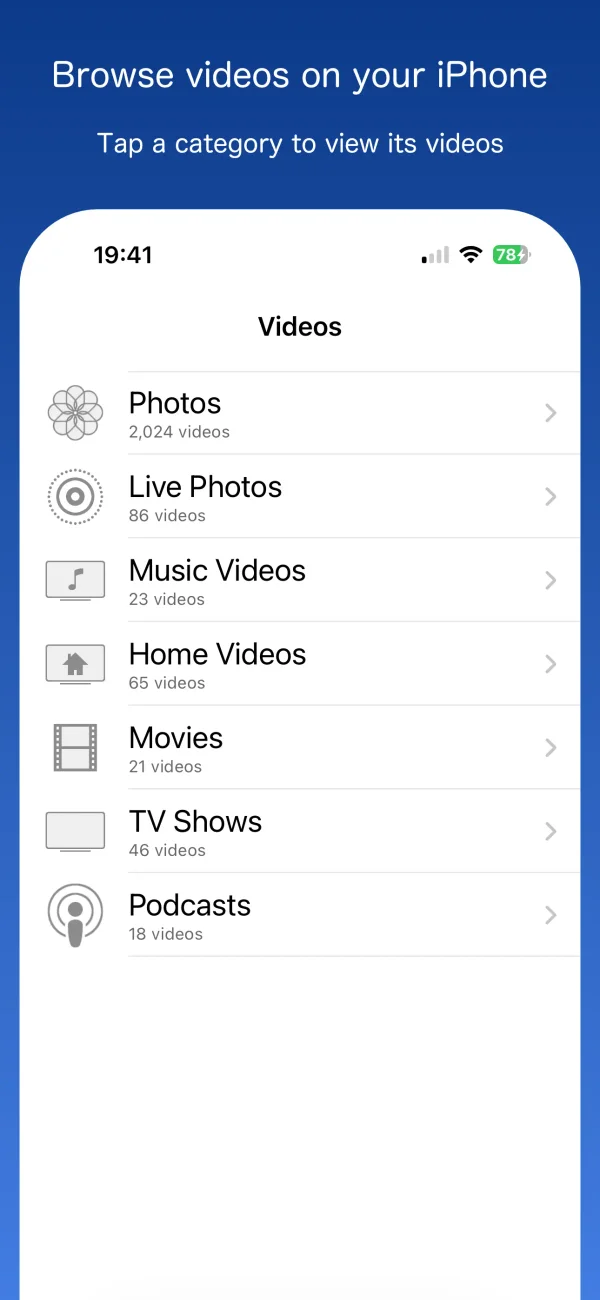
◆When you launch the app, a list of video categories appears: Photos, Live Photos, Music Videos, Home Videos, Movies, TV Shows, and Podcasts.
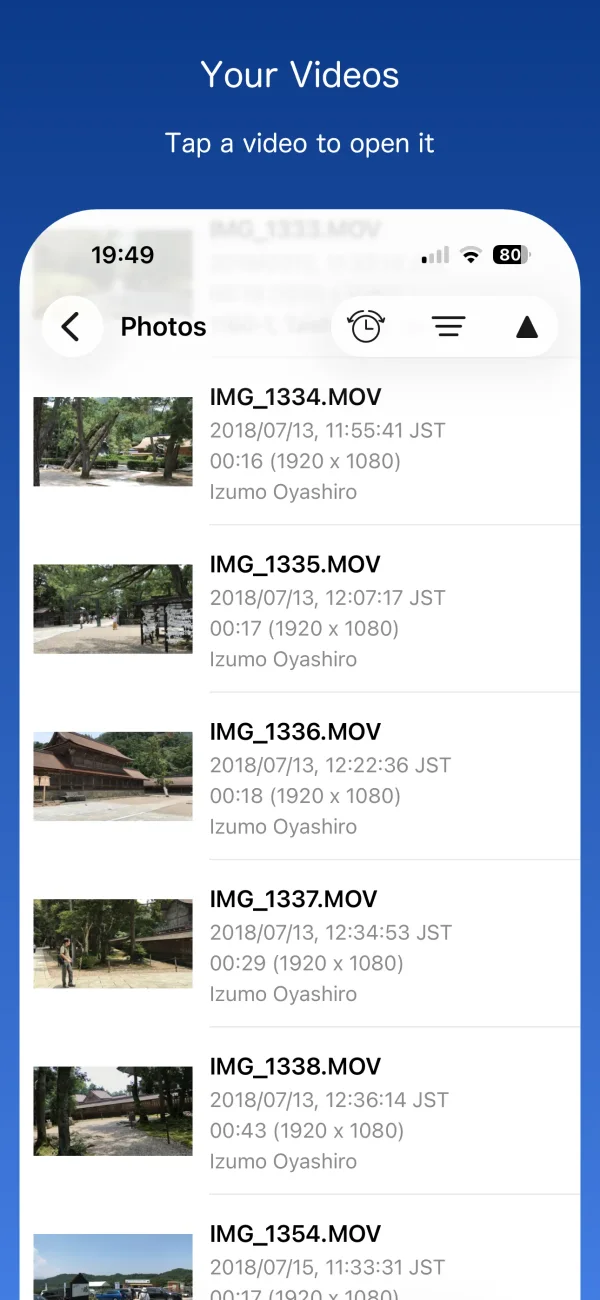
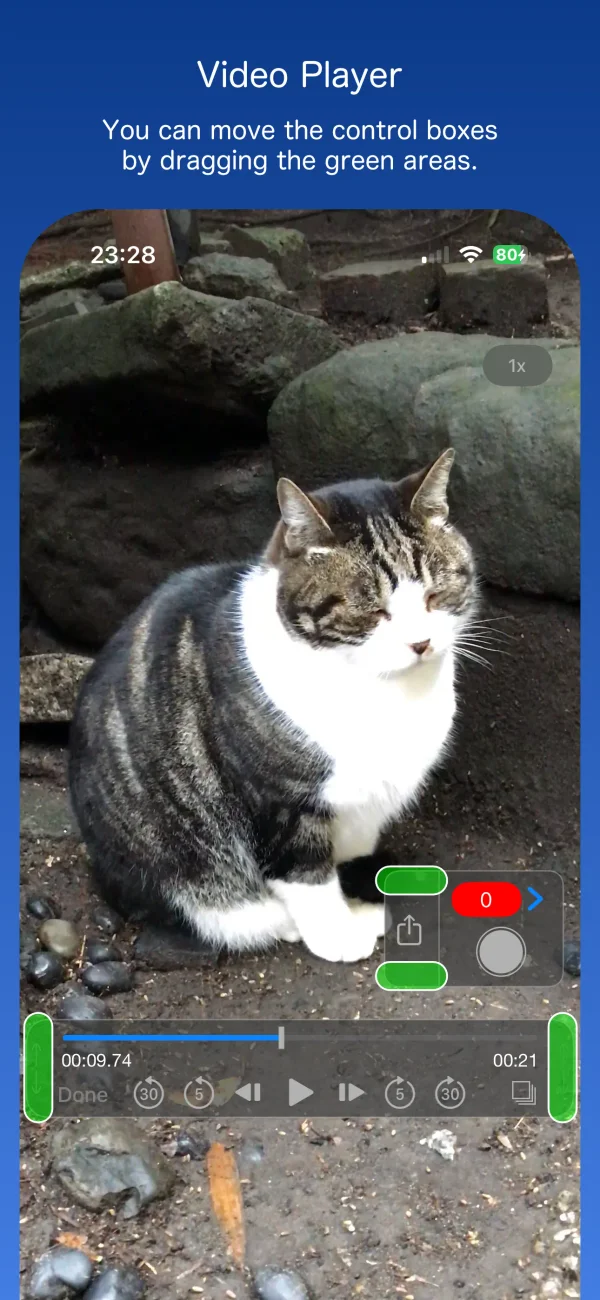
◆Tap a category to view its videos, then tap a video to open the player view.
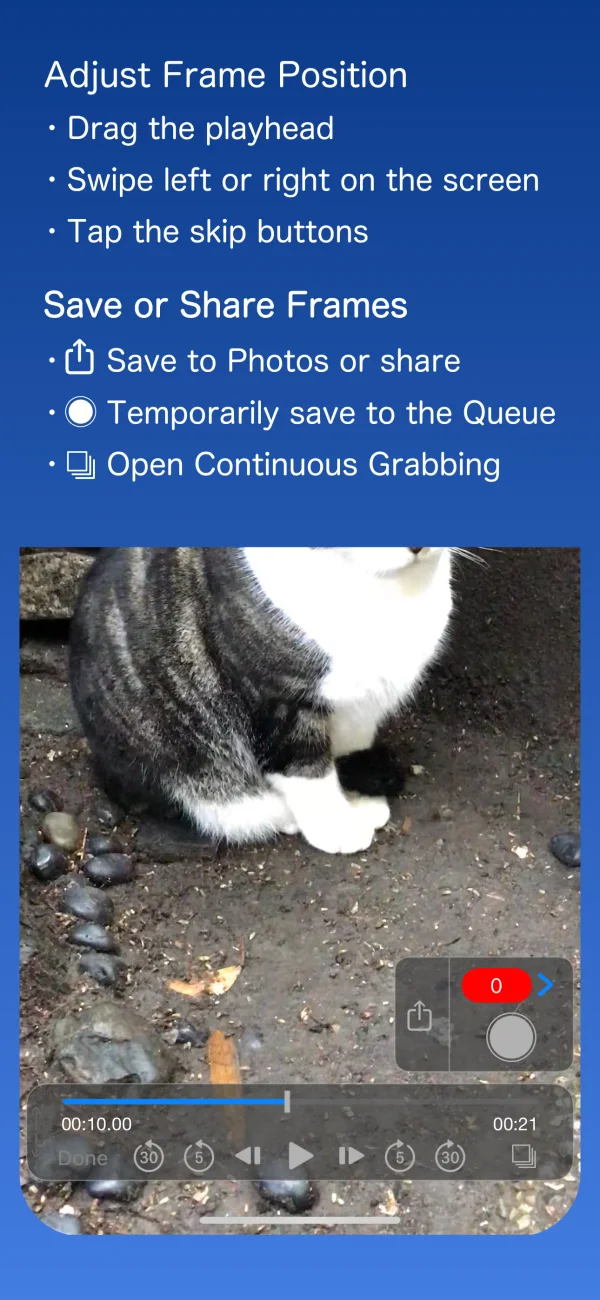
◆Move the playhead to the desired frame. Use the buttons on either side of the play button to step forward or backward one frame at a time.
◆Save Option 1:
Tap the Share button to save the displayed frame to the Photos app, or share it with other apps and services.
◆Save Option 2:
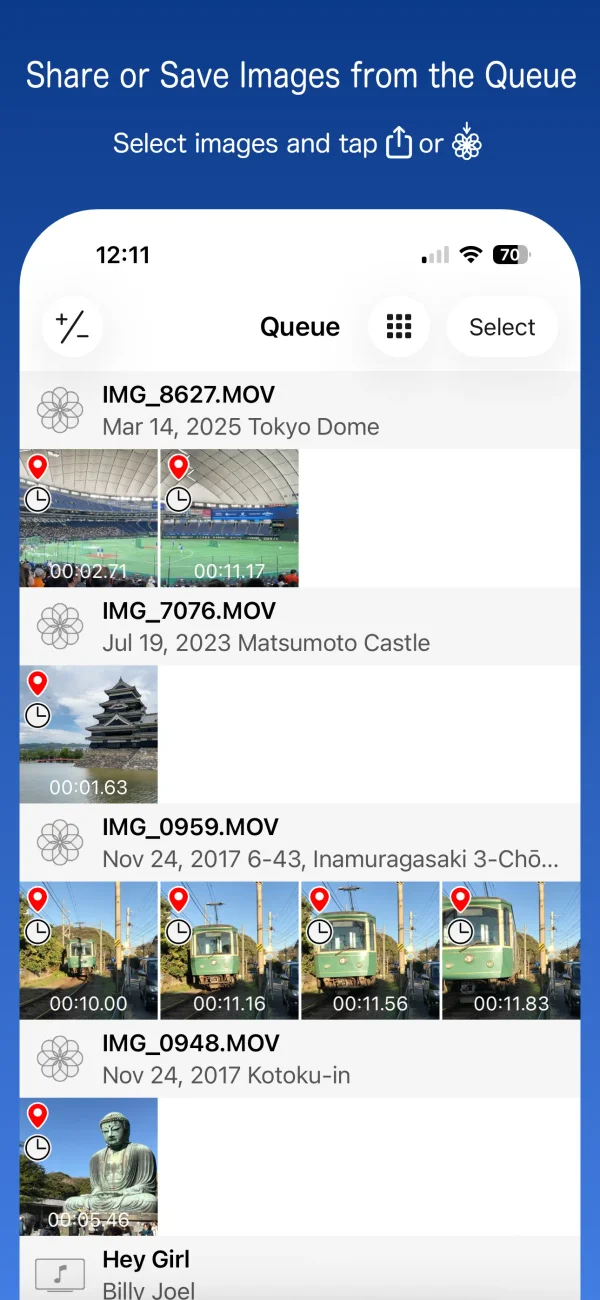
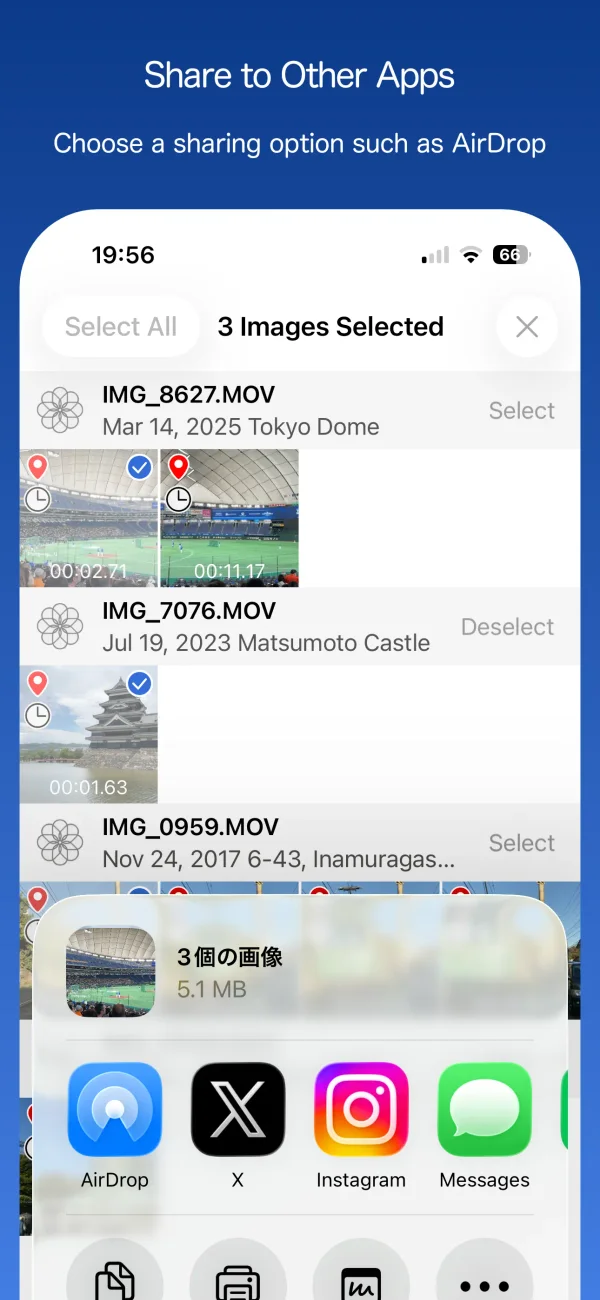
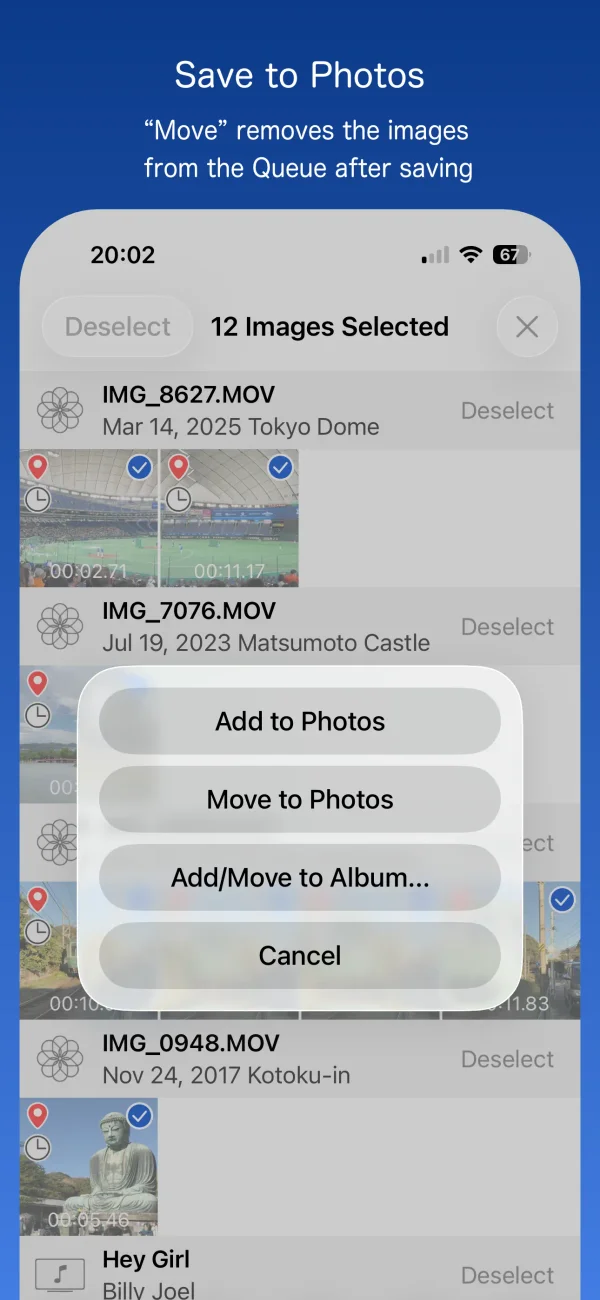
Tap the gray circle button to temporarily save the displayed frame to the Queue. Repeat this for other frames as needed. When you’re ready, tap the red badge showing the number of queued items to open the Queue and save multiple frames at once to the Photos app, or share them with other apps and services.
◆Choose an image format:
Choose JPEG or HEIF in “Settings” > “Image Export Settings” > “Format”.
◇◇◇ Settings ◇◇◇
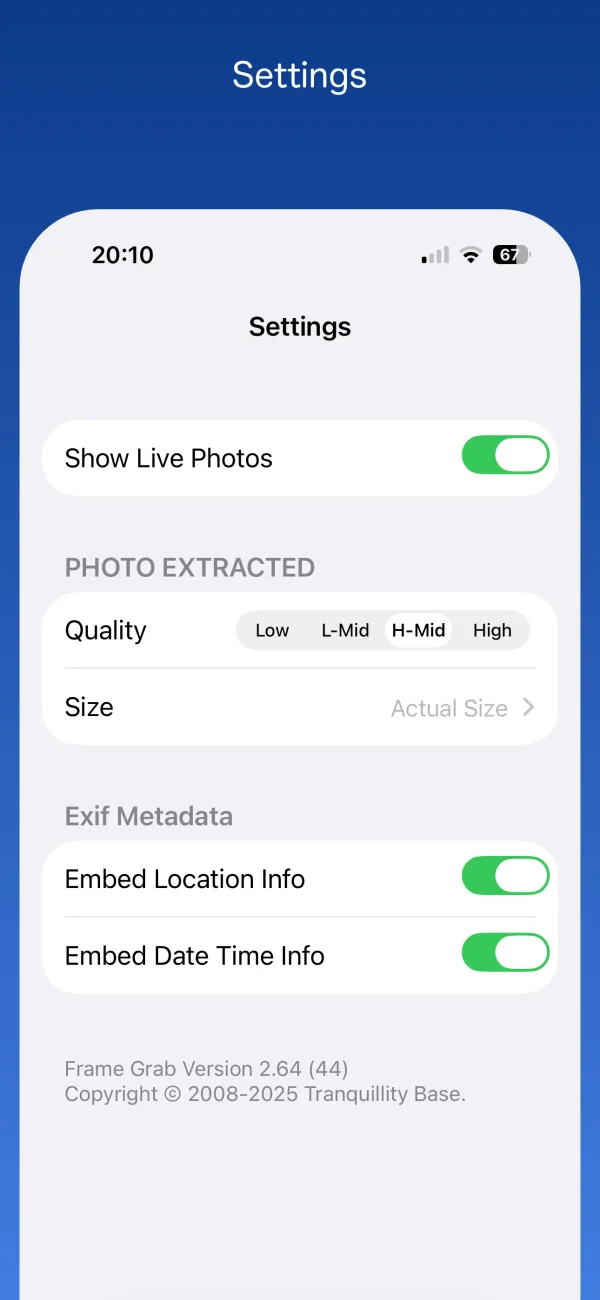
◆Live Photos:
Choose whether to show Live Photos videos.
◆Format:
JPEG or HEIF
◆Quality:
Four levels: Low, Low-Mid, Hi-Mid, High
◆Size:
Actual size of original video
Half size of original video
Maximum 1920, 960 or 640 pixels
◆Location Info:
Choose whether to embed the location data as Exif metadata in the exported images. Applies only if the video contains location information.
◆Date-Time Info:
Choose whether to embed the shooting date-time as Exif metadata in the exported images. Applies only if the video contains date-time information.
◆Show Format:
Choose whether to show the format on thumbnails in the Queue.
◆Show Frame Time:
Choose whether to show the frame time on thumbnails in the Queue.
◇◇◇ Other Features ◇◇◇
◆Playback Speed:
0.5x, 1.0x, 1.25x, 1.5x, 2x
◆Continuous Grabbing:
Extract multiple frames at user-defined intervals and save them to the Queue.
◇◇◇ Note ◇◇◇
◆No recording feature included.
◆Protected videos — such as movies downloaded from the Apple TV Store — cannot be displayed.
◆Images in the Queue may be cleared when either the app or the OS is updated.
◆Videos recorded on iPhone or iPad store only the location where the recording started. Images extracted from the same video will contain the same location information.
Neue Funktionen
Version 2.71 · 03.11.2026
• Fixed some bugs
App-Datenschutz
Was Tranquillity Base im App Store zum Umgang dieser App mit Daten angibt.
-
Daten, die zum Tracking Ihrer Person verwendet werden
Können verwendet werden, um Sie über Apps und Websites anderer Unternehmen hinweg zu verfolgen.
- Kennungen
- Nutzungsdaten
-
Nicht mit Ihnen verknüpfte Daten
Können erfasst werden, sind aber nicht mit Ihrer Identität verknüpft.
- Kennungen
- Nutzungsdaten
- Diagnose
Die Datenschutzpraktiken können variieren, zum Beispiel je nach den von Ihnen verwendeten Funktionen oder Ihrem Alter.
Informationen
- Anbieter
- YUJI MIMORI
- Kategorie
- Foto und Video
- Version
- 2.71
- Aktualisiert
- 03.11.2026
- Veröffentlicht
- 14.12.2017
- Größe
- 6,7 MB
- Erfordert
- iOS 18.6 oder neuer
- Altersfreigabe
- 4+
- Preis
- Kostenlos
- Sprachen
- Englisch, Japanisch
- Copyright
- © 2026 Yuji MIMORI
Das könnte Ihnen auch gefallen
-
 Grab Picture - Video converterFoto und Video
-
 Frame GrabberHD Video Frames zu Fotos
-
 Video zu Foto / BildDie einfachste App
-
 Frame Grabber: Video to PicVideo zu Foto/Bild
-
 Grabz: Video zu Foto FramesHD Standbilder aus Clips
-
 Video to Photo: High QualityFoto und Video
-
 Grab HD Video Frames - VidGrabFoto und Video
-
 Videos in Fotos/Bilder 2Foto und Video
-
 Frame Picker - Video to PhotoVideo in Foto umwandeln
-
 Video Bild für BildFoto und Video