
Frame Grab
Grab your best video moments
iPhone, iPad için tasarlandı
Ücretsiz
- Yaş sınırı4+
- KategoriFotoğraf ve Video
- GeliştiriciTranquillity Base
- Dillerİngilizce+ 1 dil daha
- Boyut6,7 MB
Resmi App Store sayfasına bağlanır
Download.org, Frame Grab için hiçbir dosya barındırmaz. Düğme, uygulamanın App Store üzerindeki sayfasını açar; uygulamayı orada Tranquillity Base yayınlar. Sayfanın son kontrolü: 17.11.2026.
Ekran görüntüleri

Hakkında
Geliştirici bu metni dilinizde sunmamış.
Frame Grab makes it easy to capture and share any moment from videos stored on your device as still images in JPEG or HEIF format. It supports not only videos stored in the Photos app, but also those in the Music, Podcasts, and TV apps, as long as they are downloaded to your device.
◇◇◇ How to Use ◇◇◇
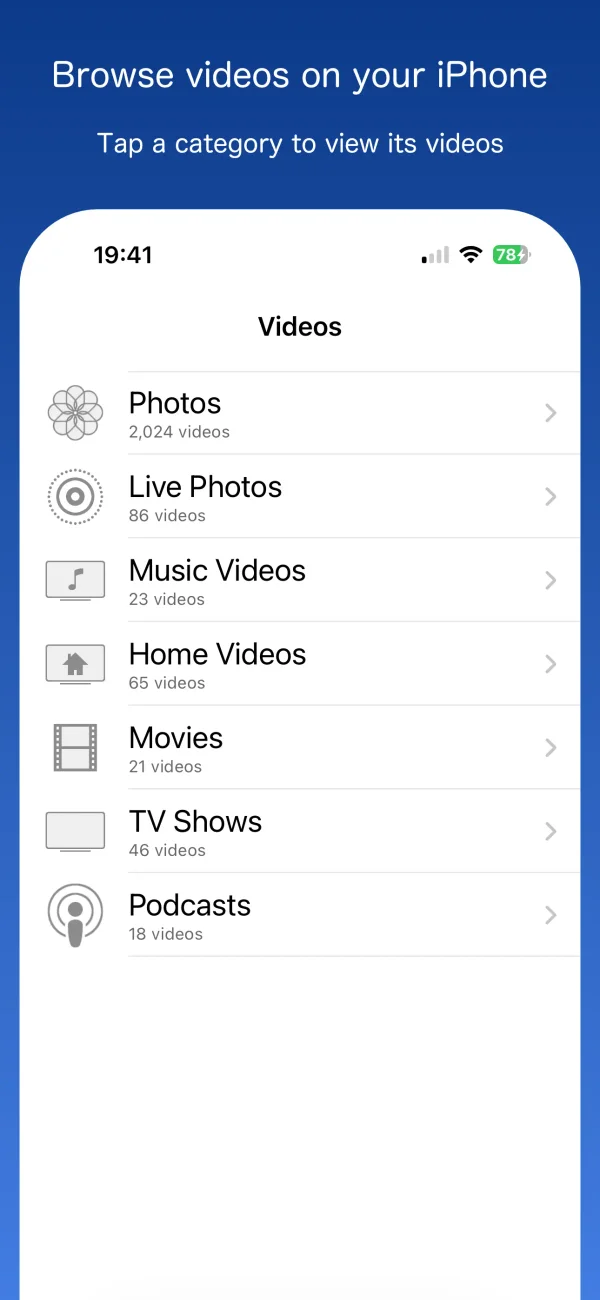
◆When you launch the app, a list of video categories appears: Photos, Live Photos, Music Videos, Home Videos, Movies, TV Shows, and Podcasts.
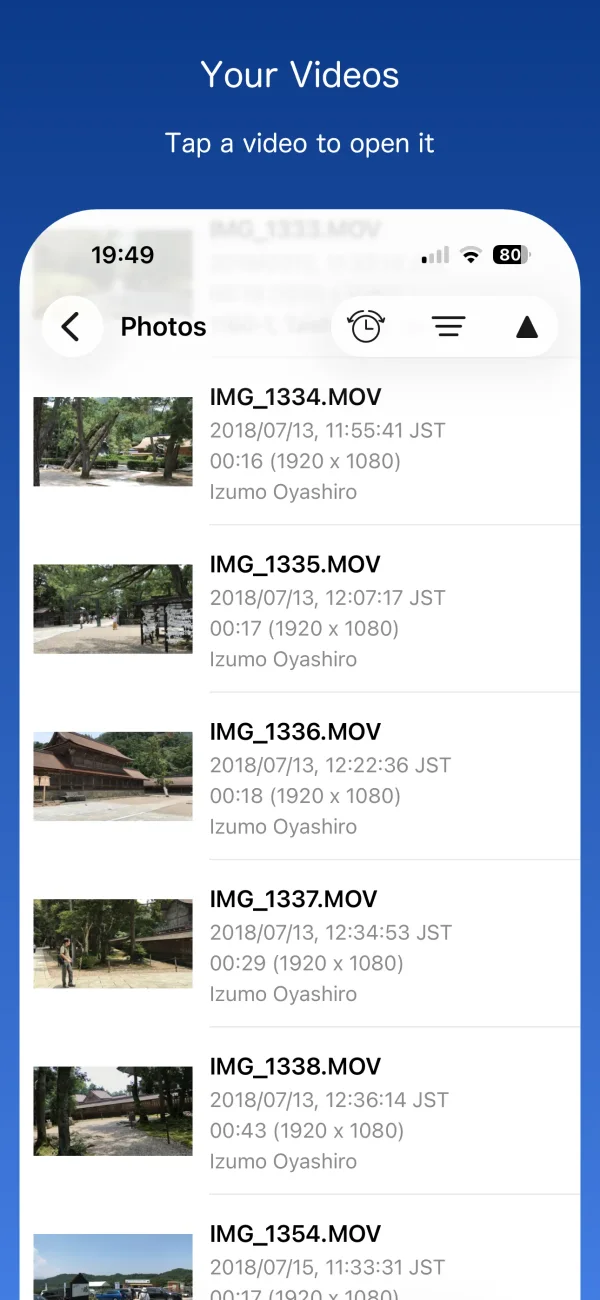
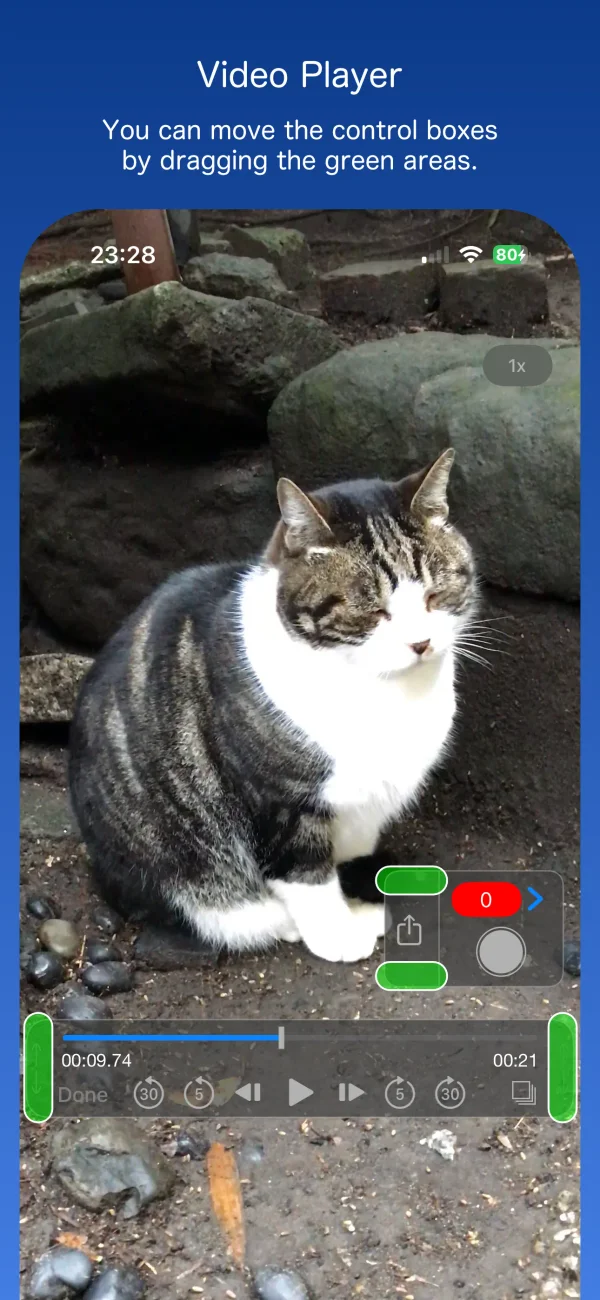
◆Tap a category to view its videos, then tap a video to open the player view.
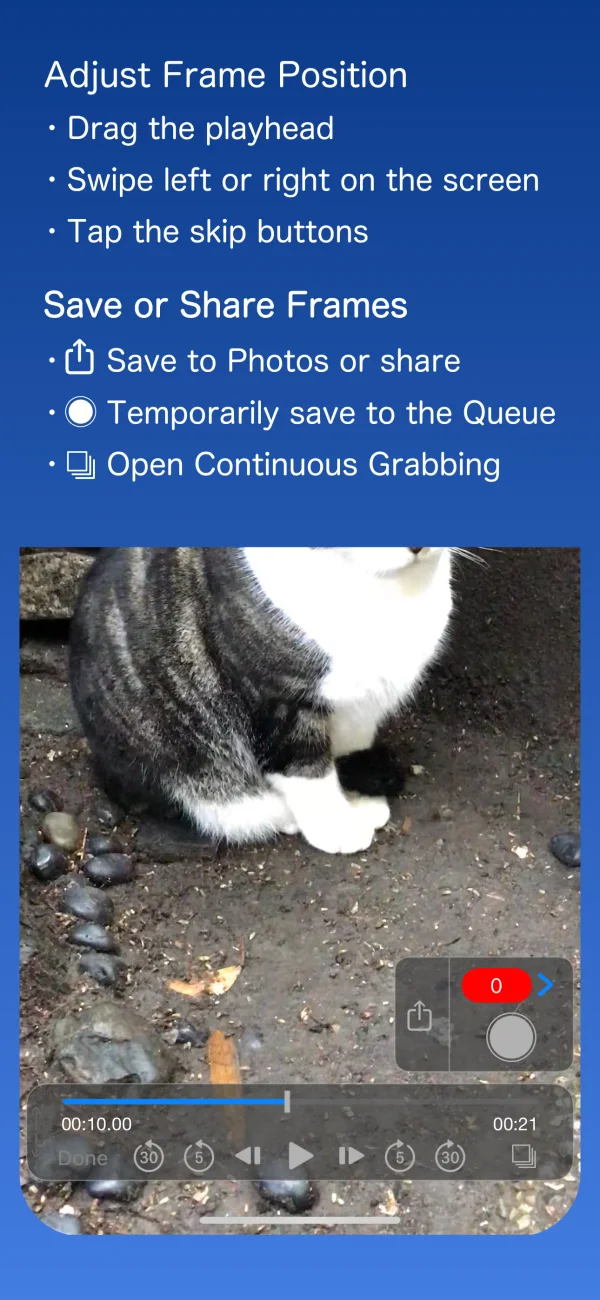
◆Move the playhead to the desired frame. Use the buttons on either side of the play button to step forward or backward one frame at a time.
◆Save Option 1:
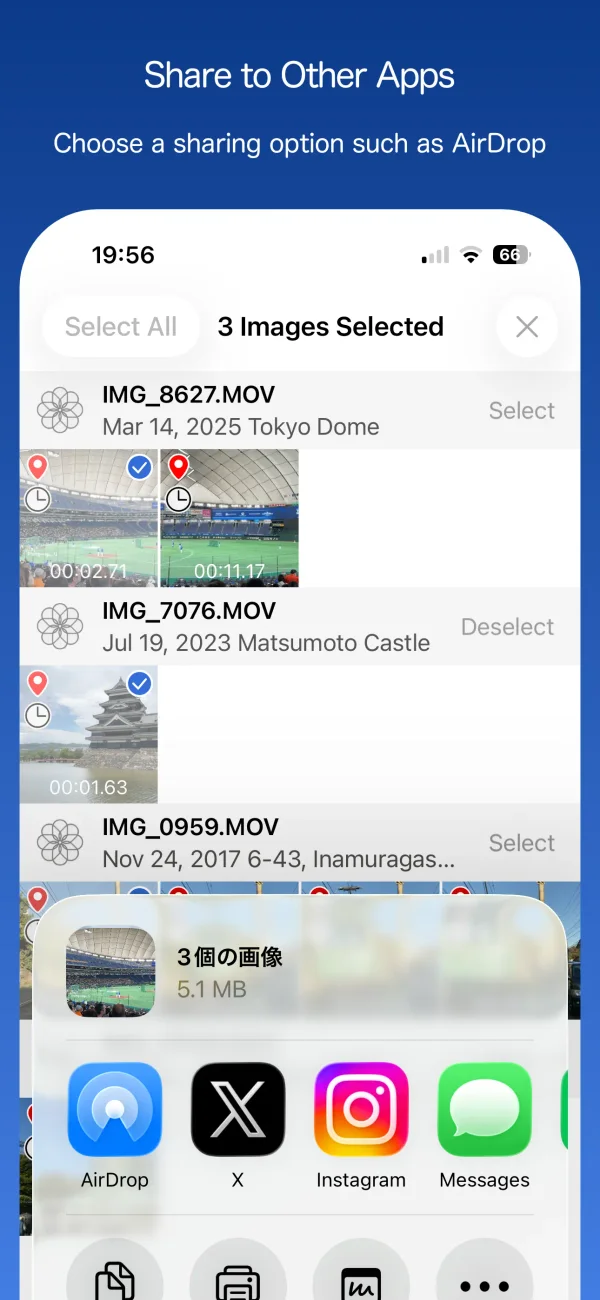
Tap the Share button to save the displayed frame to the Photos app, or share it with other apps and services.
◆Save Option 2:
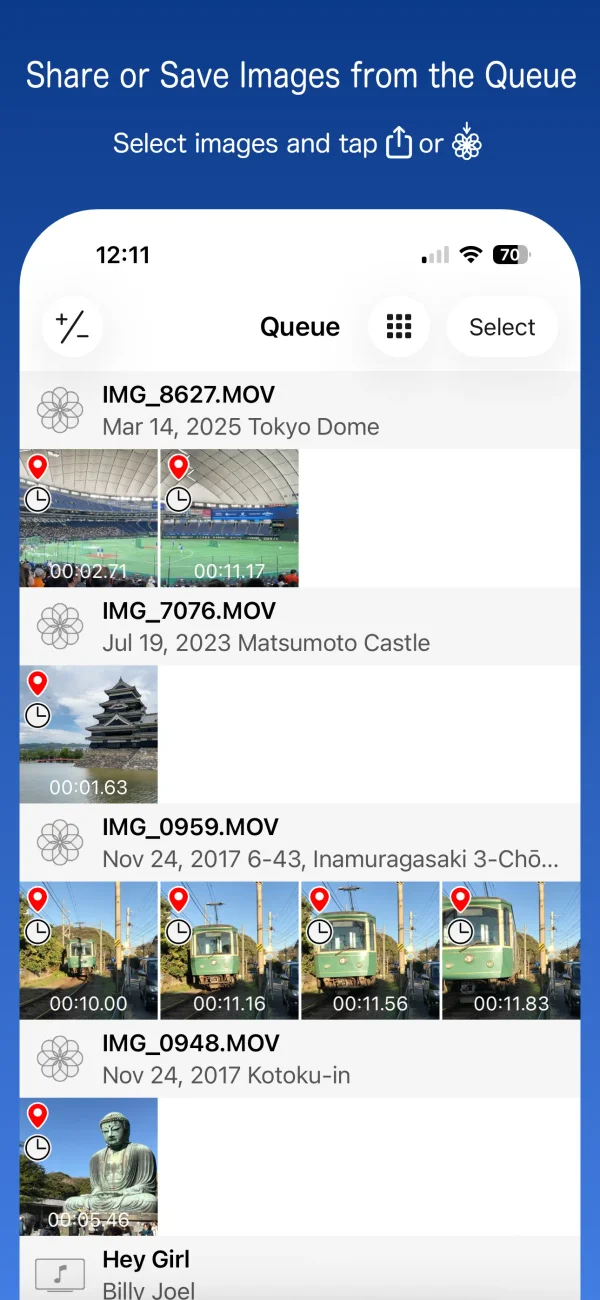
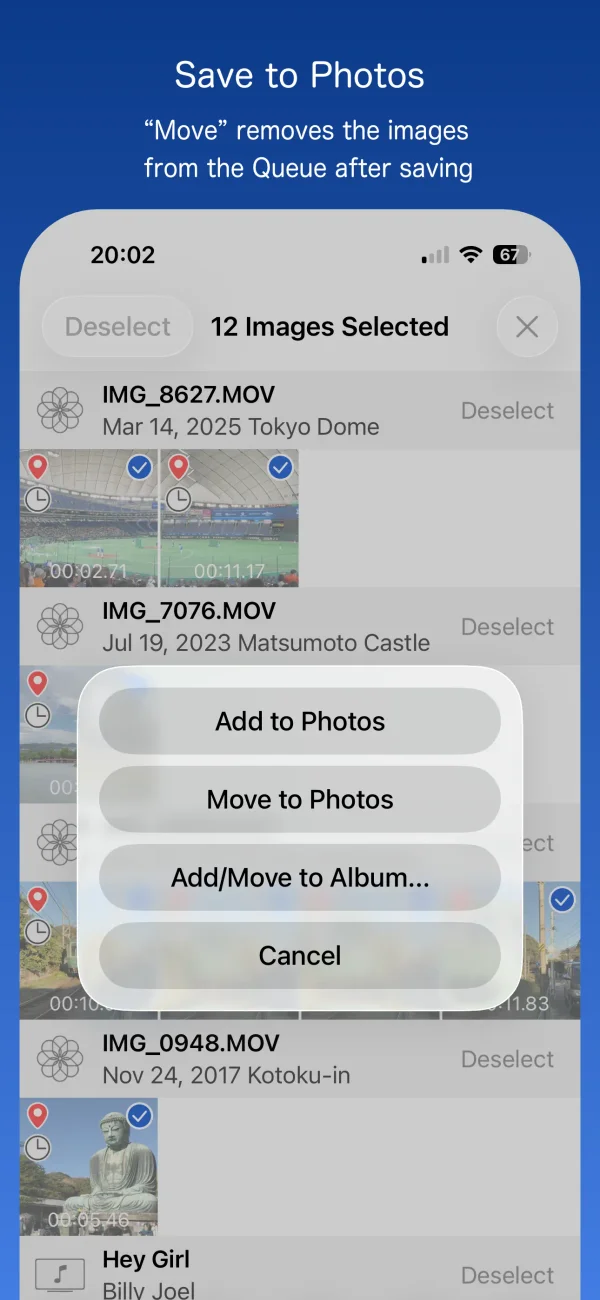
Tap the gray circle button to temporarily save the displayed frame to the Queue. Repeat this for other frames as needed. When you’re ready, tap the red badge showing the number of queued items to open the Queue and save multiple frames at once to the Photos app, or share them with other apps and services.
◆Choose an image format:
Choose JPEG or HEIF in “Settings” > “Image Export Settings” > “Format”.
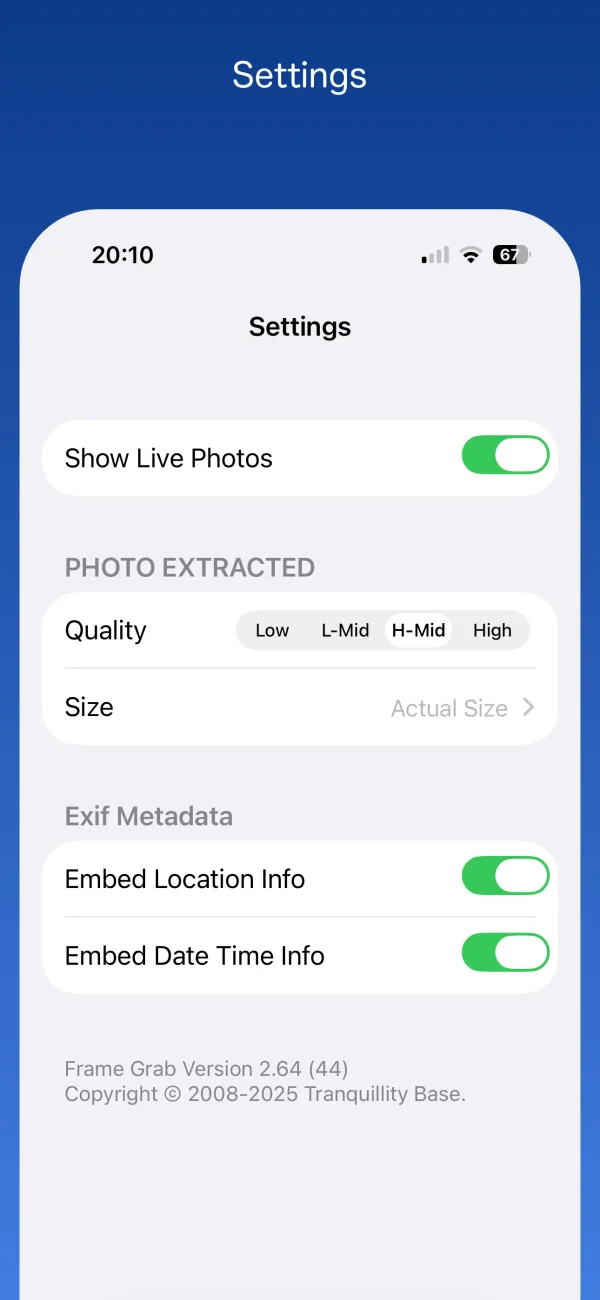
◇◇◇ Settings ◇◇◇
◆Live Photos:
Choose whether to show Live Photos videos.
◆Format:
JPEG or HEIF
◆Quality:
Four levels: Low, Low-Mid, Hi-Mid, High
◆Size:
Actual size of original video
Half size of original video
Maximum 1920, 960 or 640 pixels
◆Location Info:
Choose whether to embed the location data as Exif metadata in the exported images. Applies only if the video contains location information.
◆Date-Time Info:
Choose whether to embed the shooting date-time as Exif metadata in the exported images. Applies only if the video contains date-time information.
◆Show Format:
Choose whether to show the format on thumbnails in the Queue.
◆Show Frame Time:
Choose whether to show the frame time on thumbnails in the Queue.
◇◇◇ Other Features ◇◇◇
◆Playback Speed:
0.5x, 1.0x, 1.25x, 1.5x, 2x
◆Continuous Grabbing:
Extract multiple frames at user-defined intervals and save them to the Queue.
◇◇◇ Note ◇◇◇
◆No recording feature included.
◆Protected videos — such as movies downloaded from the Apple TV Store — cannot be displayed.
◆Images in the Queue may be cleared when either the app or the OS is updated.
◆Videos recorded on iPhone or iPad store only the location where the recording started. Images extracted from the same video will contain the same location information.
Yenilikler
Sürüm 2.71 · 03.11.2026
• Fixed some bugs
Uygulama gizliliği
Bu uygulamanın verileri nasıl işlediği hakkında Tranquillity Base tarafından App Store üzerinde yapılan beyan.
-
Sizi izlemek için kullanılan veriler
Başka şirketlere ait uygulamalarda ve web sitelerinde sizi izlemek için kullanılabilir.
- Tanımlayıcılar
- Kullanım verileri
-
Sizinle ilişkilendirilmeyen veriler
Toplanabilir ancak kimliğinizle ilişkilendirilmez.
- Tanımlayıcılar
- Kullanım verileri
- Tanılama
Gizlilik uygulamaları, örneğin kullandığınız özelliklere veya yaşınıza göre değişiklik gösterebilir.
Bilgiler
- Satıcı
- YUJI MIMORI
- Kategori
- Fotoğraf ve Video
- Sürüm
- 2.71
- Güncellendi
- 03.11.2026
- Yayın tarihi
- 14.12.2017
- Boyut
- 6,7 MB
- Gereksinim
- iOS 18.6 veya sonrası
- Yaş sınırı
- 4+
- Fiyat
- Ücretsiz
- Diller
- İngilizce, Japonca
- Telif hakkı
- © 2026 Yuji MIMORI
Bunları da beğenebilirsiniz
-
 Grab Picture - Video converterFotoğraf ve Video
-
 Frame GrabberFotoğraf ve Video
-
 Video naar Foto / AfbeeldingEn basit uygulama
-
 Videodan Fotoğraf ÇıkarmaKareleri tek tek kaydet
-
 Grabz: Videodan HD FotoğrafVideo Kareleri ve Live Photos
-
 Video to Photo: High QualityFotoğraf ve Video
-
 Grab HD Video Frames - VidGrabFotoğraf ve Video
-
 Videoları Fotoğraflara 2Fotoğraf ve Video
-
 Frame Picker - Video to PhotoVideoyu fotoğrafa dönüştür
-
 Video Kare KareFotoğraf ve Video