
- Age rating4+
- CategoryPhoto & Video
- DeveloperTranquillity Base
- LanguagesEnglish+ 1 more
- Size6.7 MB
Links to the official App Store page
Download.org hosts no file of Frame Grab. The button opens its official App Store page, published by Tranquillity Base. Listing last checked on Nov 17, 2026.
Screenshots


About
Frame Grab makes it easy to capture and share any moment from videos stored on your device as still images in JPEG or HEIF format. It supports not only videos stored in the Photos app, but also those in the Music, Podcasts, and TV apps, as long as they are downloaded to your device.
◇◇◇ How to Use ◇◇◇
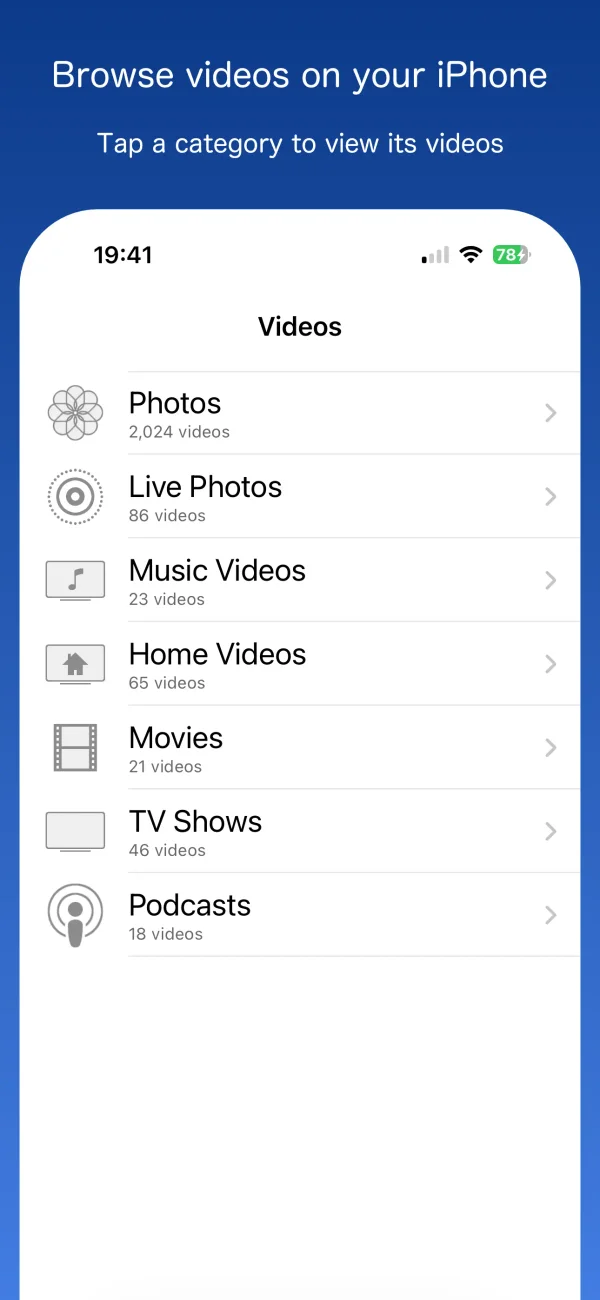
◆When you launch the app, a list of video categories appears: Photos, Live Photos, Music Videos, Home Videos, Movies, TV Shows, and Podcasts.
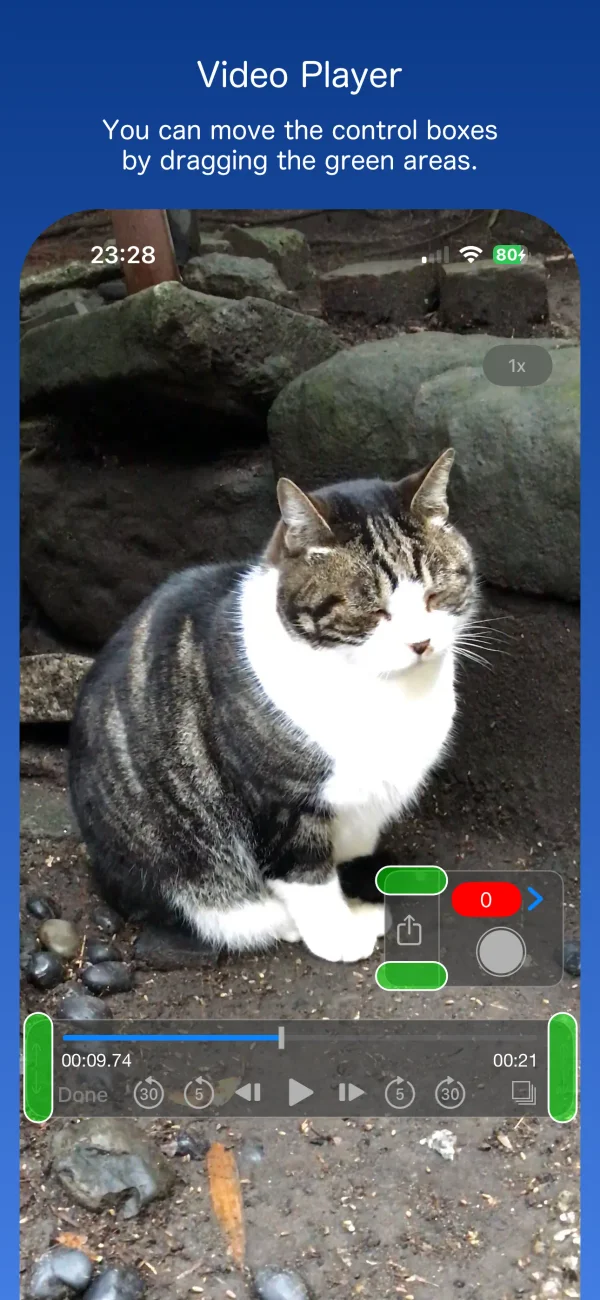
◆Tap a category to view its videos, then tap a video to open the player view.
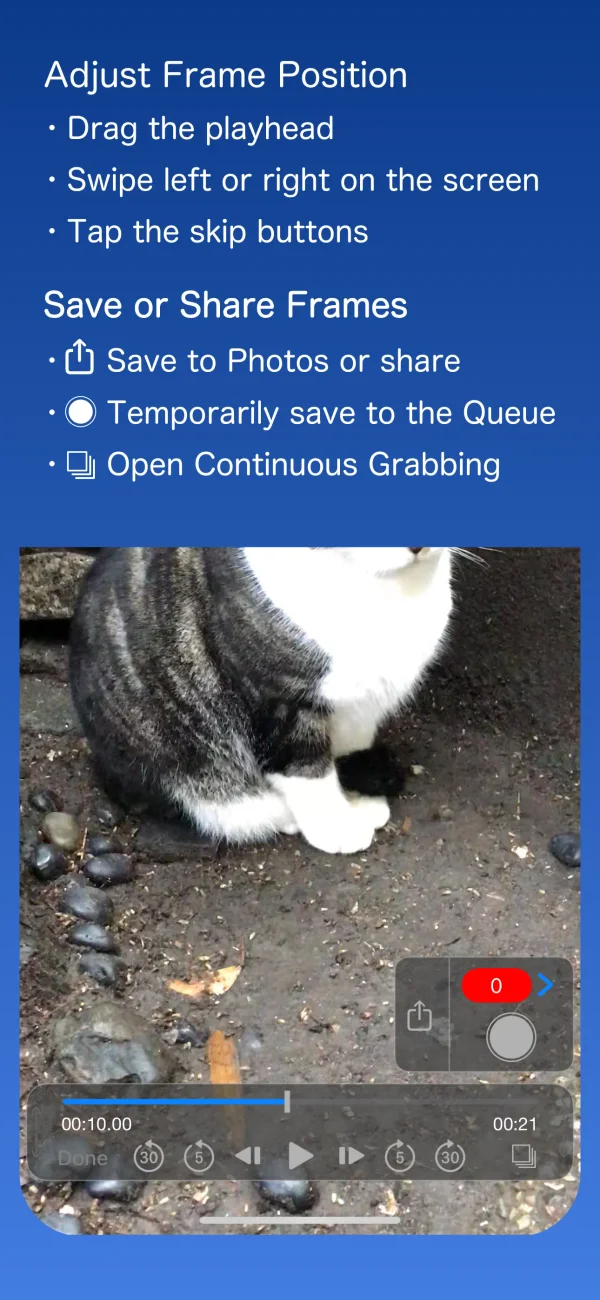
◆Move the playhead to the desired frame. Use the buttons on either side of the play button to step forward or backward one frame at a time.
◆Save Option 1:
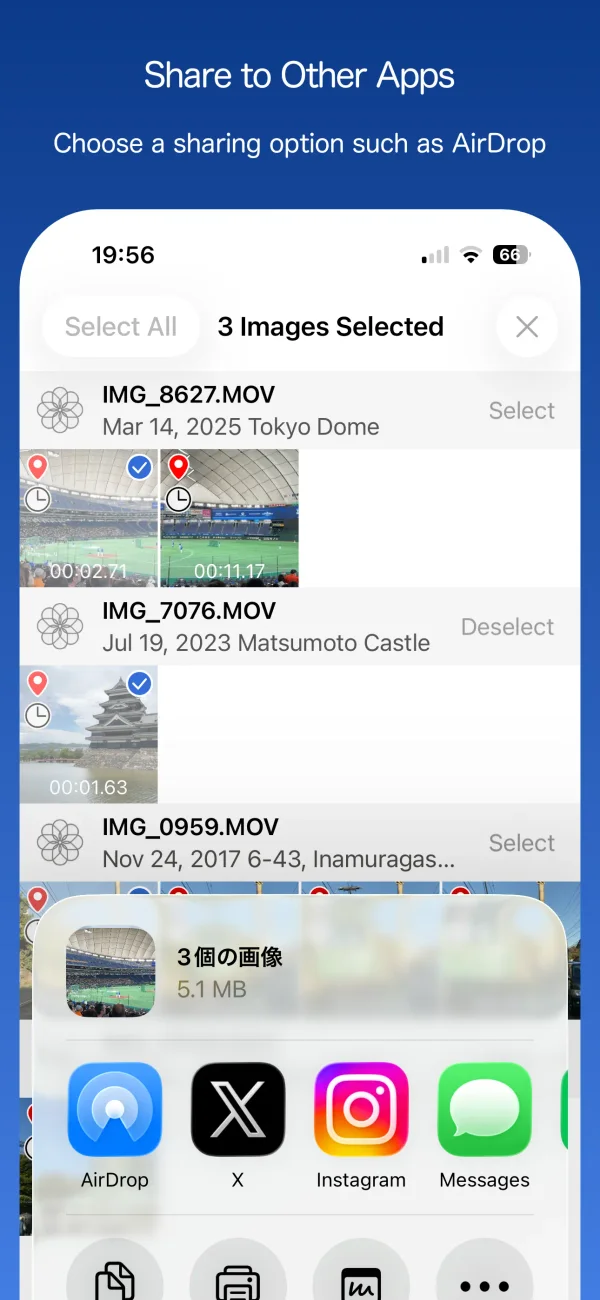
Tap the Share button to save the displayed frame to the Photos app, or share it with other apps and services.
◆Save Option 2:
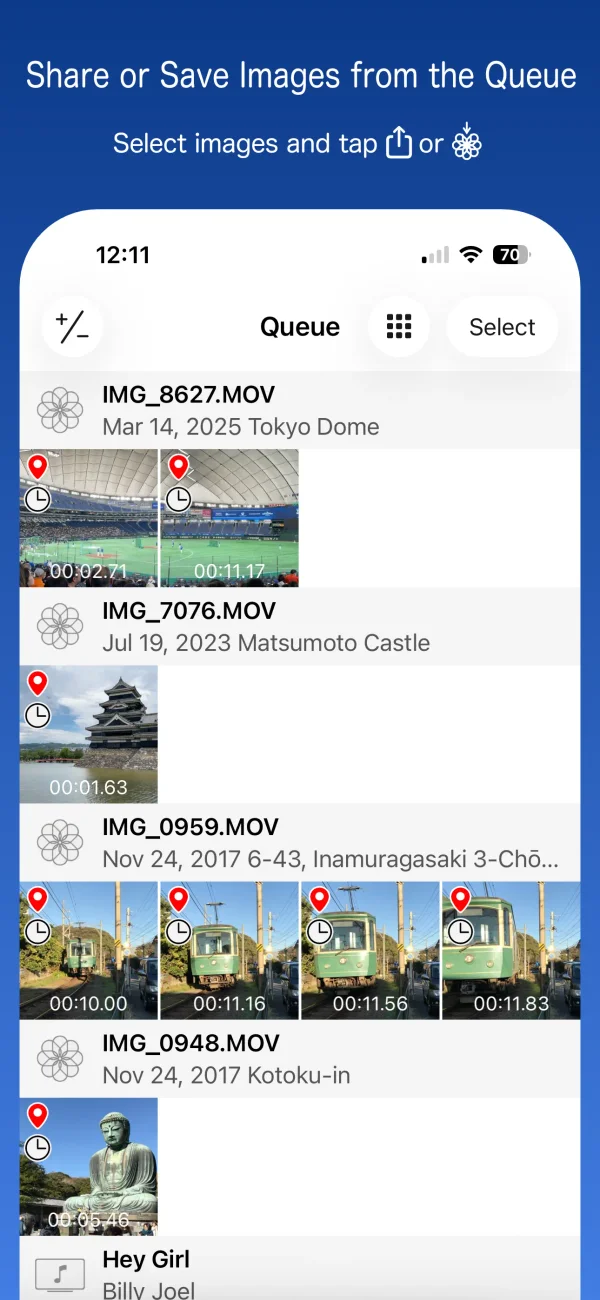
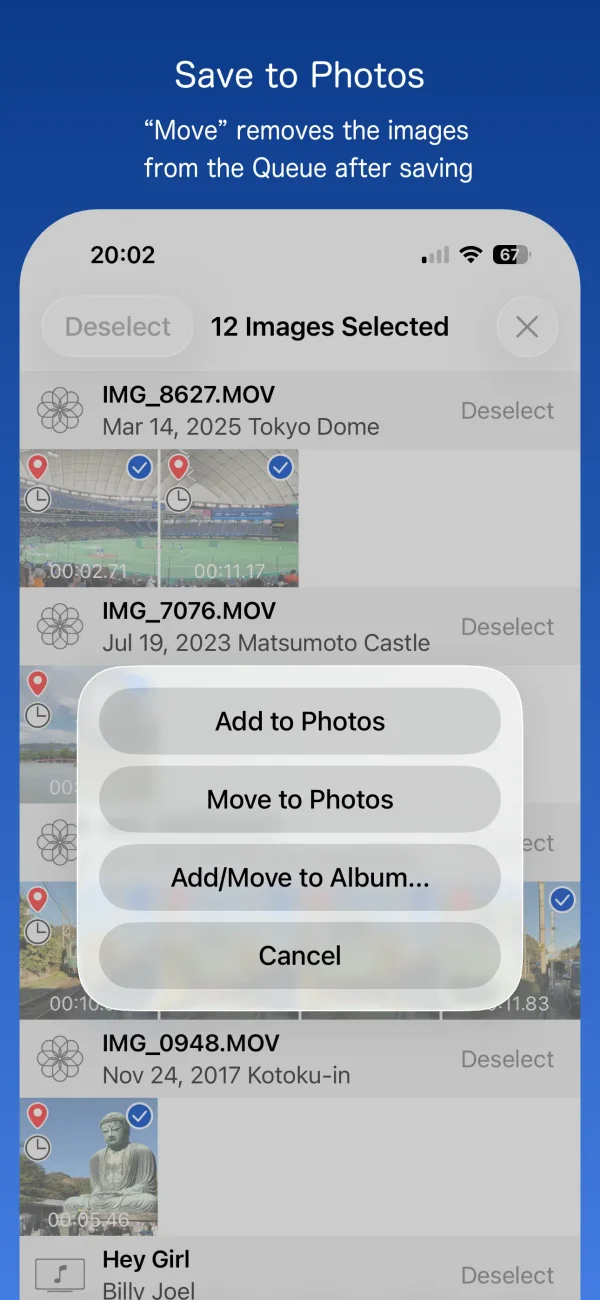
Tap the gray circle button to temporarily save the displayed frame to the Queue. Repeat this for other frames as needed. When you’re ready, tap the red badge showing the number of queued items to open the Queue and save multiple frames at once to the Photos app, or share them with other apps and services.
◆Choose an image format:
Choose JPEG or HEIF in “Settings” > “Image Export Settings” > “Format”.
◇◇◇ Settings ◇◇◇
◆Live Photos:
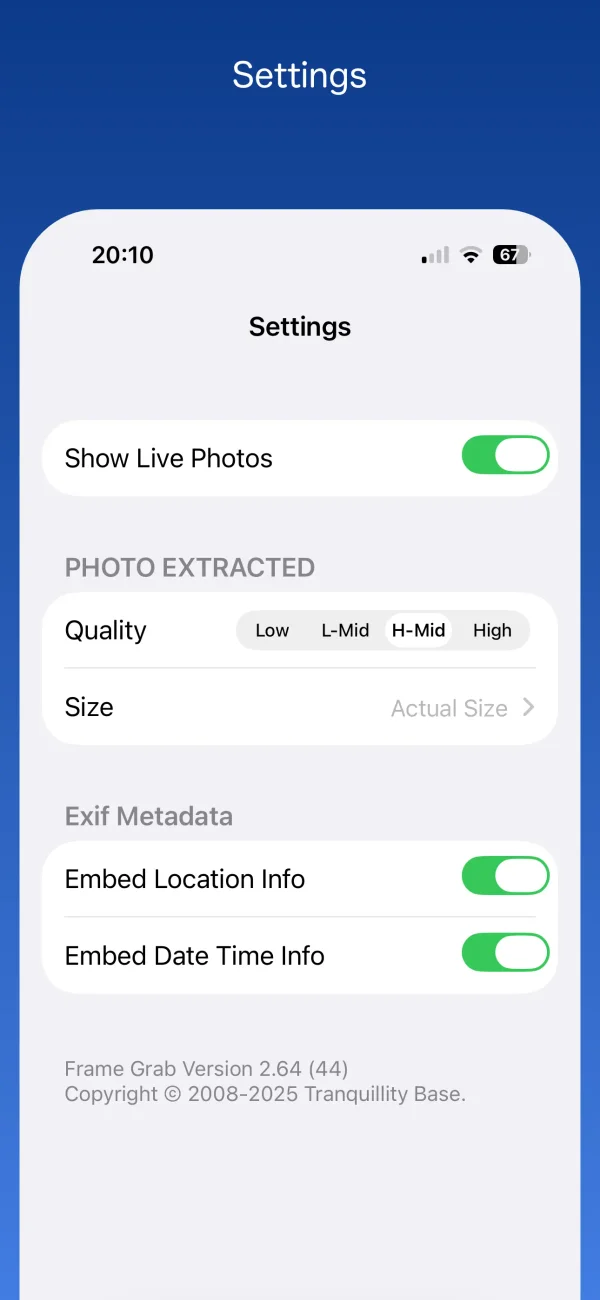
Choose whether to show Live Photos videos.
◆Format:
JPEG or HEIF
◆Quality:
Four levels: Low, Low-Mid, Hi-Mid, High
◆Size:
Actual size of original video
Half size of original video
Maximum 1920, 960 or 640 pixels
◆Location Info:
Choose whether to embed the location data as Exif metadata in the exported images. Applies only if the video contains location information.
◆Date-Time Info:
Choose whether to embed the shooting date-time as Exif metadata in the exported images. Applies only if the video contains date-time information.
◆Show Format:
Choose whether to show the format on thumbnails in the Queue.
◆Show Frame Time:
Choose whether to show the frame time on thumbnails in the Queue.
◇◇◇ Other Features ◇◇◇
◆Playback Speed:
0.5x, 1.0x, 1.25x, 1.5x, 2x
◆Continuous Grabbing:
Extract multiple frames at user-defined intervals and save them to the Queue.
◇◇◇ Note ◇◇◇
◆No recording feature included.
◆Protected videos — such as movies downloaded from the Apple TV Store — cannot be displayed.
◆Images in the Queue may be cleared when either the app or the OS is updated.
◆Videos recorded on iPhone or iPad store only the location where the recording started. Images extracted from the same video will contain the same location information.
What’s new
Version 2.71 · Nov 3, 2026
• Fixed some bugs
App privacy
What Tranquillity Base declares on the App Store about how this app handles data.
-
Data used to track you
May be used to track you across apps and websites owned by other companies.
- Identifiers
- Usage data
-
Data not linked to you
May be collected but is not linked to your identity.
- Identifiers
- Usage data
- Diagnostics
Privacy practices may vary, for example with the features you use or your age.
Information
- Seller
- YUJI MIMORI
- Category
- Photo & Video
- Version
- 2.71
- Updated
- Nov 3, 2026
- Released
- Dec 14, 2017
- Size
- 6.7 MB
- Requires
- iOS 18.6 or later
- Age rating
- 4+
- Price
- Free
- Languages
- English, Japanese
- Copyright
- © 2026 Yuji MIMORI
You might also like
-
 Grab Picture - Video converterVideo screen capture, stills
-
 Frame GrabberGrab HD video frames
-
 Video To Photo / ImageThe simplest app.
-
 Video to Pic: Frame GrabberExtract HD Photo from Video
-
 Grabz: Video Frame GrabberHD 스틸 및 Live Photos
-
 Video to Photo: High QualityCapture photo from video tool
-
 Grab HD Video Frames - VidGrabImage grabber photo converter
-
 Videos to Photos / Images 2Photo & Video
-
 Frame Picker - Photo GrabberMake screenshots from video
-
 Video Frame By FramePhoto & Video