
FrameSleek: Pro Camera
Crop Guides & Safe Zones
Entwickelt für iPhone
Kostenlos · In-App-Käufe
- Altersfreigabe4+
- KategorieFoto und Video
- EntwicklerTiger Ng
- SprachenEnglisch
- Größe5,9 MB
Verlinkt auf die offizielle App Store-Seite
Download.org hostet keine Datei von FrameSleek: Pro Camera. Die Schaltfläche öffnet die App-Seite bei App Store, wo Tiger Ng die App veröffentlicht. Eintrag zuletzt geprüft am 17.11.2026.
Screenshots




Info
Der Entwickler hat diesen Text nicht in Ihrer Sprache bereitgestellt.
FrameSleek is a minimalist photo and video camera built for creators who publish across multiple formats. See several aspect-ratio guides together on the live camera preview, frame your subject with confidence, and create platform-ready crops from one master capture.
MULTI-FRAME COMPOSITION
Plan for vertical video, social posts, square feeds, cinematic widescreen, iPhone wallpapers, and more without guessing how each crop will look.
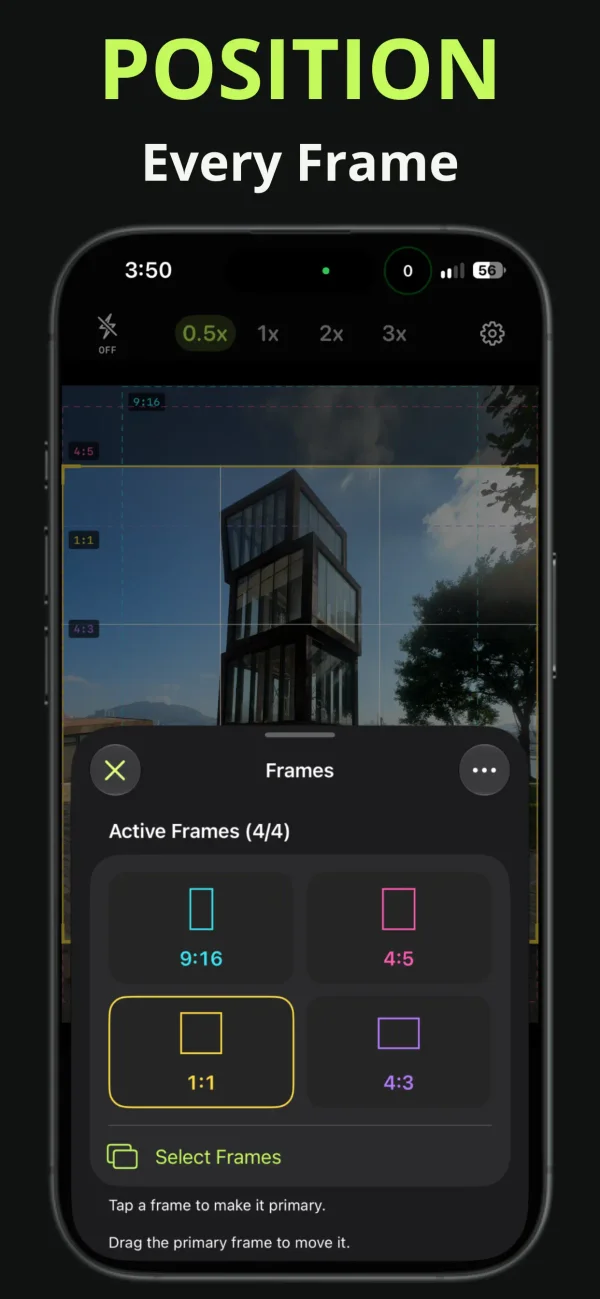
- Display up to four aspect-ratio frames simultaneously
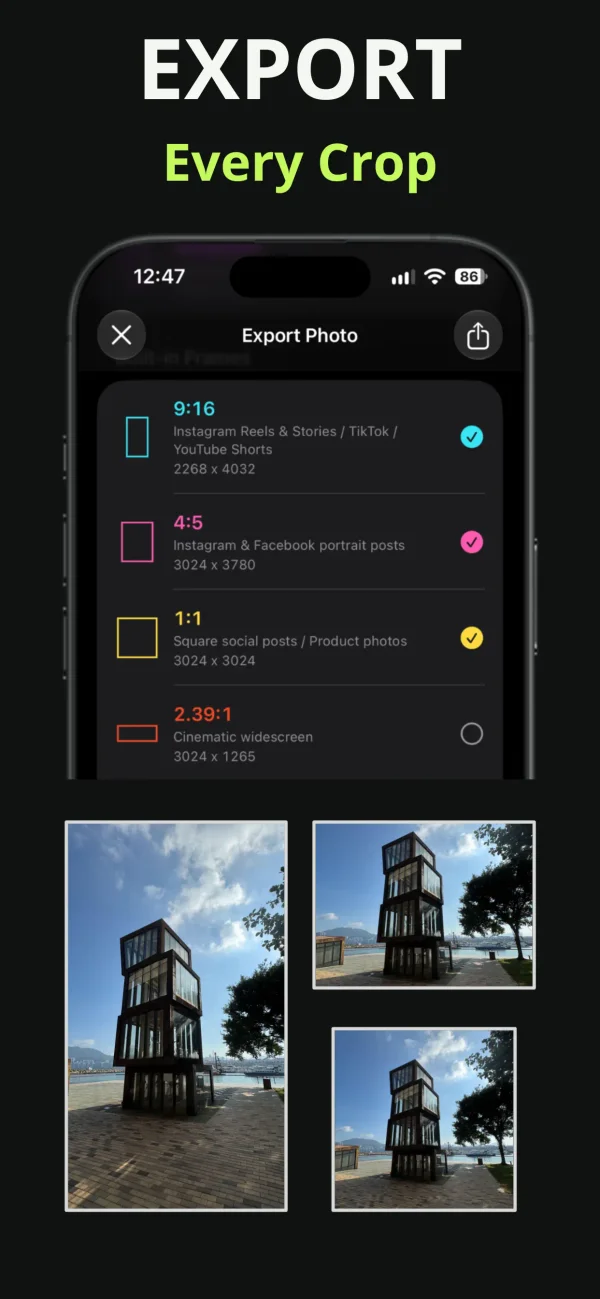
- Choose from built-in formats including 9:16, 4:5, 1:1, 2.39:1, 16:9, 4:3, and more
- Compose with a Wallpaper frame matched to your current iPhone
- Preview Minimal Clock, Large Clock, Clock + Widgets, or Conservative wallpaper guides
- Create custom aspect ratios for specialized workflows
- Tap an active frame to make it primary
- Reposition the primary frame and reset frames to center at any time
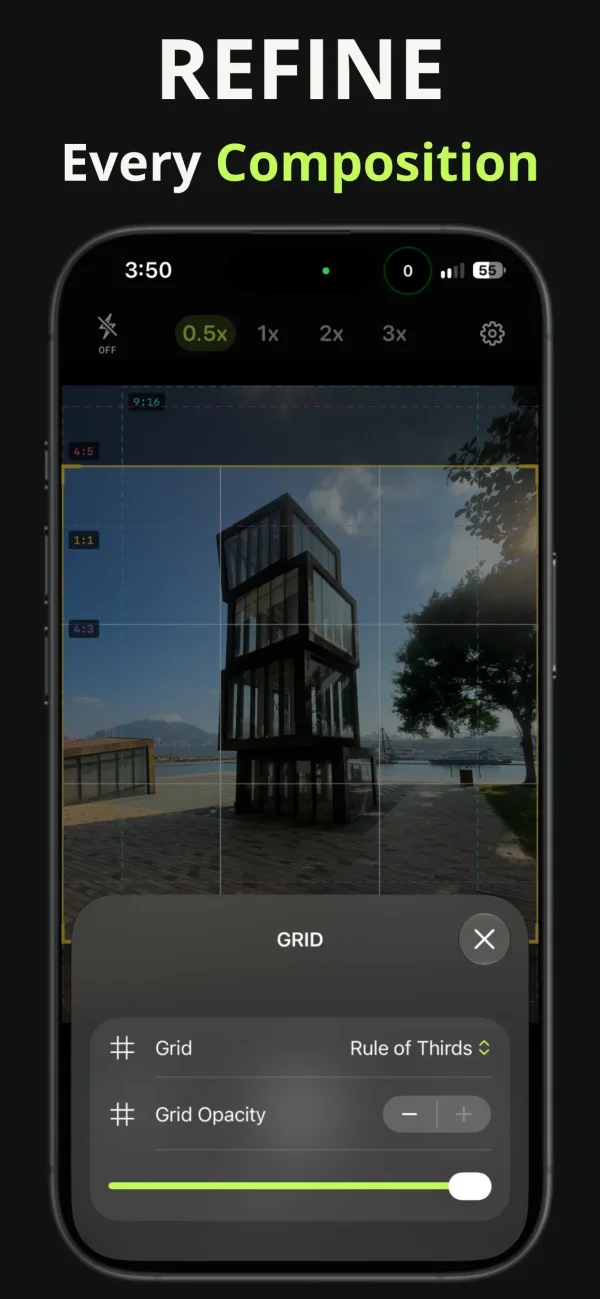
- Use rule-of-thirds or golden-ratio grids
- Adjust grid and matte opacity for a clearer composition view
CAMERA CONTROLS
Stay focused on the shot with a streamlined camera HUD and controls that adapt to your device.
- Capture photos and videos
- Switch between available cameras and zoom levels
- Apply live creative filters
- Control exposure, ISO, focus, focus peaking, aperture, and flash where supported
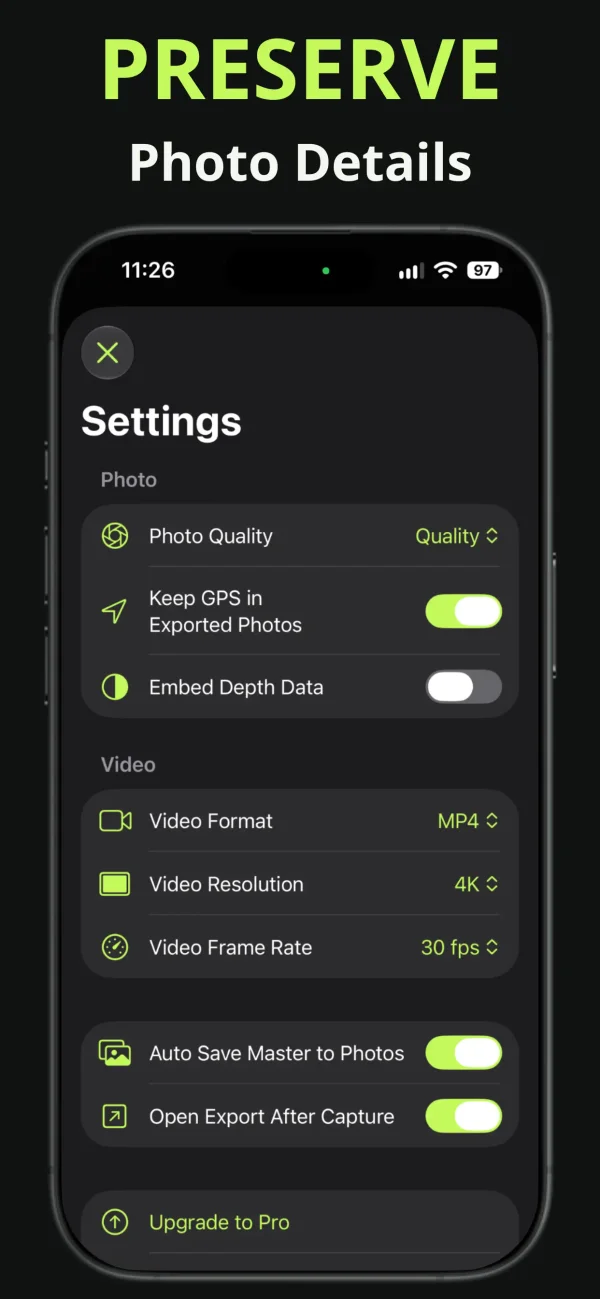
- Select photo quality and MOV or MP4 video format
NON-DESTRUCTIVE EXPORTS
FrameSleek keeps the master media separate from generated crops, so you can revisit a capture and export new formats later.
- Export multiple photo or video crops in one workflow
- Preserve supported EXIF metadata in photo masters and exports
- Choose whether GPS metadata is retained in exported photos
- Save selected results to the Photos app
- Regenerate exports after changing frames or output settings
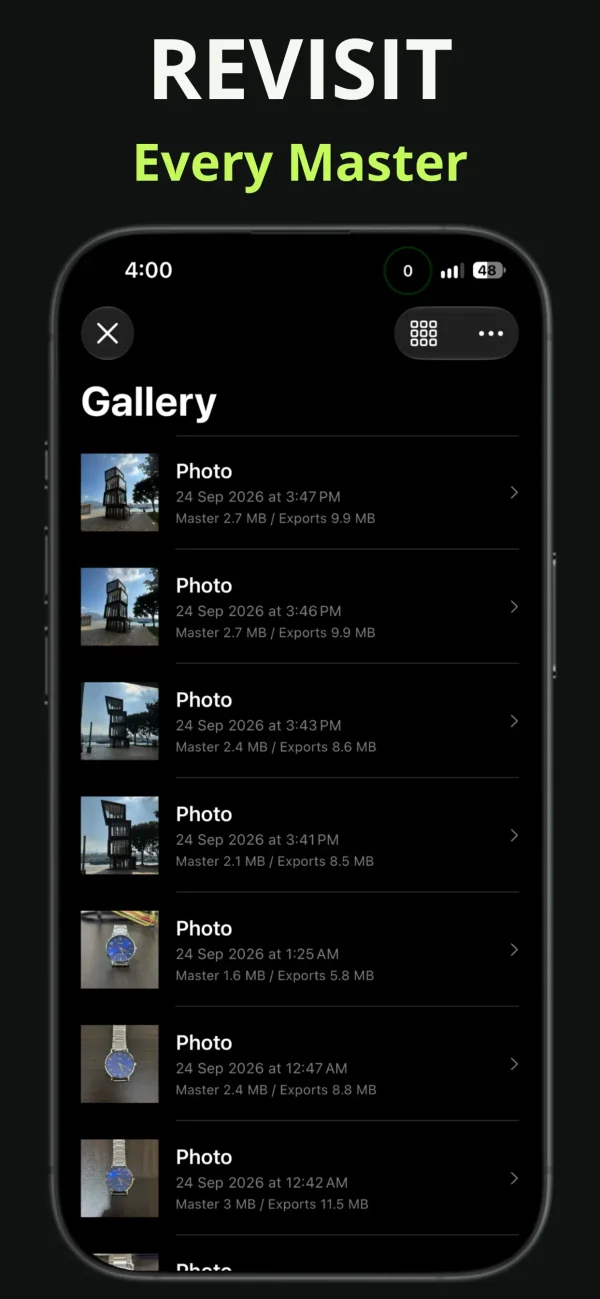
BUILT-IN GALLERY
Keep your FrameSleek captures organized and ready for reuse.
- Browse photo and video masters in grid or list view
- Add custom titles to captures
- Review master and export storage usage
- Import existing photos and videos
- Remove cached exports while keeping masters
- Delete individual records or clear all local media
FRAMESLEEK PRO
Upgrade to unlock all built-in frames and create unlimited custom frames.
Hardware-dependent controls and available camera lenses vary by device. FrameSleek stores masters and generated exports locally unless you choose to save them to Photos. Keeping GPS in exported photos is optional and disabled by default.
Terms of Use (EULA):
https://www.apple.com/legal/internet-services/itunes/dev/stdeula/
App-Datenschutz
Was Tiger Ng im App Store zum Umgang dieser App mit Daten angibt.
-
Nicht mit Ihnen verknüpfte Daten
Können erfasst werden, sind aber nicht mit Ihrer Identität verknüpft.
- Standort
- Benutzerinhalte
- Nutzungsdaten
- Diagnose
Die Datenschutzpraktiken können variieren, zum Beispiel je nach den von Ihnen verwendeten Funktionen oder Ihrem Alter.
Informationen
- Anbieter
- Tiger Ng
- Kategorie
- Foto und Video
- Version
- 1.0
- Aktualisiert
- 01.10.2026
- Veröffentlicht
- 01.10.2026
- Größe
- 5,9 MB
- Erfordert
- iOS 27.0 oder neuer
- Altersfreigabe
- 4+
- Preis
- Kostenlos
- In-App-Käufe
- Ja
- Sprachen
- Englisch
- Copyright
- © 2026 Tiger Ng
Das könnte Ihnen auch gefallen
-
 EncadraFoto und Video
-
 CinemaCameraFoto und Video
-
 Stampa - Briefmarken-KameraScrapbook & Fototagebuch
-
 Photofy Content CreationFoto und Video
-
 Pro Camera - ReeflexLangzeitbelichtung und RAW Cam
-
 Intro Maker: video intro outroYT intro maker&outro editor
-
 Sun Surveyor LiteFoto und Video
-
 Lampa — Digital & Film CameraFoto und Video
-
 OnBeat: Video Editor & ReelsKI Beat-Sync Video Maker
-
 Zeemo: KI-Video & KI-Bild-AppAuto-Untertitel, Text zu Video