
- 対象年齢4+
- カテゴリ写真/ビデオ
- 開発元Tiger Ng
- 言語英語
- サイズ5.9 MB
App Storeの公式ページにリンクしています
Download.orgはFrameSleek: Pro Cameraのファイルを一切ホストしていません。ボタンを押すと、Tiger Ngが公開しているApp Storeのアプリページが開きます。ページの最終確認:2026/11/17。
スクリーンショット




概要
開発元はこのテキストをお使いの言語で提供していません。
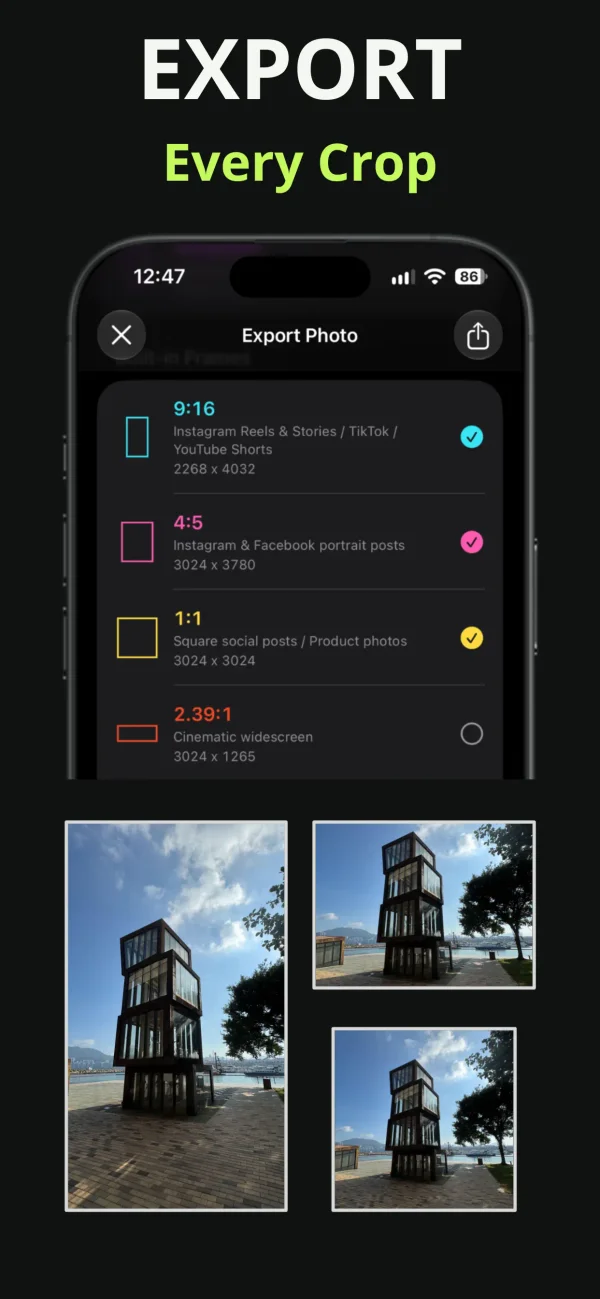
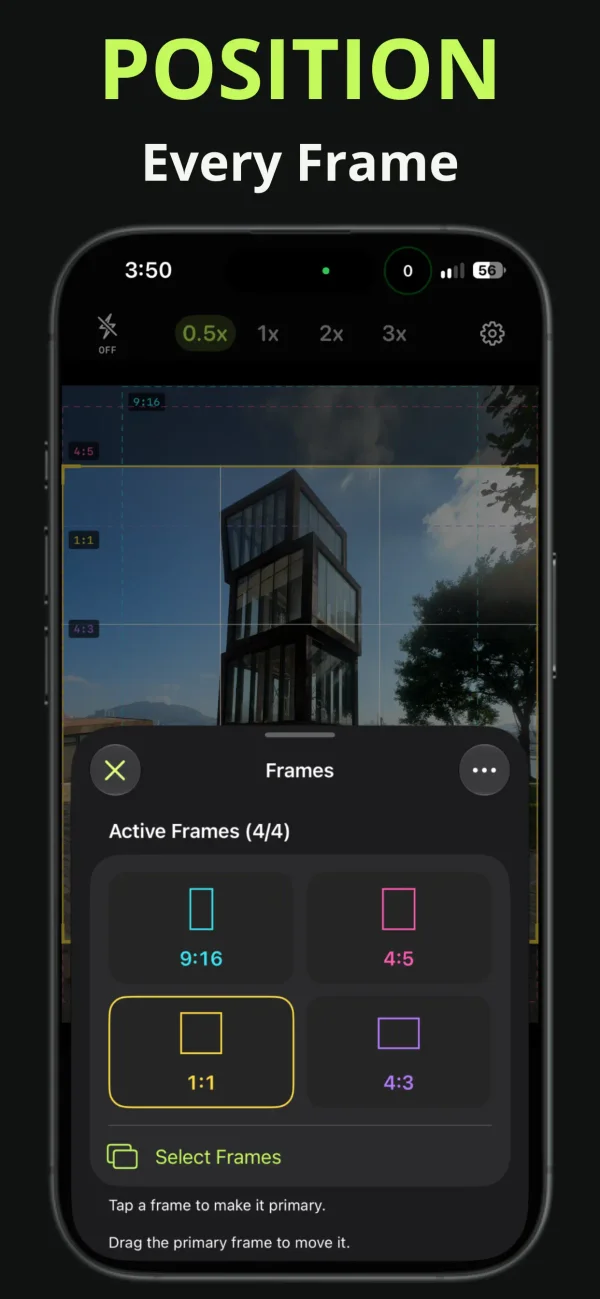
FrameSleek is a minimalist photo and video camera built for creators who publish across multiple formats. See several aspect-ratio guides together on the live camera preview, frame your subject with confidence, and create platform-ready crops from one master capture.
MULTI-FRAME COMPOSITION
Plan for vertical video, social posts, square feeds, cinematic widescreen, iPhone wallpapers, and more without guessing how each crop will look.
- Display up to four aspect-ratio frames simultaneously
- Choose from built-in formats including 9:16, 4:5, 1:1, 2.39:1, 16:9, 4:3, and more
- Compose with a Wallpaper frame matched to your current iPhone
- Preview Minimal Clock, Large Clock, Clock + Widgets, or Conservative wallpaper guides
- Create custom aspect ratios for specialized workflows
- Tap an active frame to make it primary
- Reposition the primary frame and reset frames to center at any time
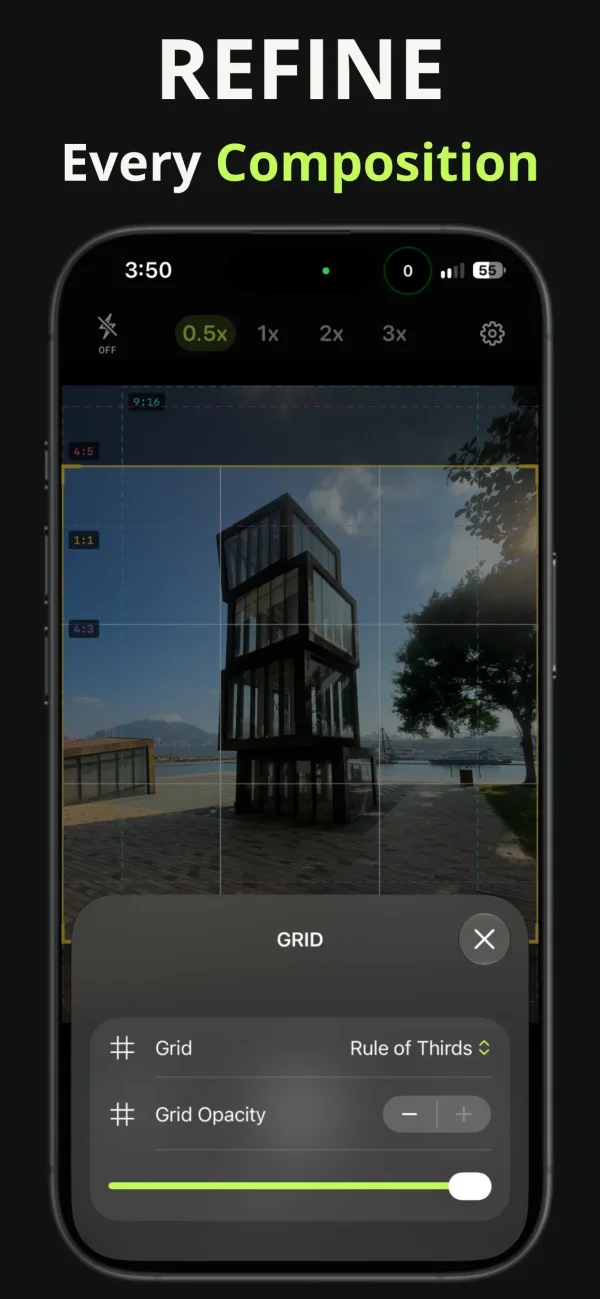
- Use rule-of-thirds or golden-ratio grids
- Adjust grid and matte opacity for a clearer composition view
CAMERA CONTROLS
Stay focused on the shot with a streamlined camera HUD and controls that adapt to your device.
- Capture photos and videos
- Switch between available cameras and zoom levels
- Apply live creative filters
- Control exposure, ISO, focus, focus peaking, aperture, and flash where supported
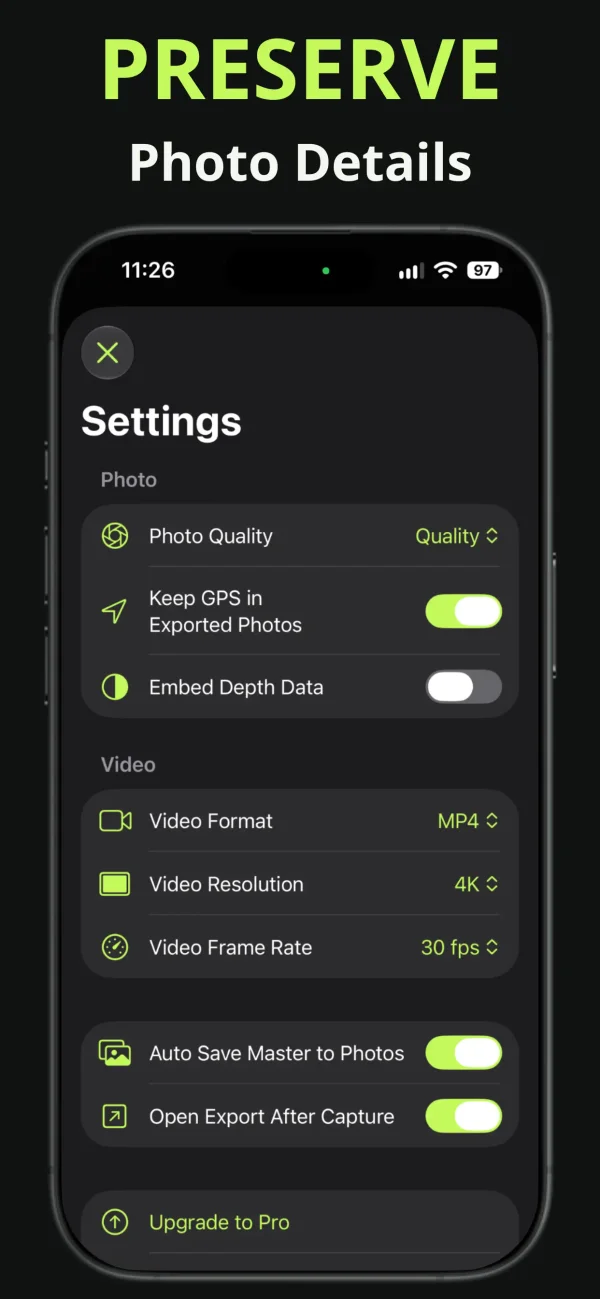
- Select photo quality and MOV or MP4 video format
NON-DESTRUCTIVE EXPORTS
FrameSleek keeps the master media separate from generated crops, so you can revisit a capture and export new formats later.
- Export multiple photo or video crops in one workflow
- Preserve supported EXIF metadata in photo masters and exports
- Choose whether GPS metadata is retained in exported photos
- Save selected results to the Photos app
- Regenerate exports after changing frames or output settings
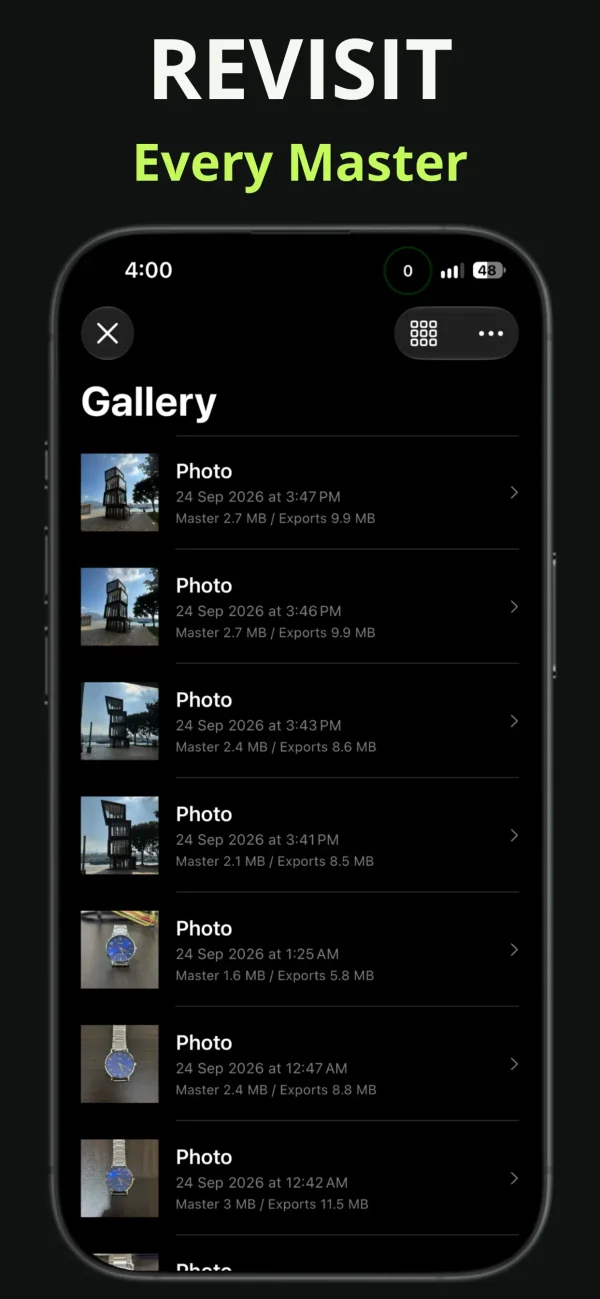
BUILT-IN GALLERY
Keep your FrameSleek captures organized and ready for reuse.
- Browse photo and video masters in grid or list view
- Add custom titles to captures
- Review master and export storage usage
- Import existing photos and videos
- Remove cached exports while keeping masters
- Delete individual records or clear all local media
FRAMESLEEK PRO
Upgrade to unlock all built-in frames and create unlimited custom frames.
Hardware-dependent controls and available camera lenses vary by device. FrameSleek stores masters and generated exports locally unless you choose to save them to Photos. Keeping GPS in exported photos is optional and disabled by default.
Terms of Use (EULA):
https://www.apple.com/legal/internet-services/itunes/dev/stdeula/
アプリのプライバシー
このアプリのデータの取り扱いについて、Tiger NgがApp Storeで申告している内容です。
-
ユーザーに関連付けられないデータ
収集される場合がありますが、ユーザーの識別情報には関連付けられません。
- 位置情報
- ユーザーコンテンツ
- 使用状況データ
- 診断
プライバシーの取り扱いは、ご利用の機能やお客様の年齢などに応じて異なる場合があります。
情報
- 販売元
- Tiger Ng
- カテゴリ
- 写真/ビデオ
- バージョン
- 1.0
- 更新日
- 2026/10/1
- リリース
- 2026/10/1
- サイズ
- 5.9 MB
- 必要条件
- iOS 27.0以降
- 対象年齢
- 4+
- 価格
- 無料
- アプリ内課金
- あり
- 言語
- 英語
- 著作権
- © 2026 Tiger Ng
こちらもおすすめ
-
 Encadra縦持ちのまま横向き撮影できる比率カメラ
-
 CinemaCamera写真/ビデオ
-
 Stampa - 切手カメラ写真日記とスクラップブック
-
 Photofy Content Creation写真/ビデオ
-
 Pro Camera - Reeflex カメラロングエクスポージャー&一眼レフコントロール
-
 Intro Maker: video intro outroYT intro maker&outro editor
-
 サン・サーベイヤー・ライトSun Surveyor Lite
-
 Lampa — Digital & Film Camera写真/ビデオ
-
 OnBeat - リール & 動画編集音楽とシンクロさせてショートビデオを簡単作成
-
 Zeemo:AI動画生成・AI画像生成・自動字幕アプリテキスト/画像から動画・テンプレでバズ動画作成