
FrameSleek: Pro Camera
Crop Guides & Safe Zones
Conçue pour iPhone
Gratuit · Achats intégrés
- Classification d’âge4+
- CatégoriePhoto et vidéo
- DéveloppeurTiger Ng
- LanguesAnglais
- Taille5,9 Mo
Renvoie vers la page App Store officielle
Download.org n’héberge aucun fichier de FrameSleek: Pro Camera. Le bouton ouvre la page de l’application sur App Store, où Tiger Ng la publie. Fiche vérifiée pour la dernière fois le 17/11/2026.
Captures d’écran




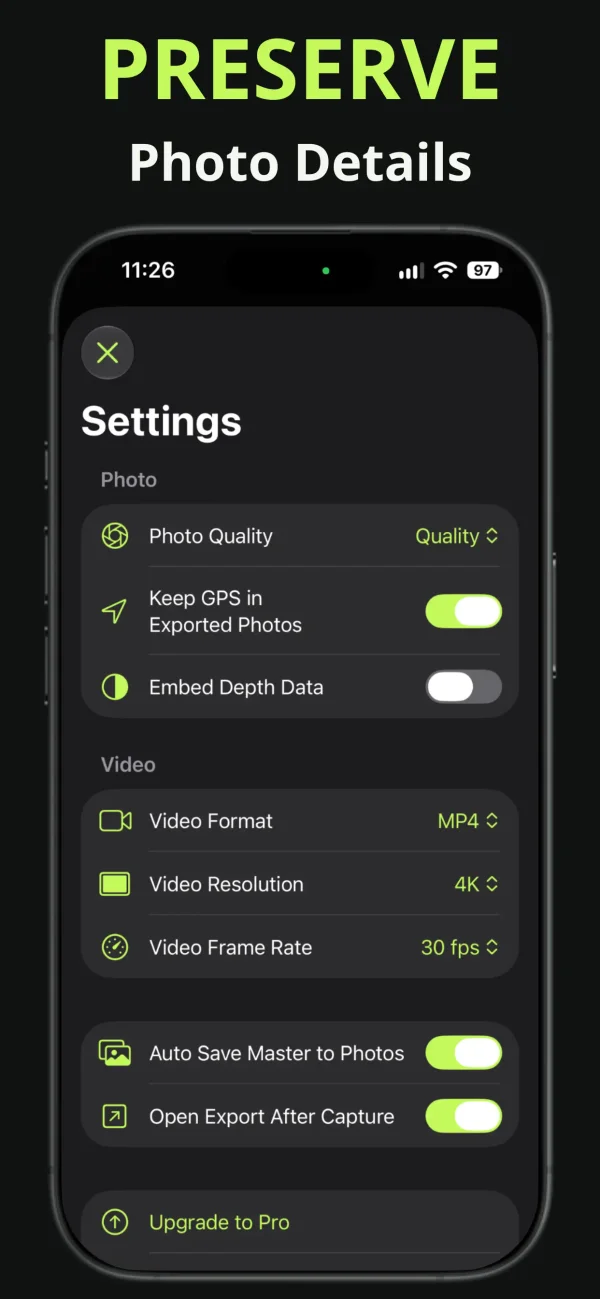
À propos
Le développeur n’a pas fourni ce texte dans votre langue.
FrameSleek is a minimalist photo and video camera built for creators who publish across multiple formats. See several aspect-ratio guides together on the live camera preview, frame your subject with confidence, and create platform-ready crops from one master capture.
MULTI-FRAME COMPOSITION
Plan for vertical video, social posts, square feeds, cinematic widescreen, iPhone wallpapers, and more without guessing how each crop will look.
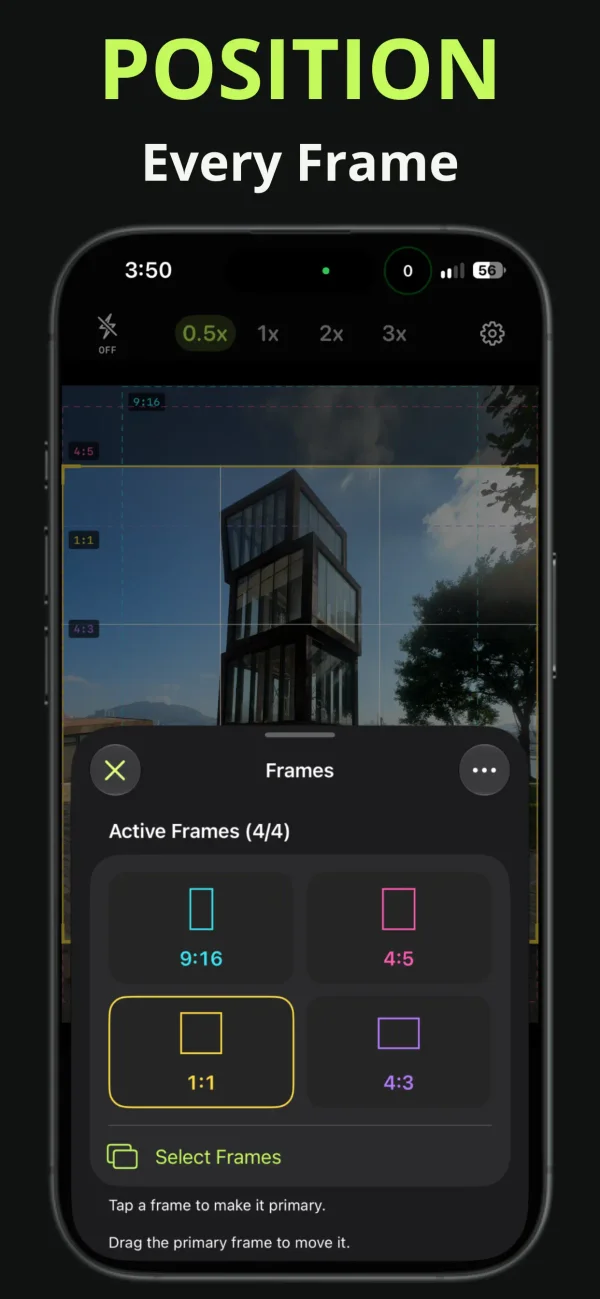
- Display up to four aspect-ratio frames simultaneously
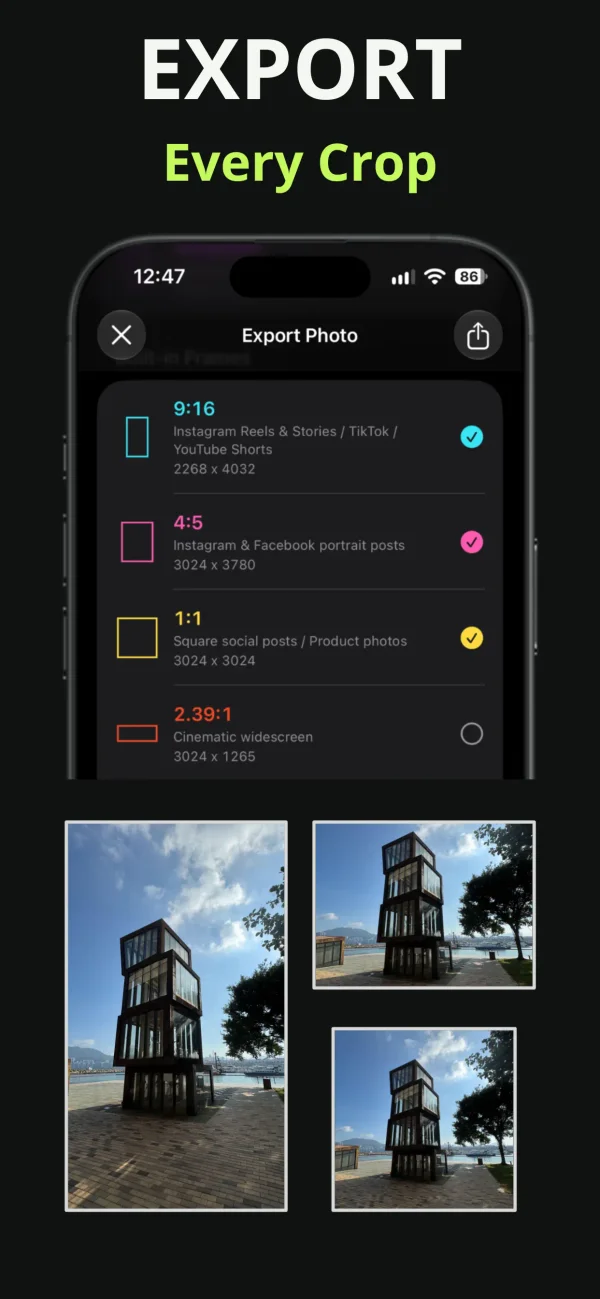
- Choose from built-in formats including 9:16, 4:5, 1:1, 2.39:1, 16:9, 4:3, and more
- Compose with a Wallpaper frame matched to your current iPhone
- Preview Minimal Clock, Large Clock, Clock + Widgets, or Conservative wallpaper guides
- Create custom aspect ratios for specialized workflows
- Tap an active frame to make it primary
- Reposition the primary frame and reset frames to center at any time
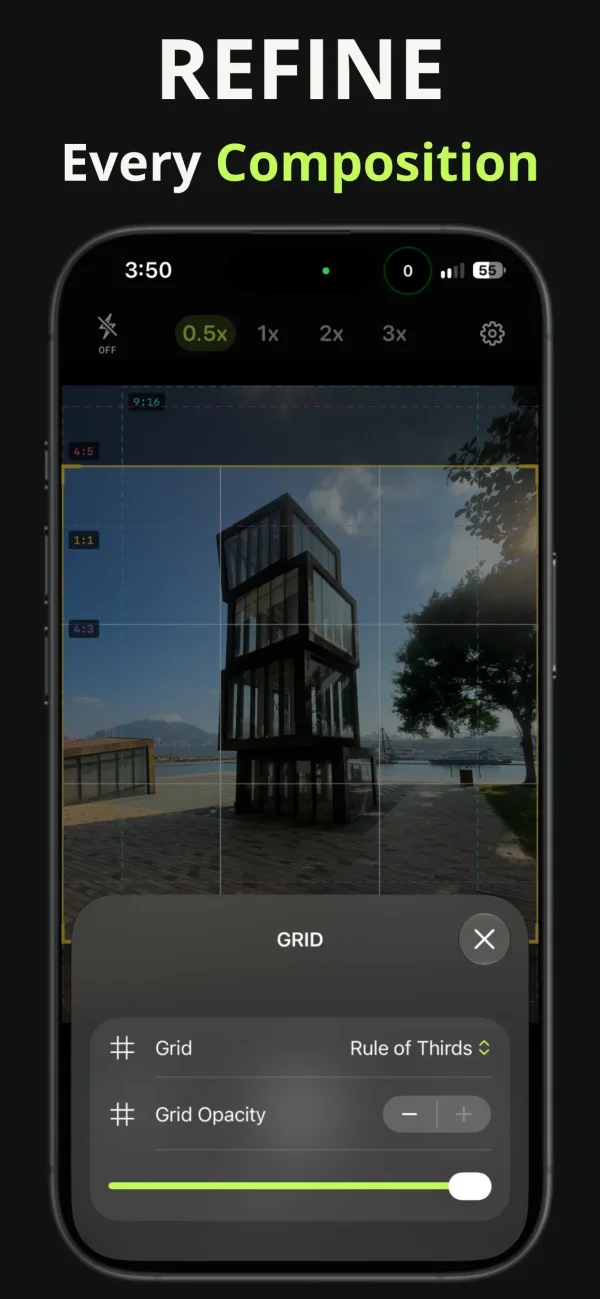
- Use rule-of-thirds or golden-ratio grids
- Adjust grid and matte opacity for a clearer composition view
CAMERA CONTROLS
Stay focused on the shot with a streamlined camera HUD and controls that adapt to your device.
- Capture photos and videos
- Switch between available cameras and zoom levels
- Apply live creative filters
- Control exposure, ISO, focus, focus peaking, aperture, and flash where supported
- Select photo quality and MOV or MP4 video format
NON-DESTRUCTIVE EXPORTS
FrameSleek keeps the master media separate from generated crops, so you can revisit a capture and export new formats later.
- Export multiple photo or video crops in one workflow
- Preserve supported EXIF metadata in photo masters and exports
- Choose whether GPS metadata is retained in exported photos
- Save selected results to the Photos app
- Regenerate exports after changing frames or output settings
BUILT-IN GALLERY
Keep your FrameSleek captures organized and ready for reuse.
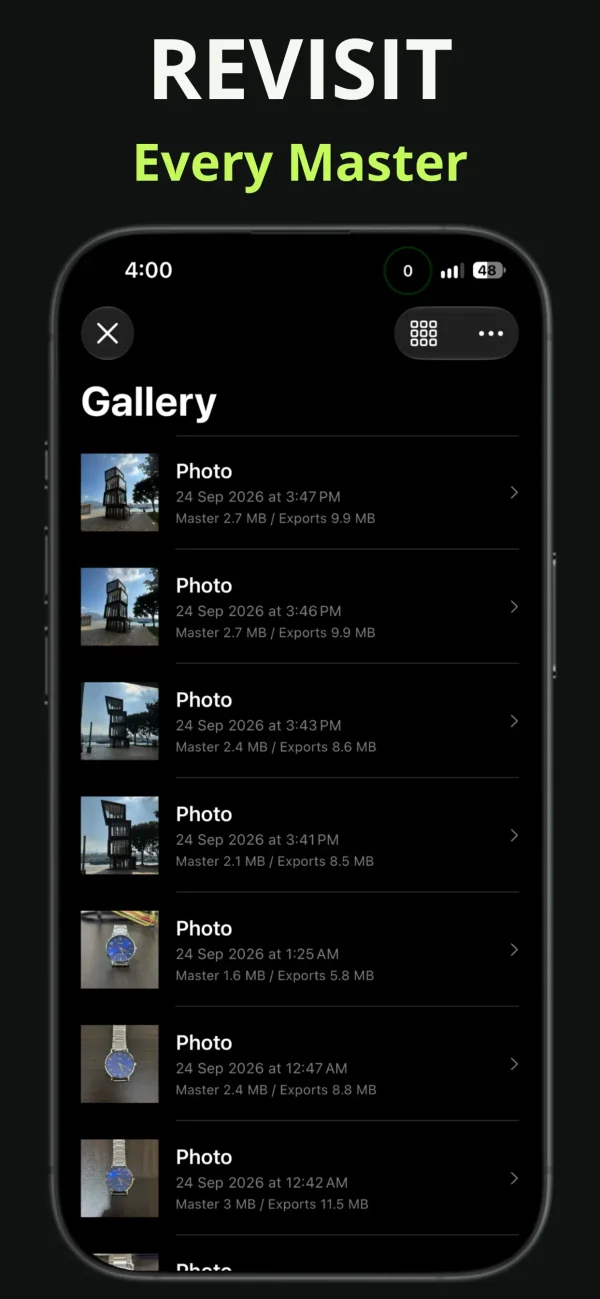
- Browse photo and video masters in grid or list view
- Add custom titles to captures
- Review master and export storage usage
- Import existing photos and videos
- Remove cached exports while keeping masters
- Delete individual records or clear all local media
FRAMESLEEK PRO
Upgrade to unlock all built-in frames and create unlimited custom frames.
Hardware-dependent controls and available camera lenses vary by device. FrameSleek stores masters and generated exports locally unless you choose to save them to Photos. Keeping GPS in exported photos is optional and disabled by default.
Terms of Use (EULA):
https://www.apple.com/legal/internet-services/itunes/dev/stdeula/
Confidentialité de l’application
Ce que Tiger Ng déclare sur l’App Store au sujet du traitement des données par cette application.
-
Données n’établissant aucun lien avec vous
Peuvent être collectées, mais ne sont pas liées à votre identité.
- Emplacement
- Contenu utilisateur
- Données d’utilisation
- Diagnostic
Les pratiques en matière de confidentialité peuvent varier, notamment en fonction des fonctionnalités que vous utilisez ou de votre âge.
Informations
- Vendeur
- Tiger Ng
- Catégorie
- Photo et vidéo
- Version
- 1.0
- Mis à jour
- 01/10/2026
- Publié
- 01/10/2026
- Taille
- 5,9 Mo
- Nécessite
- iOS 27.0 ou version ultérieure
- Classification d’âge
- 4+
- Prix
- Gratuit
- Achats intégrés
- Oui
- Langues
- Anglais
- Copyright
- © 2026 Tiger Ng
Vous aimerez peut-être aussi
-
 EncadraPhoto et vidéo
-
 CinemaCameraPhoto et vidéo
-
 Stampa - Appareil à timbresScrapbook et journal photo
-
 Photofy Content CreationPhoto et vidéo
-
 Pro Camera - ReeflexPose longue & RAW photo
-
 Intro Maker: video intro outroYT intro maker&outro editor
-
 Sun Surveyor Lite (Soleil)Photo et vidéo
-
 Lampa — Digital & Film CameraPhoto et vidéo
-
 OnBeat: Vidéo & Reels ÉditeurMontage Photo avec Musique
-
 Zeemo : vidéo IA et image IAPhoto en vidéo et sous-titres