
Harukkuk
One-tap diary that stays yours
Entwickelt für iPhone, iPad, iPod touch
Kostenlos
- Altersfreigabe4+
- KategorieProduktivität
- EntwicklerYang Koo Kang
- SprachenKoreanisch+ 2 weitere
- Größe49,8 MB
Verlinkt auf die offizielle App Store-Seite
Download.org hostet keine Datei von Harukkuk. Die Schaltfläche öffnet die App-Seite bei App Store, wo Yang Koo Kang die App veröffentlicht. Eintrag zuletzt geprüft am 12.11.2026.
Screenshots



Info
Der Entwickler hat diesen Text nicht in Ihrer Sprache bereitgestellt.
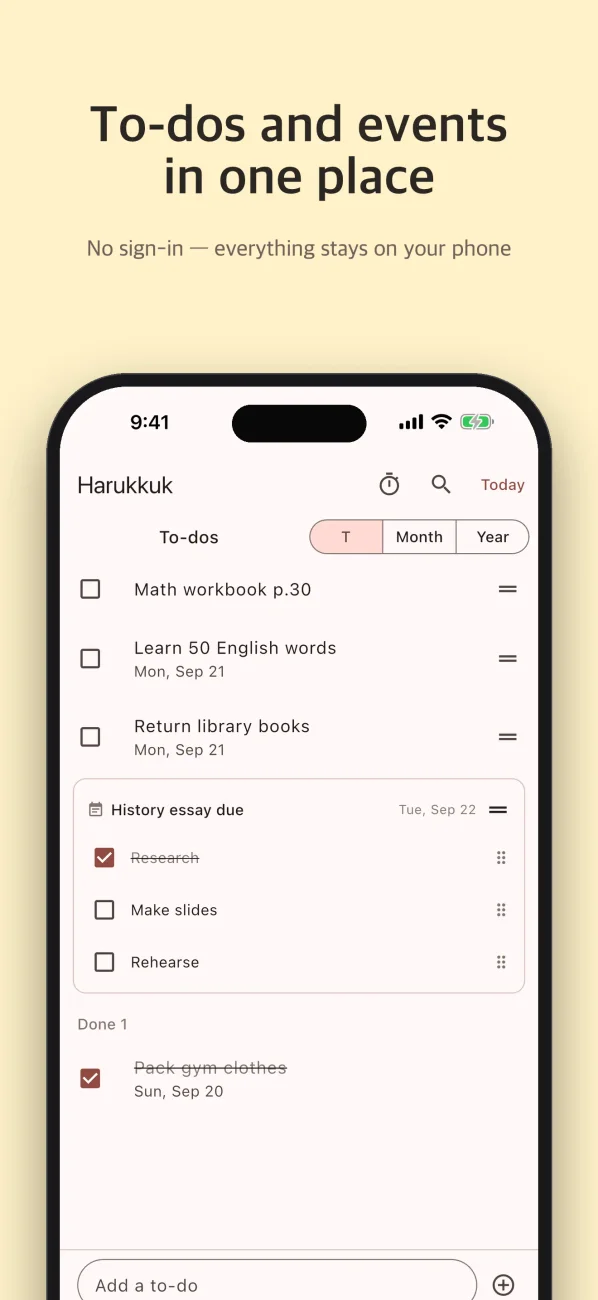
Harukkuk is a diary app for everyone, with extra features students find useful — a study timer, timetable, and D-day countdowns — plus recommended presets for office workers, freelancers, and homemakers. No account, no server. Everything you write stays on your phone.
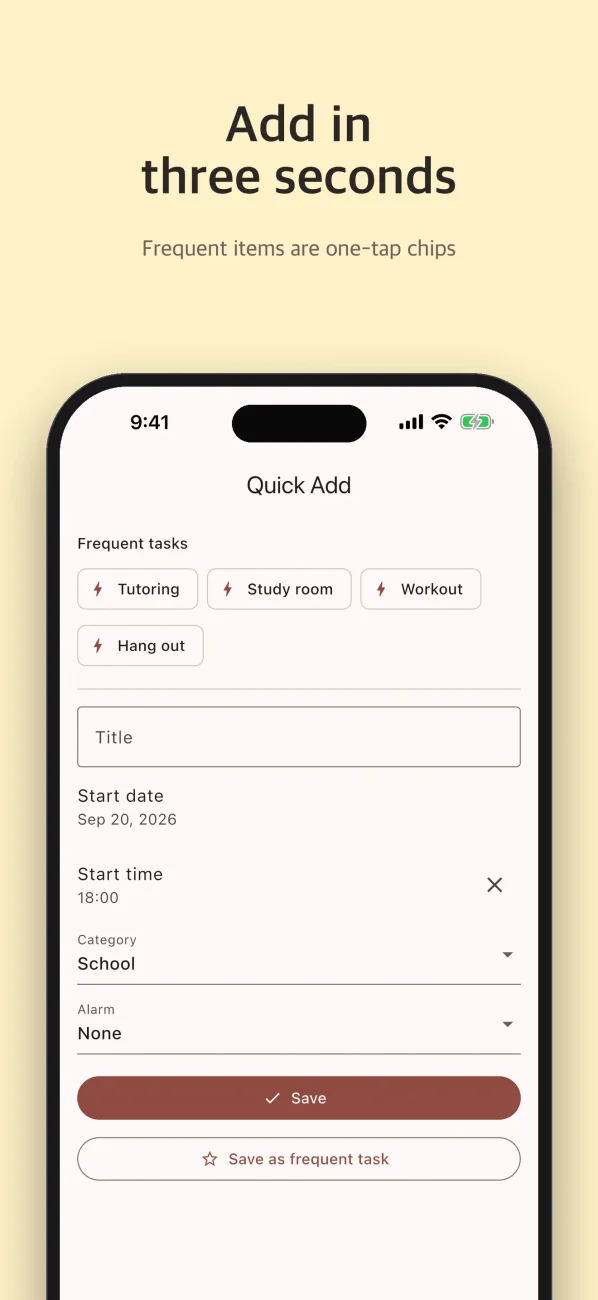
** Add an event in three seconds
• Type a title in the center + tab; date, time, and category fill themselves in
• Frequent items are one-tap chips that float up the more you use them
• "Add this now?" — it learns your patterns and suggests first
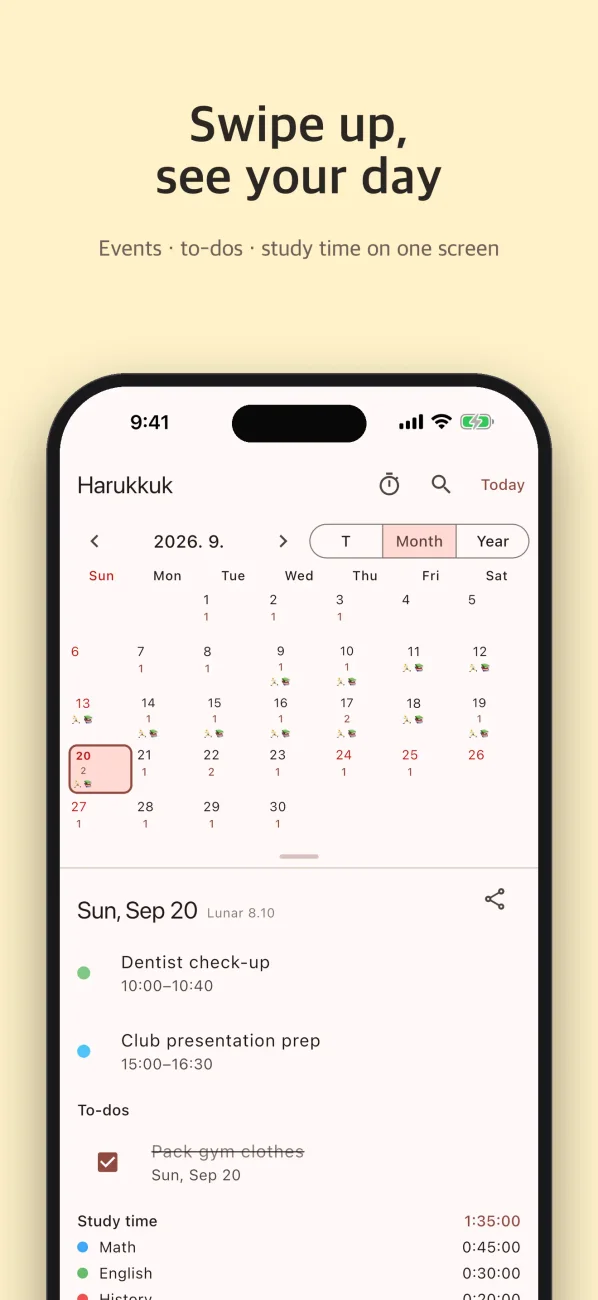
** A calendar you can read at a glance
• Month view with event chips, multi-day bars, public holidays, solar terms, and observances
• Swipe a day up to see its events, to-dos, and study time on one screen
• Exam D-days, lunar-calendar birthdays, repeating events, overlap warnings before you save
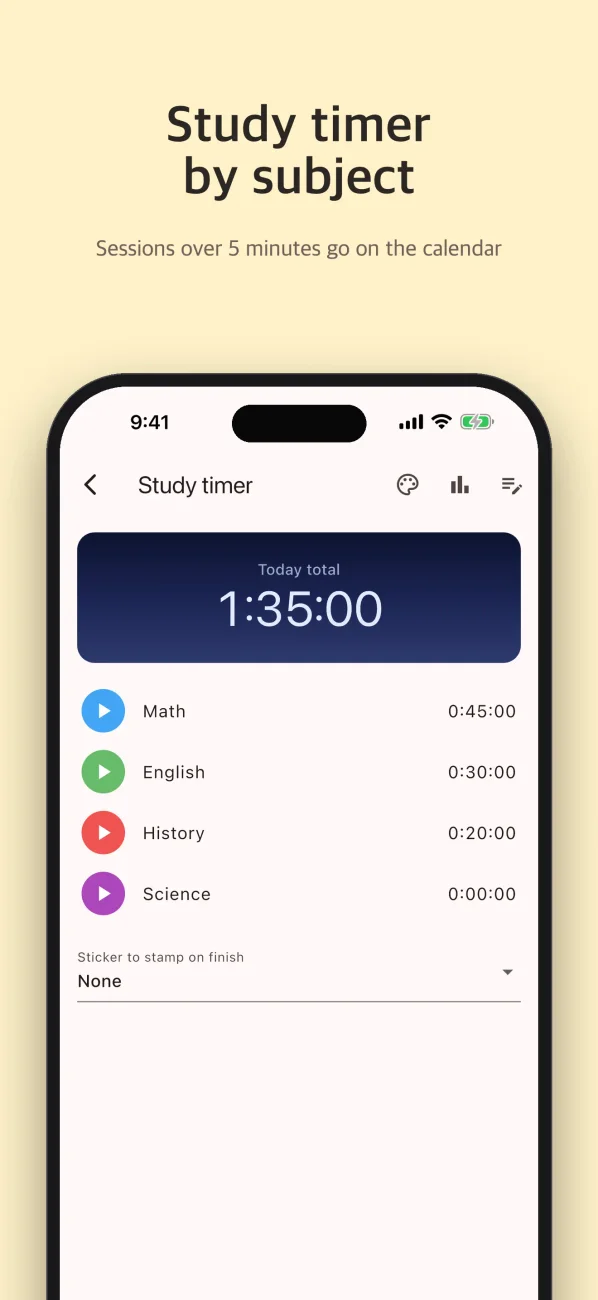
** Study timer and stats
• Track by subject or task; tapping another item saves and switches automatically
• Sessions over five minutes are logged to the calendar as events
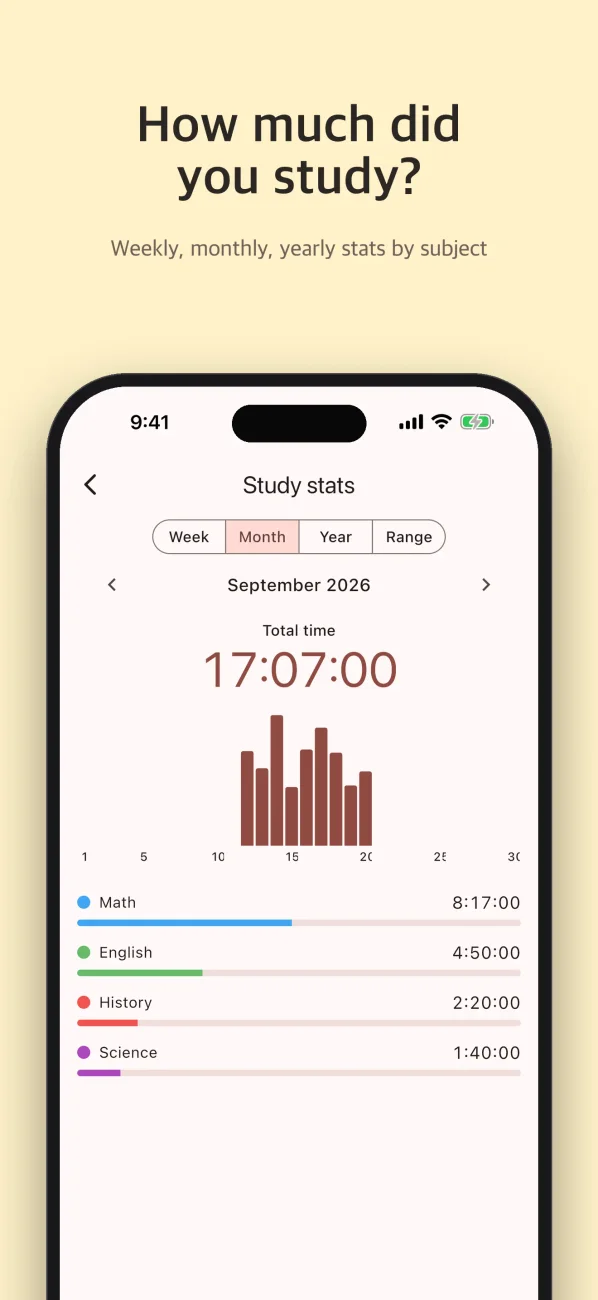
• Weekly, monthly, and yearly stats with per-item share; a "day starts at" setting counts late-night study toward the previous day
** To-dos with sub-steps
• Add without a date, drag to reorder, completed items grouped away
• Checklists attached to events show up in the to-do view too
** Habits as stickers
• Shake your phone to open today's sticker sheet
• Streaks and goal progress bars make consistency visible
** Memos
• Tag each line with a category and browse by tag
• Attach photos and links; pin a memo to the dock to open it from any tab
** Reminders
• Per-event alarms plus a reminder series every 10 minutes from 60 minutes before
** Make it yours
• 6 skin presets, accent colors, 4 fonts, 4 text sizes
• 5 timer-screen skins
** Works with your other calendars
• Import from the phone calendar (Google, Samsung, and more) and export back to it
• Import ICS files from Naver or Google Calendar, share as ICS
** Your data stays on your phone
• Stored on the device only — no server, no ads, no tracking
• Save backups where you choose (Drive, iCloud) and restore anytime
• Korean, English, and Japanese
Questions? Email beatories@gmail.com.
Neue Funktionen
Version 1.0.2 · 25.10.2026
Harukkuk now comes in modes.
• Modes keep it light: open the menu at the top left and pick from Calendar, Schedule, To-do, Timetable, Memo, Meetings, 10k Hours and Habits - each mode shows only its own tabs, settings and calendar
• Meetings: keep meeting notes and attendees; scan a business card to read the name, phone and email into your card list and phone contacts
• Record, transcribe, summarize: attach a recording to a memo, turn it into text and summarize it - all on device (summaries need an Apple Intelligence device)
• Challenges with self-rewards: set streak, collect-n or study-hour goals and claim the treat you promised yourself
• Timetable: a weekday-by-period grid, import from a photo or text, start the study timer from a cell
• Apple Watch drowsiness alerts (iOS 17 / watchOS 10+): the watch wakes you when you doze off while studying; start and stop from the watch too
• Exam wake-up rhythm: shift your wake time gradually toward the first exam period
• Better calendar import: skip duplicates and holidays, preview and pick what to import, undo an import
• Photo album: every photo from your memos and meeting notes, by date
• Choose the modes you want when you first start (change anytime in Settings > Visible modes)
• The banner ad moved below the tabs and got smaller
App-Datenschutz
Was Yang Koo Kang im App Store zum Umgang dieser App mit Daten angibt.
-
Keine Daten erfasst
Der Entwickler erfasst keine Daten von dieser App.
Die Datenschutzpraktiken können variieren, zum Beispiel je nach den von Ihnen verwendeten Funktionen oder Ihrem Alter.
Informationen
- Anbieter
- Yang Koo Kang
- Kategorie
- Produktivität
- Version
- 1.0.2
- Aktualisiert
- 25.10.2026
- Veröffentlicht
- 29.09.2026
- Größe
- 49,8 MB
- Erfordert
- iOS 15.0 oder neuer
- Altersfreigabe
- 4+
- Preis
- Kostenlos
- Sprachen
- Koreanisch, Englisch, Japanisch
- Copyright
- © 2026
Das könnte Ihnen auch gefallen
-
 하상원의 달력Produktivität
-
 MyThings ManagerProduktivität
-
 Memo-Widget (Aufgabenliste)(Eimer Liste, Einkaufsliste)
-
 Reazy: Research Paper ReaderProduktivität
-
 Flick - 플릭Produktivität
-
 MODA: Todo & Routine PlannerProduktivität
-
 Picknic - AI Links & SummariesProduktivität
-
 VoglProduktivität
-
 Vantage KalenderKalender & To-Do Liste
-
 Turning: Apps sperren & lernenBildschirmzeit reduzieren