Harukkuk
One-tap diary that stays yours
Conçue pour iPhone, iPad, iPod touch
Gratuit
- Classification d’âge4+
- CatégorieProductivité
- DéveloppeurYang Koo Kang
- LanguesCoréen+ 2 de plus
- Taille49,8 Mo
Renvoie vers la page App Store officielle
Download.org n’héberge aucun fichier de Harukkuk. Le bouton ouvre la page de l’application sur App Store, où Yang Koo Kang la publie. Fiche vérifiée pour la dernière fois le 12/11/2026.
Captures d’écran



À propos
Le développeur n’a pas fourni ce texte dans votre langue.
Harukkuk is a diary app for everyone, with extra features students find useful — a study timer, timetable, and D-day countdowns — plus recommended presets for office workers, freelancers, and homemakers. No account, no server. Everything you write stays on your phone.
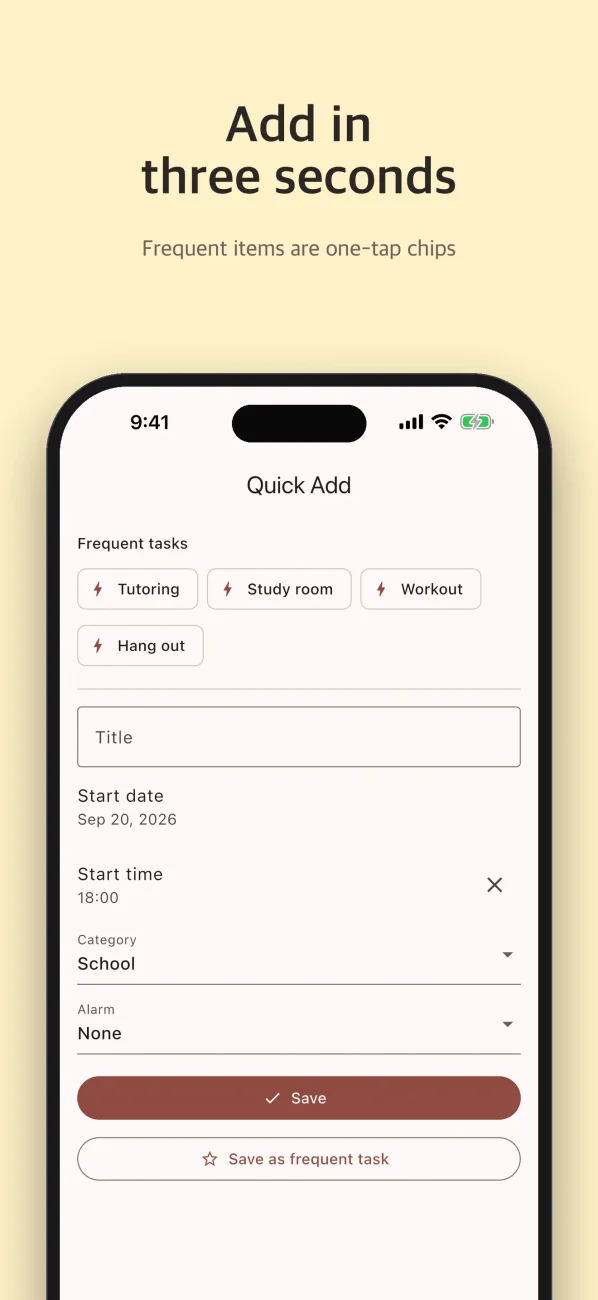
** Add an event in three seconds
• Type a title in the center + tab; date, time, and category fill themselves in
• Frequent items are one-tap chips that float up the more you use them
• "Add this now?" — it learns your patterns and suggests first
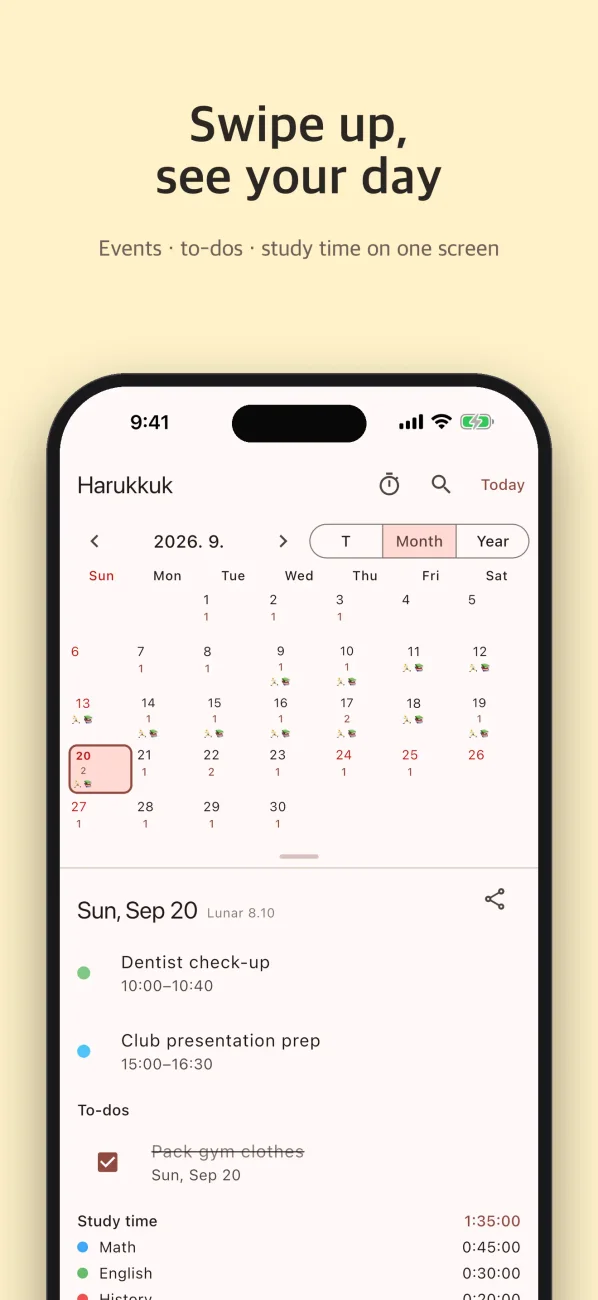
** A calendar you can read at a glance
• Month view with event chips, multi-day bars, public holidays, solar terms, and observances
• Swipe a day up to see its events, to-dos, and study time on one screen
• Exam D-days, lunar-calendar birthdays, repeating events, overlap warnings before you save
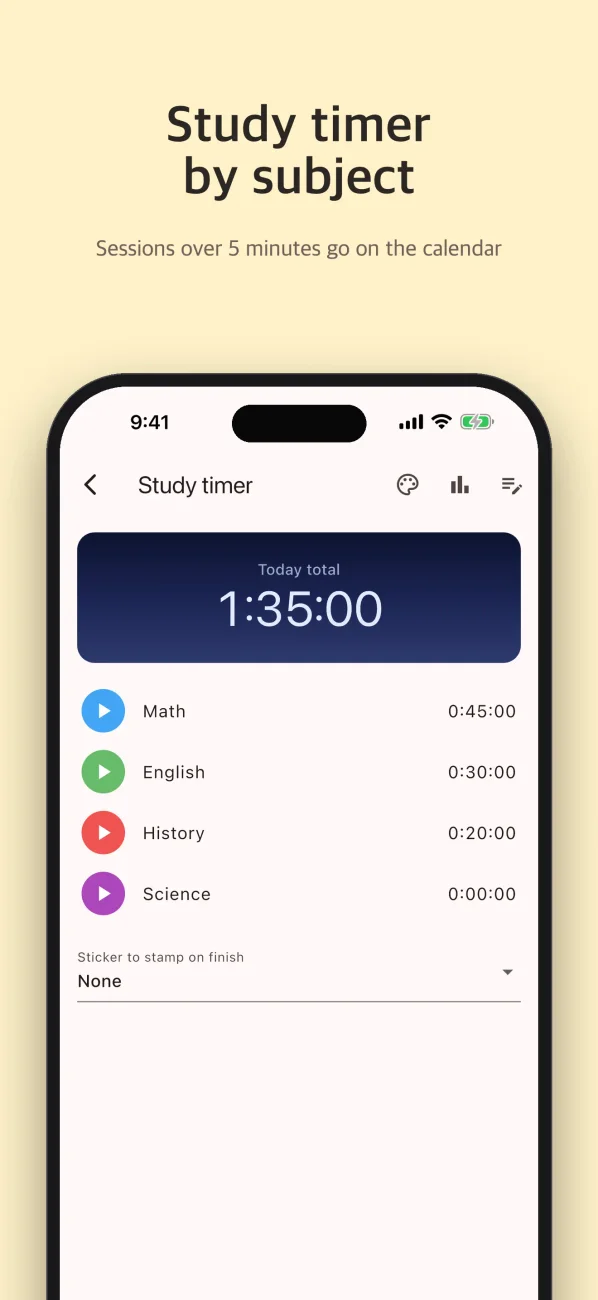
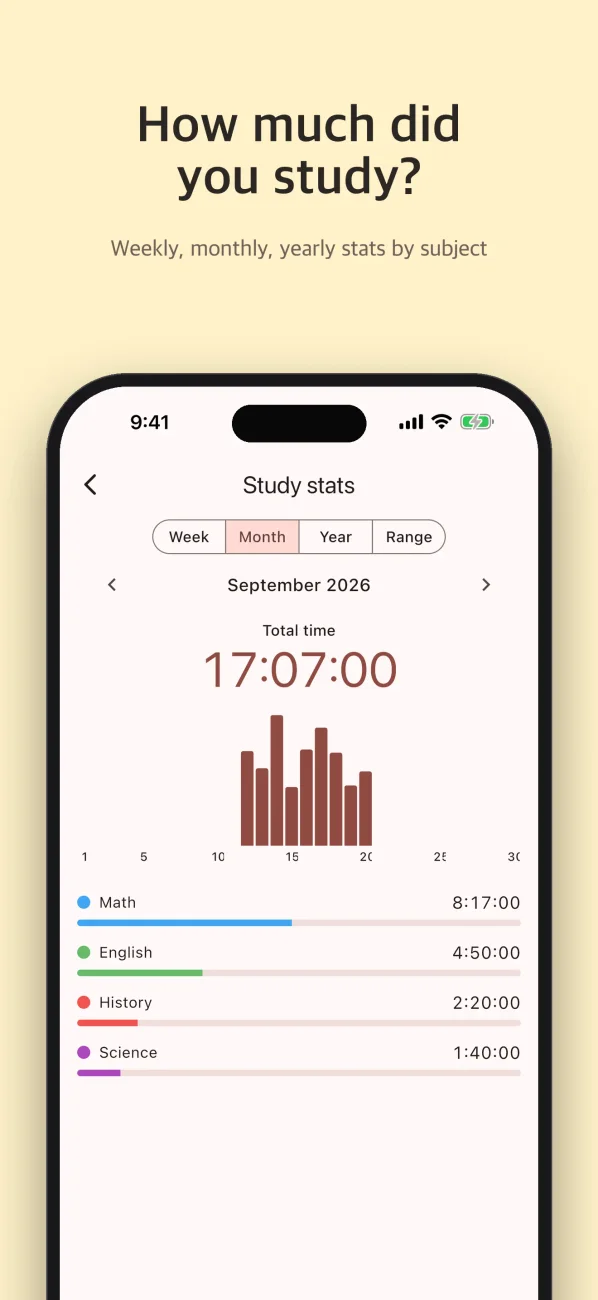
** Study timer and stats
• Track by subject or task; tapping another item saves and switches automatically
• Sessions over five minutes are logged to the calendar as events
• Weekly, monthly, and yearly stats with per-item share; a "day starts at" setting counts late-night study toward the previous day
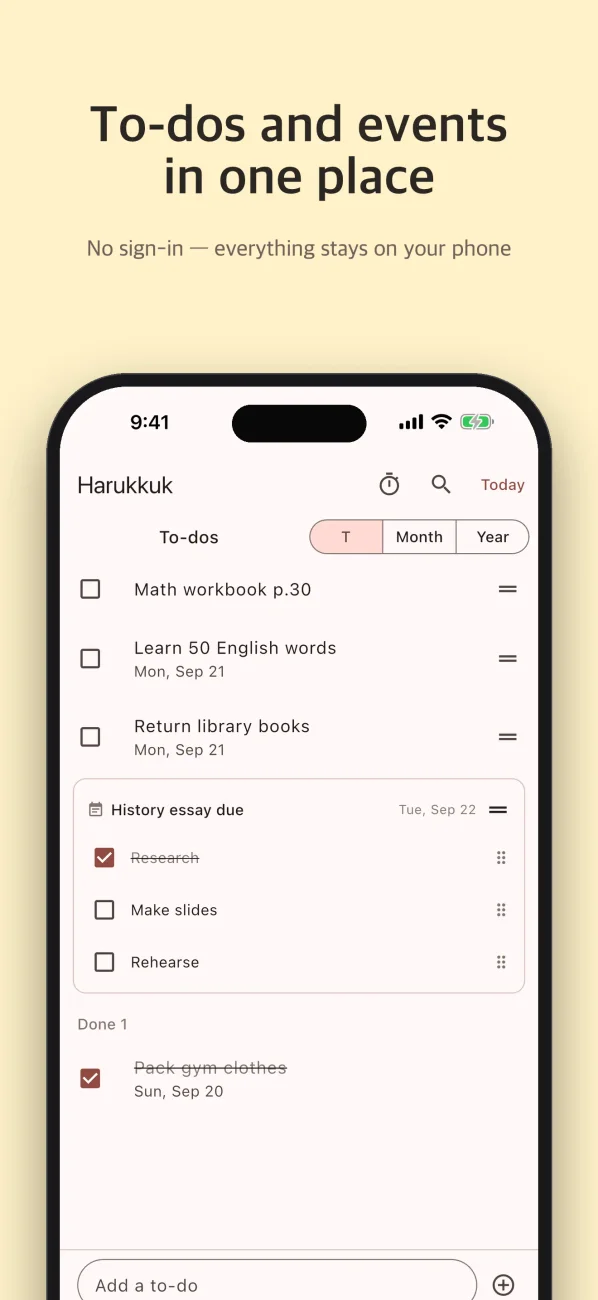
** To-dos with sub-steps
• Add without a date, drag to reorder, completed items grouped away
• Checklists attached to events show up in the to-do view too
** Habits as stickers
• Shake your phone to open today's sticker sheet
• Streaks and goal progress bars make consistency visible
** Memos
• Tag each line with a category and browse by tag
• Attach photos and links; pin a memo to the dock to open it from any tab
** Reminders
• Per-event alarms plus a reminder series every 10 minutes from 60 minutes before
** Make it yours
• 6 skin presets, accent colors, 4 fonts, 4 text sizes
• 5 timer-screen skins
** Works with your other calendars
• Import from the phone calendar (Google, Samsung, and more) and export back to it
• Import ICS files from Naver or Google Calendar, share as ICS
** Your data stays on your phone
• Stored on the device only — no server, no ads, no tracking
• Save backups where you choose (Drive, iCloud) and restore anytime
• Korean, English, and Japanese
Questions? Email beatories@gmail.com.
Nouveautés
Version 1.0.2 · 25/10/2026
Harukkuk now comes in modes.
• Modes keep it light: open the menu at the top left and pick from Calendar, Schedule, To-do, Timetable, Memo, Meetings, 10k Hours and Habits - each mode shows only its own tabs, settings and calendar
• Meetings: keep meeting notes and attendees; scan a business card to read the name, phone and email into your card list and phone contacts
• Record, transcribe, summarize: attach a recording to a memo, turn it into text and summarize it - all on device (summaries need an Apple Intelligence device)
• Challenges with self-rewards: set streak, collect-n or study-hour goals and claim the treat you promised yourself
• Timetable: a weekday-by-period grid, import from a photo or text, start the study timer from a cell
• Apple Watch drowsiness alerts (iOS 17 / watchOS 10+): the watch wakes you when you doze off while studying; start and stop from the watch too
• Exam wake-up rhythm: shift your wake time gradually toward the first exam period
• Better calendar import: skip duplicates and holidays, preview and pick what to import, undo an import
• Photo album: every photo from your memos and meeting notes, by date
• Choose the modes you want when you first start (change anytime in Settings > Visible modes)
• The banner ad moved below the tabs and got smaller
Confidentialité de l’application
Ce que Yang Koo Kang déclare sur l’App Store au sujet du traitement des données par cette application.
-
Données non collectées
Le développeur ne collecte aucune donnée à partir de cette application.
Les pratiques en matière de confidentialité peuvent varier, notamment en fonction des fonctionnalités que vous utilisez ou de votre âge.
Informations
- Vendeur
- Yang Koo Kang
- Catégorie
- Productivité
- Version
- 1.0.2
- Mis à jour
- 25/10/2026
- Publié
- 29/09/2026
- Taille
- 49,8 Mo
- Nécessite
- iOS 15.0 ou version ultérieure
- Classification d’âge
- 4+
- Prix
- Gratuit
- Langues
- Coréen, Anglais, Japonais
- Copyright
- © 2026
Vous aimerez peut-être aussi
-
 하상원의 달력Productivité
-
 MyThings ManagerProductivité
-
 Widget de mémos (Liste tâches)(liste de seau)
-
 Reazy: Research Paper ReaderProductivité
-
 Flick - 플릭Productivité
-
 MODA: Todo & Routine PlannerProductivité
-
 Picknic - AI Links & SummariesProductivité
-
 VoglProductivité
-
 Calendrier VantageCalendrier & Liste des Tâches
-
 Turning : bloquer applicationsDétox écran et révisions