
Harukkuk
One-tap diary that stays yours
Được thiết kế cho iPhone, iPad, iPod touch
Miễn phí
- Độ tuổi4+
- Danh mụcHiệu Suất
- Nhà phát triểnYang Koo Kang
- Ngôn ngữTiếng Hàn+ 2 ngôn ngữ khác
- Kích thước49,8 MB
Liên kết đến trang App Store chính thức
Download.org không lưu trữ tệp nào của Harukkuk. Nút này mở trang ứng dụng trên App Store, nơi Yang Koo Kang phát hành ứng dụng. Trang được kiểm tra lần cuối: 12/11/2026.
Ảnh chụp màn hình



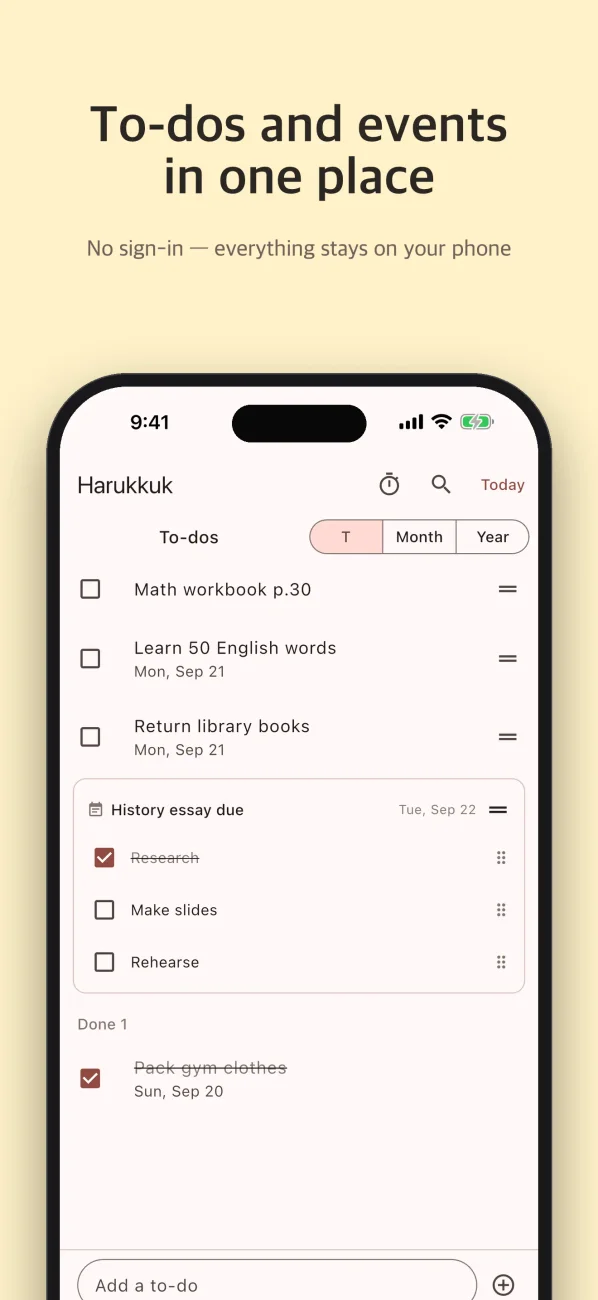
Giới thiệu
Nhà phát triển chưa cung cấp nội dung này bằng ngôn ngữ của bạn.
Harukkuk is a diary app for everyone, with extra features students find useful — a study timer, timetable, and D-day countdowns — plus recommended presets for office workers, freelancers, and homemakers. No account, no server. Everything you write stays on your phone.
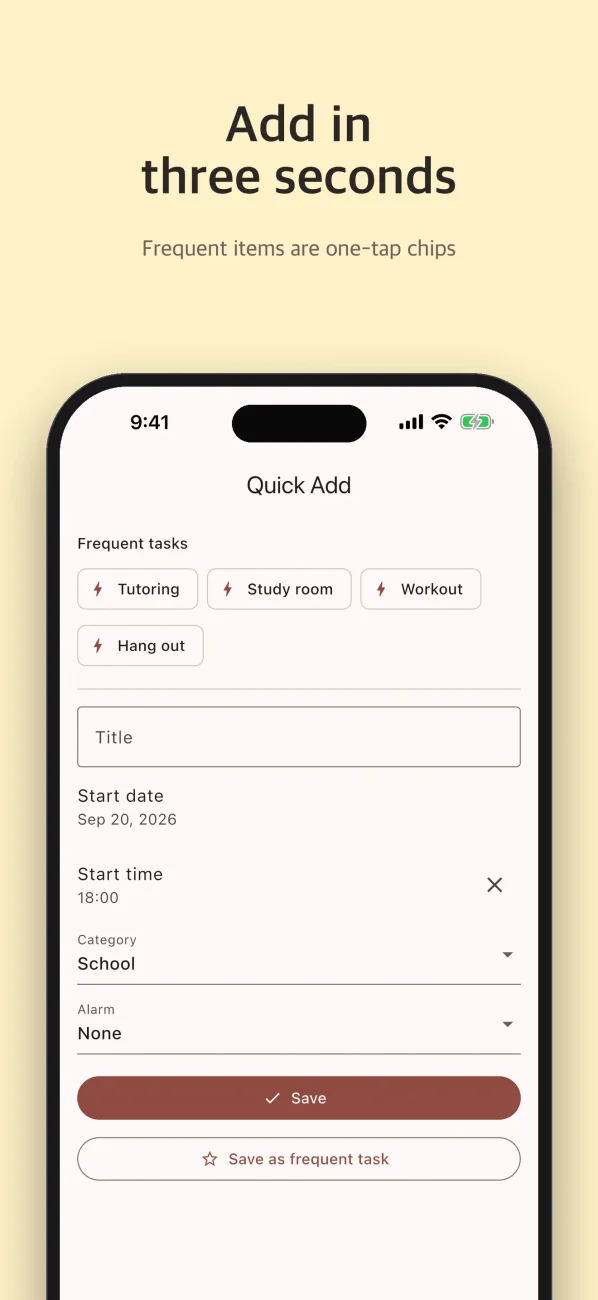
** Add an event in three seconds
• Type a title in the center + tab; date, time, and category fill themselves in
• Frequent items are one-tap chips that float up the more you use them
• "Add this now?" — it learns your patterns and suggests first
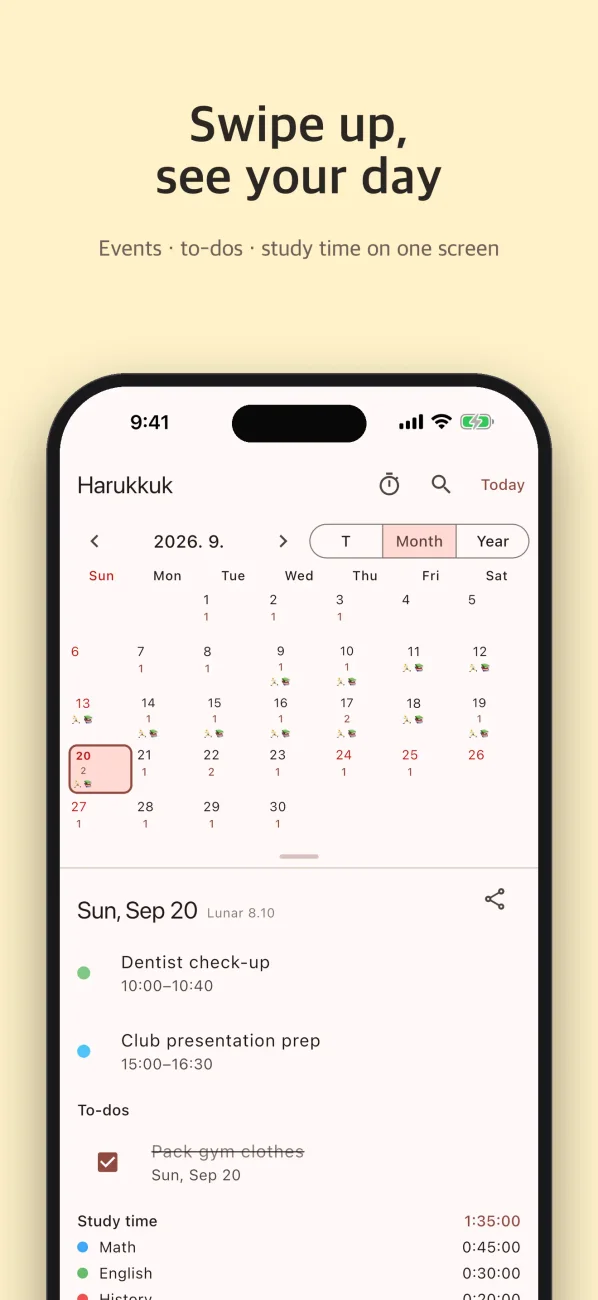
** A calendar you can read at a glance
• Month view with event chips, multi-day bars, public holidays, solar terms, and observances
• Swipe a day up to see its events, to-dos, and study time on one screen
• Exam D-days, lunar-calendar birthdays, repeating events, overlap warnings before you save
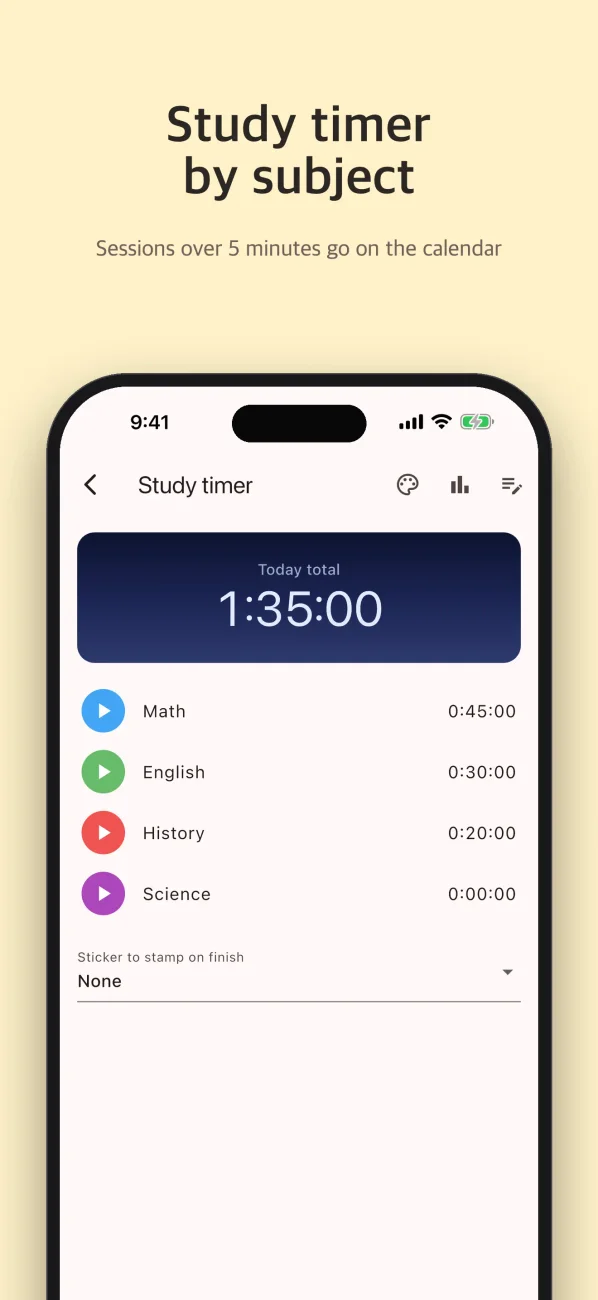
** Study timer and stats
• Track by subject or task; tapping another item saves and switches automatically
• Sessions over five minutes are logged to the calendar as events
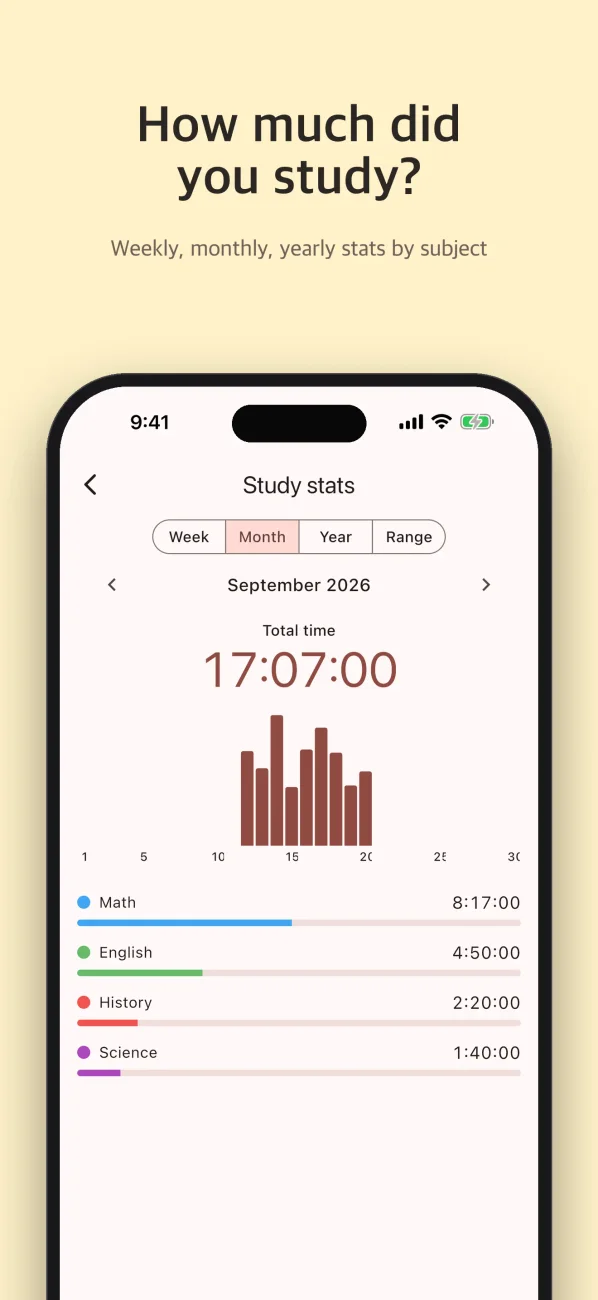
• Weekly, monthly, and yearly stats with per-item share; a "day starts at" setting counts late-night study toward the previous day
** To-dos with sub-steps
• Add without a date, drag to reorder, completed items grouped away
• Checklists attached to events show up in the to-do view too
** Habits as stickers
• Shake your phone to open today's sticker sheet
• Streaks and goal progress bars make consistency visible
** Memos
• Tag each line with a category and browse by tag
• Attach photos and links; pin a memo to the dock to open it from any tab
** Reminders
• Per-event alarms plus a reminder series every 10 minutes from 60 minutes before
** Make it yours
• 6 skin presets, accent colors, 4 fonts, 4 text sizes
• 5 timer-screen skins
** Works with your other calendars
• Import from the phone calendar (Google, Samsung, and more) and export back to it
• Import ICS files from Naver or Google Calendar, share as ICS
** Your data stays on your phone
• Stored on the device only — no server, no ads, no tracking
• Save backups where you choose (Drive, iCloud) and restore anytime
• Korean, English, and Japanese
Questions? Email beatories@gmail.com.
Có gì mới
Phiên bản 1.0.2 · 25/10/2026
Harukkuk now comes in modes.
• Modes keep it light: open the menu at the top left and pick from Calendar, Schedule, To-do, Timetable, Memo, Meetings, 10k Hours and Habits - each mode shows only its own tabs, settings and calendar
• Meetings: keep meeting notes and attendees; scan a business card to read the name, phone and email into your card list and phone contacts
• Record, transcribe, summarize: attach a recording to a memo, turn it into text and summarize it - all on device (summaries need an Apple Intelligence device)
• Challenges with self-rewards: set streak, collect-n or study-hour goals and claim the treat you promised yourself
• Timetable: a weekday-by-period grid, import from a photo or text, start the study timer from a cell
• Apple Watch drowsiness alerts (iOS 17 / watchOS 10+): the watch wakes you when you doze off while studying; start and stop from the watch too
• Exam wake-up rhythm: shift your wake time gradually toward the first exam period
• Better calendar import: skip duplicates and holidays, preview and pick what to import, undo an import
• Photo album: every photo from your memos and meeting notes, by date
• Choose the modes you want when you first start (change anytime in Settings > Visible modes)
• The banner ad moved below the tabs and got smaller
Quyền riêng tư của ứng dụng
Những gì Yang Koo Kang khai báo trên App Store về cách ứng dụng này xử lý dữ liệu.
-
Dữ liệu không được thu thập
Nhà phát triển không thu thập bất kỳ dữ liệu nào từ ứng dụng này.
Phương thức đảm bảo quyền riêng tư có thể khác nhau, chẳng hạn như tuỳ theo các tính năng bạn sử dụng hoặc độ tuổi của bạn.
Thông tin
- Người bán
- Yang Koo Kang
- Danh mục
- Hiệu Suất
- Phiên bản
- 1.0.2
- Cập nhật
- 25/10/2026
- Phát hành
- 29/09/2026
- Kích thước
- 49,8 MB
- Yêu cầu
- iOS 15.0 trở lên
- Độ tuổi
- 4+
- Giá
- Miễn phí
- Ngôn ngữ
- Tiếng Hàn, Tiếng Anh, Tiếng Nhật
- Bản quyền
- © 2026
Có thể bạn cũng thích
-
 하상원의 달력Hiệu Suất
-
 MyThings ManagerHiệu Suất
-
 Tiện ích ghi chú(danh sách xô)
-
 Reazy: Research Paper ReaderHiệu Suất
-
 Flick - 플릭Hiệu Suất
-
 MODA: Todo & Routine PlannerHiệu Suất
-
 Picknic - AI Links & SummariesHiệu Suất
-
 VoglDịch và ghi chú, AI của bạn
-
 Vantage CalendarHiệu Suất
-
 Turning: Chặn app để tập trungHọc tốt, cai nghiện điện thoại