Hingeworthy : Fold Counter
Count every open and close
Entwickelt für iPhone
Kostenlos
- Altersfreigabe4+
- KategorieDienstprogramme
- EntwicklerLucas Johnson
- SprachenEnglisch
- Größe3,0 MB
Verlinkt auf die offizielle App Store-Seite
Download.org hostet keine Datei von Hingeworthy : Fold Counter. Die Schaltfläche öffnet die App-Seite bei App Store, wo Lucas Johnson die App veröffentlicht. Eintrag zuletzt geprüft am 27.11.2026.
Screenshots



Info
Der Entwickler hat diesen Text nicht in Ihrer Sprache bereitgestellt.
Hingeworthy counts every time you open and close your iPhone Duo.
EVERY FOLD, COUNTED
See today's opens and closes, your all-time total, and how often you open it flat or prop it up like a tent or laptop.
LIVE HINGE ANGLE
Watch exactly how far open your phone is, in degrees or as a percentage, on both the outer and inner screen.
HOME SCREEN WIDGETS
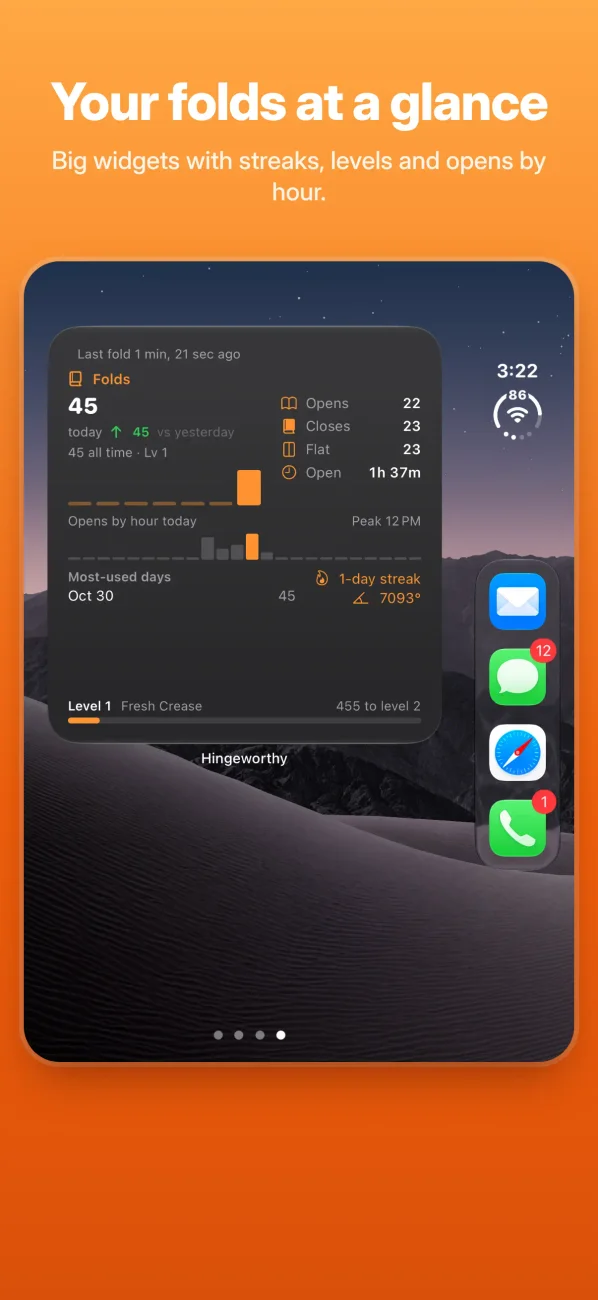
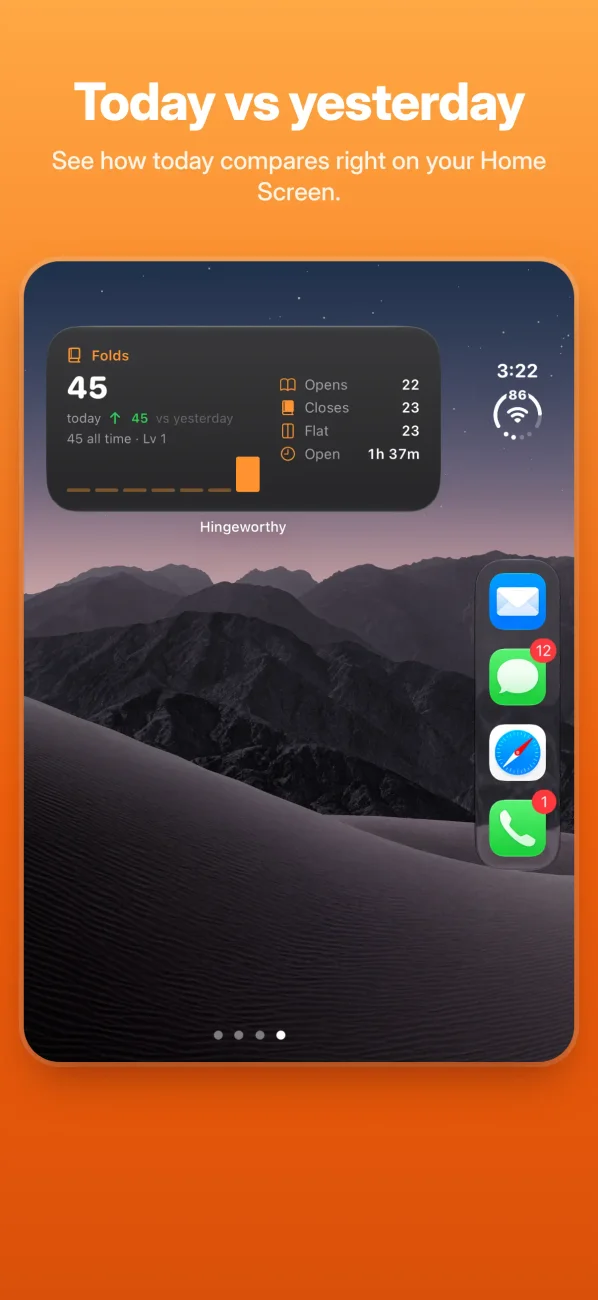
Small, medium and large widgets show today's folds, today vs yesterday, opens by hour, and your level.
HISTORY AND LEVELS
Find your busiest days and hours, keep a streak going, hit milestones, and earn a new title every 500 folds, from Fresh Crease to Hinge Legend.
COUNTS IN THE BACKGROUND
Set up two quick Shortcuts automations and Hingeworthy keeps counting even when the app is closed. The app walks you through it.
PRIVATE BY DESIGN
Everything stays on your phone. No account, no ads, no tracking.
Requires iPhone Duo.
Neue Funktionen
Version 1.3 · 06.11.2026
Make your widgets match your Home Screen.
• Widget backgrounds: choose Black, White, Graphite, Navy, Forest, Plum, Sand, Blush, or any color you like.
• Text color: Automatic (always readable), White, Black, your widget color, or your own pick.
• New Settings › Widget colors: pick custom colors with a live preview, or start from presets like Midnight, Paper, Ocean and Mint.
To change a widget, touch and hold it, tap Edit Widget, and choose Background and Text. Pick "Custom" to use the colors you set in the app.
App-Datenschutz
Was Lucas Johnson im App Store zum Umgang dieser App mit Daten angibt.
-
Keine Daten erfasst
Der Entwickler erfasst keine Daten von dieser App.
Die Datenschutzpraktiken können variieren, zum Beispiel je nach den von Ihnen verwendeten Funktionen oder Ihrem Alter.
Informationen
- Anbieter
- Lucas Johnson
- Kategorie
- Dienstprogramme
- Version
- 1.3
- Aktualisiert
- 06.11.2026
- Veröffentlicht
- 02.11.2026
- Größe
- 3,0 MB
- Erfordert
- iOS 27.1 oder neuer
- Altersfreigabe
- 4+
- Preis
- Kostenlos
- Sprachen
- Englisch
- Copyright
- © Lucas Johnson 2026
Das könnte Ihnen auch gefallen
-
 FoldCounter: Fold StatsTrack your fold
-
 Fold StatsDienstprogramme
-
 OutSpan - Fullscreen BrowsingDienstprogramme
-
 Wider - Fullscreen BrowsingDienstprogramme
-
 Fold Counter: Hinge TrackerJedes Auf- & Zuklappen zählen
-
 FoldOdometerDienstprogramme
-
 Fold by FoldDienstprogramme
-
 Brutal Time: Typographic ClockDienstprogramme
-
 DuoCorder+Dienstprogramme
-
 FoldTick: Fold CounterDienstprogramme