Image Ruler - Measures
Camera Photo Measure Tape
Entwickelt für iPhone, iPad, iPod touch
Kostenlos · In-App-Käufe
- Altersfreigabe4+
- KategorieProduktivität
- EntwicklerMartin Schurmann
- SprachenEnglisch+ 16 weitere
- Größe47,3 MB
Verlinkt auf die offizielle App Store-Seite
Download.org hostet keine Datei von Image Ruler - Measures. Die Schaltfläche öffnet die App-Seite bei App Store, wo Martin Schurmann die App veröffentlicht. Eintrag zuletzt geprüft am 13.11.2026.
Screenshots

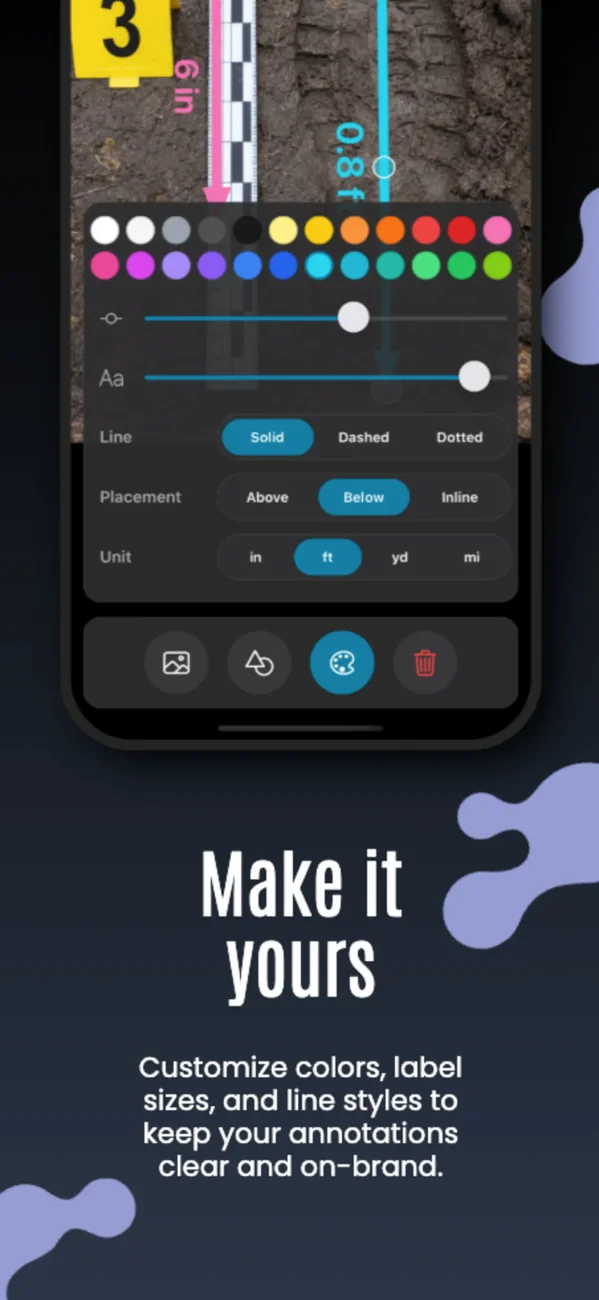
Info
Der Entwickler hat diesen Text nicht in Ihrer Sprache bereitgestellt.
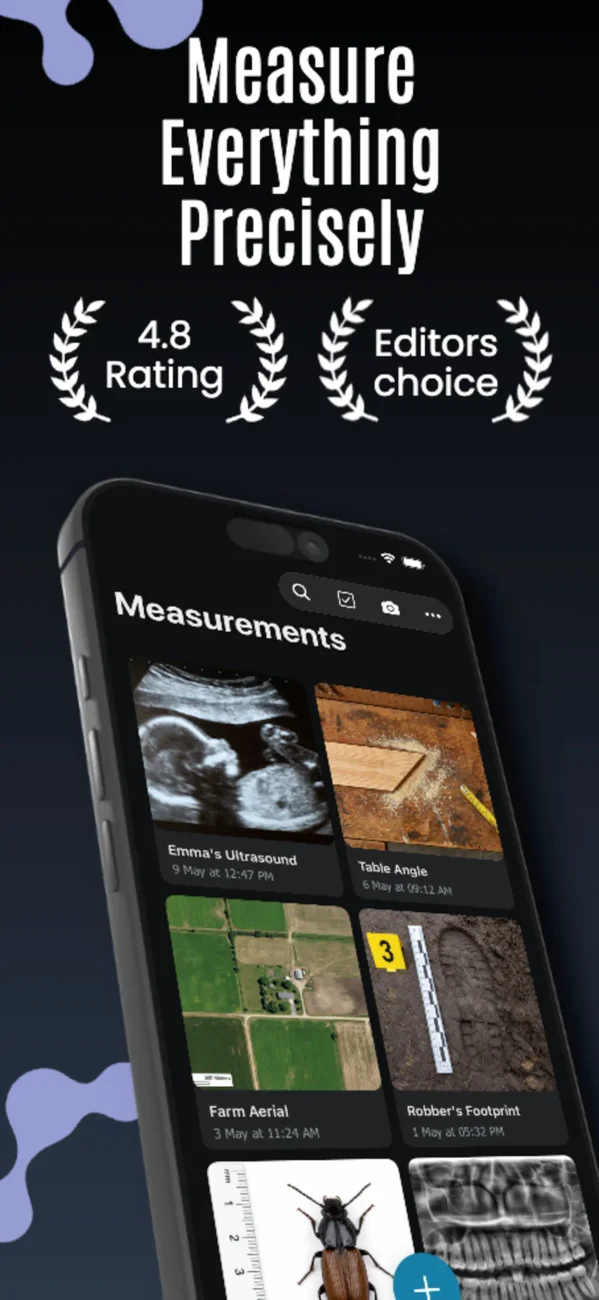
Measure anything in any photo.
Take a photo or import one from your library, place a reference object you already know the size of, and instantly calculate real-world measurements — lengths, angles, and areas — directly on the image.
How it works
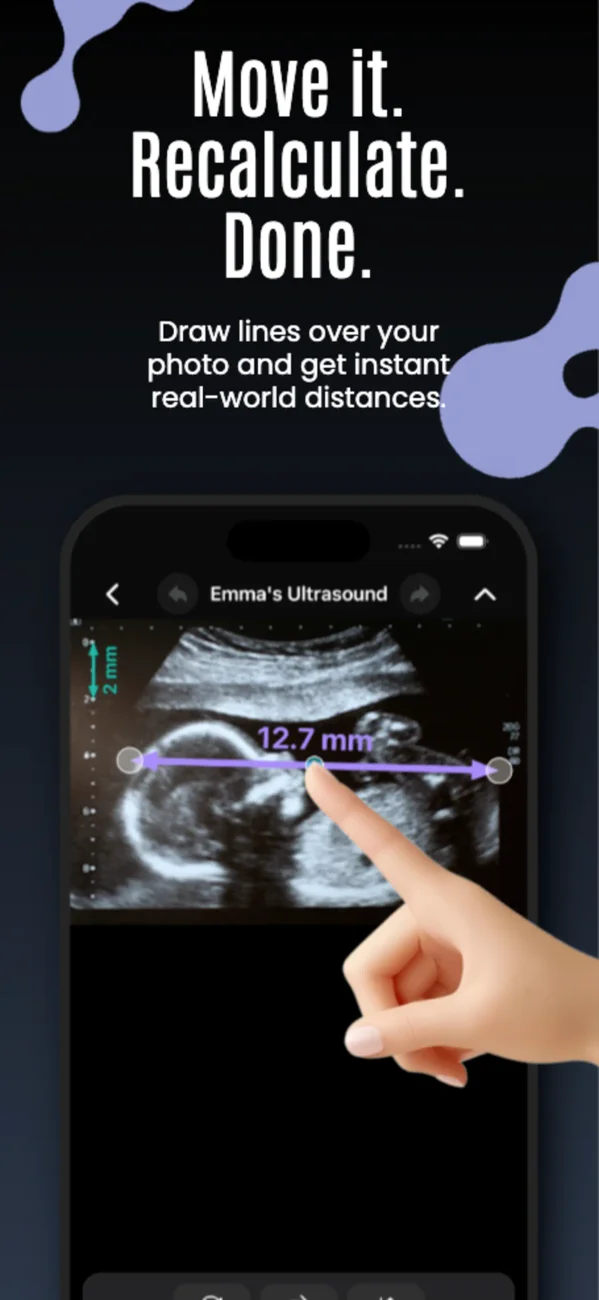
Set a reference line on a known object in your photo. From there, every measurement you draw is automatically calculated in real scale.
What you can measure
Ruler — measure distances and lengths
Arrow — annotate with directional measurements
Angle — measure the angle between any two lines
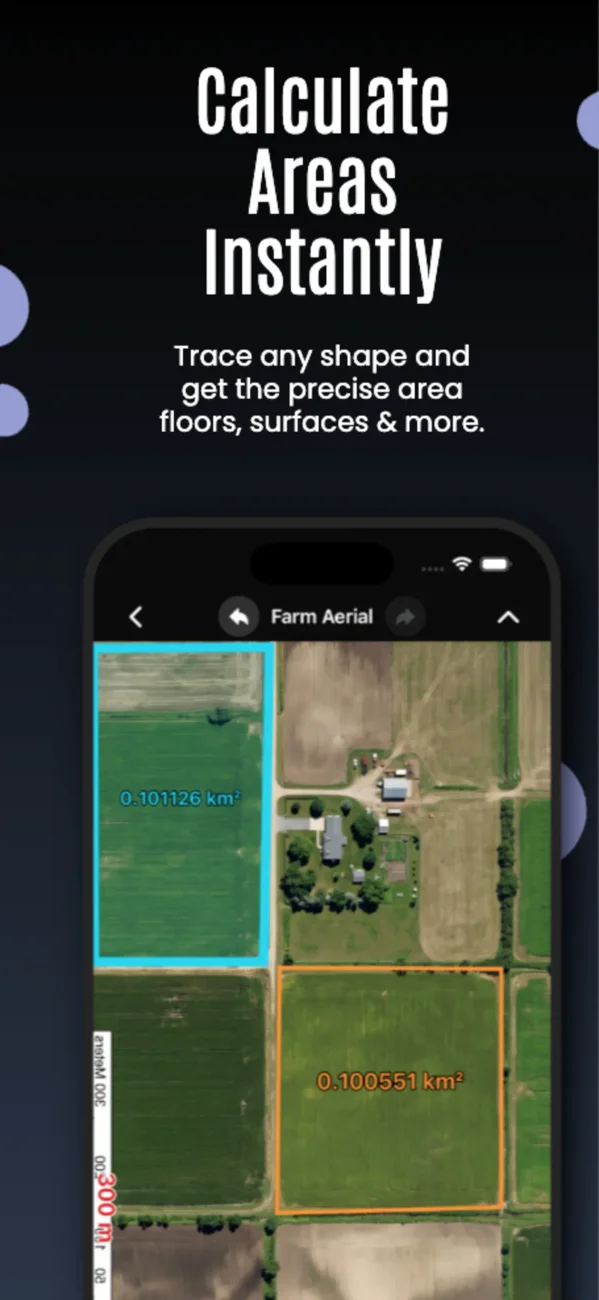
Area — tap points to outline a surface and calculate its area
Built for precision
Works entirely offline — no internet required
Metric and imperial units
Pinch to zoom for precise point placement
Undo and redo any change
Hide or show your reference line at any time
Tips for accurate results
For best accuracy, make sure your reference object and the object you're measuring are in the same plane, and that the camera was parallel to both when the photo was taken. Perspective distortion affects results.
Measurements are estimates based on the reference you provide.
Neue Funktionen
Version 1.2.10 · 10.10.2026
This is the biggest update yet — rebuilt from the ground up with a completely new look and powerful new tools.
Refreshed UI
A cleaner, more intuitive interface designed to get out of your way and let you focus on measuring. Everything is faster and easier to reach.
New: Angles & Areas
Go beyond straight lines. Measure the angle between any two surfaces, or outline a surface to calculate its area — all in real scale.
New: Export & Share
Share your measurements as an image with all annotations overlaid, or copy individual values directly to your clipboard. Perfect for sending to clients, collaborators, or keeping for your records.
New: Flip & Rotate
Imported a photo in the wrong orientation? Fix it instantly before you start measuring.
App-Datenschutz
Was Martin Schurmann im App Store zum Umgang dieser App mit Daten angibt.
-
Daten, die zum Tracking Ihrer Person verwendet werden
Können verwendet werden, um Sie über Apps und Websites anderer Unternehmen hinweg zu verfolgen.
- Kennungen
-
Nicht mit Ihnen verknüpfte Daten
Können erfasst werden, sind aber nicht mit Ihrer Identität verknüpft.
- Kennungen
Die Datenschutzpraktiken können variieren, zum Beispiel je nach den von Ihnen verwendeten Funktionen oder Ihrem Alter.
Informationen
- Anbieter
- Martin Schurmann
- Kategorie
- Produktivität
- Version
- 1.2.10
- Aktualisiert
- 10.10.2026
- Veröffentlicht
- 18.08.2019
- Größe
- 47,3 MB
- Erfordert
- iOS 15.1 oder neuer
- Altersfreigabe
- 4+
- Preis
- Kostenlos
- In-App-Käufe
- Ja
- Sprachen
- Englisch, Dänisch, Niederländisch, Französisch, Deutsch, Indonesisch, Italienisch, Japanisch, Koreanisch, Polnisch, Portugiesisch, Russisch + 5 weitere
- Copyright
- © MaartenLabs
Das könnte Ihnen auch gefallen
-
 Photo Measures LiteProduktivität
-
 My Measures + AR MeasureSpeichern und teilen Messungen
-
 PixelmesswerkzeugUI Layout Positionsmessung
-
 Photo MeasuresProduktivität
-
 Lineal App: Zollstock MaßbandMetermaß AR, meter cm messen
-
 Lineal Maßband 3D: AR MessenHaus Raum Metermaß, Vermessung
-
 ImageMeterFotos vermessen & beschriften
-
 Höhenmesser: Messen & MaßBandHöhenMeter MassBand (MessBand)
-
 Maßband Kamera - 3D LinealMessen: Raum, Wand, Grundriss
-
 3D Snap: Lineal, LiDAR MaßbandZimmerscanner, AR Raum Messen